5 Signs Your Property Portfolio Has Outgrown Your Current Maintenance Software
By Alex Jordan on June 12, 2026
The software that worked perfectly for 500 doors becomes a bottleneck at 1,500 doors — and an operational crisis at 3,000 doors. Property portfolios don't outgrow maintenance software overnight. The signs accumulate over months: work order volume slows to a crawl, report generation takes hours instead of minutes, and your team has developed manual workarounds for features the software doesn't have. Yet most property managers wait until the software is actively failing — causing missed deadlines, lost work orders, and frustrated technicians — before evaluating alternatives. The 5 signs below tell you whether your current CMMS is scaling with your portfolio or actively holding you back. OxMaint's enterprise platform scales to unlimited properties, unlimited work orders, and unlimited users — with the same performance at 5,000 doors as at 500.
PROPERTY MANAGEMENT · CMMS SCALING · 2026
5 Signs Your Property Portfolio Has Outgrown Your Current Maintenance Software
Work order volume bottlenecks, reporting delays, user limits, integration failures, manual workarounds — the warning signs that it's time to upgrade to enterprise property maintenance software.
3×Slower work order processing when software exceeds capacity — measured by time from creation to dispatch
68%Of property managers report manual workarounds to compensate for software limitations
2.5 hoursAverage weekly time spent on manual reporting — per property
UnlimitedOxMaint's property, user, and work order capacity — no tier upgrades
Sign #1: Work Order Volume Is Slowing to a Crawl
The first sign of software obsolescence is performance degradation. When your portfolio was 500 doors, the software processed 50 weekly work orders instantly. At 1,500 doors with 150 weekly work orders, the same software takes 5–10 seconds per action — and your technicians are waiting on screen refreshes instead of completing repairs. The hidden cost of slow software is technician idle time multiplied across your entire team. OxMaint's enterprise architecture processes thousands of work orders with sub-second response times — regardless of portfolio size.
Load Time
Red Flag >5 sec
Dashboard loads slower than 3 seconds. Work order forms take 5+ seconds to open. Search results delayed. Each technician loses 10–15 minutes daily waiting on screen refreshes.
Mobile Sync
Red Flag Delayed
Field technicians report work orders not syncing immediately. Completed tasks reappear as open. Offline mode unavailable or unreliable. Technicians revert to paper backups.
Search Function
Red Flag Slow
Finding a work order from 30 days ago takes multiple attempts. Asset search returns incomplete results. Technicians cannot locate past repairs for similar issues.
Crash Frequency
Red Flag Weekly
Software crashes or freezes weekly — not monthly. Each crash requires IT intervention. Data integrity concerns emerging. Support tickets increasing steadily.
Sign #2: Reporting Takes Hours Instead of Minutes
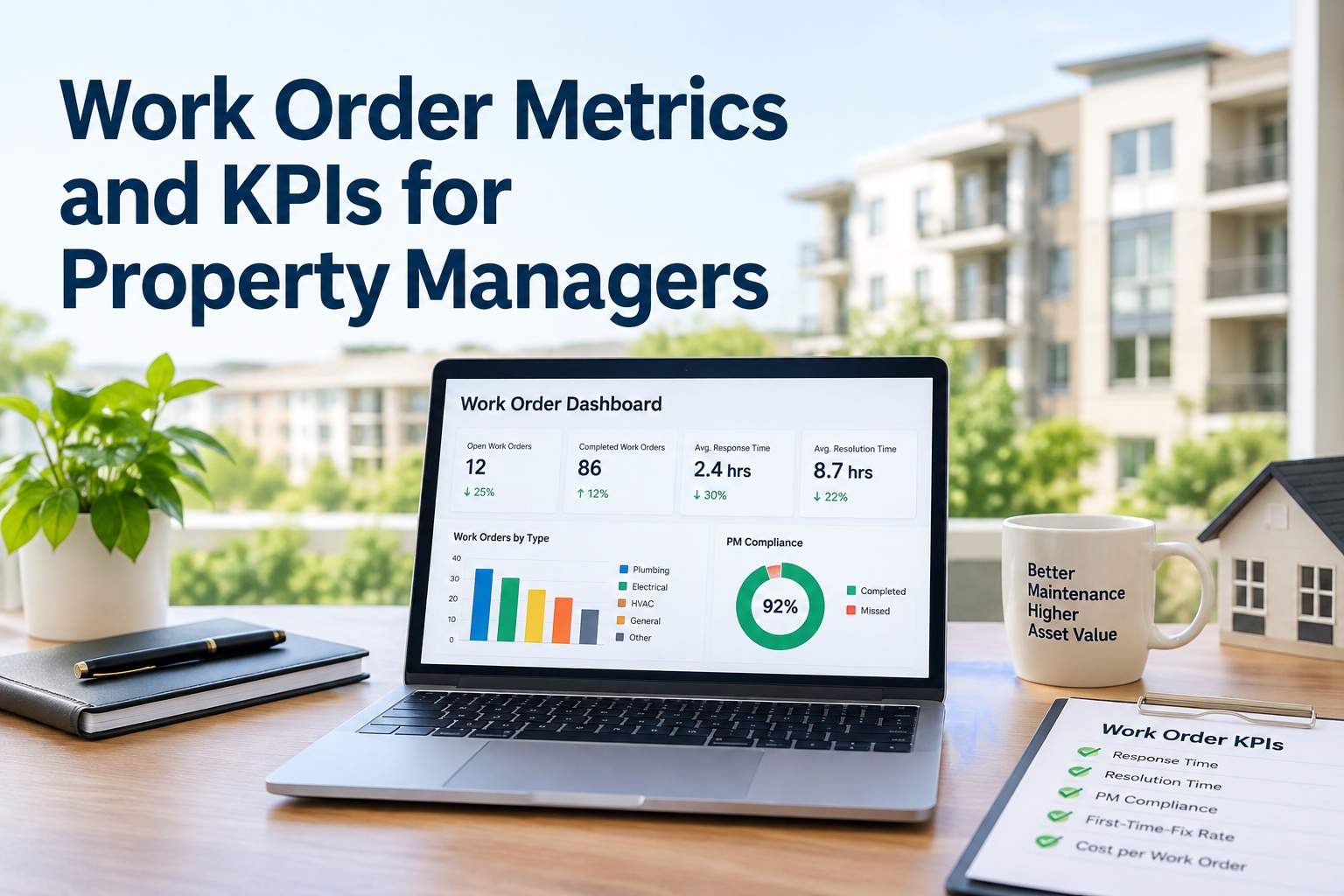
When your portfolio was small, a monthly maintenance report meant exporting a spreadsheet and formatting it. At scale, you need real-time dashboards, automated report distribution, and the ability to slice data by property, region, asset type, or technician. If your current software requires manual data manipulation for every report — and if generating a simple portfolio-wide summary takes over 30 minutes — your software has failed you. OxMaint's enterprise reporting engine generates any report in under 60 seconds, with scheduled delivery to executive inboxes and role-specific dashboards for property managers, regional directors, and portfolio VPs.
Reporting Bottleneck Assessment — Ask These 5 Questions
If you answer "yes" to 2+ questions, your reporting capability has been outgrown.
1.
Does generating a portfolio-wide monthly summary take more than 30 minutes?
Manual aggregation across properties = software incapable of cross-property reporting natively.
2.
Do you export to Excel and manually manipulate data for every report?
Excel manipulation is a workaround for inadequate native reporting. It's not sustainable at scale.
3.
Do regional managers request reports that your software cannot produce natively?
If leadership is asking for data your software can't deliver, you're operating with incomplete information.
4.
Do you maintain separate spreadsheets for data your software should track?
External spreadsheets = software gaps. Each spreadsheet is a process that should be in the CMMS.
5.
Does the software limit report retention (e.g., only 12 months of history)?
Limited history retention prevents trend analysis and violates many lenders' document retention requirements.
Sign #3: You've Hit User or Property Limits — Or Are Approaching Them
Per-user and per-property pricing models punish portfolio growth. Many CMMS platforms have hard limits: 500 properties maximum, 50 users maximum, or 10,000 work orders in active database. When you approach these limits, vendors demand expensive tier upgrades — often doubling or tripling your annual cost for the same feature set. If your current software has user or property capacity limits (even if you haven't hit them yet), and if your portfolio is growing, you are on a collision course with a forced upgrade at vendor-determined pricing. OxMaint has no property limits, no user limits, and no work order volume caps — one flat rate regardless of portfolio size.
Capacity Limit Warning Signs — Portfolio Growth vs. Software Capacity
If any of these apply, your software is limiting your growth
Property Limit
Your CMMS has a maximum property count (e.g., 500, 1,000) — and you're within 20% of that limit
Approaching hard limits forces premature decisions. Add a property? Upgrade tier first.
User Limit
Your license caps active users (e.g., 25, 50, 100) — and you're adding technicians annually
Each new technician requires a $30–80/month license fee. Portfolio growth = linear cost increase.
Work Order Limit
Your plan limits active or historical work orders (e.g., 10,000 active limit)
Work order volume grows with portfolio. Hitting the limit means deleting history or paying more.
Storage Limit
Photo and document storage is capped (e.g., 50GB, 100GB)
Each property adds inspection photos, repair documentation, and asset records. Storage caps become a recurring cost center.
Sign #4: Manual Workarounds Are Multiplying — Not Decreasing
Maintenance software is supposed to eliminate manual processes. If your team has developed workarounds for missing features — if you're using spreadsheets to track PM schedules the software can't generate, or text messages to dispatch work orders the software can't route — your software is creating work, not saving it. Manual workarounds are a leading indicator of software inadequacy. Each workaround represents a feature gap that costs technician hours weekly. OxMaint eliminates manual workarounds with automated PM scheduling, intelligent work order routing, and mobile-first field access.
Spreadsheet PM Tracking
Common Gap
Your CMMS doesn't generate PM schedules automatically, so you maintain an Excel calendar of filter changes, equipment inspections, and preventive tasks. Each entry is manually transferred to work orders.
Text Message Dispatch
Common Gap
Your CMMS doesn't route work orders to specific technicians, so dispatchers text technicians individually. No tracking of who received what or when. Emergency calls missed.
Manual Inventory Tracking
Common Gap
Your CMMS doesn't track parts inventory, so you maintain a separate spreadsheet of filter sizes, part numbers, and stock levels. Technicians guess what's in stock.
Sign #5: Integration Failures — Software That Doesn't Talk to Other Systems
At portfolio scale, maintenance software cannot operate in isolation. It must integrate with your property management system (PMS), accounting software, procurement platform, and building automation systems. If your current software lacks APIs (or charges extra for them), and if your team is double-entering data across systems, your software is actively wasting labor. Each manual data transfer between systems costs your team 5–10 hours weekly at portfolio scale. OxMaint includes unlimited API access and pre-built connectors for major PMS, ERP, and accounting platforms — with no integration surcharge.
Integration Gap Assessment — Manual Data Entry Across Systems
Each "yes" indicates a manual process that automation should eliminate
□
Work order costs are manually re-entered into accounting software for invoice matching
□
Purchase orders created outside CMMS (spreadsheet, email, phone) — no central tracking
□
Tenant maintenance requests from PMS are manually re-typed into work orders
□
Equipment data from BMS/IoT cannot trigger work orders automatically
□
Vendor invoices require manual matching to work order numbers
4+ checks = severe integration deficit. Each manual step represents technician time diverted from maintenance to data entry.
"
We grew from 800 to 2,400 doors in 18 months through acquisitions. Our per-door CMMS became unusable — monthly reports took 3 days to compile, mobile sync failed constantly, and we had three separate spreadsheets tracking PM. Switching to OxMaint's unlimited platform cut our reporting time from 3 days to 2 hours. More importantly, we eliminated 15 hours of weekly manual data entry across our portfolio — reallocating that time to preventive maintenance that was getting deferred.
VP of Operations — Multi-family portfolio, 2,400 units, US Southeast
The Cost of Waiting — Why Outgrown Software Costs More Than New Software
Property managers often delay software upgrades because "it still works" — but outgrown software has hidden costs that exceed upgrade expense within months. Deferred PM from manual scheduling gaps leads to emergency repairs. Technician idle time from slow software reduces effective headcount. Manual reporting consumes hours that should be spent on operations. The cost ladder below shows how waiting compounds. OxMaint's free trial lets you test enterprise performance on your actual portfolio — no commitment, no credit card.
Cost of Waiting — Monthly Hidden Costs of Outgrown Software
$1,200–3,000
Technician idle time — waiting for slow software (10–15 min/day × team size)
$500–2,000
Manual reporting — administrative hours spent on reports software should generate
$1,000–5,000+
Deferred maintenance from PM scheduling gaps — leading to emergency repairs
$500–2,500
Manual data entry — double-keying work orders, inventory, and purchase orders
$3,200–12,500+
Total monthly hidden cost — before any software subscription fee
For a 1,500–3,000 door portfolio. These costs are not optional — they are the price of waiting. Enterprise CMMS typically costs less than the hidden cost of remaining on inadequate software.
Frequently Asked Questions
How do I know if my software has truly been outgrown — or if we just need better training?
Performance degradation is the clearest differentiator. If the software is slow, crashes, or has capacity limits, training won't help. Try this test: generate a portfolio-wide report covering 12 months of work order history. If the software takes >5 minutes or crashes, it's a capacity problem, not a training problem. If it completes quickly but your team doesn't use features, training may help. OxMaint's free trial lets you test performance on your actual data volume.
What's the typical cost of upgrading to enterprise maintenance software?
Enterprise CMMS pricing varies widely. Per-user models cost $30–80/user/month × number of technicians and managers. Per-property models cost $1.50–4.00/door/month. Many enterprise plans add implementation fees ($3,000–10,000) and mandatory annual escalators (3–7%). OxMaint's flat-rate enterprise plan includes unlimited users, unlimited properties, all features, all integrations, and free implementation — with no per-door, per-user, or per-work-order surcharges.
How long does it take to migrate from an outgrown CMMS to an enterprise platform?
Migration timeline depends on data volume and complexity. For most portfolios (under 5,000 doors), migration takes 2–4 weeks from kickoff to go-live. This includes data export from legacy system, data cleansing, import to new platform, user training, and parallel run. OxMint provides free data migration assistance and parallel run support — no migration fee.
What features do enterprise CMMS platforms have that entry-level software lacks?
Key enterprise features: unlimited scalability (no property/user/work order caps), advanced reporting and dashboards (cross-portfolio analytics), API access for system integrations (PMS, accounting, IoT), role-based access controls (regional manager views), automated PM scheduling (calendar-based and meter-based), mobile offline mode, vendor portal access, and custom workflow automation. If your current software lacks 3+ of these, it's not enterprise-grade.
Can I keep my historical data when upgrading from an outgrown CMMS?
Yes — data migration is a standard part of enterprise CMMS implementation. Your legacy work order history, asset records, PM schedules, and user data can all be migrated to the new platform. OxMint provides free data migration assistance, including mapping legacy data fields to OxMint structure and validating import accuracy. No data left behind — no manual re-entry required.
Your Portfolio Has Outgrown Your Software. Now What?
OxMaint's enterprise platform scales to unlimited properties, unlimited users, and unlimited work orders — with the same performance at 5,000 doors as at 500. Free trial, free data migration, no hidden fees.