ai-vision-for-maintenance-photos-and-work-orders

AI Vision for Maintenance Photos and Work Orders


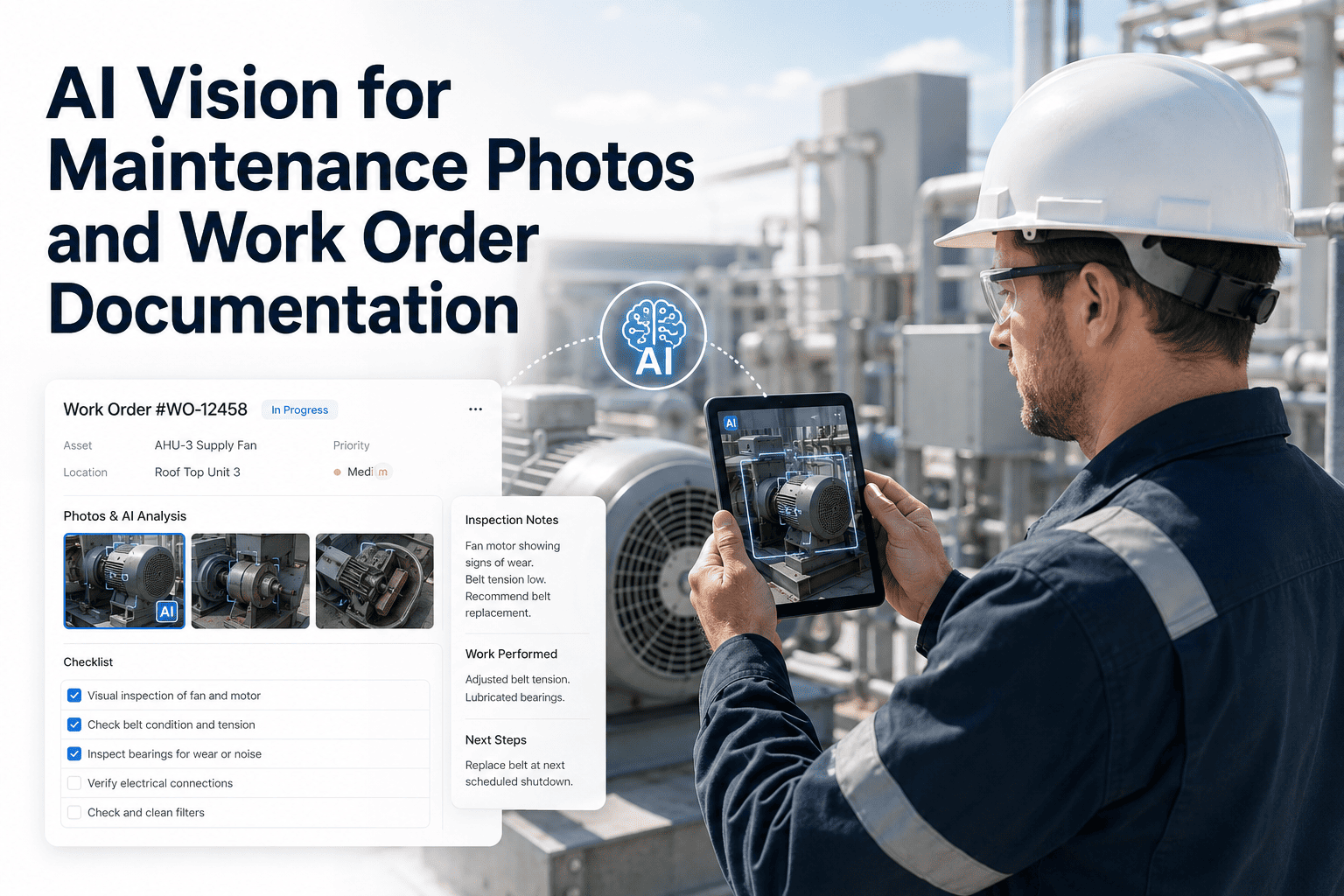
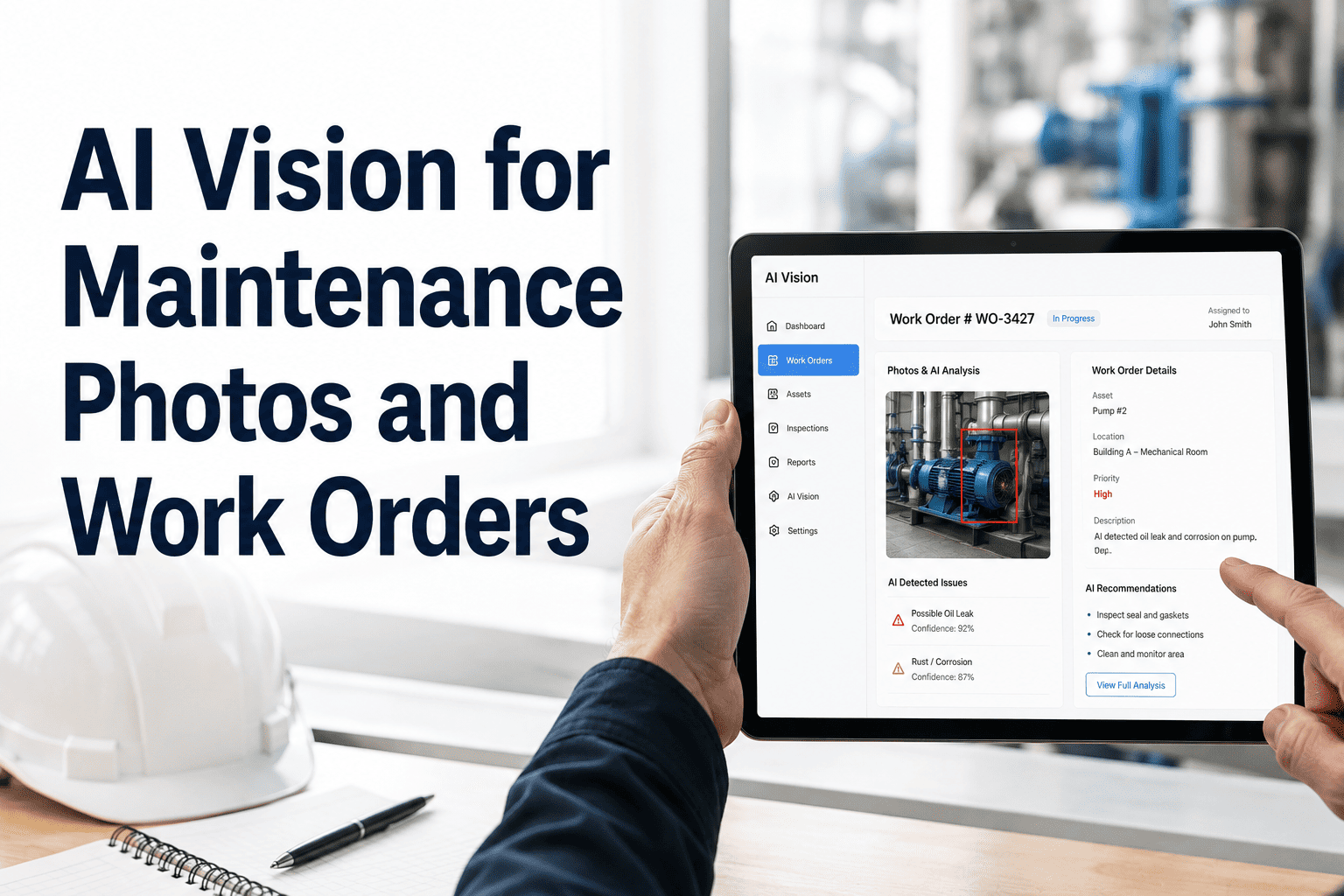
Every maintenance technician takes photos in the field — of damage, of readings, of failed components, of installed parts. Most of those photos end up as attachments in a work order with no structured data, no searchable description, and no automatic connection to the asset record or failure history. OxMaint's AI vision capability converts field photos into structured repair documentation the moment they're uploaded — turning visual evidence into maintenance intelligence. Book a demo and see how OxMaint turns your field photos into structured maintenance records automatically.

AI Vision · Field Documentation · Work Order Automation

AI Vision for Maintenance Photos — From Field Snapshot to Structured Work Order in Seconds

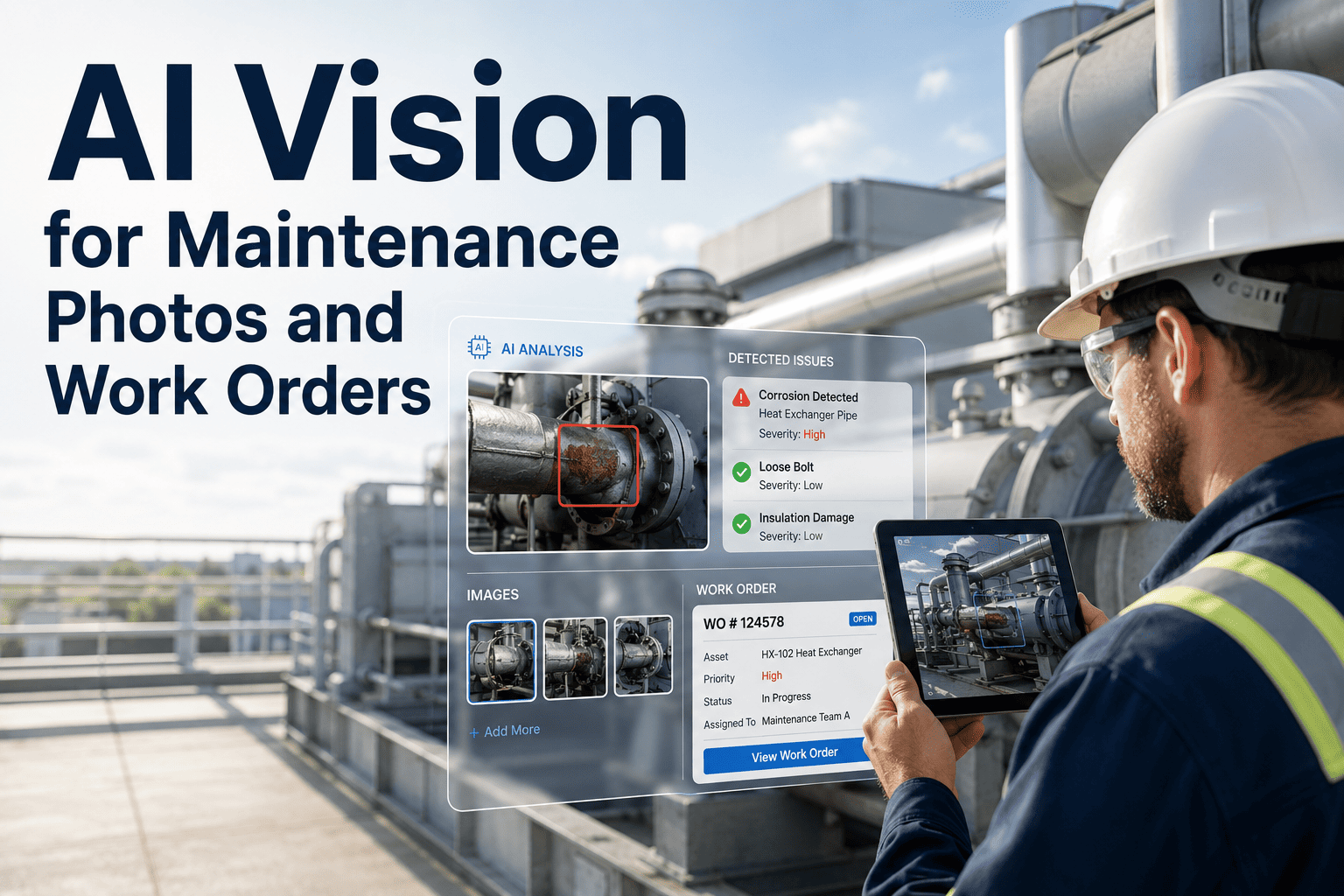
Your technicians are already documenting failures with their phones. OxMaint reads those photos, identifies the component, classifies the failure mode, and pre-populates the work order — so the documentation happens automatically while the technician keeps working.

Before vs After AI Vision
Photo uploaded manually
Filename: IMG_20250609_142233.jpg
Notes: (none)
Asset link: (none)
Failure mode: (blank)

OxMaint AI Vision output
Component: Bearing — outer race, Drive End
Failure mode: Spalling — moderate severity
Recommended action: Schedule bearing replacement
The Documentation Problem

Why Field Photo Documentation Fails — and What It Costs Your Maintenance Program

68%
of maintenance photos taken in the field are stored as unnamed attachments with no structured data — making them unsearchable and unusable for failure analysis
4.2×
longer time-to-repair when a technician cannot find photographic evidence of a previous failure on the same component during a repeat repair event
1 in 3
maintenance work orders lack sufficient documentation for root cause analysis — the primary reason RCA programs produce inconclusive results in most facilities
What AI Vision Does

What OxMaint AI Vision Extracts From a Maintenance Photo


Component Identification
OxMaint's vision model identifies the specific component type visible in the photo — bearing, seal, coupling, belt, valve, gasket — and tags the work order with the component classification automatically.

Failure Mode Classification
The system classifies visible failure modes from the image — corrosion, spalling, wear, cracking, contamination, misalignment signatures — and associates the classification with the asset's failure history for trend analysis.

Severity Assessment
AI vision provides an initial severity rating based on visual evidence — early-stage, moderate, or critical — which informs work order priority assignment and helps supervisors triage incoming repair requests without reviewing every photo manually.

Repair Recommendation
Based on component type, failure mode, and severity, OxMaint suggests a repair action and flags relevant spare parts from your inventory — reducing the time between photo capture and work order assignment to under two minutes.
Asset Record Linking
Every photo analyzed by OxMaint AI vision is permanently linked to the relevant asset record — building a visual failure history that makes future RCA sessions faster and more accurate than text-only work order histories can support.

Audit-Ready Evidence
Timestamped, structured photos attached to work orders meet documentation requirements for ISO, FDA, NERC, and other regulatory frameworks that require photographic evidence as part of maintenance records.
OxMaint · AI Vision · Automatic Work Order Documentation

Your Technicians Take the Photos. OxMaint Writes the Documentation.

OxMaint AI vision converts field photos into structured work order records automatically — zero additional time from your technician, zero unstructured photo attachments in your system. See it live in 30 minutes.

Documentation Quality Comparison

Manual Photo Documentation vs. OxMaint AI Vision — Side by Side

Capability Manual Documentation OxMaint AI Vision
Component tagging Only if technician types it — often skipped under time pressure Automatic from image — component type identified without technician input
Failure mode classification Free-text notes with inconsistent terminology across technicians Standardized classification from controlled vocabulary — consistent across all users
Asset linkage Photo stored in file attachment — not linked to asset record data Automatically linked to asset record and visible in failure history
Searchability Not searchable — can only be found by browsing work order attachments Searchable by component, failure mode, severity, or asset — returns results in seconds
Technician time required 2–5 minutes per photo for manual description and categorization Under 30 seconds — upload photo, AI vision completes the record
Audit compliance value Limited — unstructured attachments often insufficient for regulatory documentation Timestamped, structured, asset-linked — meets documentation requirements for major regulatory frameworks
Expert Perspective

What Maintenance Documentation Research Shows About AI Vision Adoption


The quality of maintenance records is the single most underestimated driver of reliability program performance. Teams that cannot quickly access failure history for a specific component make worse repair decisions, miss patterns that point to systemic problems, and spend more time on repeat repairs than on prevention. AI vision does not replace technician judgment — it ensures that what the technician saw in the field is actually captured in a form that the rest of the organization can use.

Maintenance Documentation and Reliability Outcomes — Field study synthesis from Plant Engineering, SMRP, and Reliability Web, 2023–2024
Frequently Asked Questions

AI Vision for Maintenance Documentation — Common Questions

What types of equipment failures can OxMaint AI vision identify from photos?
OxMaint's vision model is trained on industrial maintenance failure modes including bearing spalling and pitting, corrosion and scaling on piping and vessels, belt and coupling wear, seal degradation, gasket failure, and electrical connection degradation. The system continues to improve as more documented failures are added. Start a free trial and test it on your own failure photos.
Does OxMaint AI vision work from photos taken on a standard mobile phone?
Yes. OxMaint's mobile app allows technicians to capture photos directly within a work order using their mobile device camera. The AI vision analysis runs automatically when the photo is attached — no separate upload step or post-processing required. The system works with standard phone camera quality without specialized industrial imaging equipment. See the mobile workflow in a demo.
How does AI vision integrate with the work order and asset history in OxMaint?
Photos analyzed by OxMaint AI vision are permanently linked to both the work order and the asset record. The extracted data — component type, failure mode, severity, and recommended action — becomes part of the searchable asset history. When a repeat failure occurs on the same asset, technicians can retrieve all previous visual documentation alongside the text history in a single view, giving them full context for faster diagnosis.
Can AI vision documentation be used for regulatory compliance records?
Yes. OxMaint stores every photo with a timestamp, the user who uploaded it, the asset it was linked to, and the AI vision classification data. This structured, timestamped documentation meets the evidence requirements for maintenance records under frameworks including FDA 21 CFR Part 11, ISO 55000, and NERC PRC-005. Configure your compliance documentation structure in a free trial.
OxMaint · AI Vision · Photo Intelligence · Free to Start

Every Failure Photo Your Team Takes Should Become a Maintenance Record. Now It Can.

OxMaint AI vision converts field photos into structured, searchable, asset-linked maintenance documentation automatically — with no extra steps for your technicians. Go live in days, not months.


Share This Story, Choose Your Platform!