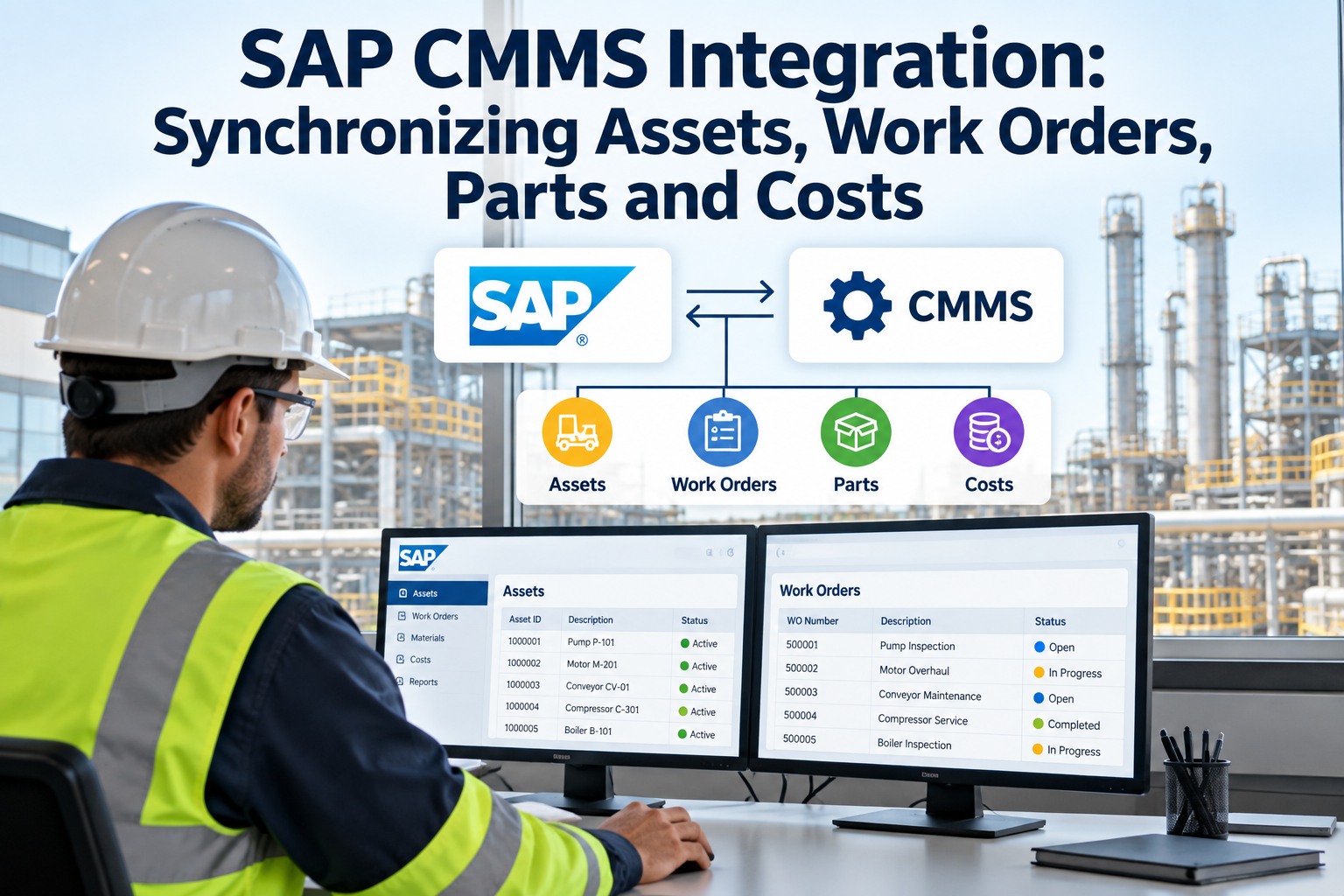
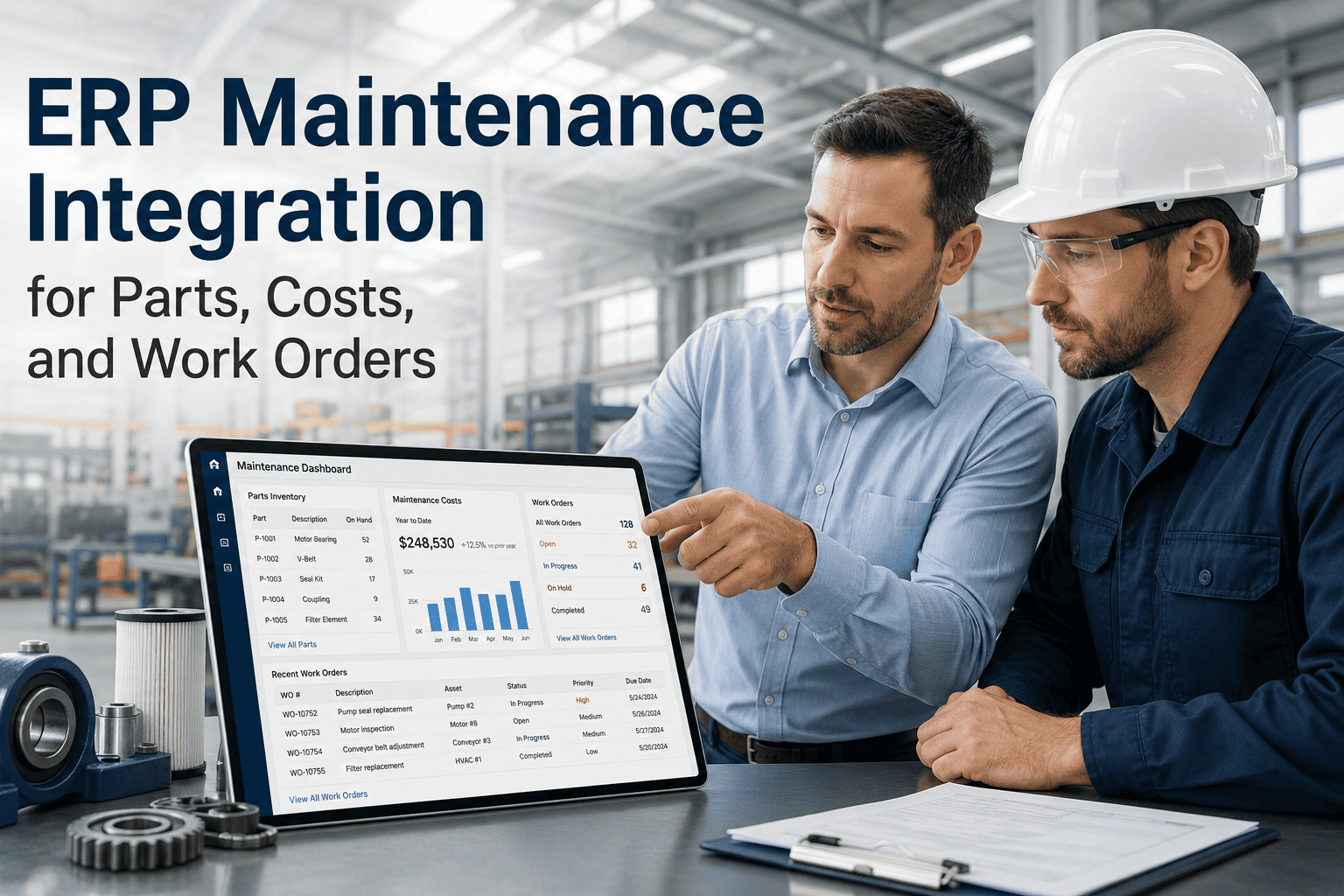
SAP Plant Maintenance is the financial and planning backbone of enterprise maintenance — but it was built for planners, not plant-floor technicians. Field teams avoid SAP's interface, planners spend 90 minutes a day reconciling CMMS records against SAP order statuses, and parts consumed in the field never decrement SAP MM inventory until a nightly batch. OxMaint integrates directly with SAP PM as the mobile field-execution layer — OxMaint handles what technicians see and do, SAP handles what finance and planning need to know, and the two systems stay in sync automatically. Work order status transitions, labour postings, materials consumption, and asset cost history flow between platforms without manual intervention. Book a 30-minute demo to see OxMaint's SAP PM connector running live.
The Core Problem
SAP is the system of record. But nobody uses it in the field.
Enterprise-grade governance, tight finance integration, and strong asset hierarchy — SAP PM has them all. The gap is field usability. Work orders that require 12 taps to update do not get updated. Technicians default to paper or WhatsApp. SAP becomes a planning system that reflects last week's state, not today's.
90min/day
Lost per maintenance planner reconciling SAP status against field completion records
68%
of mid-market manufacturers run CMMS and ERP as disconnected systems (Aberdeen Research, 2024)
How the OxMaint–SAP PM Integration Architecture Works
SAP PM
Financial & Planning Layer
Work order creation (IW31)
Order status — CRTD / REL / TECO
Cost centre posting (CO)
Materials management (MM)
Asset master (AM)
OxMaint CMMS
Field Execution Layer
Mobile work order — 3-tap completion
Offline capability on plant floor
Photo, checklist, signature capture
Real-time parts consumption log
Technician task notifications
What Syncs Automatically — The Five Data Flows
01
Work Order Status Sync
When a technician completes a work order in OxMaint, the corresponding SAP PM order status transitions from REL to TECO automatically — within minutes, not the next morning. Planners see an accurate current-state order list in SAP at all times without manual reconciliation.
02
Materials & Inventory Consumption
Parts logged as consumed in OxMaint decrement SAP MM inventory in real time — not in a nightly batch. Stock levels in SAP reflect actual usage as jobs complete. Purchase order triggers fire against SAP MM automatically when reorder points are crossed.
03
Labour Cost Posting to CO
Technician time recorded in OxMaint posts to the correct SAP cost centre automatically. Finance sees maintenance labour cost in CO without waiting for manual timesheet reconciliation. Actual vs. planned cost variance is visible in SAP PM reporting in real time.
04
Asset Master Bidirectional Sync
Asset records created or updated in SAP AM propagate to OxMaint's asset register automatically. New equipment added during a SAP MM goods receipt appears in OxMaint ready for PM plan assignment — no duplicate data entry in two systems.
05
PM Plan Generation from SAP
Maintenance plans defined in SAP IP01/IP02 generate work orders in OxMaint's mobile queue automatically on their due date. Technicians receive the job on mobile; completion data flows back to SAP without planner intervention at either end.
OxMaint · SAP PM Connector
Give your SAP investment a field execution layer that technicians actually use — and watch your SAP data quality improve automatically
SAP-Only vs. OxMaint + SAP: Operational Comparison
| Scenario |
SAP PM Stand-Alone |
OxMaint + SAP PM |
| Work order update in field |
12-tap SAP GUI — technicians avoid it |
3-tap OxMaint mobile — with offline support |
| Order status accuracy in SAP |
1-2 day lag — planner reconciles manually |
Real-time — status mirrors field completion |
| Parts consumption in SAP MM |
Nightly batch — intraday stock inaccurate |
Immediate post on OxMaint consumption log |
| Labour cost to CO |
Manual timesheet — weekly submission |
Auto-post from OxMaint time-on-task data |
| PM plan compliance tracking |
SAP report — requires ABAP query skills |
OxMaint dashboard — visible to all supervisors |
| Photo and checklist on WO |
Not natively supported in SAP PM |
Native in OxMaint — linked to SAP order reference |
Expert Review
Vikram Desai — SAP PM Implementation Lead, 16 years across manufacturing and utilities
SAP PM is technically capable of everything a maintenance operation needs — the issue is that capability was designed for power users sitting at a desktop, not for a technician in a hard hat on a process plant. The most successful SAP PM deployments I have seen in the last five years all have a purpose-built mobile execution layer in front of SAP — and OxMaint is the cleanest integration I have worked with. The bi-directional connector maps SAP order types, cost objects, and functional location hierarchy without custom ABAP development. That changes the implementation from a six-month SAP project to a four-week configuration exercise.
Frequently Asked Questions
Does OxMaint replace SAP PM or run alongside it?
OxMaint runs alongside SAP PM — it does not replace it. SAP remains the system of record for financials, asset valuation, cost postings, and enterprise reporting. OxMaint provides the mobile execution interface that field technicians use, with all field data flowing back to SAP automatically. Your SAP PM investment is preserved and its data quality improves because technicians actually record completions in real time.
Book a demo to see the integration architecture for your SAP version.
Which SAP versions and deployment types does OxMaint's connector support?
OxMaint's SAP connector supports SAP ECC 6.0 and SAP S/4HANA — both on-premise and cloud deployments. Integration uses SAP's standard BAPI and RFC interfaces, so no custom ABAP development is required in your SAP landscape. The connector configuration maps OxMaint objects to SAP PM order types, cost centres, plant hierarchy, and materials management objects.
Sign in to OxMaint to begin the SAP connection configuration for your system.
How are SAP functional location hierarchy and equipment master records handled in OxMaint?
OxMaint imports your SAP functional location hierarchy — from plant level down to equipment and component — and mirrors it in OxMaint's asset register. Equipment records including technical objects, classification data, and measurement points sync bidirectionally. New equipment added to SAP during procurement (goods receipt in MM) automatically creates an asset record in OxMaint ready for PM plan assignment.
Book a demo to see functional location sync working in a live environment.
What happens if a technician completes a work order in OxMaint while offline — does SAP stay in sync?
Yes. OxMaint caches work order completion data locally when the device is offline — including time entries, parts consumption, and checklist responses. When connectivity is restored, all cached data syncs to OxMaint's server and the SAP status update, cost posting, and inventory decrement execute automatically. No manual reconciliation is needed after the reconnect.
Sign in to OxMaint to configure offline sync settings for your site.
OxMaint · SAP PM Integration · Work Orders · Asset Management
SAP has the data model your enterprise needs. OxMaint gives your technicians the interface they will actually use. Together, they eliminate the manual reconciliation that is currently costing your planners 90 minutes a day.
Bidirectional order status · Real-time cost postings · Parts consumption sync · Mobile field execution · Offline capability