
Finance knows the budget. Maintenance knows the assets. But when CMMS and ERP run as separate systems, neither team has the full picture — purchase orders get duplicated, maintenance costs are reconciled manually at month-end, and inventory levels in the storeroom never match what the ERP shows. The data exists in both systems. What is missing is the connection. Oxmaint's ERP integration layer closes that gap, syncing work orders, parts consumption, and cost data bidirectionally so maintenance and finance always operate from the same numbers. Connect your ERP to Oxmaint free and eliminate the reconciliation problem in your first week.
Why Disconnected CMMS and ERP Systems Fail Both Teams
The problem is not that your CMMS is weak or your ERP is outdated. The problem is that two well-designed systems operating in isolation create a third system — a manual reconciliation process run in spreadsheets between them. That shadow system absorbs hours every week, introduces transcription errors, and ensures that maintenance decisions are never fully visible to finance and financial constraints are never fully visible to maintenance.
Maintenance creates parts requests in CMMS. Procurement creates POs in ERP. Without a sync layer, the same part gets ordered twice or the CMMS request is ignored entirely, causing stockouts at the job.
The CMMS shows 4 units of a bearing in stock. The ERP shows 2. The storeroom has 1. When actual usage is not synced back to ERP in real time, inventory records diverge and reorder logic fires on incorrect data.
Labor hours and parts costs recorded in CMMS need to be allocated to cost centers, work orders, and asset accounts in ERP. Manual rekeying introduces allocation errors that distort maintenance cost reporting and budget variance analysis.
Month-end close requires reconciling CMMS work order costs against ERP financial records. Without automation this takes days, delays close timelines, and forces finance teams to work from lagged maintenance data that may already be stale.
How Oxmaint Bidirectional ERP Sync Works
Oxmaint's integration layer creates a live, bidirectional data bridge between your CMMS and ERP. Data created in either system propagates to the other automatically — no manual exports, no middleware scripts, no reconciliation. Book a demo to see the live data flow for your specific ERP platform.
ERP Platform Integration Guides
Oxmaint maintains pre-built connectors for the three most widely deployed ERP platforms in industrial operations. Each integration is configured through the Oxmaint admin panel — no custom development required for standard data flows. Sign in to Oxmaint to access the ERP integration configuration wizard.
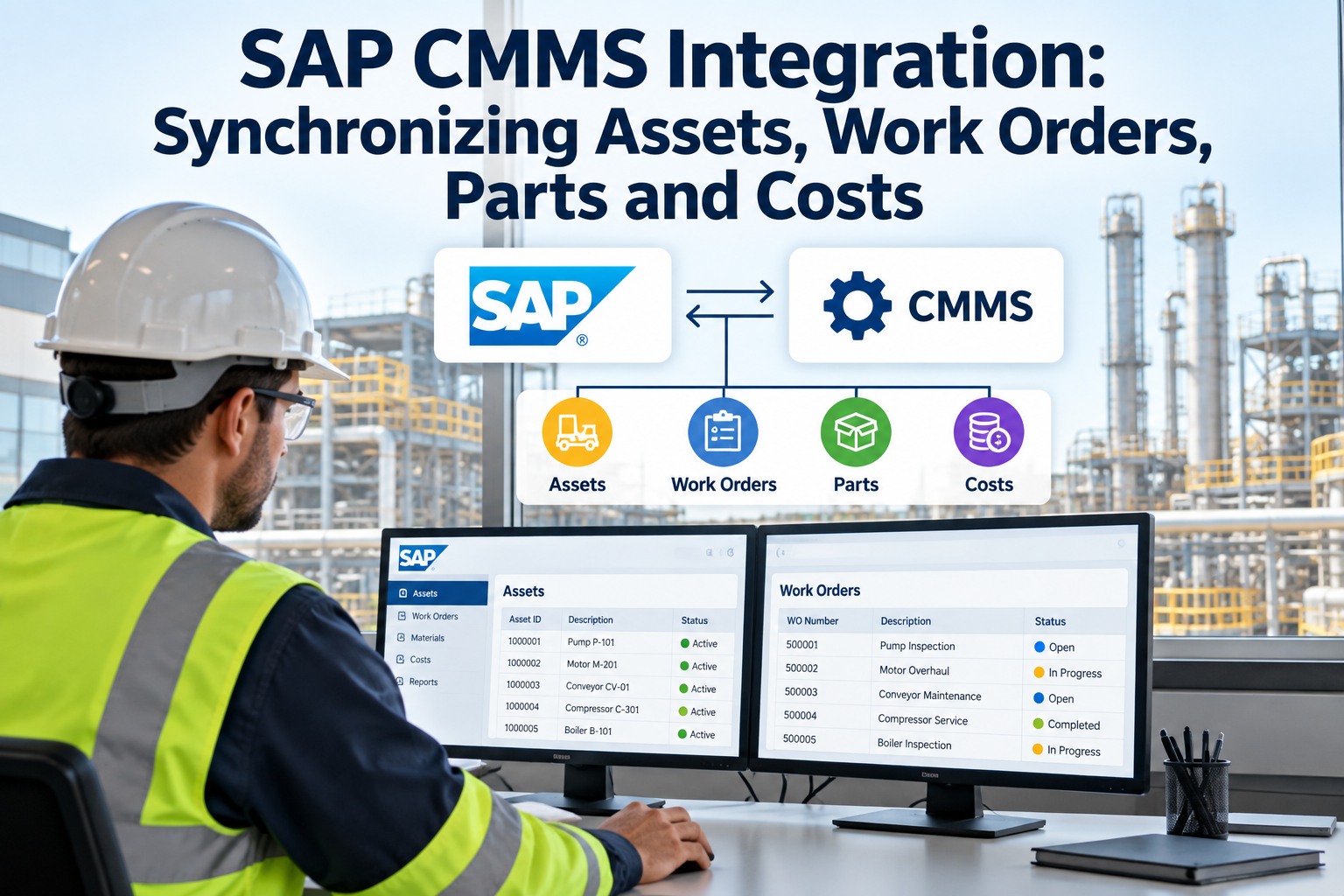
SAP Plant Maintenance (PM) and Oxmaint operate on overlapping data models — both manage notifications, work orders, equipment records, and functional locations. The Oxmaint-SAP connector maps these entities directly, enabling maintenance teams to work in Oxmaint's mobile-first interface while keeping SAP as the financial system of record.
Oracle ERP's eAM (Enterprise Asset Management) module and Oracle Cloud Maintenance share data structures compatible with Oxmaint's asset and work order model. The integration supports both Oracle E-Business Suite legacy deployments and Oracle Fusion Cloud environments, using Oracle's standard REST APIs and database-level connectors where REST coverage is incomplete.
Microsoft Dynamics 365 Finance & Operations includes an Asset Management module that covers work orders, assets, and preventive maintenance. Oxmaint integrates with D365 through Microsoft's Dataverse API and OData endpoints, providing the field-level mobile experience that D365's native interface lacks while keeping D365 as the ERP financial backbone.
Not sure which integration pattern fits your ERP configuration? Oxmaint's implementation team has configured SAP, Oracle, and Dynamics integrations across dozens of industrial sites. We map the data flows to your specific ERP version, module setup, and chart of accounts before writing a single line of configuration.
The Six Data Flows That Matter Most
A CMMS-ERP integration is not a single connection — it is a set of bidirectional data flows, each solving a specific operational problem. These six flows deliver the majority of the integration value and are all supported by Oxmaint out of the box.
| Data Flow | Direction | What It Solves | Frequency |
|---|---|---|---|
| Work Order Cost Actuals | CMMS to ERP | Posts labor and material costs to correct GL accounts without manual journal entries | On work order close |
| Inventory Level Sync | Bidirectional | Keeps storeroom quantities accurate in both systems; prevents duplicate ordering and stockouts | Real-time on transaction |
| Purchase Requisition to PO | CMMS to ERP | Converts CMMS parts requests into ERP purchase requisitions without rekeying | On parts request creation |
| PO Delivery Confirmation | ERP to CMMS | Updates CMMS storeroom and notifies technicians when ordered parts are available | On goods receipt in ERP |
| Asset Master Sync | Bidirectional | Ensures asset records, capitalization values, and depreciation data align between systems | On asset change event |
| Budget Availability Check | ERP to CMMS | Surfaces remaining maintenance budget against cost centers before work orders are approved | On work order creation |
Implementation: From Configuration to Live Sync
Oxmaint's ERP integration is configured through an admin wizard — not a development project. Standard integrations for SAP, Oracle, and Dynamics go live in 2–4 weeks. Custom field mappings and non-standard data flows add time based on complexity. Create your free Oxmaint account and access the integration configuration panel on day one.
Map your ERP module configuration, identify which data objects need to sync, and confirm API access credentials. Oxmaint's team provides a standard assessment questionnaire that covers 95% of configuration decisions upfront.
Map Oxmaint data fields to their ERP equivalents — work order types, cost center codes, material numbers, employee IDs. Define transformation rules for fields where ERP and CMMS naming conventions differ. Configure bidirectional conflict resolution rules for cases where both systems might update the same record.
Run all six core data flows against your ERP test or sandbox environment. Validate that work order costs post to the correct GL accounts, inventory quantities update correctly, and PO confirmations arrive in Oxmaint within the expected latency window. Document exceptions and resolve mapping issues before go-live. Book a consultation to discuss your test environment requirements.
Activate the integration against your production ERP environment. Monitor sync events for the first 48 hours to confirm all data flows are completing without errors. Oxmaint logs every integration event with timestamp, payload, and status — providing a full audit trail for IT and finance teams to verify data integrity post-launch.
Month-end close used to take our finance team three full days to reconcile maintenance costs from the CMMS against what was in SAP. After the Oxmaint integration, costs post automatically as work orders close. Close is now a same-day process for the maintenance cost lines.
Stop Reconciling. Start Syncing.
Oxmaint connects to SAP, Oracle, and Microsoft Dynamics through pre-built integration connectors that go live in weeks, not months. Work order costs, inventory levels, purchase orders, and asset data flow automatically between maintenance and finance — eliminating the manual reconciliation process that consumes your team's time every month.


.png)


