A completed repair is only half the job. What gets captured at closeout — failure codes, labor hours, parts consumed, downtime duration, technician notes, next action flags — determines whether that repair becomes useful data or disappears into a sea of identical "Completed" statuses. OxMaint's Work Order Management turns every closeout into a structured data capture event that builds your maintenance intelligence with every repair your team performs.
Work Order Management · Closeout Checklist · 2026
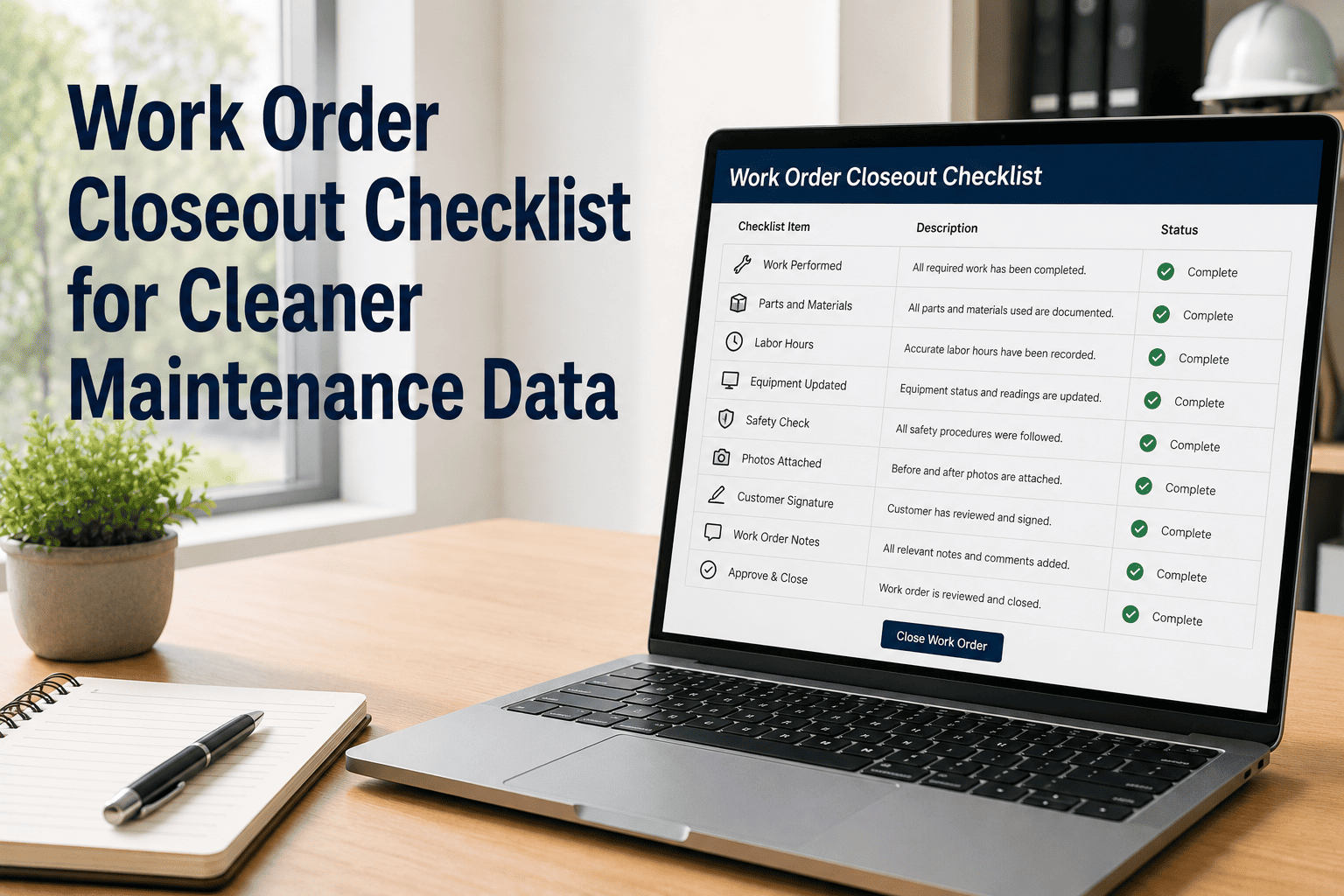
Work Order Closeout Checklist for Cleaner Maintenance Data
The definitive checklist for capturing labor, parts, failure codes, photos, downtime, and next actions at work order close — so your maintenance reporting actually tells you something useful.
Book a Demo
Start Free
Why Closeout Data Quality Matters
68%
of CMMS work orders in average facilities are closed with incomplete data, according to SMRP benchmarking
5x
more useful failure analysis is possible when failure codes are logged at closeout vs retrospective review
22%
average reduction in repeat failures in facilities with structured closeout checklists and root cause logging
The Data Gap
What poor closeout data actually costs your operation
The impact of incomplete work order closeout is rarely felt on the day the work order closes. It shows up six months later, when you try to calculate MTBF on a critical asset and realize your failure history is full of work orders with no failure code, no labor detail, and no root cause note. The cost is paid in bad decisions, not in bad data.
No Failure Codes
Cannot identify systemic failure patterns across assets of the same type or age
No Labor Hours
Cannot calculate true repair cost or compare technician productivity across shifts or teams
No Parts Used
Cannot optimize inventory levels, negotiate better vendor contracts, or forecast parts spend accurately
No Downtime Notes
Cannot calculate OEE, production impact per failure, or justify preventive maintenance budget requests
The Checklist
The complete work order closeout checklist — 8 required fields
Every work order that closes in OxMaint can be configured to require the following fields before the status changes to Completed. This is not bureaucracy — each field feeds a different reporting output that turns routine maintenance into organizational intelligence.
Classify what type of failure occurred — mechanical wear, electrical fault, operator error, lubrication failure, corrosion, contamination, or no fault found. Failure codes are the raw material for RCFA and pattern analysis across your fleet.
Feeds: MTBF calculation, failure pattern reports, RCM decisions
Total hours by technician, including diagnostic time, repair time, and cleanup. Split labor by trade where multiple skills were involved. This is the most commonly missing field and the most important for true cost-of-maintenance calculations.
Feeds: Labor cost per repair, technician utilization reports, shift productivity metrics
Log every part consumed by part number, quantity, and unit cost. Parts-used data drives inventory forecasting, reorder point optimization, and the parts cost component of true repair cost per asset and per failure type.
Feeds: Inventory replenishment, parts spend reports, total repair cost per WO
Total minutes the asset was non-operational from fault occurrence to return to service. Distinguish between production downtime and planned maintenance downtime. This field powers OEE calculations and downtime cost estimates for budget justification.
Feeds: OEE, availability metrics, production impact cost, SLA compliance reports
Minimum one photo of asset condition before repair and one after. For reactive repairs on Critical assets, close-up fault detail and parts-removed photos are also required. Photos attach automatically to the asset history in OxMaint.
Feeds: Asset history, audit documentation, vendor dispute records, warranty claims
A 2 to 4 sentence technician note on the probable root cause of the failure — not a description of the repair performed, but an explanation of why the failure happened. Even an educated hypothesis is more valuable than a blank field for pattern analysis.
Feeds: Root cause analysis reports, asset-specific failure trend analysis, RCM input
Flag whether this repair requires a follow-up PM, a monitoring check at a specific interval, a parts order for the next scheduled service, or an engineering review. Next action flags prevent the common scenario where a temporary fix closes a work order that should have triggered a permanent remedy.
Feeds: Follow-up work order generation, PM schedule adjustments, backlog queue
The technician who performed the work confirms completion and attests that the asset was returned to safe operating condition. Where a supervisor review is required (safety-tagged work, Critical-tier assets), a second digital signature closes the approval loop.
Feeds: Accountability records, compliance audit trail, safety documentation
OxMaint Work Order Management
Configure your required closeout fields once. Collect clean data on every work order from day one.
OxMaint's configurable closeout checklist enforces data capture without slowing your technicians down — the mobile workflow guides them through each required field in under 3 minutes on site.
Expert Review
What reliability analysts say about closeout data quality
AB
A. Barros, Reliability Analyst — Heavy Industry & Mining Sector
I have analyzed maintenance databases from hundreds of facilities, and the correlation is consistent: facilities with mandatory, structured closeout fields have MTBF data they can trust and failure pattern analysis that is actionable within six months of implementing a CMMS. Facilities without structured closeout end up with a database full of "Completed" work orders and no ability to answer basic questions — why does this pump fail every eight weeks? What is the true cost of maintaining this conveyor? The data is sitting there in the form of every repair your team has ever done. A structured closeout checklist is how you collect it in a form you can actually use.
Common Questions
Work order closeout data — what teams ask most
How do we get technicians to actually fill in closeout fields consistently?
Make the fields required — not recommended. When OxMaint is configured to block work order completion until each mandatory field is populated, compliance goes from voluntary to automatic. Beyond the technical enforcement, the key cultural change is making the purpose visible: show technicians the failure pattern report that was only possible because of their closeout notes, or the parts reorder that prevented a stockout because their parts-used data triggered an inventory alert. When people see their data being used, they take data capture more seriously. Start with three required fields on high-priority work orders and expand to the full checklist over 90 days.
Book a demo to see OxMaint's mandatory field configuration.
What is the best failure code taxonomy to use in our CMMS?
The ISO 14224 standard provides a widely-used taxonomy for failure mode classification that is compatible with most CMMS platforms and recognized by reliability engineers across industries. For most operations, a simplified version of ISO 14224 — 10 to 15 failure codes covering the most common categories in your specific environment — is more practical and more consistently applied than a 100-code taxonomy that technicians cannot remember under time pressure. OxMaint supports custom failure code libraries that you configure once and technicians select from a dropdown at closeout — removing spelling variations and freetext inconsistency from your data entirely.
Configure your failure codes in OxMaint today.
How long does it take to see reporting benefits from structured closeout data?
For trend-based analysis — MTBF by asset class, failure code frequency by equipment type, repeat failure identification — you need a minimum of 90 days of structured closeout data on assets with regular failure events to start seeing statistically meaningful patterns. For labor cost reporting, parts spend tracking, and downtime calculations, the reporting value is essentially immediate — the first month of structured labor and parts data will already produce more accurate cost-per-repair numbers than most facilities have ever seen. Set a 90-day review checkpoint after implementing mandatory closeout fields to measure data completeness and run your first formal reliability trend report.
Work Order Management · Structured Closeout · Cleaner Data
Your maintenance history is only as good as your closeout discipline.
OxMaint's configurable work order closeout checklist captures the labor, parts, failure codes, photos, and notes that turn routine repairs into a maintenance intelligence asset — all in under 3 minutes per work order on mobile.