Only 24.5% of a typical maintenance technician's shift is spent on actual repair work. The remaining 75.5% — the majority of every paid hour on your maintenance payroll — is consumed by administrative tasks that automation eliminates: walking to the maintenance office to check what job to do next, calling the storeroom to find out if a part is available, waiting for a supervisor approval that is sitting unread in an email inbox, filling out a paper work order at the end of a repair that took three minutes and documenting it took nine. Maintenance workflow automation does not make your technicians work harder. It removes the friction that prevents them from working productively. When a sensor alert, an AI anomaly detection event, or an operator's maintenance request automatically creates a correctly prioritised, correctly assigned, correctly documented work order — with parts availability confirmed, the asset's repair history attached, and the procedure linked — the technician arrives at the asset with everything they need to complete the job on the first visit. The work gets done. The record creates itself. The supervisor sees the completion in real time without asking for a status update. Sign up for Oxmaint to activate automated maintenance workflows at your facility today.
What a Maintenance Technician's Day Actually Looks Like Without Automation
The 24.5% productive time figure is not an estimate — it is the documented result of time-motion studies conducted across industrial maintenance operations by the Aberdeen Group and replicated in multiple subsequent industry surveys. The breakdown of the remaining 75.5% is consistent and repeatable: it is not laziness or poor work ethic. It is the friction built into manual, paper-based, or fragmented digital maintenance processes. Sign up for Oxmaint to eliminate this friction at your facility.
How Oxmaint Automates the Complete Maintenance Workflow — Six Connected Steps
Workflow automation is only valuable when the entire chain is connected — from the event that triggers a work order to the record that closes it. A partial automation that digitises work order creation but still requires manual completion records has eliminated one friction point while leaving five others. Oxmaint automates all six steps in the chain. Book a demo to see the full pipeline running on your work order types.
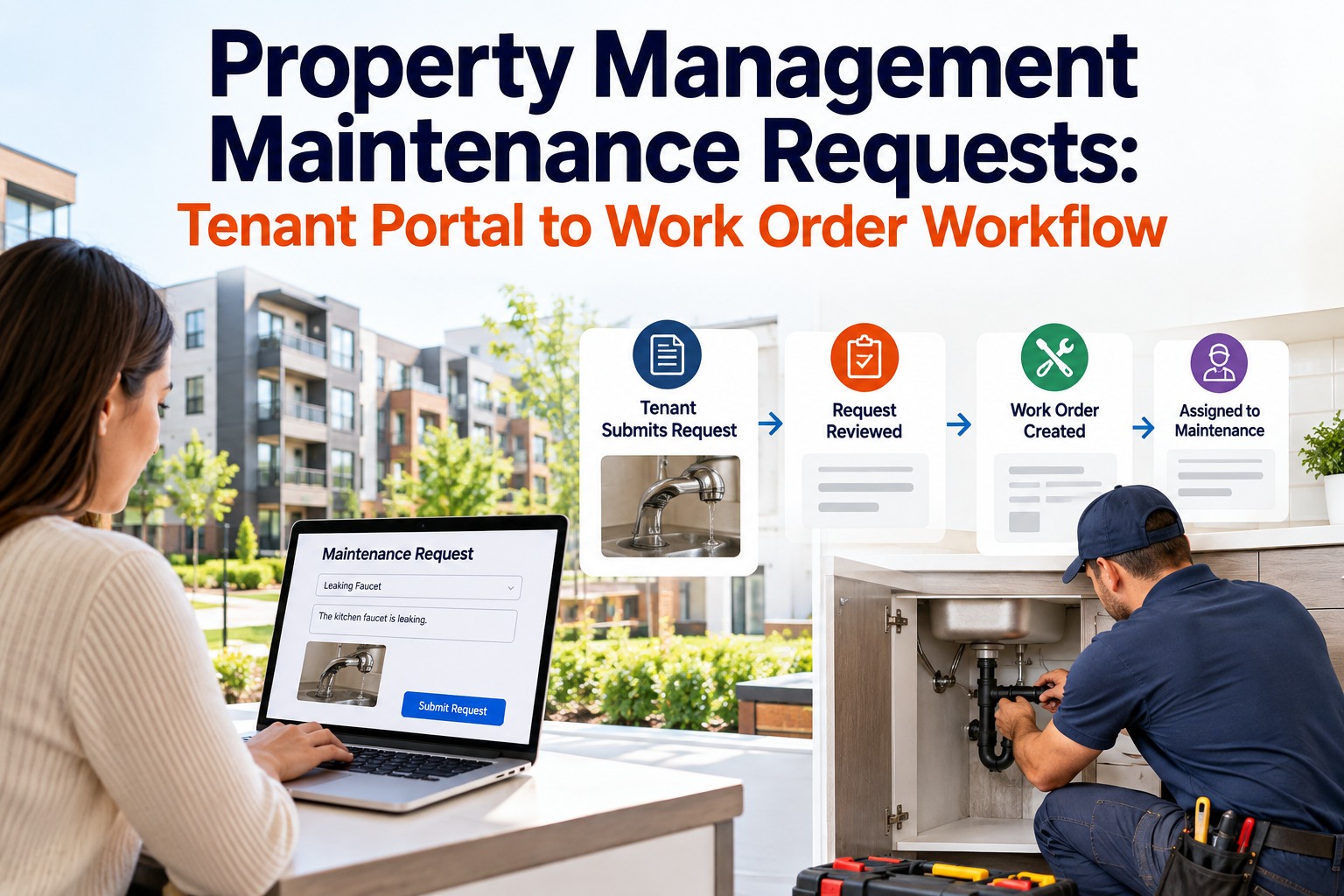
Work orders in Oxmaint are created from four sources — all automatically. AI anomaly detection raises a predictive work order when a health score crosses an alarm threshold. PM schedule triggers raise preventive work orders at configured intervals. IoT sensor alerts raise condition-based work orders when parameter thresholds are breached. Operator or staff requests submitted through the Oxmaint request portal raise corrective work orders immediately. In every case, the work order is created with the correct priority classification, asset ID, and category — no manual triage required. Sign up to configure all four trigger types.
Four sources, one consistent work order format, zero manual creation effortThe moment a work order is created, Oxmaint enriches it automatically — pulling the asset's last five work orders from the maintenance history, checking parts availability in the stores inventory and flagging any required parts that are below reorder point, linking the correct procedure document for the work type and asset category, and attaching any active safety permit requirements for the asset location. The technician who opens that work order on their mobile device has everything they need to complete the job without a single additional lookup. Book a demo to see work order enrichment configured.
Technician arrives prepared — asset history, parts location, procedure, and permit requirements all pre-loadedOxmaint assigns work orders based on configured rules — technician skill certification for the work type, current workload and proximity to the asset, shift availability, and work order priority. Critical safety work is routed to certified technicians only. Specialist electrical work routes to the qualified electrician on the current shift. Routine PM tasks are distributed by current open work order count to balance the team's workload. The supervisor sees the assignment queue and can override at any point — but the default assignment requires zero manual decision-making for the 80% of work orders that fit standard routing rules. Sign up to configure dispatch rules.
Zero manual dispatch decisions for standard work order routingThe technician executes the work order on their mobile device — following the procedure checklist step by step, recording measurements and observations in structured data fields (torque values, temperature readings, condition ratings), capturing photos at configured hold points, and noting any additional findings or parts consumed. All of this happens at the asset, with the information entered once. There is no separate form to fill out, no paper to transcribe, and no detail lost to memory hours later. Voice input and offline mode ensure the workflow continues even in noisy, low-connectivity plant areas. Book a demo to see mobile execution demonstrated.
All data entered once, at the asset, with zero transcriptionWhen the technician marks the work order complete on mobile, Oxmaint automatically: generates the maintenance record with all entered data, timestamps, and photo evidence; updates the asset history; adjusts the parts inventory for consumed items; logs labour hours against the work order cost; and sends completion notifications to the supervisor and requestor. The maintenance record is complete — timestamped, signed, photo-evidenced, and archived — the moment the technician taps "Complete." No office visit. No paper form. No administrative backlog. The supervisor's dashboard updates in real time. Sign up to activate automatic record creation.
Complete maintenance record created automatically at point of closureClosed work orders continuously feed the Oxmaint KPI dashboard — updating MTTR, PM completion rate, corrective-to-preventive ratio, cost per work order, and backlog hours in real time. The maintenance manager's first action each morning is a 30-second review of this dashboard, not a half-day compilation of manual reports. When a KPI is trending in the wrong direction — PM completion rate dropping, MTTR rising on a specific asset class — the data is visible within hours, not at the end of the month when the paper-based report is compiled. Decisions are made on this week's performance, not last month's summary. Book a demo to see the live KPI dashboard.
Live KPIs — management acts on today's data, not last month's compiled reportSix Workflow Automation Capabilities in Oxmaint
Each capability below addresses a specific friction point in the manual maintenance workflow — not a feature in search of a use case, but a direct solution to a documented operational problem. Sign up for Oxmaint to activate all six.
Configure PM schedules for every asset type — calendar-based, meter-based (operating hours, cycles, kilometres), or condition-based from IoT sensor readings. Oxmaint generates the PM work order automatically at the configured interval, assigns it to the correct team, and tracks completion in real time. No manual calendar management. No missed PM because someone forgot to create the work order. PM completion rate moves from 50–60% to 75–85% within 90 days of deployment simply because every PM that should be raised is raised automatically.
Work orders are received, executed, and closed entirely on mobile — iOS, Android, or rugged device. Offline mode ensures the workflow continues in areas without WiFi coverage. The complete work order record — checklist steps, measurements, photos, parts consumed, labour time — is submitted from the plant floor the moment the job is done. The administrative overhead of paper-based recording is eliminated entirely. Technicians who previously spent 15–25 minutes per job on paperwork spend under 2 minutes on the mobile close-out.
Operators, production staff, and facility users submit maintenance requests through the Oxmaint request portal — web or mobile, no login required for requestors. The system automatically classifies the request by priority based on configured rules (safety keywords trigger immediate escalation, production impact requests route to the supervisor), assigns it to the correct maintenance team, and sends status notifications to the requestor when work is scheduled and completed. The maintenance team never needs to manage an inbox. Sign up to configure the request portal.
Every part consumed on a work order automatically updates the inventory count. When the inventory count falls below the configured reorder point, Oxmaint generates a purchase request automatically. When AI failure predictions indicate an asset approaching maintenance, Oxmaint checks whether the required parts are in stock and generates a procurement alert if not — converting potential emergency orders into planned standard purchases. Emergency parts procurement at 1.5–2x standard pricing is eliminated because the parts system knows what is needed before the failure occurs. Book a demo to see inventory automation.
Work orders requiring safety permits — hot work, confined space entry, electrical isolation, working at height — cannot be initiated until the permit is approved in Oxmaint. The permit approval workflow is automated: the work order system identifies the permit type required based on the work category and asset location, routes the permit request to the responsible approver, notifies the technician when it is approved, and automatically closes the permit record when the work order is completed. The permit record is attached to the work order permanently — creating an unbroken safety compliance trail for every restricted work event. Sign up to activate permit automation.
The Oxmaint KPI dashboard is not a scheduled report — it is a live view updated continuously from closed work orders. MTTR by asset class, PM completion rate by area, corrective vs preventive ratio, cost per work order, and technician productivity are all visible in real time. Scheduled reports for management review are generated automatically at configured intervals — weekly team performance summaries, monthly compliance reports, quarterly trend analyses — without any manual compilation. The maintenance manager's reporting workload is reduced by 88% while the quality and timeliness of the information improves dramatically.
What Happens When All Six Automation Levers Are Running Together
Each automation capability delivers value independently. When all six run simultaneously in a connected CMMS, they compound — reducing the waste that each individual capability would leave behind when operating alone. Sign up for Oxmaint to activate the full compounded benefit from day one.
The 90-Day Automation Deployment Path
Maintenance workflow automation does not require a two-year transformation programme. The most effective deployment path delivers measurable productivity improvement in the first 30 days while building toward the full compound benefit. Most Oxmaint customers follow this sequence:
- Days 1–30: Digital work orders and mobile dispatch go live. Technician productive time begins moving from 24.5% toward 40% immediately. PM schedules are configured. Request portal is activated for operations staff. Sign up to begin.
- Days 31–60: Parts inventory is linked to work orders. Reorder point automation activates. Permit-to-work workflow goes live. First automated compliance records generated. Emergency procurement events begin to decrease.
- Days 61–90: IoT sensor connections activate AI-triggered work orders. Live KPI dashboard goes live. PM completion rate measurably above 75%. First month of automated management reporting delivered without manual compilation.
- Month 4–12: AI predictive models mature on accumulated work order data. Compound savings build as all six levers operate simultaneously. Full 5–7% labour productivity gain, 25% maintenance cost reduction, and 50% downtime reduction typically achieved within this window. Book a demo to model your facility's timeline.
The biggest myth in manufacturing is that you need massive capital investment to cut costs significantly. The truth is, most of your waste is invisible — hidden in reactive maintenance, excess inventory, and manual processes. A good CMMS makes it visible, and once you can see it, you can eliminate it.
Workflow Automation Performance — Before and After Oxmaint Deployment
| Workflow Metric | Manual / Paper Process | Oxmaint Automated | Improvement |
|---|---|---|---|
| Technician productive time | 24.5% of shift on repair work | 55%+ on repair work | 2.2x productivity |
| Work order creation time | 8–15 min per WO (manual) | Automatic — 0 min | 100% time saved |
| Work order close-out time | 15–25 min (paper form) | Under 2 min (mobile) | ↓ 90% |
| PM schedule compliance | 50–60% completion rate | 75–85% within 90 days | +30% compliance |
| Management report compilation | 2 days/month manual | Automated — live dashboard | ↓ 88% effort |
| Emergency parts procurement | Frequent — 1.8–2.5x list price | Eliminated by AI pre-staging | 100% premium removed |
| First-attempt fix rate | 60% (parts/info not available) | 90%+ (enriched WO) | +30% fix rate |
Swipe to view full table
Start Recovering the 75% of Your Maintenance Budget That Goes to Administrative Waste
Every hour your technicians spend filling out paper forms, waiting for approvals, or walking to find out what to do next is an hour you are paying for maintenance that is not being performed. Oxmaint automates every step in the maintenance workflow — from work order creation to KPI reporting — so your team spends its time on repair, not administration.
Maintenance Workflow Automation — Common Questions
Adoption is faster than most maintenance managers expect. The mobile interface for closing a work order in Oxmaint is simpler than completing a paper form — it takes under 2 minutes versus 15–25 minutes for paper. Technicians who are initially resistant typically become advocates within 2–3 weeks once they experience the elimination of the end-of-shift paperwork backlog. The request portal and mobile dispatch also reduce the frustration of not knowing what job to do next — which is one of the most common sources of dissatisfaction in manual-process maintenance teams. Districts that have implemented Oxmaint report 90%+ technician adoption within 30 days without mandatory training sessions. Sign up for Oxmaint to start with a team that has never used it before.
Yes. Oxmaint integrates with major ERP platforms — SAP, Oracle, Microsoft Dynamics, and others — via REST API, enabling two-way data flow for work order cost posting, parts procurement, and asset master data synchronisation. When Oxmaint generates an automated purchase request from a reorder point trigger, it can push that request directly to the procurement workflow in the ERP rather than requiring a separate manual entry. For organisations that do not have ERP integration requirements, Oxmaint's internal procurement module handles the full parts ordering workflow independently. The integration configuration is handled by Oxmaint's implementation team during deployment. Book a demo to discuss your ERP integration requirements.
Oxmaint's mobile app operates in offline mode when WiFi or cellular coverage is not available. The technician can view their assigned work orders, complete checklist steps, enter measurements, capture photos, and close work orders entirely offline. All data is stored locally on the device and synchronised automatically to the Oxmaint platform the moment connectivity is restored — typically when the technician moves to a connected area or returns to the maintenance building. No data is lost and no re-entry is required. For facilities with pervasive connectivity gaps, cellular-connected rugged tablets are the most reliable solution — Oxmaint works on any Android or iOS device with or without plant WiFi. Sign up for Oxmaint to test the offline mode in your environment.
Automation increases the supervisor's effective control rather than reducing it. In a manual process, the supervisor's visibility is limited to what technicians report verbally and what paper forms are submitted at the end of the shift — both of which are delayed, incomplete, and require active follow-up. In Oxmaint's automated workflow, the supervisor sees every work order status in real time, receives alerts for overdue tasks automatically, can see which technician is on which job at any moment, and has a complete record of every action taken without needing to ask. Approval steps are preserved for work types that require supervisor sign-off — the automation handles the administrative steps while the supervisor retains decision authority on priority, resourcing, and escalation. Book a demo to see the supervisor dashboard.
Your Maintenance Team Is Spending 75% of Their Time on Work That Automation Eliminates. That Changes Today.
Oxmaint automates every step in the maintenance workflow — from the sensor alert that creates the work order to the mobile close-out that creates the maintenance record to the live dashboard that shows the KPI impact in real time. Your technicians spend more time on repair. Your supervisors spend more time on decisions. Your managers act on today's data, not last month's compiled report.