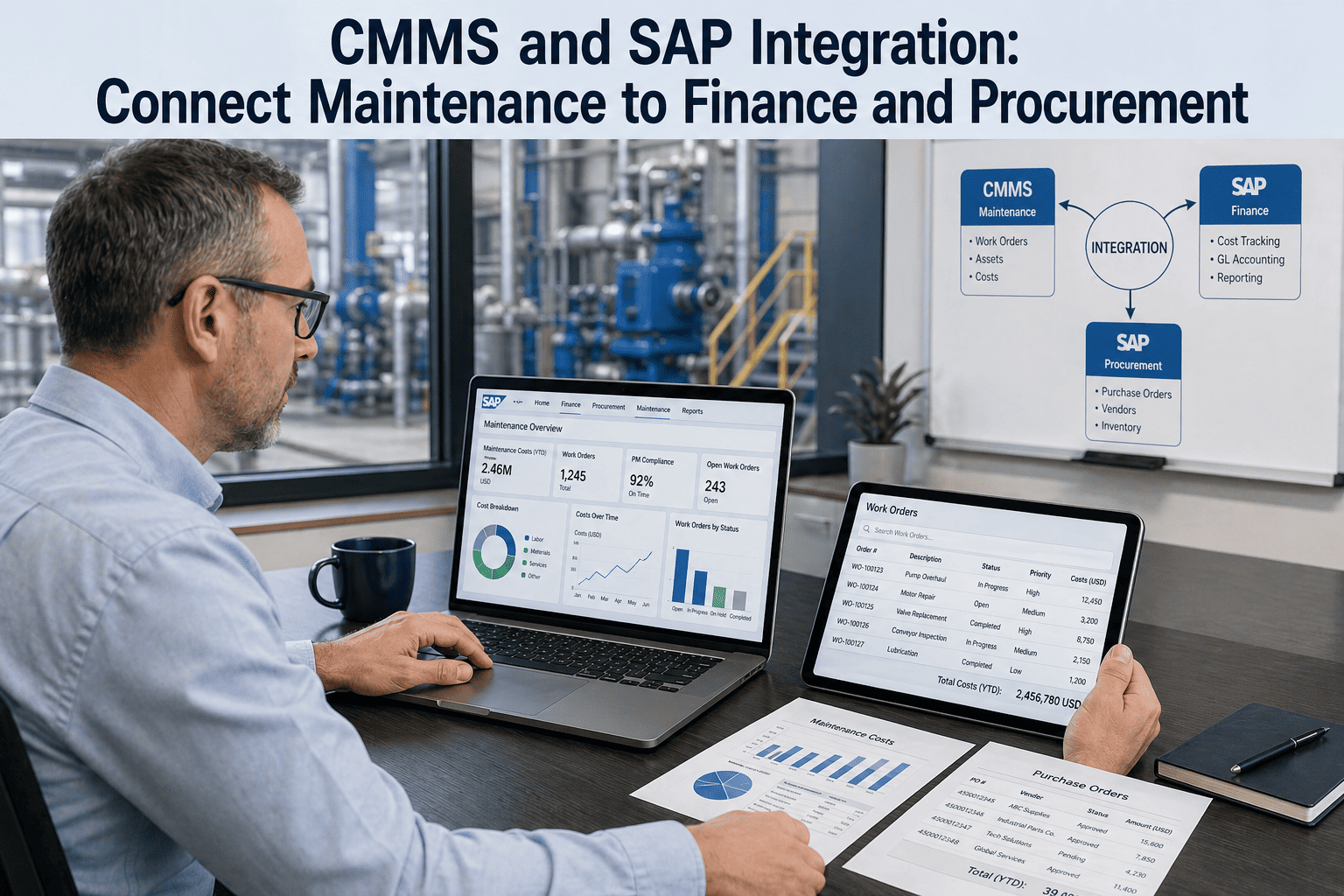
When a maintenance team raises a work order in their CMMS, that single event should ripple through five other systems: SAP PM logs the equipment activity, MM reserves the spare part, FI charges the cost center, HR captures technician labor hours, and the asset master updates remaining useful life. In most plants, none of that happens automatically — maintenance lives in one silo, finance lives in another, and the procurement team manually re-keys the same purchase order three times before a bearing arrives at the gemba. 67% of mid-market manufacturers run their CMMS and ERP as disconnected systems, costing an average of 14-22 hours per week in duplicate data entry and reconciliation. The fix is not a six-figure SAP consulting engagement. It is a properly architected integration layer between OxMaint and your existing ERP — SAP S/4HANA, Oracle EBS, Microsoft Dynamics 365, NetSuite, or Sage X3 — that syncs assets, work orders, parts, and labor in both directions in near real time. To see the connector in action against your specific ERP, you can start a free trial and connect your sandbox in under a day, or book a demo with a solutions engineer who has implemented SAP-CMMS sync for plants in your industry.
CMMS · Enterprise ERP Integration
CMMS and SAP Integration: Connect Maintenance with ERP
A working playbook for syncing OxMaint with SAP S/4HANA, Oracle EBS, Dynamics 365, and NetSuite — covering assets, work orders, procurement, financials, and labor without paralleling your IT roadmap.
Mid-market manufacturers running CMMS and ERP as disconnected systems (Aberdeen Strategy & Research, 2024)
14-22 hrs
Average weekly time lost to duplicate data entry and ERP-CMMS reconciliation per maintenance planner
31%
Reduction in MRO inventory carrying cost after CMMS-ERP integration with live parts visibility
2.4x
Faster work order to invoice closure cycle with auto-posted maintenance costs to ERP financials
From Two Systems to One Workflow
Your Maintenance Data Belongs in Your ERP — Not in a Spreadsheet Bridge
Every reconciliation hour your team spends matching CMMS work orders to SAP cost postings is an hour they are not spending on uptime, root cause analysis, or asset planning. OxMaint's bi-directional ERP connector pre-builds the mapping — assets, parts, financials, labor — so the integration moves from a multi-quarter project to a configurable workflow.
CMMS-ERP integration is a two-way data sync between the maintenance system of record (where assets are managed and work happens) and the financial system of record (where money moves and assets are valued). It eliminates double entry by making each system the source of truth for the data it owns, while replicating that data to the other in near real time. ERP owns the financial chart of accounts, vendor master, and procurement workflow. CMMS owns the asset hierarchy, work order lifecycle, and technical documentation. Integration ensures these two systems agree on every shared data object — asset, part, work order, cost — without anyone re-typing anything. To see the field-level mapping for your specific ERP, you can book a demo and bring a sample asset master extract.
6 Integration Touchpoints That Move the Needle
Asset Master Sync
SAP EAM · Oracle Assets
Asset records in OxMaint stay aligned with the ERP asset register: tag number, location, cost center, capitalisation date, depreciation schedule. Updates flow in either direction.
Work Order Posting
SAP PM · D365 F&O
Every closed OxMaint work order posts to the ERP PM module with full cost detail — labor, parts, contractor charges — for finance close and asset history.
Spare Parts & MRO
SAP MM · NetSuite Inventory
Parts master, on-hand quantities, and reservation status synchronise live. Issuing a part on a work order decrements ERP inventory automatically.
Cost Center Posting
SAP FI/CO · Oracle GL
Maintenance costs land in the right cost center, internal order, or WBS element automatically — no month-end journal entry batching.
Procurement Requisitions
SAP MM/SRM · Coupa
Out-of-stock parts auto-create purchase requisitions in ERP procurement workflow with the asset and work order context preserved.
Labor Hours & Time Posting
SAP HR/CATS · Workday
Technician hours captured in OxMaint flow to ERP timekeeping and payroll, with WO and asset reference for activity-based costing.
6 Failures of Disconnected CMMS-ERP Setups
P1
The Same Asset, Three Tag Numbers
Maintenance knows it as PUMP-CT-04. Finance has it as 100024518. Procurement uses Vendor SKU TR-9981. Without a master mapping, no system can tell they are the same physical pump.
P2
Parts Stock-Outs Despite Surplus
A bearing the team needs is sitting in another plant in the same ERP, but the local CMMS does not know it exists. Maintenance issues an emergency PO; the part stays on the shelf elsewhere.
P3
Manual Cost Center Re-keying
A planner spends 6-9 hours per week manually entering CMMS work order costs into the ERP cost center journal — inevitably with errors that take the close team another 4 hours to find.
P4
No Maintenance Visibility for Finance
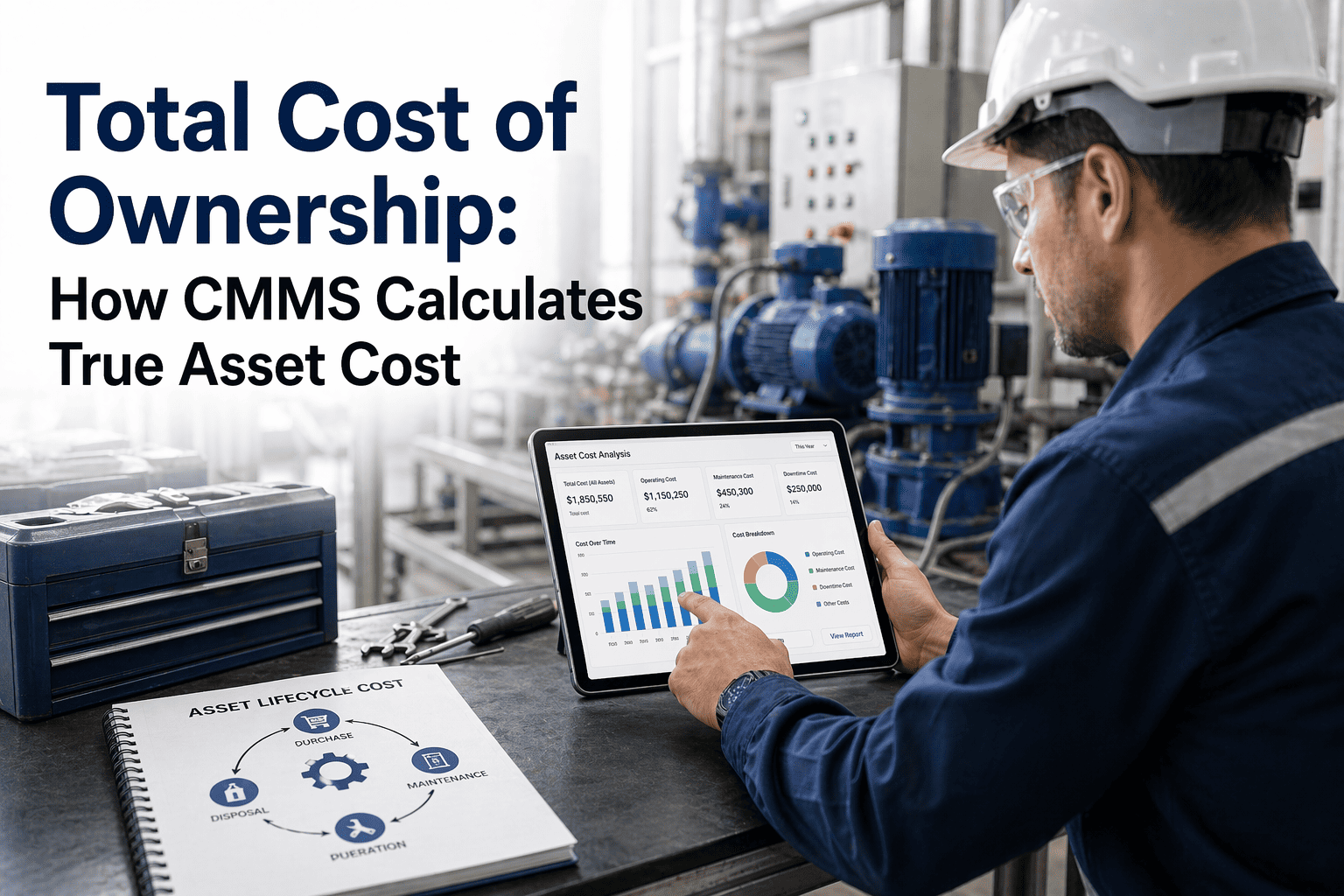
When the CFO asks for true cost of ownership on a production line, the answer requires three days of spreadsheet work — because maintenance cost lives outside the ERP cost flow.
P5
Asset Capitalisation Drift
Major repairs and component replacements are not flowing back to the ERP fixed asset register, leaving the depreciation schedule and CapEx forecast disconnected from physical reality.
P6
Procurement Lag of 7-14 Days
A part needed today requires a paper requisition, manual ERP entry, and approval routing — turning a 30-minute repair into a week-long unplanned downtime event.
How OxMaint Connects to Your ERP — The Sync Engine
OxMaint's ERP connector is built around four design principles that distinguish it from the traditional middleware approach of pumping CSV files between systems overnight. The integration uses native ERP APIs (SAP OData, Oracle REST, D365 Dataverse, NetSuite SuiteTalk) for real-time bi-directional sync, with field-level mapping configured through a web UI rather than buried in code. To see the SAP S/4HANA mapping screen with a sample asset extract, you can start a free trial and connect your test environment in a single afternoon.
1
API-First Connection
Native connectors to SAP OData/RFC, Oracle REST, Dynamics 365 Dataverse, NetSuite SuiteTalk, and Sage X3 Web Services. No flat-file FTP, no overnight batches, no middleware ETL servers to maintain.
2
Field-Level Mapping UI
Drag-and-drop mapping between OxMaint and ERP field structures with built-in transformations. Saves typical SAP-CMMS mapping work from 4-6 weeks of consulting to 2-4 days of configuration.
3
Idempotent Bi-Directional Sync
Every data object has a unique key on both sides. Sync events are idempotent — replaying a message produces the same result, eliminating the duplicate-record nightmare common in CMMS-ERP integrations.
4
Audit Trail & Conflict Resolution
Every sync event is logged with timestamp, source, target, payload, and outcome. Conflict rules (CMMS-wins, ERP-wins, or human-review) configurable per object type for SOX and audit compliance.
Without Integration vs With OxMaint-ERP Sync
Workflow Step
Disconnected Setup
OxMaint ↔ ERP
Adding a new asset
Created twice — once in CMMS, once in ERP fixed asset register
Created once in OxMaint, syncs automatically with capitalisation data
Spare part availability
Maintenance calls warehouse, then re-checks ERP manually
Live ERP stock visible inside the work order screen
Work order cost posting
Manual journal entry batches at month-end close
Real-time posting to cost center / WBS / internal order
Procurement requisition
Paper or email request, then manual ERP entry
Auto-generated PR in ERP with WO + asset context
Technician labor hours
Typed twice into CMMS and ERP timekeeping
Captured once in OxMaint, posted to ERP HR/payroll
Asset history for finance
3-5 day reconciliation project per request
Live drill-through from ERP asset to OxMaint history
Audit / SOX evidence
Reconstruct from spreadsheets, hope it matches
Sync log with full event lineage on every record
Implementation timeline
4-9 months consulting engagement
2-6 weeks for typical mid-market deployment
ROI From Connected CMMS-ERP Customers
31%
MRO inventory carrying cost reduction
Live cross-plant parts visibility eliminates duplicate stocking
14 hrs
Per-planner per-week recovered
Eliminated duplicate entry, manual reconciliation, status update calls
2.4x
Faster month-end maintenance close
Cost postings flow to FI/CO automatically as work orders close
Which ERPs does OxMaint integrate with through native connectors?
OxMaint provides pre-built connectors for SAP S/4HANA and ECC, Oracle EBS and Fusion Cloud, Microsoft Dynamics 365 (F&O and Business Central), NetSuite, Sage X3, Infor LN, and Epicor Kinetic. For other ERPs, the open REST API and webhook framework allow custom integration in 1-2 weeks of standard work.
Will the integration require modification to our existing SAP customisations?
No. OxMaint connects through standard SAP OData and BAPI interfaces — read-only where possible, write-back where authorised. There are no SAP transport changes, no ABAP development, and no impact on your existing SAP custom code. Most SAP-OxMaint integrations require zero modification of the SAP system itself.
How does OxMaint handle data conflicts when both systems update the same record?
Each shared object (asset, part, WO) has a configurable system of record. For asset master, ERP typically wins. For asset condition and runtime, OxMaint wins. For inventory, ERP wins. Conflict rules are set per field, not per record, so the right side of each system retains authority. All conflicts are logged for audit review.
What is the typical implementation timeline for SAP-OxMaint integration?
A standard mid-market implementation runs 4-8 weeks: 1-2 weeks for discovery and field mapping, 2-3 weeks for connector configuration and test, 1-2 weeks for parallel run, and a planned cutover. This compares to 4-9 months for traditional middleware-based ERP-CMMS integrations using consultants.
CMMS · ERP Integration That Actually Ships
Maintenance Costs, Asset Records, and Spare Parts Should Live in One Reality — Not Three Spreadsheets.
OxMaint connects natively to SAP, Oracle, Dynamics 365, NetSuite, and the rest of the ERP landscape your finance team already runs. Assets sync. Work orders post. Parts decrement. Hours flow. Costs land in the right cost center the moment a job closes — not at month-end, not after a four-hour reconciliation, not after a planner has typed the same number into two systems. Stop running maintenance and finance as parallel universes.