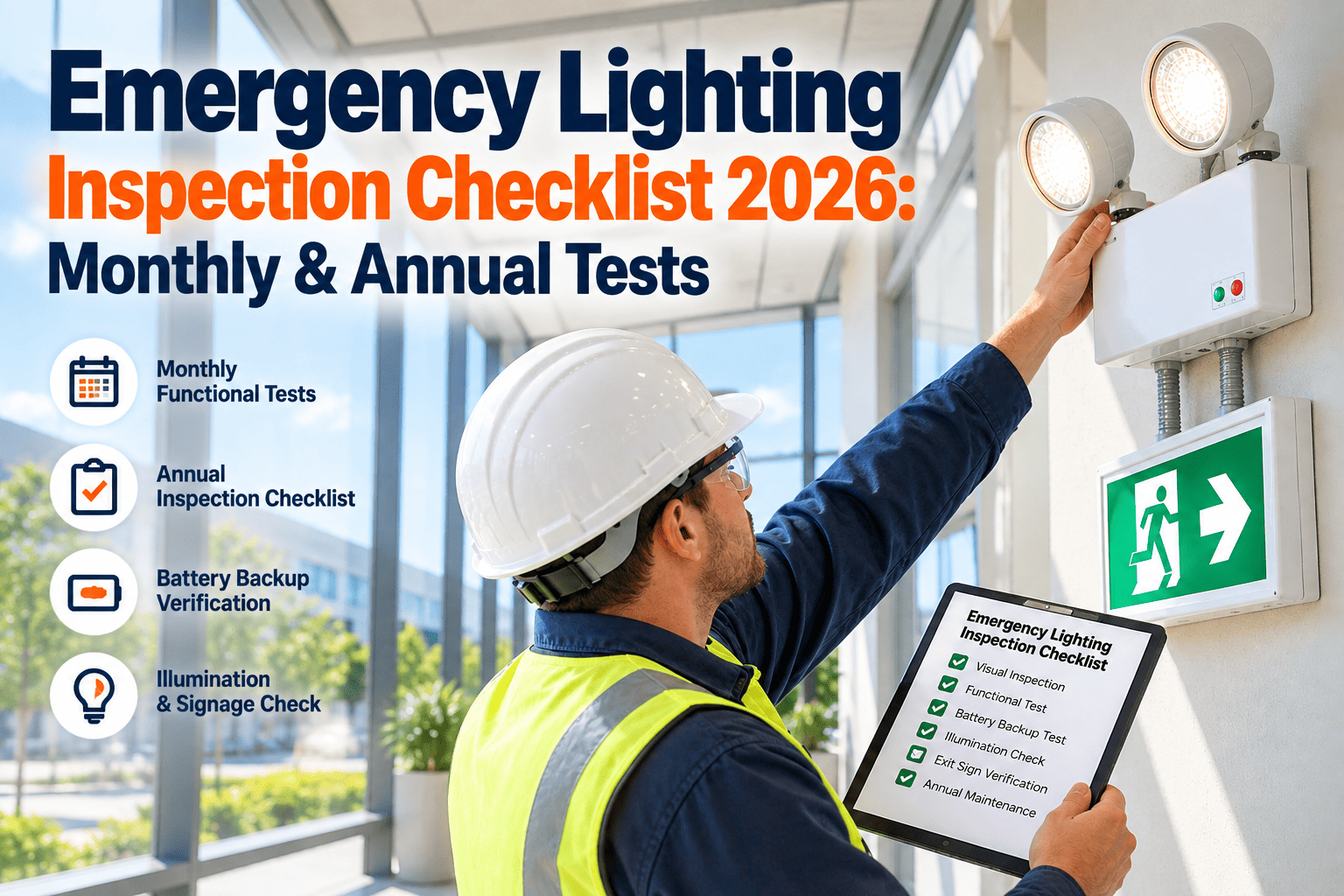
At 2:14 a.m., a monthly corridor test fails in Building B: the exit sign is dim, the battery drops out early, and the inspector's note sits in a form with no next step. That's how work-order loops break down — when a failed test doesn't become a schedulable WO, the fix gets delayed until someone manually catches it. This checklist walks the workflow using OXMAINT AI, the AI-powered overlay for facility EHS teams.
Emergency Exit Light Inspection Checklist: Failed Tests That Become Schedulable Work Orders.
OXMAINT AI overlays your existing EAM/CMMS — a dim sign, a dropped duration test, or a fault indicator gets read as a signal, drafted as a work order with evidence attached, and routed with a re-test date. No rip-and-replace, no note left in a PDF.
The Emergency Exit Light Inspection Checklist
Keep the inspection fast, consistent and repeatable. The checklist should capture both the visible condition and the functional test outcome — not just whether the unit "looks okay," but enough evidence that the next step is obvious: pass, monitor, or dispatch maintenance. Sign up free and digitize this checklist in OXMAINT AI.
- ✓Battery / backup functionConfirms the unit switches to backup power on demand
- ✓Illumination output during emergency modeBrightness is sufficient to be useful during an outage
- ✓Exit sign visibilitySign is legible and unobstructed from the intended sight line
- ✓Charging indicator statusNo fault or abnormal indicator light
- ✓Housing damage or cracked lensFixture and lens are physically intact
- ✓Wiring / connection issuesNo loose, exposed or damaged wiring visible
- ✓Test switch functionManual test switch triggers the unit correctly
- ✓Obstructions or blocked sight linesNothing blocking the fixture or the exit route it marks
- ✓Location / mounting issuesUnit is securely mounted at the correct location
- ✓Elapsed duration / sustained output during testUnit holds output for the full duration-test window
What Counts as a Failed Test
A failed test is any result that suggests the unit may not perform during an actual outage or evacuation. The important question isn't just "did it fail?" — it's "what happens next?" Book a demo to see a failure routed end-to-end.
Audit-Week Scenario: Photo + Duration-Test Fail → Draft WO
An inspector at a corridor location captures a photo of a sign that's visibly dim on one side. The duration test starts, but the unit cuts out before the target run time completes. Instead of leaving that as a free-text note, Oxmaint AI reads the inspection signal. Sign up free and route your first failed test.
- Photo evidence of the visible fault
- Duration-test failure result
- Asset tag, location and timestamp
- Inspector notes and test type
- Asset ID, building, floor and zone
- Failure type and suggested priority
- Attached photo and duration-test result
- Re-test date scheduled after repair
Example: an inspector at Site 14, West Campus, Level 2 corridor records Asset ID EL-2147 as failed because the unit drops out after the test begins. Oxmaint AI drafts a WO marked urgent, routes it to electrical maintenance for review, and schedules a re-test for the next business day after repair — keeping the failure visible, assignable and traceable instead of a note in a form.
Detect → Diagnose → Prioritize → Dispatch
The operating model that makes exit-light work orders repeatable across sites. Book a demo to see this model applied to your campus.
Failed Test to Scheduled Repair — Without the Manual Chase.
Oxmaint AI turns a dim sign or a dropped duration test into a schedulable work order, with evidence and a re-test date attached from the start.
Suggested Checklist Fields to Capture
Structured data makes follow-up easier — the maintenance team spends less time decoding notes and more time fixing the issue. Sign up free and load this field set into OXMAINT AI.
Common Failure Patterns and Likely Maintenance Response
| Failure Pattern | Likely Maintenance Response |
|---|---|
| DIM/DEAD | Check battery, LED, or power path |
| DURATION FAIL | Inspect battery pack or charger |
| DAMAGED | Replace damaged lens or housing component |
| FAULT INDICATOR | Run diagnostics and component checks |
| MOUNT/OBSTRUCTION | Correct mount or relocate fixture |
| INTERMITTENT | Electrical troubleshooting and retest |
How a Failed Test Becomes a Schedulable Work Order
What OXMAINT AI Gives an EHS / Facility Team
Built to overlay the EAM/CMMS you already run — not replace it. Start free and load your first campus into OXMAINT AI.
The lights were being tested every month — that was never the problem. The problem was that a failed test just became a line in a PDF nobody revisited. Once failures started landing as draft work orders with the photo and re-test date attached, we stopped losing track of what actually needed fixing.
Frequently Asked Questions
Checklist Done. Failure Found. Work Order Scheduled.
Move your emergency exit light program onto OXMAINT AI — a failed test becomes a visible, schedulable work order with evidence, priority and a re-test date, inside the EAM/CMMS you already run.