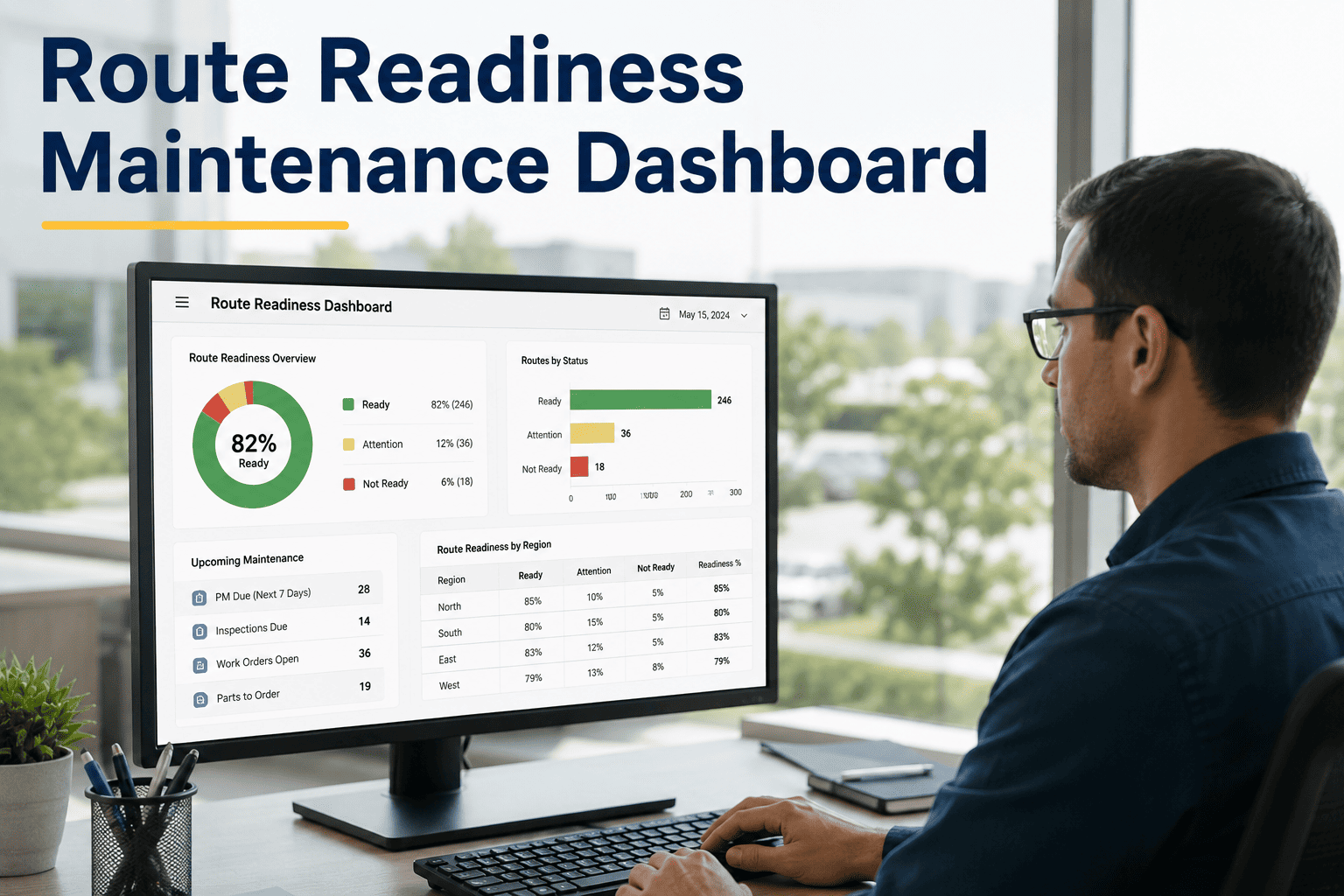
Every morning, before a single delivery van leaves your depot, dispatch needs one answer: which vehicles are ready to roll, which are in the shop, and which are waiting on a part? Without a live route readiness dashboard, that answer takes phone calls, whiteboard checks, and guesswork — and by the time you have it, the first driver is already 20 minutes late to their first stop. OxMaint's route readiness maintenance dashboard gives dispatch that answer in real time, on any screen, the moment they sit down. Start your free trial and see your fleet's readiness status live within the hour.
Route Readiness · Fleet Dashboard · Real-Time CMMS
Your Dispatch Team Should Know Which Vehicles Are Ready Before Drivers Ask.
Dispatching a vehicle that is mid-repair, overdue for a PM, or flagged for a defect is not a scheduling mistake — it is a systems failure. OxMaint's route readiness dashboard shows every vehicle's live status so dispatch never assigns a vehicle that should be in the shop.
31
Route Ready
10
In Repair
9
Grounded
VAN-014
Route 7 — North Depot
Ready
VAN-027
Brake pads — ETA 09:30
In Repair
VAN-033
Route 12 — East Zone
Ready
VAN-041
Safety defect — Hold
Grounded
Why It Matters
What Happens When Dispatch Works Without a Readiness Dashboard
40–60%
manual coordination time saved with live dispatch dashboards
31%
faster response times when dispatch has live vehicle status
70%
drop in emergency rerouting within 30 days of live readiness data
The real problem with no dashboard
Dispatchers at fleets without live readiness data work off a whiteboard last updated on Tuesday, a maintenance spreadsheet that may or may not reflect yesterday's repairs, and a phone call to the shop to ask if VAN-027 is ready yet. Every delay in that chain is a delivery window missed — and a customer SLA broken.
Dispatching a vehicle that should be in the shop
When dispatch assigns a vehicle with an open defect or overdue PM, the failure point is not the driver — it is the absence of a system that links maintenance status to dispatch decisions. OxMaint closes that gap: vehicle status updates from the workshop update the dispatch dashboard in real time, with no manual communication required.
What the Dashboard Shows
Five Views Every Fleet Dispatch Team Needs Before 6 AM
OxMaint's route readiness dashboard is not a generic fleet tracking screen. It is built around the specific decisions dispatch makes at the start of every shift — and updates continuously so those decisions are always based on current data.
01
Fleet Readiness Summary — At a Glance
The top of every dispatcher's screen shows a live count of vehicles by status: Route Ready, In Repair, Awaiting Parts, and Grounded. The breakdown updates the moment a mechanic closes a work order or a driver submits a defect report. No refresh required. No phone call to the shop.
02
Per-Vehicle Status with Repair ETA
Drill into any vehicle to see the open work order, the assigned mechanic, the parts on order, and the estimated completion time. Dispatch knows exactly when a vehicle in repair will be available — not "probably this afternoon," but "ETA 09:30, brake pads fitting in progress."
VAN-027
Brake pad replacement
Mechanic:James R.
Parts:In bay
ETA Ready: 09:30
03
PM Due and Service Flags Before Dispatch
Vehicles approaching a scheduled PM or overdue for a service are flagged on the dashboard before dispatch assigns them a route. A vehicle 3 days from its next PM can still run today — but dispatch knows to schedule the service before the next long-haul route, not after.
VAN-019
PM due in 3 days
VAN-022
All checks passed
VAN-031
Oil change overdue
04
Multi-Depot Readiness in One Screen
Operations running vehicles from multiple depots or sites see all locations in a single dashboard view. Fleet managers at head office can see which depot has a readiness gap before that depot's dispatcher has logged on. Route reallocation decisions are made on data, not on who answers the phone first.
05
Downtime Trends and Repeat Offenders
The analytics view surfaces which vehicles are responsible for the most downtime, which maintenance categories cause the most route delays, and whether overall fleet readiness is improving or declining month over month. Decisions about vehicle replacement or retirement are now backed by data, not gut feel.
OxMaint · Route Readiness Dashboard · Free Trial
Know Your Fleet's Status Before the First Driver Clocks In.
OxMaint's live route readiness dashboard connects your workshop, your drivers, and your dispatch team in one real-time view. No spreadsheets. No morning phone calls to the shop. No mid-route breakdowns that could have been caught at 5 AM.
Before vs. After
Morning Dispatch — Whiteboard and Spreadsheet vs. OxMaint Dashboard
Dispatcher calls the shop at 5:45 AM to ask which vehicles are ready
VAN-027 assigned to Route 4 — driver arrives, mechanic says it is not ready yet
Emergency rerouting — another driver pulled from a different route to cover
Two delivery windows missed — customer SLA penalty triggered
Fleet manager finds out about the delay at the end-of-day debrief
Dashboard loads at 5:30 AM — 31 vehicles ready, 10 in repair with ETAs, 9 grounded
VAN-027 flagged as In Repair — ETA 09:30 shown. Dispatcher assigns a ready vehicle to Route 4 immediately
All routes dispatched on time — no last-minute rerouting, no driver standing idle
All delivery windows met — zero SLA penalties for the day
Fleet manager's phone shows live uptime by depot — no end-of-day surprises
Who Uses It
Built for Every Team That Depends on Fleet Uptime
Dispatch Managers
Need to know which vehicles are route-ready the moment they sit down — not after three phone calls
Live readiness count by status, repair ETAs per vehicle, PM flags before assignment
Fleet Managers
Need to spot readiness gaps across depots and make vehicle reallocation decisions before routes are locked
Multi-depot readiness view, downtime trends, repeat-breakdown vehicle identification
Workshop Supervisors
Need dispatch to know when a vehicle is back from repair — without a phone call interrupting the job
Work order closure automatically updates dispatch dashboard — zero manual communication required
Operations Directors
Need to understand whether fleet readiness is improving or declining — and why
Monthly readiness trends, downtime cost analysis, depot-level benchmarking
OxMaint · Route Readiness Dashboard · Fleet CMMS
Stop Dispatching Blind. See Every Vehicle's Status Before Routes Lock.
OxMaint connects your workshop, your drivers, and your dispatch team in one live readiness dashboard. Setup takes less than a day. The first morning your team uses it, the phone calls to the shop stop — and so do the delays.
Common Questions
Route Readiness Dashboard — What Operations Teams Ask
How does OxMaint's dashboard know when a vehicle is ready — does someone have to update it manually?
No manual update required. When a mechanic closes a work order in OxMaint, the vehicle's status on the dispatch dashboard updates automatically — from In Repair to Route Ready. The same happens when a driver submits a defect: the vehicle moves to flagged or grounded status without anyone needing to pick up a phone.
Start a free trial and see live status updates on your own fleet.
Can dispatch see repair ETAs, not just which vehicles are in the shop?
Yes — each in-repair vehicle shows the open work order, assigned mechanic, parts status, and estimated completion time. Dispatchers know whether a vehicle will be available in 45 minutes or needs a full day — and can plan route assignments accordingly rather than holding a route on the assumption that a vehicle might be ready.
See the repair ETA view in a live product demo.
Does the dashboard work for fleets operating from multiple depots?
Yes — OxMaint's readiness dashboard aggregates data across all depots in a single view. Fleet managers at head office see per-depot readiness percentages, individual vehicle status at any location, and downtime trends across the entire network without needing to log into separate systems or request reports from each site.
How quickly can we get OxMaint set up and showing live readiness data?
Can the dashboard show which vehicles have upcoming PMs that would affect dispatch planning?
Yes — vehicles approaching a scheduled PM are flagged on the readiness dashboard with the days remaining before the service is due. Dispatch can see that a vehicle is technically route-ready today but has a PM in 2 days, allowing them to route it on shorter assignments or schedule the PM before a high-priority route is assigned.
Book a demo to see PM scheduling and dispatch integration together.