AI-Powered Work Order Management Software for Schools and Universities
By Oxmaint on March 6, 2026
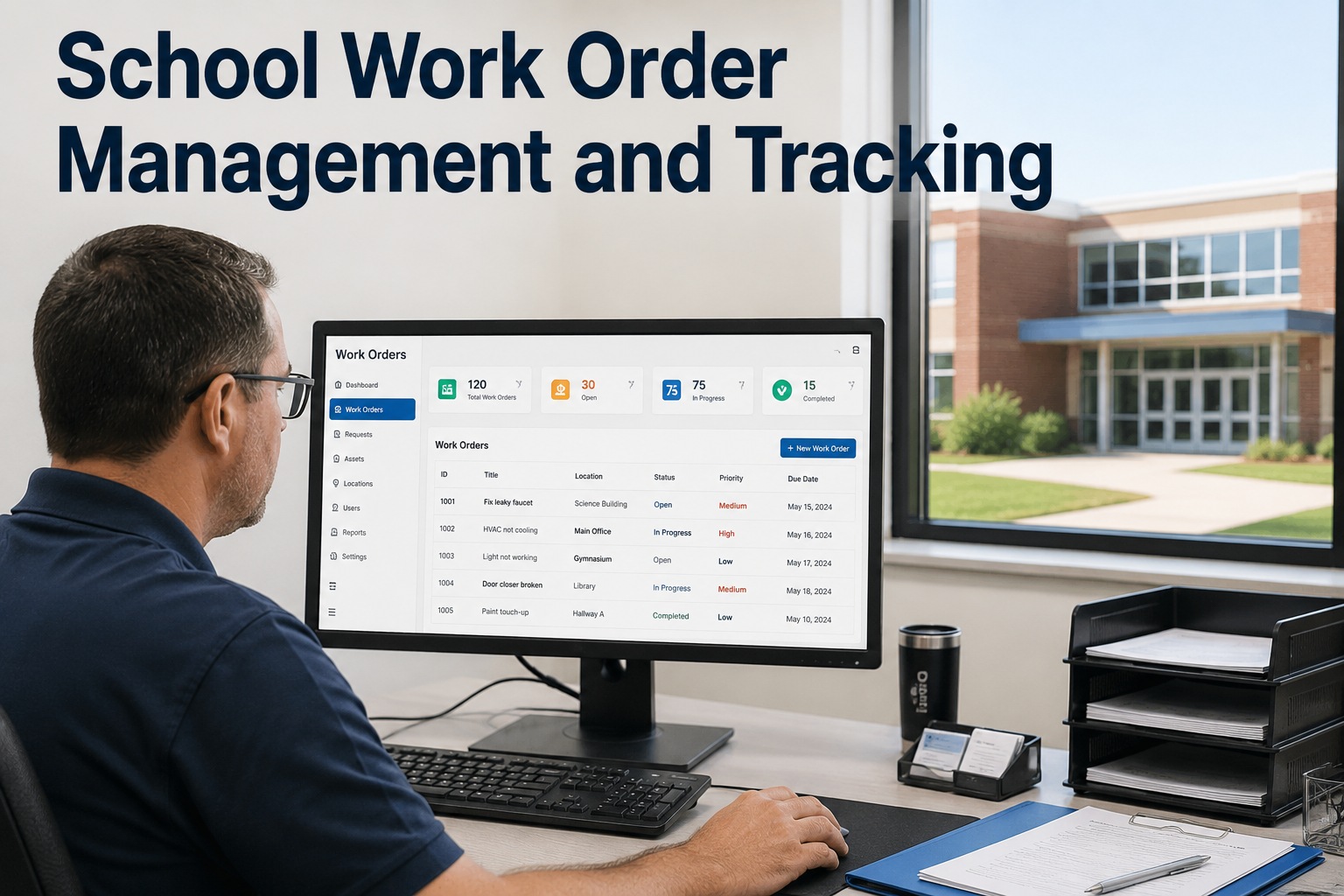
A custodian at Jefferson Middle School notices a ceiling tile stained brown from a roof leak. She tells the front office. The secretary writes it on a sticky note. The sticky note sits on the facilities coordinator’s desk for three days because he is dealing with a boiler issue at the high school. By the time someone looks at the ceiling, mold has spread behind the drywall, the remediation costs $34,000, and four classrooms are offline for two weeks. In an AI-powered work order system, the custodian opens the mobile app, taps “New Request,” photographs the stain, selects “Building C — Room 204,” and submits. The AI classifies it as a water intrusion issue, scores the priority based on the space type (occupied classroom), checks the weather forecast (rain expected Thursday), auto-assigns it to the roofing-qualified technician nearest to Building C, and dispatches via push notification — all within 90 seconds of the custodian tapping “Submit.” The technician arrives that afternoon, patches the flashing, and the total cost is $1,200. Same leak. Same custodian. Different system. Different outcome by a factor of 28×. Schedule a demo to see AI work order management running on education facility data.
Traditional School Maintenance
Sticky notes, phone calls, email chains, and spreadsheets. Requests get lost. Priorities are political. Data is fiction.
Paper-dependentReactiveNo visibility
VS
AI Work Order Management
Mobile requests, AI classification, automated dispatch, real-time tracking, and audit-ready documentation. Zero lost work orders.
AI-poweredProactive100% visibility
Side-by-Side: What Changes When AI Manages Work Orders
Traditional
AI-Powered
Request submission
Phone call, email, sticky note, hallway mention
Mobile app with photo, location, and description
Classification
Manual — whoever reads it decides the category
AI auto-classifies type, priority, and trade in 3 seconds
Priority assignment
Who complained loudest or knows the principal
Scored by safety, criticality, student impact, compliance
Technician dispatch
Phone call or morning meeting — 45 min dispatch cycle
AI assigns by skill, location, and availability in seconds
Response time
3–14 days average (longer during breaks)
Under 24 hours for standard, under 15 min for emergency
Status visibility
None — requestor calls to ask “is it done yet?”
Real-time status with push notifications at every milestone
Documentation
Paper form filed in building office (if at all)
Digital record with photos, timestamps, parts, and labor
Lost work orders
15–25% lost, forgotten, or never created
0% — every request tracked end-to-end automatically
Compliance readiness
2–4 weeks assembling paper records for audits
One-click export — audit-ready in minutes
Where Traditional Systems Fail Education Facilities
15–25%
Work Orders Lost or Never Created
Phone calls go unreturned. Emails get buried. Sticky notes fall off desks. A quarter of maintenance needs are never entered into any tracking system — becoming visible only when the asset fails or the inspector finds it.
45%
Emergency Work Ratio
When preventive work is deferred because reactive emergencies consume all capacity, the emergency ratio climbs to 45%+ — costing 3–5× more per repair through overtime, expedited parts, and collateral damage. The cycle feeds itself.
$100K–$500K
Annual Compliance Exposure
OSHA fines ($15.6K–$161K per violation), NFPA occupancy holds ($5K–$50K+ remediation), ADA lawsuits ($150K–$500K), and EPA water violations ($25K–$75K). The documentation gaps that cause 68% of citations are invisible until the inspector arrives.
Built for Education
$34,000 Mold Remediation or $1,200 Roof Patch. Same Leak. Different System.
Oxmaint’s AI work order management platform is built for K–12 districts and universities — with student-impact prioritization, compliance automation, academic calendar integration, and mobile-first workflows designed for custodians, technicians, and administrators.
Seven AI Capabilities That Transform School Maintenance
AI work order management is not a single feature — it is seven interconnected capabilities that collectively eliminate the manual bottlenecks, information gaps, and prioritization failures that plague traditional school maintenance operations.
1. AI Auto-ClassificationCore Capability
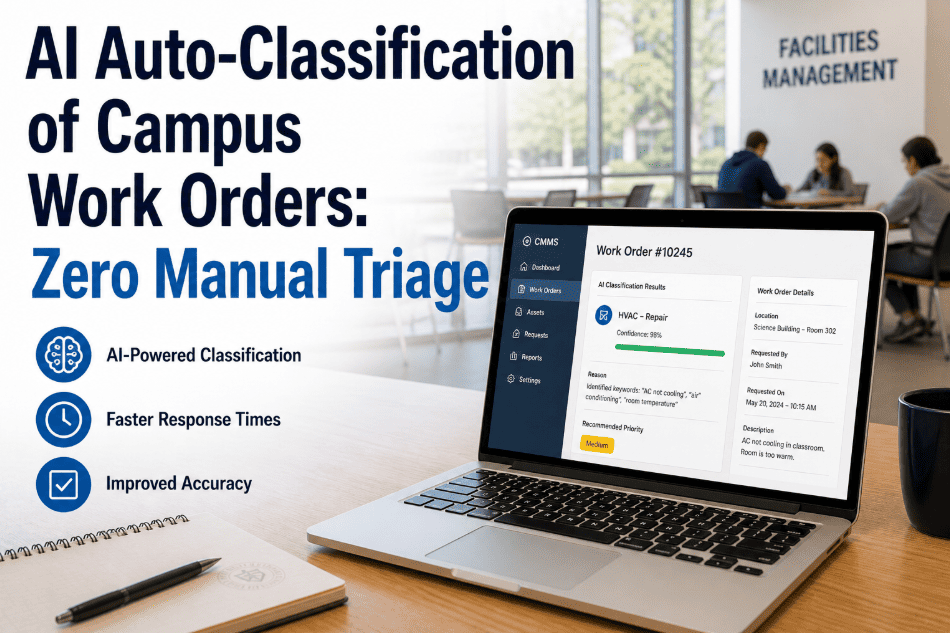
What it does: When a work order enters the system — from any channel — AI analyzes the description, photo, and location to auto-classify the type (plumbing, HVAC, electrical, structural), priority (emergency, high, medium, low), and required trade. No human triage. No classification errors from untrained requestors.
Why education needs it: School staff submitting requests are teachers and custodians, not maintenance professionals. They write “water on the floor in Room 204” — the AI determines whether that is a plumbing issue, a roof leak, or a condensation problem based on location, season, and building history.
Classification in under 3 seconds with 85%+ accuracy from day one, improving to 95%+ within 6 months
2. Student-Impact Priority ScoringCore Capability
What it does: Every work order is scored against a weighted matrix: safety impact (25%), asset criticality (20%), student/occupant impact (30%), compliance deadline (15%), and cost consequence (10%). Classrooms during instruction score higher than storage rooms. Residence halls during occupancy score higher than during break.
Why education needs it: Without objective scoring, priority defaults to political influence — the principal who calls the superintendent gets their projector fixed while the HVAC serving 300 students waits. AI scoring is transparent, defensible, and tied to student outcomes.
Removes political prioritization. Ensures the most consequential work happens first, every day.
3. AI Technician AssignmentCore Capability
What it does: The AI assigns every work order to the optimal technician based on four factors: required trade and certifications, current GPS location (nearest to the building), real-time availability (not already committed to a higher-priority task), and historical performance on similar repairs.
Why education needs it: K–12 districts with 20–60 buildings spread across a geographic area cannot afford random dispatch. A plumbing tech 2 miles from the school with the leak should not be passed over for one 15 miles away because the coordinator did not check locations.
Dispatch in seconds, not the 45-minute morning meeting. Zero skill mismatches. Minimum travel time.
What it does: The scheduling engine integrates with the academic calendar to adjust priorities dynamically. During finals, classroom HVAC is critical. During summer break, capital projects escalate while classroom comfort de-prioritizes. Before admissions tours, buildings on the tour route receive proactive inspection.
Why education needs it: A school is not a factory with constant operating hours. Occupancy, priority, and disruption tolerance change weekly with the academic calendar. A scheduling system that does not know it is finals week will schedule a noisy boiler repair during a calculus exam.
Disruptive work auto-scheduled for breaks and off-hours. Student-facing spaces protected during peak periods.
5. Compliance AutomationEducation-Specific
What it does: Schedules every regulatory inspection (fire, OSHA, EPA, ADA, elevator, playground, AHERA) at the correct frequency across every building. Generates digital checklists. Auto-creates corrective work orders for deficiencies. Produces audit-ready reports on demand.
Why education needs it: School districts face 7 compliance domains simultaneously across 20–80 buildings. Paper tracking fails 100% of the time over a long enough timeline. 68% of citations are for documentation gaps, not actual hazards. Automation eliminates this category entirely.
100% compliance documentation. Zero citation exposure from missing records. Inspection visits 50–70% shorter.
6. Mobile-First Field WorkflowsUniversal
What it does: Technicians receive work orders on their mobile device with full asset context, navigation to the building, repair history, suggested parts, and digital checklists. They check in (GPS-confirmed), document work with photos and voice notes, scan parts via barcode, and complete — all from the phone. Offline mode for basements and mechanical rooms.
Why education needs it: School technicians travel between buildings all day. They cannot return to the shop to update a desktop CMMS. If the system is not on their phone, the data never gets entered — and the CMMS becomes an unreliable record.
5 taps from assignment to close-out. 100% data capture from every repair. Zero end-of-day paperwork.
7. Predictive IntelligenceAdvanced
What it does: AI analyzes maintenance history, sensor data, and asset condition to predict failures 3–6 weeks before they occur. Generates predictive work orders scheduled for breaks or low-occupancy periods. Compares planned repair cost vs. emergency failure cost for each prediction.
Why education needs it: A chiller failure during August move-in costs $340,000 in emergency repair and student disruption. The same repair scheduled during Thanksgiving break costs $28,000. AI makes the difference by detecting the developing failure in October, not discovering it in August.
65% fewer emergency failures. Planned cost is 1/3 to 1/5 of emergency cost. 5–8× first-year ROI.
The Work Order Lifecycle: From Request to Resolution in 7 Steps
Every work order follows a standardized lifecycle that compresses response time, ensures documentation, and feeds data back into the AI for continuous improvement. Here is how AI manages each stage:
Request SubmittedUnder 60 sec
Teacher, custodian, or administrator opens the mobile app or web portal. Selects building and room. Describes the issue in plain language. Attaches a photo. Taps “Submit.” No maintenance terminology required. No priority selection. No trade classification. Just the problem and the location.
Requestor receives immediate acknowledgment with a tracking number and estimated response time. They can check status at any time without calling the facilities office.
AI Classification and Priority Scoring3 seconds
AI analyzes the description and photo to determine: work type (plumbing, HVAC, electrical, etc.), priority score (safety × criticality × student impact × compliance × cost), required trade, and whether it duplicates an existing open work order on the same asset.
During finals week, the same classroom HVAC issue scores 15% higher than during summer break because the student-impact weight increases with the calendar. Dynamic, not static.
Technician Assignment and DispatchUnder 10 sec
AI selects the optimal technician: correct trade, nearest location, available capacity, not committed to higher-priority work. Push notification dispatches the work order with building location, problem description, asset history, and navigation.
If the assigned technician does not acknowledge within 60 seconds, auto-escalation to the next qualified person. If after-hours, the on-call schedule determines routing. Zero phone calls.
Field Execution with Full ContextMobile-First
Technician checks in on arrival (GPS-confirmed, timestamp logged). Opens work order with: asset maintenance history, last 5 repairs, suggested parts with stock status, and any prior technician notes about this specific asset. Takes before photo. Performs repair. Scans replacement parts via barcode. Takes after photo.
Voice-to-text for repair notes: “Replaced flashing around vent pipe on Building C roof. Sealed with elastomeric. No interior damage beyond ceiling tile. Tile replaced.” AI parses into structured completion data.
Completion and Requestor NotificationAuto
Technician taps “Complete” with all mandatory fields verified: work performed, root cause, parts consumed, after photo, labor time. Work order moves to closed status. All costs finalized. Data feeds into asset history, compliance records, and KPI calculations permanently.
Requestor receives automatic notification: “Your maintenance request has been completed.” The teacher who reported the leak knows it is fixed without making a single follow-up call.
Supervisor Review and Quality AssuranceDaily
Supervisor reviews completed work orders: verifies photo evidence, checks that root cause was identified, confirms parts were logged correctly. Any quality concerns are flagged for follow-up. Exception-based review — the supervisor only intervenes on outliers, not every routine completion.
KPI dashboard shows: response time by building, PM compliance by trade, emergency ratio trending, cost per work order, and technician utilization. The supervisor manages by data, not by memory.
AI Learning and Continuous ImprovementOngoing
Every closed work order feeds data back to the AI: Was the classification correct? Did the predicted priority match the actual urgency? Did the assigned technician have the right skills? Was the response time within SLA? The models improve with every work order — classification accuracy rises from 85% to 95%+ within 6 months.
Pattern detection identifies recurring issues: “Building C Room 204 has had 4 water-related work orders in 18 months. Recommend comprehensive roof inspection.” The AI does not just manage work orders — it prevents them.
The Decision Matrix: Which Education Institutions Need AI Work Orders
Two questions determine urgency: How many buildings do you manage? How many of your current processes depend on individual people remembering things?
5–20 Buildings
20–80+ Buildings
Under 10 Technicians
Digital Foundation
Mobile work orders, PM automation, compliance tracking. AI classification begins adding value immediately even at small scale.
Small K–12 districts · Private schools · Community colleges
Full AI Platform
Autonomous scheduling, predictive maintenance, energy intelligence, and board-ready dashboards. Maximum ROI from AI optimization across a large portfolio.
Large K–12 districts · University systems · State college networks
10–40+ Technicians
AI Scheduling Priority
Even with few buildings, a large team benefits enormously from AI dispatch, skill matching, and geographic routing that eliminates the morning meeting.
Single large campus · University with dense building cluster
Enterprise AI Operations
Full autonomous operations: self-optimizing PM, adaptive risk scoring, predictive dashboards, and capital planning intelligence. Stage 4–5 maturity achievable.
Major research universities · Multi-campus systems · State university networks
Financial Impact for Education
Annual value — mid-size district or university (20–80 buildings, 10–20 technicians)
$800K–$2M
Emergency failure prevention through PM compliance and predictive alerts
$180K–$350K
Labor productivity from AI scheduling, routing, and dispatch elimination
$150K–$500K
Energy savings from timely HVAC maintenance and fault detection
$118K–$413K
Compliance penalty avoidance plus insurance premium reduction
Total Annual Value
$1.25M–$3.3M
Platform: starts free · Full deployment payback: 60–120 days · 5–8× ROI in year one
Stop Losing Work Orders. Start Preventing Failures. Protect Your Students.
Oxmaint’s AI work order management platform is built for K–12 districts and universities — with student-impact prioritization, compliance automation, academic calendar integration, mobile-first technician workflows, and predictive intelligence that prevents the $340K emergency at $28K planned cost. Start free. Deploy in 30 days. ROI from month one.
Can non-technical staff like teachers and custodians submit work orders easily?
Yes — the requestor interface is designed for people with zero maintenance knowledge. They select the building and room from a dropdown, describe the problem in plain language (“water on the floor” not “plumbing failure”), attach a photo, and tap submit. No maintenance terminology. No priority selection. No trade classification. The AI handles all of that behind the scenes. The requestor experience is simpler than ordering food delivery. Sign up free and test the requestor interface with your staff this week.
How does the system handle multi-building K–12 districts?
Oxmaint is built for distributed portfolios. Every building in the district has its own asset registry, compliance calendar, and maintenance history — all managed from a single platform. Technicians are dispatched across buildings based on GPS proximity and skill matching. The facilities coordinator sees the entire district on one dashboard: open work orders per building, PM compliance per school, response time trending, and compliance status across all sites. Multi-site geographic routing saves 60–90 minutes per technician per day compared to random dispatch.
Does Oxmaint support school-specific compliance like playground inspections and AHERA?
Yes. Oxmaint covers all seven compliance domains relevant to education: fire and life safety (NFPA), occupational safety (OSHA including the 2026 Heat Illness Prevention rule), environmental (EPA lead/copper and AHERA asbestos), accessibility (ADA), indoor air quality (ASHRAE 241), elevator, and playground/athletic (CPSC/ASTM). Each domain has configurable inspection frequencies, digital checklists matching the specific standard (NFPA 25 for sprinklers, CPSC for playgrounds), and auto-generated corrective work orders for findings. State-specific requirements are configured during implementation. Book a demo to see education-specific compliance configuration for your state.
What does implementation look like for a school district?
Implementation follows a 30–60 day timeline. Weeks 1–2: import your building and asset registry, configure work order types and priority matrix, and set up technician profiles. Weeks 3–4: deploy the mobile app to field technicians and activate the requestor portal for building staff. Weeks 5–8 (if applicable): activate compliance calendars, BAS integration, and AI scheduling. By day 30, every new work order is AI-classified, auto-assigned, and tracked in real time. Most districts see measurable improvements in response time and data completeness within the first month.
What is the realistic cost and ROI for a school district?
Oxmaint offers a free tier for getting started and scales based on building count and feature set. A 30-building district typically invests $20K–$50K annually for the full platform against $1.25M–$3.3M in documented annual savings — a 25:1 to 66:1 return. The ROI begins immediately: the first prevented emergency (avoided $28K–$340K), the first compliance citation averted ($15K–$161K), and the staff time recovered from manual tracking (0.5–1.0 FTE) typically cover the annual cost multiple times over within the first quarter. Start free and see the ROI begin accumulating from your first work order.