Dorm turnover season — the 2 to 6 week window between student checkout and fall move-in — is the most maintenance-intensive period in any university's calendar. With hundreds of rooms, shared bathrooms, laundry areas, and HVAC units across multiple buildings, facilities teams must inspect, repair, clean, and certify every space in near-parallel. Most campuses run this on spreadsheets, radio calls, and memory, which is exactly why 34% of rooms reported defects at move-in are traced back to missed turnover tasks. A structured CMMS approach changes that entirely — turning a reactive scramble into a predictable, trackable operation. Start a free trial with Oxmaint or book a demo to see how campuses complete turnover faster with fewer callbacks.
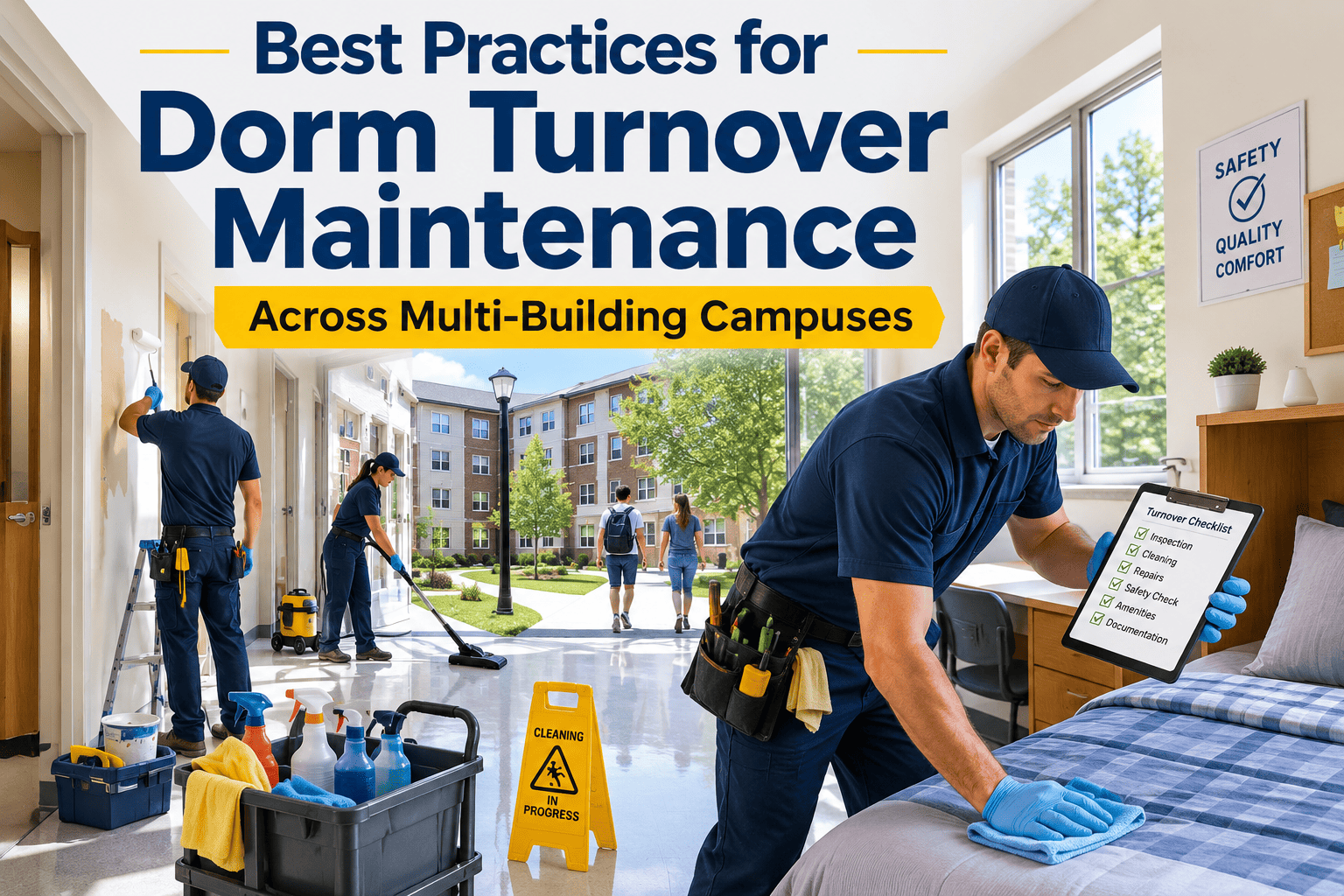
Best Practices for Dorm Turnover Maintenance Across Multi-Building Campuses
How facilities teams at large universities reduce move-in defects, cut turnover time by 30%, and manage multi-building coordination through structured PM workflows and mobile work orders.
Why Multi-Building Turnover Fails Without Structure
Managing dorm turnover across 10, 20, or 40 buildings is a logistics problem as much as a maintenance problem. Work gets duplicated in some rooms and missed entirely in others. Contractors show up before inspections are done. Rooms get marked ready before painting is complete. These breakdowns are not caused by lazy staff — they happen because there is no single system tracking task status per room, per building, per technician in real time.
Supervisors have no real-time view of which rooms are complete, in-progress, or blocked. Walk-throughs replace dashboards, consuming supervisor hours that should go toward quality control.
Painting, carpet, and HVAC contractors arrive without knowing which rooms have been pre-inspected. Rework rates climb. Contractors wait on facilities teams, and facilities teams wait on contractors.
Each building supervisor runs their own version of a room checklist. What gets inspected in Building A differs from Building D. Defects fall through the gaps between informal processes.
Without photo proof attached to completed work, damage disputes at move-in become he-said-she-said situations. Facilities teams absorb costs for damage that was present before student arrival.
The 7 Best Practices for Dorm Turnover Maintenance
One master checklist applied to every room in every building eliminates the inconsistency that comes from supervisor-by-supervisor variation. The checklist should cover electrical outlets, HVAC filter, window locks, door hardware, plumbing fixtures, wall condition, floor condition, and furniture. Digital checklists in Oxmaint enforce completion — a room cannot be marked ready unless every item is checked off.
Work orders at room level give supervisors and contractors a precise scope. When a room needs patch, paint, and HVAC filter replacement, those are three linked work orders — each assigned, tracked, and closed independently. Room-level tracking prevents the common failure where a building is "80% done" but nobody can tell which 20% of rooms are still open.
HVAC service and plumbing repairs always precede drywall and paint. Paint always precedes carpet and flooring. Carpet precedes final cleaning. When this sequence is not enforced, contractors redo work — a painter returns after HVAC dust, a cleaner recleansed after flooring adhesive. CMMS task dependencies can lock this sequence automatically so no trade starts until its prerequisite is closed.
Technicians attach before-and-after photos to the final work order when marking a room complete. This creates a timestamped visual record that protects the university in move-in disputes, supports insurance claims, and gives quality reviewers the ability to approve rooms remotely without walking every floor.
Hallway HVAC units, laundry room equipment, common bathroom exhaust fans, and elevator mechanical rooms follow a different schedule than individual rooms. CMMS separates these assets so they are not buried in room-by-room checklists — each gets its own PM, its own technician assignment, and its own completion record.
Three days before residents arrive, a supervisor walks every completed floor using the same digital checklist — not a clipboard. Any room flagged in the audit generates an emergency work order automatically. With Oxmaint's mobile app, audit findings are assigned and acknowledged within minutes, not the next morning.
After each turnover season, export completion data per building — average work orders per room, callback rate, rework incidents, time-to-ready per room type. This data reveals which buildings need more contractor time, which room types generate the most defects, and where checklist items should be added. Each year's data makes the next year's plan more accurate.
Coordinate Turnover Across Every Building From One Dashboard
Oxmaint gives your facilities team room-level work order tracking, mobile checklists, photo documentation, and real-time completion dashboards — built specifically for high-volume campus turnover operations.
Turnover PM Checklist: What Every Room Needs
| Area | Task | Who | Documentation |
|---|---|---|---|
| HVAC | Replace filter, inspect unit, test thermostat | Facilities tech | Filter size, condition photo |
| Plumbing | Test all fixtures, check for leaks, clear drains | Plumber or facilities tech | Photo of each fixture |
| Electrical | Test outlets, switches, smoke detector battery | Electrician or tech | Outlet test result, smoke detector test |
| Walls and Ceiling | Inspect for damage, patch holes, touch-up or repaint | Painter | Before/after photo per wall |
| Flooring | Deep clean carpet or mop hard floor, inspect for damage | Cleaning crew | Condition photo at closeout |
| Windows and Doors | Test locks, inspect seals, lubricate hardware | Facilities tech | Lock test result |
| Furniture | Inspect for damage, tighten hardware, replace damaged pieces | Facilities tech | Damage log with photo |
| Final Audit | Supervisor walk-through, room marked ready | Building supervisor | Signed digital checklist, timestamp |
How Oxmaint Manages Multi-Building Turnover
Every room is an asset. Work orders link to the room, building, and floor — giving supervisors drill-down visibility from campus level to individual room status in seconds.
Technicians complete inspections on mobile devices. No paper forms, no transcription errors. Completed checklists sync instantly to the supervisor dashboard.
Required photo fields on closeout work orders ensure every room has timestamped documentation before it is marked ready. Supervisors review photo evidence remotely.
External painters, carpet crews, and HVAC contractors receive work orders via mobile link — no app install needed. Their completions are tracked in the same dashboard as internal staff.
Live view of rooms by status — inspected, in-progress, contractor queue, ready for audit, complete. Directors see bottlenecks before they become move-in day problems.
Compare turnover performance across seasons. Which buildings take longest? Which room types generate most rework? Data drives better contractor scheduling and staffing.
Turnover Season: Before and After CMMS
Frequently Asked Questions
How early should turnover planning begin before student checkout?
What is the biggest cause of move-in defects across large campuses?
Can external contractors use Oxmaint without a full account?
How does photo documentation help with student damage disputes?
How does Oxmaint handle buildings with different room types — suites, doubles, singles?
Run Your Next Turnover Season Like a Well-Oiled Operation
Fewer move-in defects. Faster room readiness. Complete documentation. Oxmaint gives your housing facilities team the tools to run turnover across every building with the precision your students and leadership expect.