A university broadcast studio houses $2M+ in cameras, switchers, audio consoles, and lighting rigs. A film lab runs color grading workstations worth $180,000 each. A podcast suite contains condenser microphones calibrated to within 0.5dB of specification. None of this equipment tolerates neglect — yet the average campus media facility operates without a single structured maintenance schedule in a CMMS. Equipment warranties expire unnoticed. Calibration intervals are missed. Repair histories live in technicians' heads or scattered emails. When a $45,000 broadcast camera goes down the morning of a live student newscast, the question facilities management faces is not "why did it fail" — it is "why didn't we see this coming?" The answer, almost always, is that nobody built a maintenance program for it. If your campus media facilities are running on reactive repairs and tribal knowledge, start a free trial with Oxmaint or book a demo to see how CMMS transforms media equipment management.
Campus Media Facilities · Equipment Maintenance · CMMS
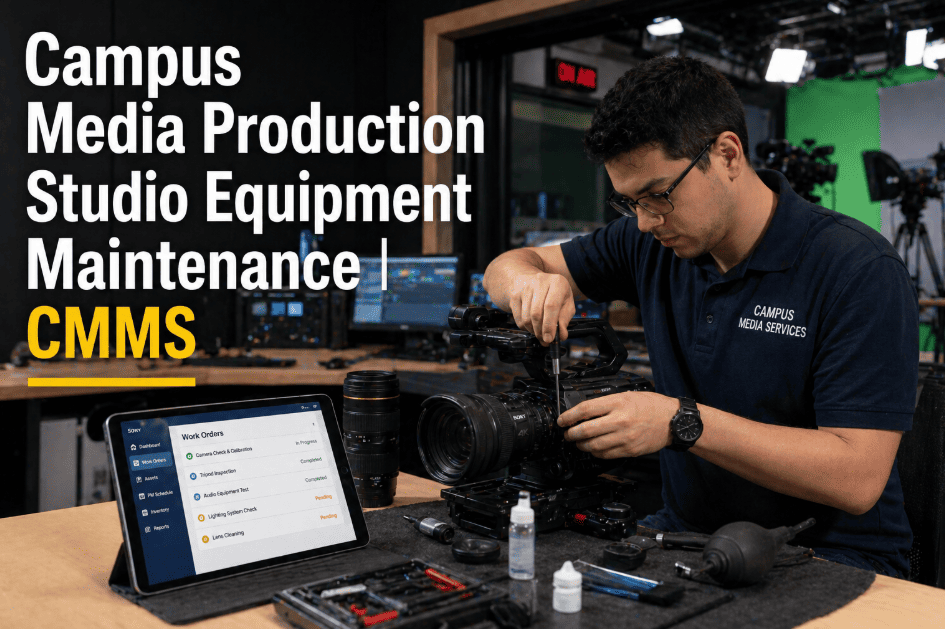
Campus Media Production Studio Equipment Maintenance — The CMMS Approach That Protects Million-Dollar Investments
Broadcast studios, film labs, podcast suites, and AV production facilities house some of the most expensive and calibration-sensitive equipment on campus. A structured CMMS program tracks warranties, calibration intervals, repair histories, and PM schedules — so equipment is ready when students need it.
$2M+
Typical campus broadcast studio asset value at risk without maintenance programs
68%
Media equipment failures that are preventable with structured PM
3.4x
Longer equipment lifespan with calibration-aligned maintenance vs. reactive repair
The Maintenance Gap
Why Campus Media Equipment Lives in a Maintenance Blind Spot
Media production equipment sits in an organizational gap — too specialized for general facilities management, too numerous for IT asset tracking, and too expensive to ignore. The result is a maintenance vacuum that costs campuses far more than a structured program would.
01
Warranties Expiring Untracked
A $38,000 broadcast switcher has a 3-year warranty. At month 38, a power supply board fails. Nobody tracked the warranty. The repair costs $4,200 out of pocket — a warranty claim that would have been free 2 months earlier. Multiply this across 200+ media assets on a mid-size campus and the untracked warranty loss exceeds $85,000 annually.
Avg. annual loss: $85K in expired warranty claims
02
Calibration Intervals Missed
Professional audio equipment requires calibration every 6–12 months. Broadcast cameras need sensor cleaning and registration checks quarterly. Color grading monitors require display calibration every 3 months to maintain Delta-E accuracy under 2.0. When these intervals are missed, equipment delivers technically incorrect output — students learn on miscalibrated tools and don't know it.
Impact: Student work produced on out-of-spec equipment
03
Repair History Lost Between Technicians
A video production technician retires after 12 years. Their institutional knowledge — which camera body has intermittent autofocus issues, which audio console has a known channel 7 noise floor problem, which lighting grid circuit trips under full load — walks out the door with them. Without CMMS repair history, the next technician starts from zero and repeats every diagnostic already performed.
Impact: 6–18 month knowledge rebuild after staff turnover
04
Equipment Down During Peak Academic Use
A broadcast studio camera fails the morning of a student newscast final project worth 40% of course grade. A color grading suite workstation crashes during midterm film submissions. Reactive maintenance in academic environments means failures happen at the worst possible times — because peak usage periods are when deferred maintenance catches up with equipment. PM programs shift failures to planned windows.
Impact: Academic disruption, student grade consequences, faculty complaints
Equipment Categories
Eight Media Equipment Categories and Their Specific Maintenance Requirements
Campus media facilities span a wider range of equipment types than most facilities managers realize — each with distinct maintenance intervals, calibration requirements, and failure modes. A CMMS program that treats all of this as "AV equipment — inspect annually" provides no protection for the assets it is supposed to cover.
Sensor cleaning and dust inspection — critical for image quality, missed by 80% of campus programs
Lens element cleaning, focus calibration, and back-focus adjustment
Battery health testing — NP-F and V-mount batteries lose 20% capacity annually
Firmware version tracking and OEM update scheduling
Failure cost: $3,000–$8,000 sensor repair vs. $45 quarterly cleaning
Channel fader and pot cleaning to eliminate static and channel drop-out
Gain staging calibration — reference level alignment across all inputs and outputs
Phantom power testing on all XLR channels for condenser microphone support
Cooling fan filter cleaning — audio consoles run 24/7 in many studios
Failure cost: $2,500–$12,000 for console board repair vs. $180 annual service
Hardware calibration with spectrophotometer — Delta-E target under 2.0 for professional accuracy
Backlight uniformity measurement — monitors degrade 8–12% in uniformity per year
Color space profile verification (Rec. 709, DCI-P3, Rec. 2020 as applicable)
Panel hours tracking against rated lifespan for replacement planning
Out-of-spec monitor: Students grade incorrectly — work fails industry color standards
Lamp and LED array output measurement — lumen depreciation tracking against design specification
Dimmer rack inspection — SCR dimmer modules are a common failure point in older rigs
Grid track and hanging hardware inspection — load capacity verification after any rigging change
DMX control pathway testing and backup controller verification
Grid hardware failure is a life-safety event — annual load inspection is non-negotiable
Cooling system inspection — switchers generate significant heat and fan failure causes board damage
Reference signal integrity verification — house sync and black burst stability testing
Firmware version tracking and scheduled update windows during academic breaks
Input/output card seating verification — vibration from studio activity loosens connections over time
Switcher failure during live production: $650–$2,400 emergency repair plus production loss
Internal cooling system cleaning — media workstations run render tasks at 95%+ CPU/GPU load for extended periods
Storage health monitoring — RAID array integrity and drive SMART data review
GPU temperature logging under load — thermal throttling reduces render performance before hardware failure
UPS battery testing for workstations in project submission areas
Storage failure during student project period: catastrophic — no recovery without backup verification
Microphone capsule inspection and polar pattern verification — condenser capsules are humidity-sensitive
Acoustic treatment panel inspection — absorption panels detach from walls in high-use spaces
Interface and preamp gain calibration — matched gain staging across all mic positions
Headphone driver testing and cable inspection — highest-wear items in any recording suite
Out-of-spec recording environment: students produce work that fails broadcast technical standards
Chemical bath temperature monitoring and replenishment scheduling — critical for consistent film development
Enlarger lamp output testing and alignment — misaligned enlargers produce inconsistent prints
Ventilation system verification — chemical fume extraction is a health and safety requirement
Safe light integrity testing — fogged paper is the most common and most wasteful darkroom failure
Ventilation failure in darkroom: OSHA chemical exposure violation — immediate shutdown required
Built for Specialized Campus Assets
Every Camera, Console, and Calibration Schedule — Tracked in One Platform
Oxmaint gives campus media facilities the same structured maintenance capability that broadcast networks use for their production assets — warranty tracking, calibration scheduling, repair history, and PM programs — at CMMS pricing accessible to university budgets.
CMMS Capabilities
How Oxmaint Manages Campus Media Production Assets
Asset Registry
Every Device as a Named Asset
Each camera body, lens, audio console, monitor, and workstation registered individually with serial number, purchase date, warranty expiry, calibration specification, and assigned facility. Asset hierarchy: Campus > Building > Studio > Equipment Type > Individual Unit.
No media asset in a maintenance blind spot
Warranty Engine
Warranty Expiry Alerts — All Assets
Warranty expiration dates tracked per device with 90-day advance alerts. When a $38,000 switcher approaches warranty end, procurement is notified in time to negotiate extended coverage or plan for out-of-warranty repair budgeting.
Zero surprise warranty expirations across 200+ media devices
Calibration PM
Calibration Interval Scheduling
Calibration work orders scheduled by equipment type — quarterly for color grading monitors, semi-annual for audio consoles, annual for broadcast cameras. Calibration results recorded per work order with pass/fail and measurement data for compliance documentation.
Calibration compliance documented per device per interval
Repair History
Complete Repair Record Per Device
Every repair logged against the specific asset — symptom, diagnosis, parts replaced, labor hours, technician, resolution time. When a camera body has been repaired for autofocus three times in 18 months, the pattern is visible and actionable before the fourth failure.
Institutional knowledge survives staff turnover
Academic Calendar
PM Scheduling Around Academic Periods
Maintenance windows scheduled during semester breaks, reading weeks, and summer sessions — never during production finals, live broadcast periods, or film lab submission deadlines. Academic calendar integration prevents PM disruption to student work.
Equipment serviced during breaks, available during finals
Lifecycle
CapEx Forecasting for Equipment Replacement
Repair cost-per-device tracked against replacement cost. When cumulative repair spend on a broadcast camera exceeds 40% of replacement cost, a capital replacement recommendation generates automatically — supporting the budget case to administration.
Replacement decisions based on data, not instinct
Before vs After
Reactive Management vs. CMMS-Driven Media Equipment Maintenance
| Dimension | Reactive Campus Approach | Oxmaint CMMS Program |
| Warranty tracking |
Spreadsheet or forgotten entirely |
Per-device alerts 90 days before expiry |
| Calibration scheduling |
When someone remembers or complains |
Automated intervals per equipment type |
| Repair history |
Technician memory and email threads |
Full history per device — survives staff turnover |
| Equipment failures |
During peak academic use periods |
Caught by PM during scheduled maintenance windows |
| Parts availability |
Emergency ordered after failure |
Pre-ordered based on PM schedule and failure patterns |
| Replacement planning |
Budget request after breakdown |
CapEx forecast from repair cost vs. replacement data |
| Compliance documentation |
Manual assembly before audit |
Auto-generated from work order records |
Measurable Impact
What Campuses Report After Implementing CMMS for Media Facilities
68%
Reduction in Unplanned Equipment Failures
PM programs catch the preventable failures — sensor contamination, cooling degradation, connector corrosion — before they become production disruptions
$85K
Average Annual Warranty Savings
Warranty claims made before expiry on tracked devices — recovered costs that were previously lost to missed deadlines on untracked assets
3.4x
Longer Equipment Lifespan
Calibration-aligned maintenance and condition-based PM extends media equipment useful life from an average of 4.2 years to 14+ years on well-maintained assets
100%
Calibration Compliance Rate
Automated calibration scheduling with work order generation ensures no interval is missed — every monitor, console, and camera calibrated on specification
Common Questions
Campus Media Maintenance — Questions Answered
Who should perform media equipment maintenance — facilities staff or AV technicians?+
The optimal split depends on task complexity. Physical cleaning, cable management, cooling system maintenance, and visual condition inspections can be performed by trained facilities technicians with proper procedure guides. Calibration tasks — color grading monitor profiling, audio console alignment, broadcast camera registration — require AV or media production technicians with appropriate tools (spectrophotometers, signal generators, reference monitors). CMMS work orders can be assigned to either role based on the specific task, with all results documented in the same asset record.
Book a demo to see how role-based work order assignment works.
How does CMMS handle equipment that is checked out and used off-campus?+
Oxmaint's asset registry tracks equipment location status — checked in, checked out, on loan, off-campus production. PM work orders due on equipment that is currently checked out are held and triggered immediately upon return. Damage and condition notes from check-out inspections are logged against the asset record on return. Equipment with a pattern of damage events from student check-outs generates a flag for review — informing checkout policy decisions with maintenance cost data.
Can CMMS track OEM firmware versions and software licenses for media workstations?+
Yes. Oxmaint asset records include custom fields configurable for firmware version, software license expiry, and subscription renewal dates. Firmware update work orders are scheduled during academic breaks with the specific version target and rollback procedure attached. License expiry alerts generate 60 days before renewal deadlines — covering Adobe Creative Cloud, DaVinci Resolve Studio, Pro Tools, and other production software essential to media program continuity.
How quickly can a campus media facility get started with CMMS tracking?+
Most campus media facilities complete asset registration for their highest-value equipment — broadcast cameras, audio consoles, and production workstations — within the first week using Oxmaint's bulk import or QR-code mobile registration. Full PM schedules and calibration intervals are typically configured within 2–3 weeks. The first calibration work orders generate automatically from there.
Start a free trial to begin asset registration today.
Protect Your Media Investment
A $2M Broadcast Studio Deserves a Maintenance Program. Build One Today.
Oxmaint gives campus media facilities the structured maintenance program that protects expensive production equipment — warranty tracking, calibration scheduling, repair history, and PM programs built around your academic calendar. Your students deserve equipment that works. Your budget deserves equipment that lasts.
![university-sustainability-initiatives-carbon-tracking-scope-1-2-3-cmms[1]](./manage-post-2k26/uploads/university-sustainability-initiatives-carbon-tracking-scope-1-2-3-cmms[1].png)