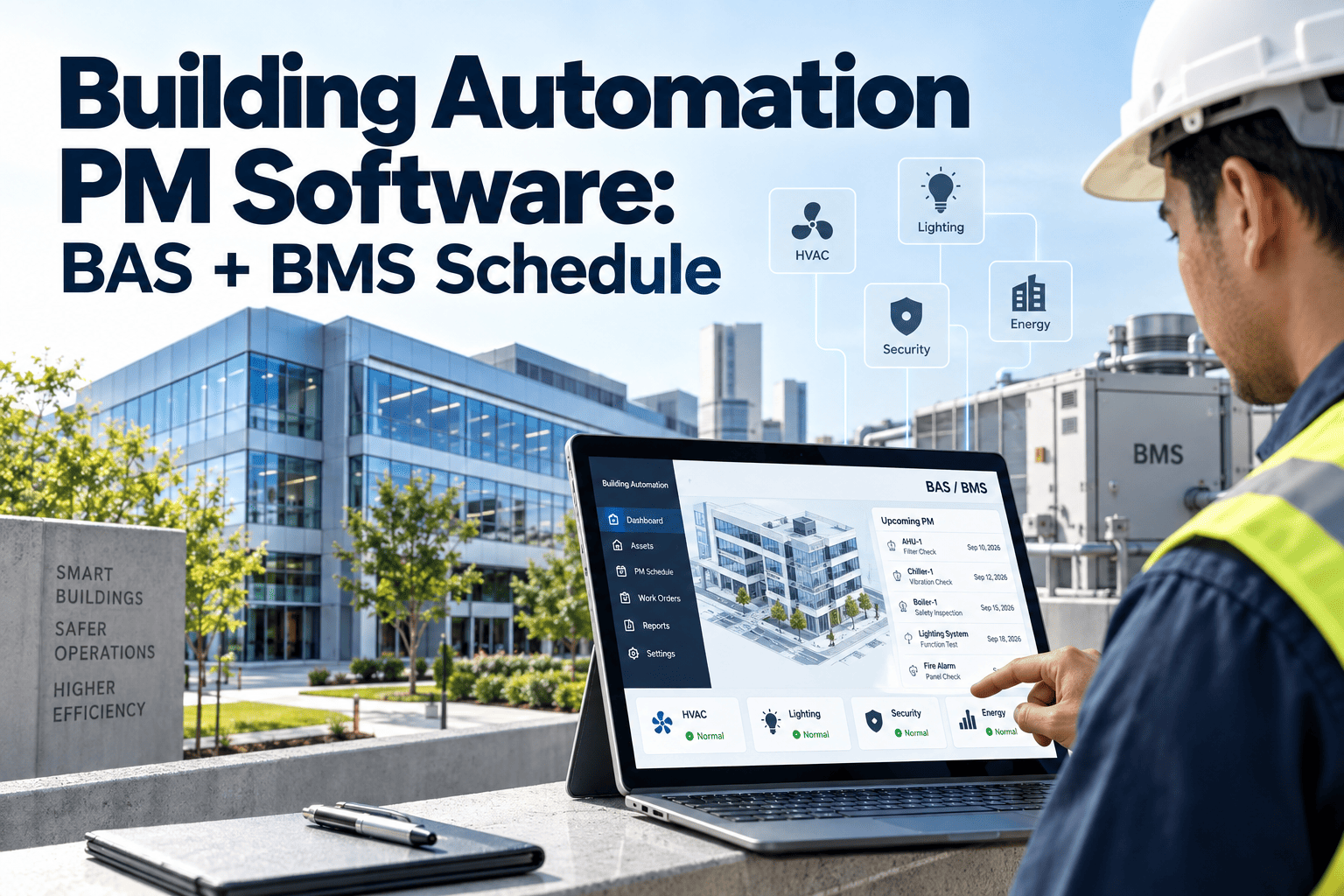
Building Automation PM Software: BAS + BMS Schedule

By Corin Hale on September 11, 2026

building-automation-pm-software-bas-plus-bms-schedule

Every commercial building today runs on a BAS or BMS quietly watching temperatures, pressures, dampers, and alarms around the clock, yet most facility teams still handle the preventive maintenance behind those systems on spreadsheets, sticky notes, and memory. A Siemens Desigo controller misses a quarterly inspection. A Honeywell EBI alarm sits unread in an inbox for three days. A Johnson Controls Metasys point drifts out of range and nobody notices until the chiller trips. OxMaint's BAS PM software closes that gap by turning every fault, sensor drift, and scheduled inspection across your building automation stack into a tracked, assigned, and auditable work order. Connect your BAS or BMS to OxMaint free and see your first automated work order within the hour.

Building Automation PM Software

Turn Every BAS and BMS Alarm Into a Tracked Work Order

Facility teams running Johnson Controls, Siemens, Honeywell, or Schneider systems lose hours every week chasing alarms that never became work orders. OxMaint schedules preventive maintenance directly from BAS and BMS point data, so nothing sits unactioned in a monitoring dashboard again.

Why BAS-Connected PM Matters

The Cost of Disconnected Building Automation

8.7%
Projected CAGR for BAS-integrated facility software through 2034, driven by regulatory mandates and ESG reporting requirements
30%
Of commercial building energy is wasted, most of it preventable through active BAS monitoring paired with a connected CMMS
25%
Reduction in maintenance cost reported by facilities that shifted from reactive repairs to BAS-triggered preventive maintenance
60-80%
Cut in actionable alarm volume once suppression rules filter self-clearing and duplicate BAS alerts before they reach a technician
How It Works

From Sensor Drift to Closed Work Order in Four Steps

01
BAS Point Data Streams In
OxMaint reads temperatures, pressures, status, and alarms directly from your BAS or BMS over BACnet/IP, BACnet MS/TP, Modbus, or REST API, without writing back to controllers.
02
Thresholds Are Checked
Every point is compared against configured PM thresholds and manufacturer setpoints. Self-clearing alarms and duplicates are filtered out automatically before they reach anyone.
03
Work Order Is Generated
A breach creates a prioritized work order with asset history, recommended action, and parts list pre-filled, then routes it to the technician certified for that system.
04
Closure Is Logged for Audit
Completion notes, timestamps, and readings are locked into an audit trail ready for OSHA, NFPA, ISO 55000, or internal reliability review whenever it is needed.
PM Schedule Reference

Recommended BAS and BMS Preventive Maintenance Intervals

System PM Task Recommended Interval Primary Protocol
BAS Controller / Panel Check status LEDs, verify battery backup, review control logic setpoints Quarterly BACnet/IP
AHU / RTU Filter inspection, belt tension, damper actuator response test Monthly BACnet MS/TP
Chiller Plant Refrigerant pressure trend review, condenser tube inspection Monthly Modbus TCP
VAV Box Airflow calibration check, actuator travel test against BAS setpoint Semi-Annual BACnet/IP
Fire / Life Safety Interface Alarm relay test, BAS-to-panel signal verification Quarterly REST API

Intervals shown are OxMaint recommended defaults for commercial buildings and are fully configurable per asset, zone, and manufacturer guidance.

Platform Compatibility

Built to Work With the BAS You Already Have

Johnson Controls Metasys
Reliable alarms, trends, and scheduling data over BACnet and Modbus, with support for portfolios standardized on JCI controls and the OpenBlue ecosystem.
Siemens Desigo CC
Strong BACnet object model support for fault detection and diagnostics, making it a complete source for advanced maintenance triggers on large campuses.
Honeywell EBI / Niagara
Open architecture for third-party tie-ins, common in airports and hospitals, connected through purpose-built connectors without middleware.
Schneider EcoStruxure
Energy analytics paired with maintenance workflows, connected via BACnet/IP and REST API so energy insight and PM scheduling share one view.

See Your BAS Data Turn Into Work Orders, Live

Bring your Metasys, Desigo, EBI, or EcoStruxure setup and we will show exactly how alarms map to preventive maintenance schedules for your building type.

Frequently Asked Questions

Questions on BAS and BMS PM Scheduling

Does connecting our BAS to OxMaint require replacing any hardware?
No. OxMaint reads point data over BACnet/IP, BACnet MS/TP, Modbus, or REST API without writing back to controllers, so existing BAS hardware and control logic stay untouched. Start a free connectivity check to confirm your specific setup.
How long does a typical BAS or BMS integration take to go live?
Modern BACnet/IP systems usually go live in three to six weeks. Legacy Modbus RTU controllers may need a serial-to-IP gateway first, which can extend the timeline slightly depending on site access.
Will our BMS flood the system with too many work orders?
Not once suppression rules are configured. Filtering alarms that self-clear, fall inside a maintenance window, or duplicate an already open order typically cuts actionable volume by 60 to 80 percent.
Do we need our controls contractor involved in the setup?
Usually not. The only BAS-side requirement is enabling BACnet/IP or Modbus TCP and confirming network access to the supervisor layer. Book a demo to walk through your specific network path.
Can PM schedules differ across buildings running different BAS platforms?
Yes. Each building can run its own PM intervals, thresholds, and escalation rules regardless of whether it sits on Metasys, Desigo, EBI, or EcoStruxure, all visible from one portfolio dashboard.

Stop Letting BAS Alarms Sit Unactioned

OxMaint schedules preventive maintenance straight from your building automation data, with full audit history from alarm to closure. See it configured for your systems in thirty minutes.


Share This Story, Choose Your Platform!