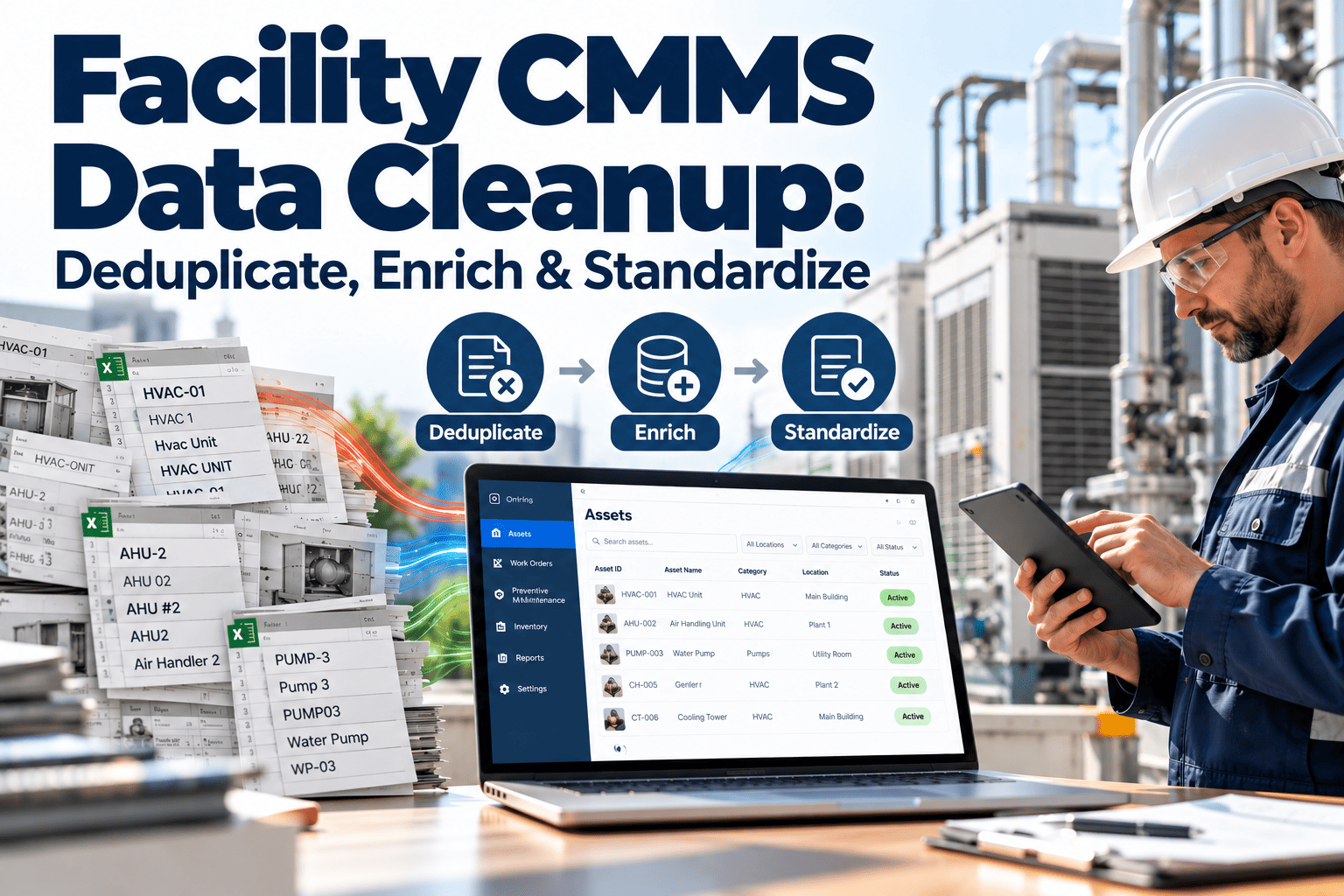
Every facility team that has run a CMMS for more than a few years eventually opens the asset list and sees the same problem. Three records for one rooftop unit, "AHU-3" spelled five ways, missing serial numbers, and work orders attached to assets that no longer exist. Reports built on that foundation cannot be trusted, so people stop using them and go back to spreadsheets. A structured cleanup fixes the cause rather than the symptom, and it starts with a clean, governed asset registry that your technicians and managers can rely on.
Facility CMMS Data Cleanup: Deduplicate, Standardize and Enrich
Turn a swamp of duplicate assets, typos and blank fields into a registry that supports real maintenance reporting.
Why Old CMMS Data Becomes a Swamp
CMMS data rarely goes bad all at once. It decays through hundreds of small shortcuts taken by busy people over several years.
- Technicians create a new asset because searching for the existing one takes too long.
- Contractors enter equipment under their own naming habits.
- Migrations from older systems bring in fields that were never validated.
- Decommissioned equipment stays active because nobody owns the retirement step.
- Free-text fields replace dropdowns, so the same location appears under many spellings.
The result is a registry that describes the facility as it was imagined at some point, not as it exists today.
Before and After a Cleanup
- Same chiller listed under three IDs
- Location typed as "Bldg 2 Rm 104", "B2-104" and "Building Two 104"
- Manufacturer entered as "Trane", "TRANE Inc." and "trane"
- Cost history split across duplicates
- Reports require manual correction every month
- One record per physical asset
- Location chosen from a controlled hierarchy
- Manufacturer selected from a managed list
- Full work order history on a single record
- Reports run without manual repair
What Dirty Data Does to Maintenance Operations
Bad data is not an administrative annoyance. It changes decisions, and those decisions cost money.
Measuring Quality with the DAMA Data Quality Dimensions
Before changing anything, define what "clean" means. The DAMA data quality dimensions give a vocabulary that finance, operations and IT can all share.
| Dimension | Question it answers | Facility CMMS example |
|---|---|---|
| Completeness | Are required fields filled in? | Serial number, install date and criticality present on every critical asset |
| Uniqueness | Does each real asset appear once? | One record for each air handler, pump and elevator |
| Validity | Do values follow the allowed format? | Location code matches the approved hierarchy |
| Consistency | Do records agree across fields and systems? | Asset class matches PM template and BMS point names |
| Accuracy | Does the record match the physical asset? | Nameplate data confirmed during a walk-down |
| Timeliness | Is the record current? | Retired equipment inactivated within an agreed window |
Score each dimension on a sample of records first. That baseline shows where effort pays off and gives you a number to improve against.
The Three-Phase Cleanup Process
Run the work in a fixed order. Deduplicating before standardizing is slow, and enriching before either one wastes effort on records you will delete.
Phase 1: Deduplicating Facility Assets
Exact matches are easy. The hard duplicates are the ones with slightly different names, so use several signals together.
Match Keys That Work
- Serial number, after stripping spaces, dashes and case differences.
- Manufacturer plus model plus location.
- Asset tag or barcode value, where one exists.
- Similar names in the same building and system, flagged for human review.
Treat automated matches as candidates, not verdicts. Two identical pumps in one mechanical room are two assets, not one duplicate.
Merge Rules
Keep a merge log listing who approved each merge and why. It answers questions months later when someone cannot find an old record.
Phase 2: Standardizing Names, Locations and Values
Standardization is where most of the lasting benefit comes from, because it prevents the mess from returning.
A Simple Asset Naming Pattern
The example above would read B02-L01-AHU-003. Adapt the segments to your portfolio, but keep the pattern short, readable and identical across sites.
What to Control
| Field | Problem in legacy data | Standard to apply |
|---|---|---|
| Location | Free-text room names | Site, building, floor, space hierarchy chosen from a list |
| Asset class | Overlapping categories | One short class list tied to PM templates |
| Manufacturer | Spelling variants | Managed manufacturer list |
| Status | Active used for everything | Active, standby, out of service, retired |
| Dates | Mixed formats | One date format across the system |
| Units | Capacity in several units | One unit per attribute |
Where possible, replace free text with dropdowns so that new entries cannot reintroduce old variants.
Phase 3: Enriching the Records That Remain
Once duplicates are gone and values are consistent, fill in what is missing. Prioritize by criticality so the effort lands where it matters first.
Enrichment Checklist
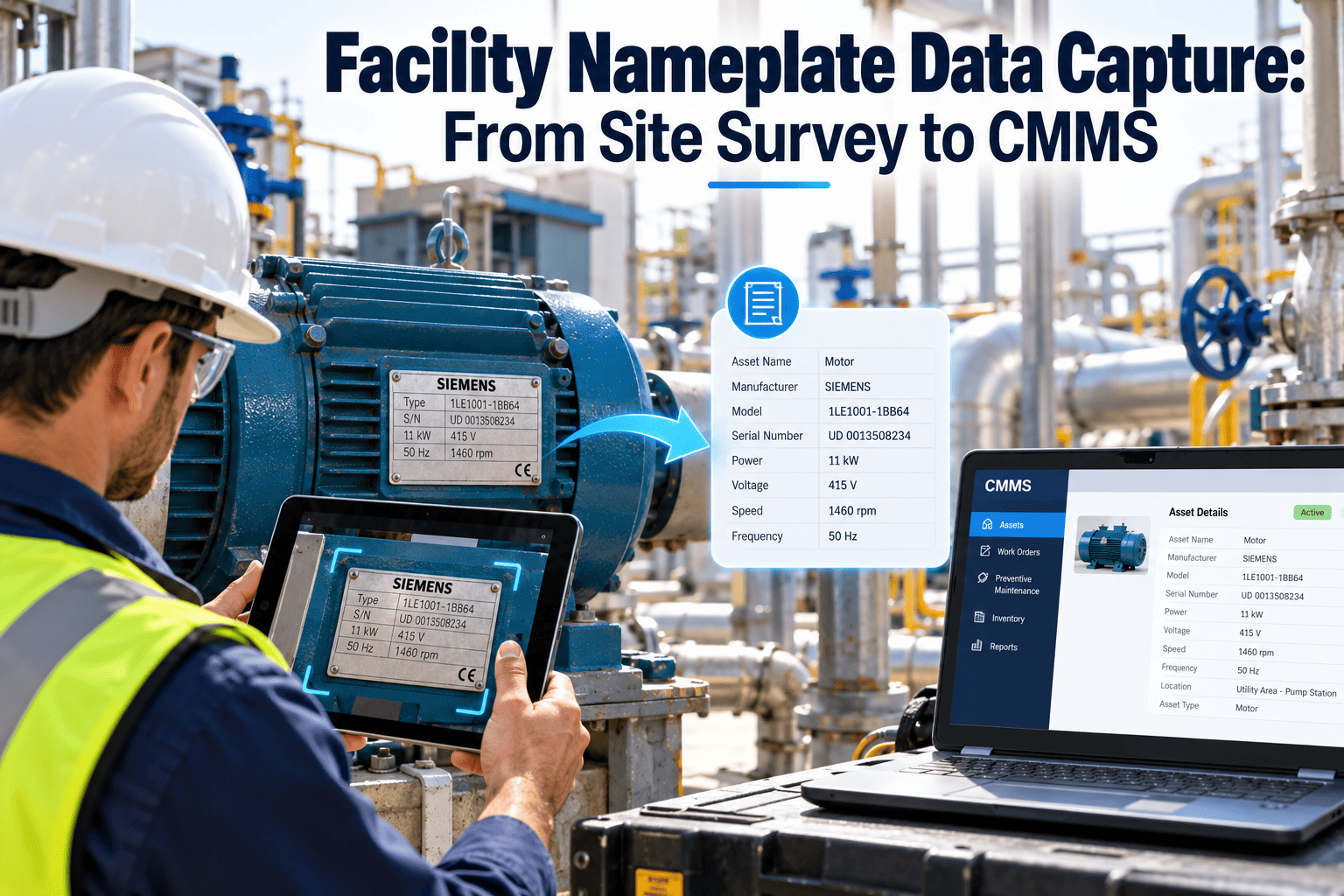
- Manufacturer, model and serial number from the nameplate.
- Install date and expected useful life.
- Warranty start, end and provider.
- Criticality rating and the consequence of failure.
- Parent and child relationships, such as the pumps serving a chiller.
- Linked manuals, drawings and inspection forms.
- Assigned PM template and responsible trade.
Technicians are your best source. A photo of the nameplate taken during a routine visit is faster and more reliable than any desk review.
Sequencing the Project
A cleanup works best as a short, scoped project with clear exit criteria, rather than an open-ended background task.
Data Governance: Keeping It Clean
Cleanup without governance is a one-time repair. A small set of rules and owners keeps the registry healthy.
Roles
- A data owner for each domain, such as assets, locations and parts.
- An approver for new asset classes and naming exceptions.
- Supervisors who check new records during their normal review.
Recurring Controls
- A required-field check before an asset can be saved.
- A monthly report of possible duplicates.
- A retirement step added to every decommissioning or replacement work order.
- A quarterly review of records with no activity.
Tie these controls to the processes people already follow. New steps that live outside daily work are skipped within weeks.
KPIs That Prove the Cleanup Worked
Track a few measures before and after, and report them in plain terms. Set your own targets from your baseline rather than copying another site.
Common Cleanup Mistakes
| Mistake | Why it hurts | Better approach |
|---|---|---|
| Cleaning in a spreadsheet only | Changes are not reflected in live work orders | Merge and update inside the CMMS with history preserved |
| Deleting duplicates | Audit history is lost | Retire and reference the survivor |
| Enriching everything equally | Effort is spent on low-value assets | Prioritize by criticality tier |
| Skipping governance | Data degrades again | Assign owners and required fields |
| Changing standards midway | Creates a new layer of inconsistency | Agree standards before starting |
How Oxmaint Supports Ongoing Data Quality
A cleanup project is easier to sustain when the system helps enforce the standards you have just agreed.
- Asset management with a structured hierarchy, so every asset has a defined parent, location and class.
- Mobile workflows that let technicians confirm nameplate data and attach photos at the asset.
- Work orders and preventive maintenance linked to a single asset record, keeping history in one place.
- Inspections that surface missing or incorrect data as it is found in the field.
- Inventory records tied to assets, so parts usage supports accurate cost reporting.
- Dashboards and reports that become reliable once the registry underneath them is consistent.
The goal is simple: records that match the building, so reporting reflects reality. You can book a walkthrough to see how a clean registry feeds PM scheduling and cost reporting.