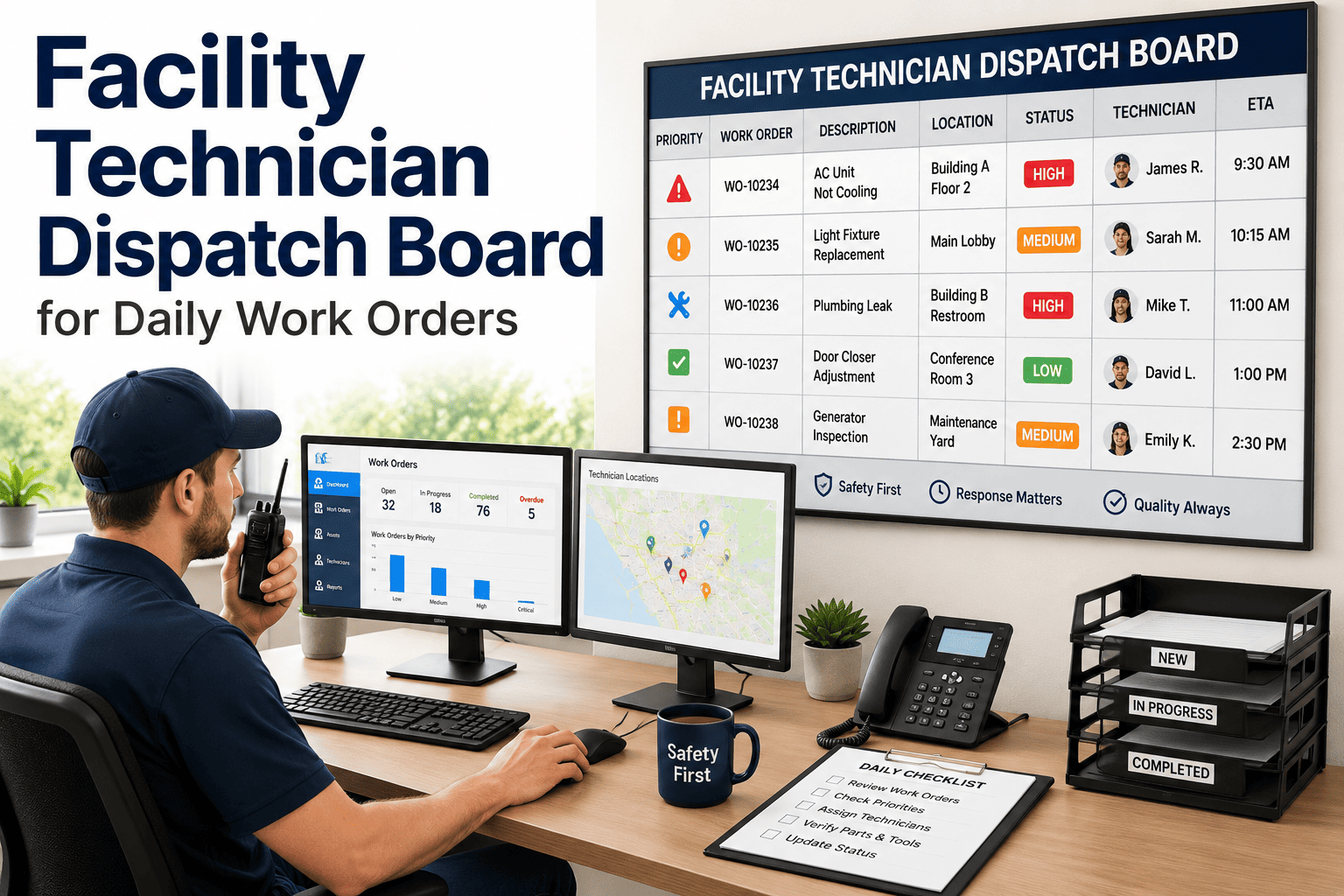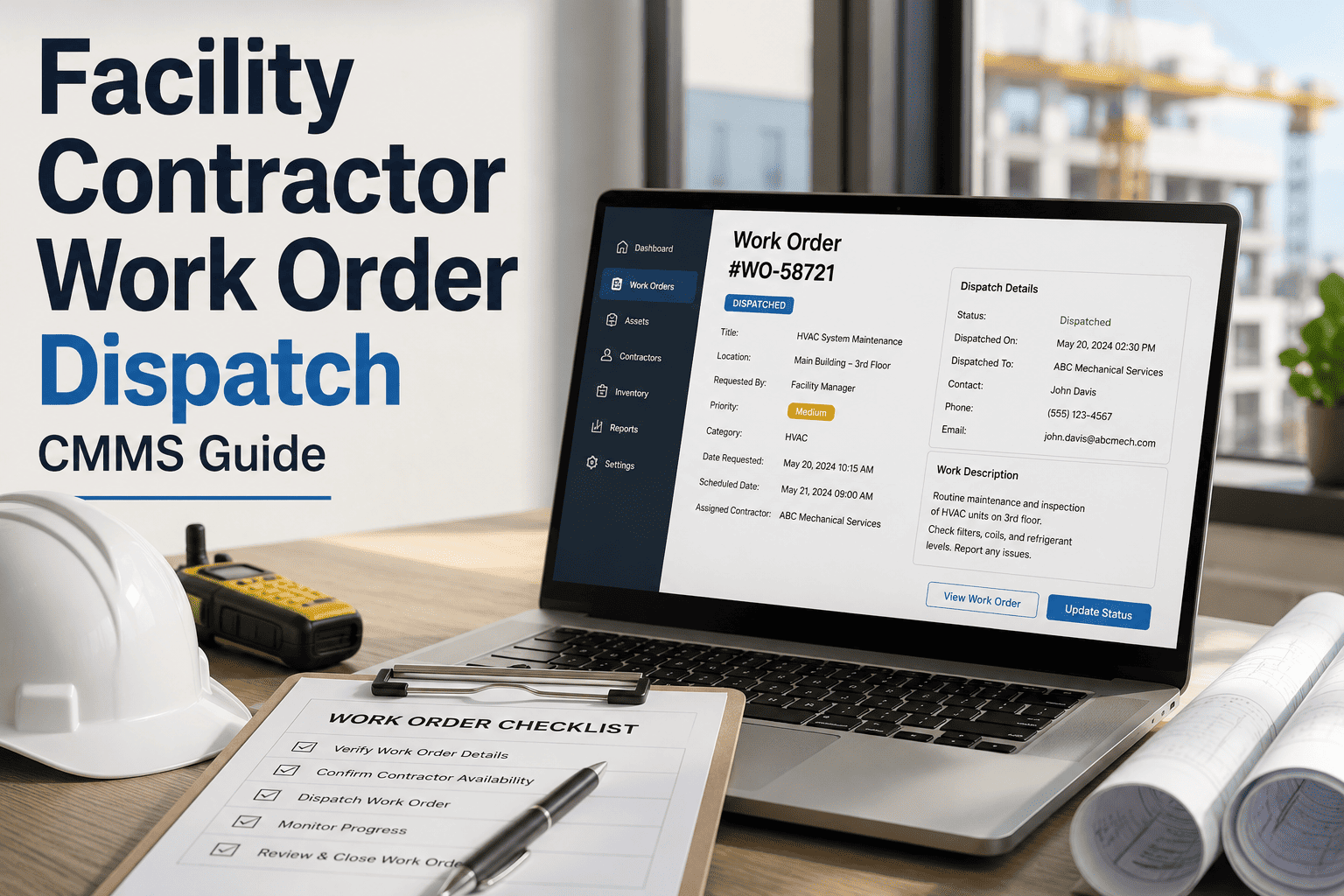
Contractor work order dispatch is where facility maintenance programs either gain velocity or quietly bleed budget — every misrouted vendor call, missed SLA window, or duplicate invoice typically traces back to a fragmented dispatch process that relies on email threads, spreadsheets, and phone tag. A CMMS-based dispatch workflow centralizes vendor work order issuance, automates assignment by trade and SLA tier, and gives facility managers real-time visibility into contractor status from approval through invoice reconciliation. Teams that formalize contractor dispatch inside a CMMS routinely cut average vendor response time by 25–40% and reduce duplicate or unapproved work orders by more than half. The guide below walks through the dispatch architecture, automation rules, KPIs, and rollout steps that make a facility contractor program measurably better — and you can Start Free Trial to put it into practice this week.
Is your vendor dispatch process leaking 15+ hours a week in coordination overhead?
Most facility teams still issue contractor work orders through email and spreadsheets — then lose hours chasing status updates, reconciling invoices, and confirming SLA compliance. A CMMS-based dispatch workflow collapses that overhead into a single auditable stream, with real-time status tracking and automated vendor assignment by trade, priority, and contract tier.
response time after CMMS dispatch rollout
Why manual contractor dispatch silently drains facility budgets
A 2024 benchmark of 320 multi-site facility programs found that teams without a centralized CMMS dispatch workflow spent an average of 14.6 coordinator-hours per week per site just issuing, chasing, and reconciling contractor work orders — roughly $47K/year in overhead for a 12-site portfolio.
per 12-site facility portfolio
dispatch coordination per site
errors requiring rework
without SLA-tiered dispatch
Consider a 180-asset commercial facility spending $42K/year on HVAC, plumbing, and electrical contractors. Their dispatch coordinator fields roughly 65 vendor work orders per month through email, with no SLA tracking and no centralized status feed. After migrating to a CMMS dispatch workflow, average vendor response time dropped from 4.2 days to 2.3 days, unapproved work orders fell 62%, and invoice reconciliation time per cycle dropped from 9 hours to under 2 — freeing the coordinator to focus on preventive scheduling instead of phone tag.
The 5-stage CMMS contractor dispatch workflow
A mature facility dispatch pipeline moves every contractor work order through five auditable stages — each with its own automation rules, approval gates, and status tracking checkpoints. Here is the architecture high-performing facility teams standardize on.
Request Intake & Classification
Work requests enter the CMMS through tenant portals, QR-code asset scans, preventive triggers, or manual entry. The system auto-classifies by trade (HVAC, electrical, plumbing, general), priority (P1–P4), and asset criticality — then routes to the correct approval queue within seconds.
Vendor Assignment & SLA Tiering
Based on pre-loaded vendor profiles (trade coverage, insurance status, contract tier, SLA commitments, and proximity), the CMMS auto-suggests or auto-assigns the best-fit contractor. P1 emergency work orders trigger immediate dispatch with a 2-hour acknowledgment SLA; P4 routine work batches into a weekly rollout.
Work Order Issuance & Confirmation
The contractor receives a digital work order with scope, asset history, safety notes, site access instructions, and required checklists. Vendor acknowledgment, ETA, and on-site arrival are timestamped automatically — no phone calls required to confirm dispatch.
Execution Tracking & Status Visibility
Real-time status updates flow back into the CMMS as the contractor progresses through checkpoints: on-site, in-progress, parts-ordered, completed, and signed off. Facility managers see a single live dashboard across all active vendor work orders — no chasing updates.
Closeout, Verification & Invoice Reconciliation
Upon completion, the CMMS captures closeout photos, checklist sign-offs, asset condition updates, and contractor invoices in one record. Three-way matching (work order scope vs. completed tasks vs. invoice line items) flags discrepancies before payment approval — cutting invoice rework by up to 60%.
Dispatch automation rules that eliminate coordinator bottlenecks
The ROI of a CMMS dispatch workflow comes from automation rules that remove manual decision-making from routine vendor assignment. Below are the six rule families that, when configured correctly, eliminate roughly 70% of coordinator touchpoints.
Trade-Based Auto-Routing
Work orders tagged as HVAC auto-route to HVAC-vetted vendors; electrical to licensed electricians; plumbing to plumbers. Eliminates the most common misassignment error — sending a work order to the wrong trade entirely.
SLA-Priority Dispatch
P1 emergency work orders auto-trigger immediate vendor notification with a 2-hour acknowledgment requirement; P2 within 4 hours; P3 within 24 hours; P4 routine work batches to a weekly dispatch window to reduce trip charges.
Contract-Tier Preference
Vendors under a master service agreement (preferred pricing, guaranteed SLA) are auto-selected before ad-hoc vendors. The CMMS validates insurance, certification expiry, and W-9 status before assignment — blocking non-compliant vendors automatically.
Geographic Proximity
For multi-site portfolios, the CMMS ranks vendors by distance to the site, weighting travel time and trip charges. A vendor 6 miles away with a $75 trip charge wins over one 22 miles away at $150 — saving thousands annually per site.
Auto-Escalation Triggers
If a vendor does not acknowledge a work order within the SLA window, the CMMS auto-escalates to the next-ranked vendor and notifies the facility manager. No silent failures — every missed SLA triggers a documented escalation path.
Invoice Three-Way Match
On closeout, the CMMS cross-checks the invoice against the approved work order scope and the contractor's completed-task log. Line items outside scope are flagged for manager review before payment — catching the 23% of invoices that contain errors.
12-week facility dispatch rollout plan
A structured rollout prevents the most common failure mode: launching a CMMS dispatch workflow without clean vendor data or trained contractors. The timeline below is what high-performing facility teams use to go live in under 90 days.
Vendor Data Cleansing & Onboarding
Consolidate all active vendor records into a single CMMS vendor master. Validate W-9 status, COI expiration dates, trade certifications, SLA tiers, and pricing schedules. Target: 100% of top-20 vendors by volume fully onboarded before go-live.
Dispatch Rule Configuration
Configure trade-based routing, SLA tiers, contract preference logic, and escalation triggers. Map every asset category to a default vendor pool. Pilot the rules against 30 days of historical work orders to validate routing accuracy before live launch.
Contractor Portal Pilot
Invite 5–8 top vendors to the contractor portal for a two-week pilot. Have them acknowledge work orders, submit status updates, and upload closeout documentation through the CMMS. Gather friction feedback and refine the mobile workflow before full rollout.
Coordinator & Manager Training
Train facility coordinators and managers on the dispatch dashboard, status monitoring, escalation handling, and reporting. Define the daily dispatch review cadence (15 minutes morning + afternoon) and the weekly KPI review meeting structure.
Phased Go-Live by Site
Cut over 3–5 sites per week to the new dispatch workflow, starting with the highest-volume sites. Shadow-run the old email process in parallel for one week per site to catch any routing gaps, then fully decommission the email channel.
KPI Baseline & Optimization
After 30 days of live dispatch data, benchmark response time, first-time-fix rate, invoice accuracy, and coordinator hours against pre-CMMS baselines. Identify the bottom 10% of vendors by SLA performance and either renegotiate or replace within the next quarter.
Contractor dispatch KPIs you must track monthly
Without consistent KPI measurement, a CMMS dispatch workflow degrades back into manual coordination within two quarters. The table below defines the seven metrics that high-performing facility teams review every month — with industry benchmarks and target ranges.
| KPI | Definition | Industry Avg. | Target |
|---|---|---|---|
| Avg. Vendor Response Time | Time from work order issuance to vendor acknowledgment | 4.2 days | < 2.5 days |
| SLA Compliance Rate | % of work orders resolved within contracted SLA window | 71% | > 92% |
| First-Time-Fix Rate | % of contractor visits that resolve the issue on first trip | 68% | > 85% |
| Invoice Accuracy Rate | % of invoices passing three-way match without rework | 77% | > 95% |
| Coordinator Hours / Work Order | Coordinator time spent per dispatched vendor work order | 22 min | < 8 min |
| Duplicate Work Order Rate | % of work orders flagged as duplicates of active jobs | 9.4% | < 2% |
| Vendor Cost per Work Order | Avg. invoiced amount per dispatched contractor work order | $312 | < $265 |
What a formalized dispatch workflow delivers in 90 days
Facility teams that complete a structured CMMS dispatch rollout see measurable improvements within the first quarter. Below is what the benchmark data shows across 180+ facility programs that migrated from email/spreadsheet dispatch to a CMMS workflow.
Average drop from 4.2 days to 2.6 days after SLA-tiered dispatch and auto-escalation rules go live.
Centralized intake and real-time active-work-order visibility nearly eliminates duplicate dispatch.
Three-way matching catches scope creep and billing errors before payment approval.
Better asset history and scope clarity in the work order means contractors arrive prepared.
"Within 10 weeks of launching our CMMS dispatch workflow, we cut coordinator overtime by 18 hours a week and our SLA compliance jumped from 69% to 94%. The single biggest win was eliminating phone-tag — vendors now acknowledge and update work orders through the portal, and we see everything in real time."
Ready to stop chasing vendors and start tracking dispatch?
Deploy a CMMS-based contractor dispatch workflow this week. Centralize vendor work order issuance, automate SLA-tiered assignment, and get real-time status visibility across every active job.
Contractor dispatch CMMS — your questions answered
How does a CMMS handle dispatch for contractors across multiple facility sites?
A multi-site CMMS maintains a single vendor master with site-specific trade coverage, proximity rankings, and SLA tiers. When a work order is generated at any site, the dispatch engine ranks vendors by distance, contract status, and certification — then auto-assigns or suggests the best-fit contractor. Facility managers see a consolidated dashboard across all sites, with per-site SLA compliance and cost breakdowns. You can Start Free Trial to configure multi-site dispatch rules immediately.
Can a CMMS dispatch workflow integrate with our existing vendor portal or accounting system?
Most modern CMMS platforms support API integrations with common accounting systems (QuickBooks, NetSuite, Sage) and can push approved invoices directly for payment. Vendor portals can either be replaced by the CMMS's native contractor portal or integrated via API so contractors continue using a familiar interface while status data flows back into the CMMS in real time.
What happens if a contractor does not acknowledge a work order within the SLA window?
The CMMS auto-escalation trigger fires: it notifies the next-ranked vendor in the same trade and SLA tier, sends an alert to the facility coordinator, and logs the missed SLA against the original vendor's performance score. After three missed SLAs in a rolling 90-day window, the system can automatically demote the vendor's tier or flag them for contract review.
How long does it take to roll out a CMMS contractor dispatch workflow?
A structured rollout takes 8–12 weeks for a mid-size portfolio (5–20 sites). The critical path is vendor data cleansing and contractor portal pilot — not software configuration. Teams that skip data cleansing typically see routing errors and duplicate vendors in the first month, which erodes coordinator confidence and slows adoption. A phased go-live of 3–5 sites per week minimizes disruption.
What is the typical ROI timeline for a facility contractor dispatch CMMS rollout?
Most facility teams reach break-even within 4–6 months. The savings come from three sources: reduced coordinator overhead (−60% of dispatch coordination time), lower vendor costs from contract-tier preference and proximity routing (−12–18% per work order), and eliminated invoice rework (−60% of rework cycles). For a 12-site portfolio spending $180K/year on contractor labor, typical first-year net savings range from $42K–$68K. Book a Demo to get a tailored ROI estimate.
Deploy CMMS contractor dispatch this week
Centralize vendor work order issuance, automate SLA-tiered assignment, and track every contractor job in real time — from request to invoice reconciliation.
Free 14-day trial · No credit card