Most facility teams still start the day at a whiteboard or a spreadsheet — a supervisor calling around to find out who is free, who is already buried, and which requests slipped through since yesterday. That guesswork is expensive: the average maintenance team loses 30–45% of its available wrench time to assignment friction, chasing status and re-routing work that was handed to the wrong person. A live technician dispatch board replaces the morning huddle with one screen where every open work order, every technician's workload, and every aging request is visible at a glance — so supervisors assign by capacity, not by who answers the phone. See how OxMaint Work Order Management turns daily dispatch into a board your whole team can run from. Book a demo to see your crew balanced in real time.
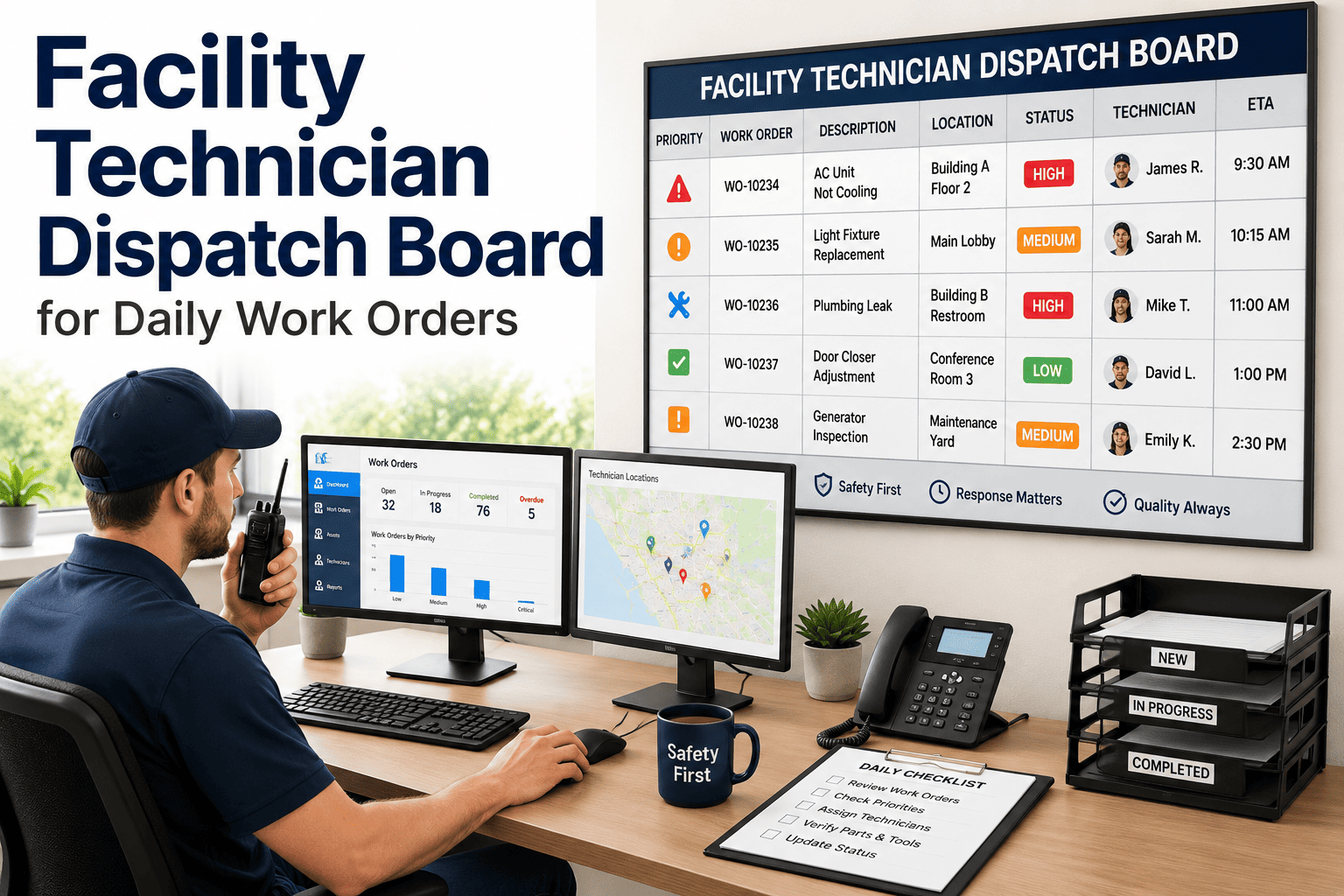
Facility Technician Dispatch Board for Daily Work Orders
Give supervisors a live board to assign jobs in one tap, balance workloads across the crew, and make sure no facility maintenance request ever quietly falls off the list.
You Can't Balance What You Can't See
When assignments live in a supervisor's head, the same reliable technician gets loaded until they break while someone across the building sits at half capacity. Requests get handed out by proximity to the supervisor rather than fit for the job, first-time fix rates drop, and the work order that nobody picked up simply ages until a tenant calls back angry. The fix is visibility — every job and every technician on one board.
Every Job and Every Technician on One Screen
This is the supervisor's home view: unassigned work on the left, each technician's day on the right with a live workload meter. Overloaded crew and open capacity are obvious in a glance, so rebalancing is a tap — not a meeting.
What the Board Weighs Before You Assign
Drag a job to a technician and the board checks the fit instantly, so the right person gets the work the first time and the repeat visit never happens.
Run the Whole Day From the Board
The supervisor's job is to protect the plan, not rebuild it every hour. The board makes that possible — assign once, adjust as the day moves, and let alerts catch what would otherwise be forgotten.
Built Into Work Order Management
OxMaint puts every open job, every technician, and every workload meter on one live board — so supervisors assign by capacity, rebalance in seconds, and never lose a request to the gap between a whiteboard and a phone call.
What a Live Board Changes
These reflect the operational gains facility teams report after replacing manual dispatch with a live, workload-aware board.
What Facility Supervisors Say
The morning whiteboard is where the whole day goes sideways. You hand work to whoever is standing in front of you, your best technician quietly ends up with twice everyone else's load, and by noon you have no idea who is actually free. A live board flips that — I assign by who has open hours and the right skill, and when an emergency lands I rebalance in seconds instead of making six phone calls.
Facilities Maintenance Supervisor · 16 Years Commercial BuildingsA supervisor's job is to protect the plan, not rebuild it every hour. Without workload visibility you can't do that — you overload one tech, starve another, and the unassigned jobs just rot until someone complains. Put the load on a board everyone can see and the team self-corrects. The jobs that used to fall through the cracks are the first thing the board shows you.
Maintenance Planner / Scheduler · 19 Years Multi-Site OperationsFrequently Asked Questions
How is a dispatch board different from a work order list?
A list is a pile of tickets with no sense of who is doing what; a dispatch board shows live status by technician with a workload meter for each, so you see capacity and progress, not just open counts. Balancing becomes visual instead of guesswork. Book a demo to see the board live.
How does the board balance workloads fairly?
Each technician shows committed hours against capacity, and assignment weighs skill, certification, proximity, current load, and shift — so work spreads by fit and free time rather than landing on whoever is nearest the supervisor. Start free to configure your crew and capacities.
What stops requests from being missed?
Unassigned and aging work orders surface automatically on the board and in alerts, so nothing sits unseen until a tenant follows up — the gap that swallows requests on a whiteboard simply closes. Book a demo to see missed-request alerts.
Run Every Technician's Day From One Live Board
OxMaint gives supervisors the real-time dispatch board facility teams actually need — assign in a tap, balance the crew by capacity, and surface every aging request before it becomes a complaint.