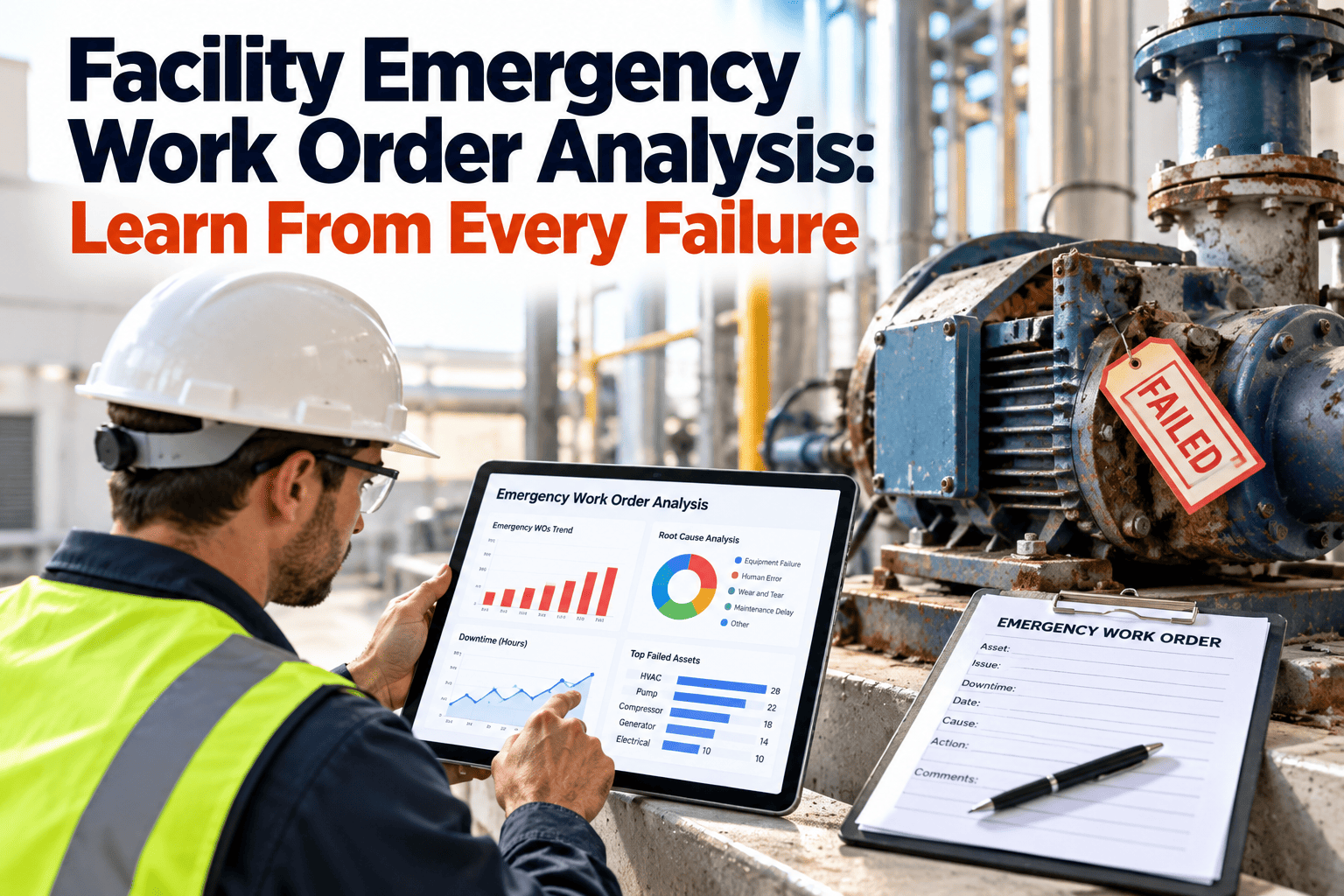
Most facility teams close an emergency work order the moment the building is back to normal, and that is exactly when the learning stops. The pump is running, the tenant is calm, and the next urgent ticket is already waiting. A short, structured review of each emergency repair, often called RCA-lite, turns a costly interruption into a reusable lesson. This guide shows a review you can finish in about thirty minutes, the categories that make emergency data useful, and the indicators that tell you whether emergencies are actually declining. Teams that capture failure codes and downtime in Oxmaint work order management software already hold most of the evidence the review needs.
Every emergency work order is a lesson, if someone writes it down
A lightweight root cause review for commercial facilities: sort emergencies by cause, find the repeat offenders, fix the process behind the failure, and watch the emergency share of your workload shrink.
What an emergency work order is really telling you
An emergency is an unplanned event that needed immediate response. Behind it sits one of a small number of causes, and most facilities have never sorted theirs. Without the sort, every emergency looks like bad luck.
First, agree on what counts as an emergency
If everything urgent is labeled an emergency, the metric is meaningless. A short definition, written once and applied by dispatchers, keeps the data clean.
| Priority | Definition | Examples | Counts in the review? |
|---|---|---|---|
| Emergency | Immediate threat to safety, critical operations, or property | Burst pipe, loss of cooling to a critical room, electrical fault, elevator entrapment | Always |
| Urgent | Same-day response needed, no immediate danger | Failed pump with redundancy, tenant comfort failure | Review if repeat or avoidable |
| Routine | Scheduled within normal planning cycle | Door repair, minor leak, lamp replacement | No |
| Preventive | Time or condition-based planned task | Filter change, belt inspection, lubrication | No |
The RCA-lite review in five questions
Full root cause analysis methods such as fault trees and detailed logic trees are valuable for major events. For everyday emergencies, five questions answered within a day or two of the repair capture most of the value.
- 1What failed, and what was the effect?Record the asset, component, symptom, downtime, and who was affected.
- 2What was the immediate cause?For example a seized bearing, a blocked drain, a tripped breaker, or a ruptured hose.
- 3Why was it able to happen?Ask why up to five times until you reach something the facility controls, such as a missing PM or an ignored warning.
- 4Could we have seen it coming?Check inspection history, earlier work orders, and trend data for a missed signal.
- 5What single action prevents a repeat?Assign one owner and one due date, and create the task in the CMMS.
A root cause is something the organization can change. A broken part is a symptom. If your answer to question three is only the name of the failed part, ask why one more time.
Cause categories that make emergency data comparable
Free-text explanations are hard to total. A fixed list of cause categories lets you count emergencies by reason and see where prevention effort pays most.
Turn your next emergency into a prevention task
Capture failure codes, downtime, photos, and follow-up actions on every emergency work order, then see your repeat offenders at a glance.
An illustrative review, start to finish
The scenario below is hypothetical and exists to show the method. It is not drawn from a real site.
The most valuable step in this example is the last one. A review that stops at one pump fixes one pump. A review that searches for similar assets fixes the pattern.
Find the repeat offenders with a simple Pareto
After a quarter of reviews, count emergencies by asset type, building system, and cause category. A small number of combinations usually account for most of the repeats.
The bars above are a layout guide for the types of cuts to make. They do not represent measured data. Your own counts will show which cut is most useful.
From cause category to prevention action
| Cause category | Typical prevention action | CMMS feature that supports it |
|---|---|---|
| Missed or inadequate PM | Add or deepen the PM task, check frequency against failure history | Preventive maintenance scheduling and task templates |
| Ignored early warning | Require follow-up on inspection findings within a set time | Inspection checklists that create work orders on failure |
| Age or end-of-life | Add the asset to the replacement plan with repair history attached | Asset history and cost reporting |
| Poor repair or installation | Add a quality check, update the procedure, or review the vendor | Work order closeout checks and vendor records |
| Operating conditions | Adjust operating limits, add monitoring, or improve protection | Meter readings and condition-based triggers |
| Parts or vendor delay | Stock a critical spare or add a service agreement | Inventory min and max levels and vendor tracking |
| Unknown | Improve evidence capture at the time of repair | Mandatory failure code and photo fields |
Capture the evidence while the repair is happening
Review quality depends on what is recorded during the call, not on memory a week later. A short capture routine costs the technician a minute or two and makes the later review far more accurate.
Before the repair
- Photograph the failed component and its surroundings
- Note alarms, readings, and who reported the problem
- Record the time of the first report and the arrival time
- Check for recent work on the same asset
During the repair
- Record parts used and any parts that were not on hand
- Note whether the fix is permanent or temporary
- Capture labor hours, including overtime and contractors
- Write down anything unusual the technician noticed
At closeout
- Select a failure code from a fixed list
- Enter total downtime and affected area
- Flag the order for review if it meets the emergency definition
- Create a follow-up order for any temporary fix
What reviews usually find, by building system
The patterns below are common prompts, not findings from any specific site. They help reviewers know where to look first when the same system keeps producing emergencies.
| Building system | Typical emergency | Questions worth asking | Common preventive follow-up |
|---|---|---|---|
| HVAC | Loss of cooling or heating to a critical or occupied area | Was the filter, belt, or coil condition recorded at the last PM? Did alarms or temperature trends give notice? | Condition checks on critical units and seasonal readiness tasks |
| Plumbing | Burst pipe, backed-up drain, failed pump | Were there earlier leak or slow-drain reports? Is the shutoff location known to every shift? | Valve exercise, drain inspection, and sump or pump tests |
| Electrical | Tripped main breaker, failed panel, power quality event | Was thermography done recently? Had loads changed since the last study? | Infrared scans and load checks on critical panels |
| Life safety | Fire panel trouble, failed pump, impaired sprinkler zone | Was the last inspection deficiency closed? Who was told about the impairment? | Deficiency tracking and impairment procedures |
| Vertical transportation | Entrapment or extended shutdown | Were callbacks increasing? Was the contractor response time within agreement? | Callback trend review and contractor performance meetings |
| Roof and envelope | Active leak during storms | Were drains cleaned before the season? Did earlier leaks point to the same area? | Pre-season drain and flashing inspections |
Three ways reviews go wrong, and how to avoid them
Reporting emergencies to leadership in one page
Leaders rarely want every detail. They want to know whether emergencies are falling, what is driving the remainder, and what decisions are needed. A monthly one-page summary can cover those points.
- Trend of emergency share and repeat emergencies over the last six to twelve months.
- The top three cause categories and the top three assets or systems involved.
- Prevention actions closed, still open, and overdue, with owners.
- Any asset that now looks better suited to replacement than further repair.
- One decision request, such as funding a spare, adding a PM, or starting condition monitoring.
After-hours triage that protects the data
Emergencies happen at night and on weekends, when documentation is easiest to skip. A short dispatcher script keeps the record usable even when the repair is rushed.
- Create the work order at the first call, even if details are thin, so the timestamp is accurate.
- Ask the caller what they saw, heard, or smelled, and record the answer in their words.
- Confirm whether safety, critical operations, or property damage is involved to set the priority.
- Note which technician or contractor responded and when they arrived.
- Remind the responder to take photos and to log any temporary fix as a follow-up task.
- Flag the order for the next-business-day review before the shift ends.
Measures that show whether emergencies are shrinking
Track a short set of indicators monthly. Read them together, since any one measure can improve for the wrong reasons.
Run the review without slowing the team down
Reviews that die quickly
- Every emergency gets a long meeting
- Findings live in a slide deck
- No owner or due date for actions
- Blame lands on the last technician
- Results are never compared across months
Reviews that stick
- Thirty minutes, five questions, one form
- Findings stored on the work order and asset
- One owner and due date per action
- Focus on process, not individuals
- Monthly summary shared with leadership
A weekly rhythm that works
- Monday: planner lists last week's emergencies and flags those needing a review.
- Midweek: the technician and supervisor complete the five questions together.
- Friday: new prevention tasks are scheduled and the cause category is confirmed.
- Monthly: the manager reviews the repeat list and the unknown-cause share.
Emergency analysis questions from FM teams
How is RCA-lite different from full root cause analysis?
RCA-lite uses five questions in about thirty minutes for routine emergencies. Reserve fuller methods for major or safety-related events.
Which emergency work orders should be reviewed?
Review every true emergency and any urgent order that repeats or looks avoidable. Routine and preventive tasks can be skipped.
What data do we need in the CMMS?
Asset, failure code, downtime, parts, labor, photos, and cause category. Set up these fields in Oxmaint to start capturing them.
How soon after the repair should the review happen?
Within a few days, while details are fresh. A weekly slot keeps the habit simple.
Can the review lead to predictive maintenance?
Yes. Repeat failures show which assets deserve condition monitoring. Book a demo to see how trends connect to work orders.
Stop paying twice for the same failure
Bring emergency work orders, cause codes, and prevention tasks into one platform, or walk through your current emergency data with a specialist.