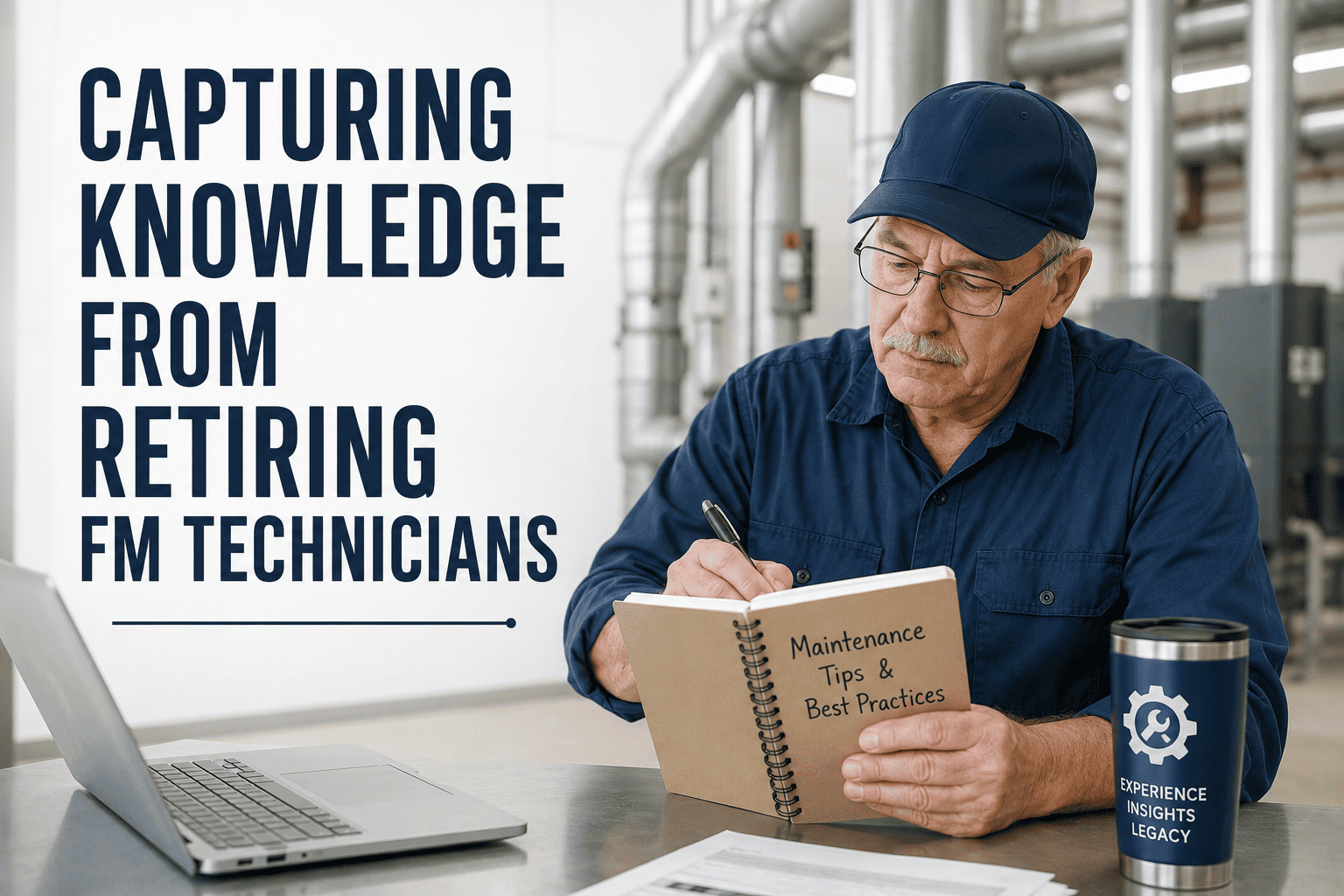
Somewhere in your building is a technician who knows which valve sticks in winter, why the east air handler trips on humid days, and which contractor actually answers the phone. When that person retires, none of it appears in a manual. Facility teams are already short on skilled labor, so losing decades of building history at once is expensive to absorb. Capturing it through video, written procedures, and mentorship works best when the results are stored against assets in a system like Oxmaint.
Facility Knowledge Capture: Save 30 Years Before the Tech Retires
Turn what veteran technicians carry in their heads into video walkthroughs, short SOPs, and structured mentorship that the next generation can use on day one.
What Actually Walks Out the Door
Written manuals cover only the visible portion of building knowledge. The rest is tacit, learned by doing.
Types of Tribal Knowledge Worth Capturing
| Knowledge type | Example | Best capture method |
|---|---|---|
| Diagnostic judgment | How to tell a failing bearing from a loose guard by sound | Recorded walkthrough with narration |
| System quirks | The loop that needs a manual bleed after shutdown | Short SOP with photos |
| Building history | Why a damper was relocated and what failed before | Structured interview, logged to the asset |
| Shutdown and startup sequences | Order of valve and breaker operations | Checklist with video proof |
| Vendor and contractor insight | Which service firm handles which system well | Notes on vendor and asset records |
| Safety hazards | Energy sources and access traps that are not labeled | Walkthrough plus lockout procedure update |
Three Capture Methods, Used Together
Record the work as it is done
Phone video on a real task, with the technician explaining each decision. Short clips beat long lectures, and they reach visual learners fast.
Convert clips into steps
Turn each video into a one-page procedure with steps, tools, safety notes, and a photo for each critical step.
Pair experts with learners
Shadowing builds judgment that documents cannot. Schedule it, protect the time, and give the mentee real tasks.
Start Capturing Before the Retirement Date Is Set
Store procedures, photos, and notes against each asset so knowledge stays with the equipment, not the person.
A 90-Day Capture Plan
- List the veterans and the systems they own
- Rank systems by criticality and by how little is documented
- Agree on a simple video and SOP format
- Explain the purpose and recognize contributors
- Film priority tasks during real work orders
- Run interviews on building history
- Draft SOPs from each recording
- Start mentor and mentee pairings
- Have a newer tech follow each SOP and note gaps
- Attach approved content to asset records
- Link procedures to PM and work order templates
- Plan the next wave of systems
Interview Questions That Surface Hidden Knowledge
- What do you check first when this system misbehaves?
- What fails most often, and what usually causes it?
- What would a new tech get wrong without being told?
- Which jobs look routine but are not safe?
- What has been fixed before that no one wrote down?
- Which parts and tools should always be on hand?
- Who do you call, and when?
What Makes a Good Video SOP
Keep clips short and focused on a single task. A technician on a ladder will not watch a 40-minute recording.
Making Mentorship Work
- Schedule shadowing time on the calendar
- Pair by system, not just by seniority
- Let the mentee perform tasks under guidance
- Review recorded SOPs together
- Treating mentoring as spare-time work
- Framing capture as a replacement exercise
- Recording without consent or context
- Leaving content in personal phones
Where Oxmaint Fits in the Knowledge Workflow
- Asset records. Attach videos, photos, SOP files, and history notes to the exact equipment they describe.
- Work orders. Link the relevant SOP to the task so the technician sees it when assigned.
- Preventive maintenance checklists. Build the veteran's method into standard inspection steps.
- Mobile access. Technicians open procedures and capture new notes in the field.
- Maintenance history and reporting. Past failures and fixes remain searchable long after staff change.
How to Tell If Capture Is Working
Frequently Asked Questions
What should we capture first?
Start with critical systems that have the least documentation and the most senior owner.
Do we need professional video equipment?
No. A phone with clear audio is enough if the clips are short and organized.
How do we keep SOPs current?
Review them after each use and update them inside Oxmaint when a step changes.
How do we get veterans on board?
Position them as the authors of the standard and recognize their contribution.
Can this link to work orders?
Yes, and you can schedule a demo to see SOPs attached to tasks.
Why the Retirement Gap Hits Facilities Hard
Skilled trades have been hard to hire for years, and experienced technicians often hold the deepest knowledge of a specific building.
- Replacement is slow. Hiring a qualified technician can take months, and full familiarity with a site takes years.
- Documentation lags. Many buildings have drawings and manuals, but few have records of how the systems really behave.
- Contractors cannot fill the gap. Outside firms bring skill, but not decades of site history.
- Errors repeat. Without recorded history, new staff rediscover old problems the expensive way.
- Safety risk grows. Unlabeled hazards and informal procedures are the first things to disappear.
Starting the Conversation With Veterans
How you frame the project determines whether experienced technicians participate or resist.
- Your experience is the standard we want to build on
- We want your name on the procedures you wrote
- Training the next team is part of the job, with time set aside
- This helps the building run well after any transition
- We need to get this out of your head before you go
- Anyone should be able to do your job from this
- This is extra work on top of your normal duties
- We will decide later how it gets used
Practical Tips for Filming Real Work
- Film during actual tasks. A real repair shows the sequence, the tools, and the small decisions a staged demo skips.
- Ask for narration. Have the technician say what they notice and why they choose each step.
- Prioritize audio. Clear speech matters more than perfect framing, so use a simple clip-on microphone if possible.
- Show close-ups of key details. Valve positions, label text, wiring terminations, and gauge readings.
- Keep clips short. Aim for one task per clip so technicians can find the answer quickly.
- Name files consistently. Use asset ID, task, and date so clips can be found without guessing.
- Review for safety. Check that recordings show correct isolation and personal protective equipment.
Turning Clips Into SOPs People Actually Use
A good SOP is short, visual, and specific to the building. Long generic documents get ignored.
Transcribe the key steps
Pull the sequence from the video and add a screenshot for each critical step.
Have a newer tech follow it
Anything the tester needs to ask about is a missing detail in the document.
Review with the expert
The veteran confirms accuracy, and a supervisor checks safety and compliance.
Attach it to the asset and task
Connect the SOP to the equipment and to the PM or work order that uses it.
A Sample Weekly Mentorship Rhythm
| Day | Activity | Outcome |
|---|---|---|
| Monday | Review the week's work orders together and pick one for shadowing | Shared goal for the week |
| Midweek | Mentee performs a task while the veteran observes and questions | Practiced judgment, notes for SOP |
| Thursday | Record or update a video or SOP from the week's work | New or improved procedure |
| Friday | Short debrief on what was learned and what remains unclear | Open questions logged for next week |
Organizing the Knowledge Library
- Organize by asset first. Technicians search for equipment, not by author or date.
- Use a consistent template. Same headings, same order, same safety section across every SOP.
- Tag by system and task type. Make it easy to find all procedures for a chiller plant or all lockout procedures.
- Control versions. Mark each document with approval date and owner.
- Make it mobile friendly. If it cannot be opened on a phone in a mechanical room, it will not be used.
Common Pitfalls in Knowledge Capture Programs
Which Knowledge to Capture First: A Simple Priority View
| Priority | Situation | Action |
|---|---|---|
| Highest | Critical system, one person knows it, retirement is near | Film, write SOP, and assign a mentor immediately |
| High | Critical system, knowledge shared by two or three people | Document procedures and review for gaps |
| Medium | Important system with frequent minor issues | Capture quirks and common fixes in asset notes |
| Lower | Standard equipment with good vendor documentation | Link manuals and revisit later |
Recognizing and Rewarding Contributors
- Credit authors. Put the technician's name on SOPs and videos they create.
- Protect time. Schedule capture sessions as paid work, not extra tasks squeezed between calls.
- Involve the whole team. Younger technicians can handle filming and editing, which builds relationships across experience levels.
- Share results. Show the team how a captured procedure helped solve a real problem.
- Offer flexible arrangements. Where possible, consider part-time or advisory roles for retiring experts so knowledge transfer continues.
Keeping the Library Alive After the Veterans Leave
Knowledge capture is not a one-time project. Equipment changes, and procedures must change with it.
- Add a review date to every SOP and assign an owner.
- Ask technicians to flag missing or incorrect steps directly from the work order.
- Update documents whenever equipment is replaced or controls are modified.
- Retire obsolete procedures clearly so they are not followed by mistake.
- Encourage current staff to record their own methods so the library keeps growing.
Capturing Knowledge That Is Hard to Put Into Words
Some of the most valuable skills are sensory. Experienced technicians hear, feel, and smell problems that instruments miss.
- Record sounds. Capture audio of normal and abnormal bearing, compressor, and pump noise with notes on what each means.
- Photograph baseline conditions. Show what a healthy belt, contactor, or pipe joint looks like next to a worn one.
- Use thermal images. Annotate normal and problem patterns for electrical panels and motors.
- Ask for rules of thumb. Record the personal checks and thresholds a veteran uses and note which can be turned into measured limits.
- Pair with real readings. Where possible, attach vibration, temperature, or amperage values to the story so the knowledge becomes measurable.
Connecting Captured Knowledge to Daily Maintenance
Sample Knowledge Record for One Asset
| Field | What to record |
|---|---|
| Asset and location | Equipment ID, system served, and access notes |
| Known quirks | Seasonal behavior, manual steps, and common nuisance trips |
| Failure history | Past breakdowns, causes, and what fixed them |
| Linked procedures | Startup, shutdown, lockout, and repair SOPs |
| Critical spares | Part numbers, quantities, and supplier contacts |
| Expert contact | Who knows this system best, internal or vendor |
Questions to Ask Yourself Today
- Which three technicians hold the most knowledge that exists nowhere else?
- Which critical system would be hardest to troubleshoot without them?
- Do our current work orders record what was found and how it was fixed?
- Could a new hire complete our most complex PM using only what is written down?
- Who will own the knowledge library once the project team moves on?
Keep Thirty Years of Building Knowledge in the Building
Capture it now, attach it to your assets, and give every new technician a head start.