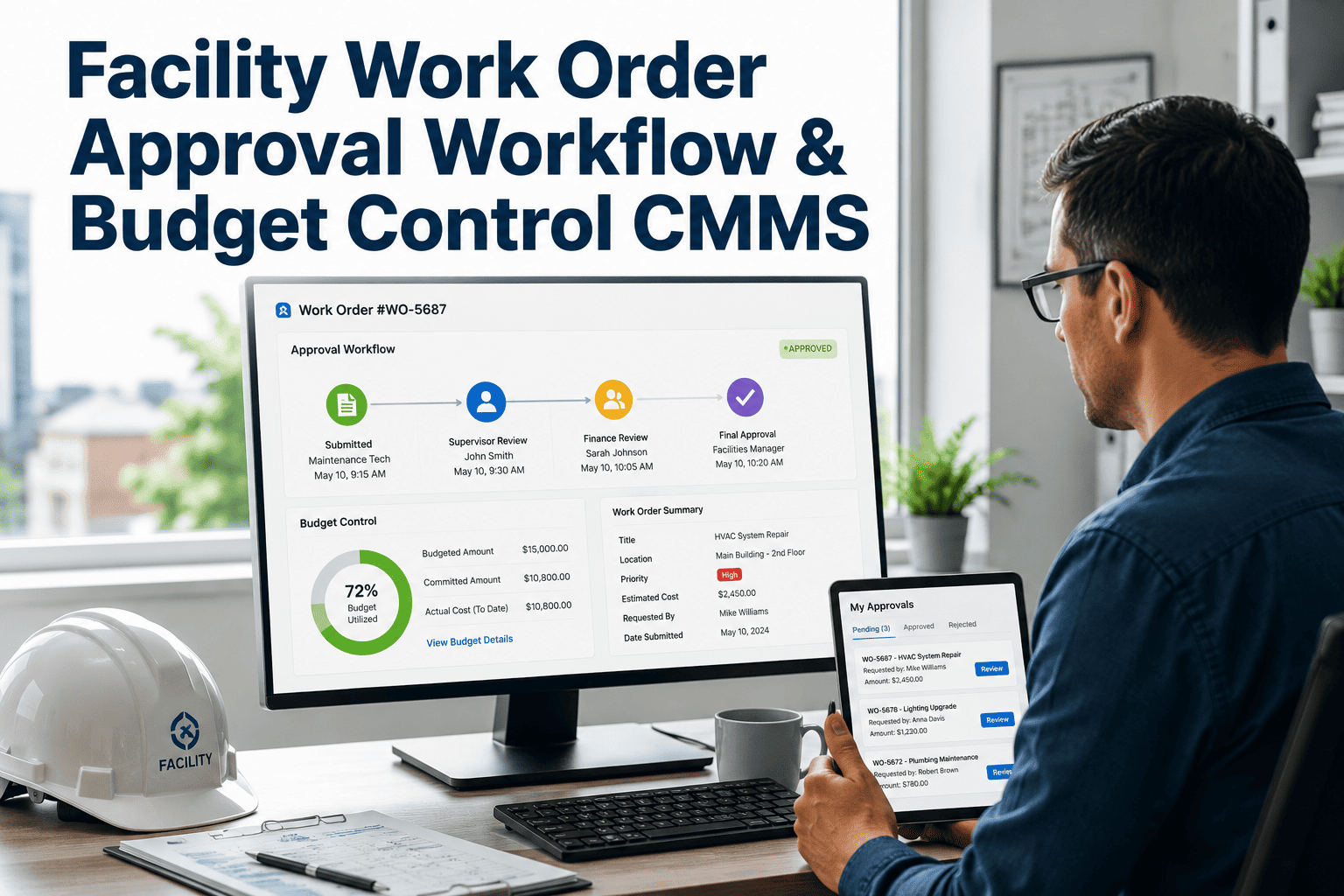
Few vendor contracts fail through one big dispute. They drift upward through dozens of small approvals: an extra visit, an added asset, a quick favor that becomes routine. Each change seems reasonable in the moment, yet together they shift the price and the scope far from what was originally tendered. Disciplined change order control keeps that drift visible, and work order approval workflows give the control somewhere to live.
FM Vendor Change Order Discipline: Prevent Scope Creep
Approval tiers, price rules, and a living change log that keep facility service contracts aligned with what was actually agreed and paid for.
Thresholds are examples. Set yours as a share of contract value or a fixed amount that matches your risk appetite.
The four routes by which scope drifts
Verbal requests
Unclear baseline
Asset additions
Emergency habit
Not every extra is a change order
Most disputes start from mislabeling. Decide the category first, then apply the matching process.
| Category | Definition | Process | Pricing rule |
|---|---|---|---|
| In scope | Work already covered by the agreed service | No change order | Covered by the contract fee |
| Change order | Work outside the baseline that you want performed | Written request, quote, approval before work | Agreed rate card or fixed quote |
| Emergency | Work needed immediately to protect safety or property | Verbal authority with written confirmation within a short window | Rate card with after-hours terms |
| Owner-caused extra | Costs arising from access limits or late decisions | Document the cause and agree the impact | Agreed delay or standby rates |
| Vendor-caused rework | Repeat work due to poor first-time quality | No charge to the owner | Vendor bears the cost |
Match approval authority to risk
Tiering keeps small items moving and puts senior eyes on the changes that move the contract. Define limits in writing and apply them consistently.
| Tier | Typical trigger | Approver | Time to respond |
|---|---|---|---|
| Tier 1 | Minor additions within a small cost limit | Site or building manager | Same working day |
| Tier 2 | Moderate cost, new asset type, or added hours | Facilities lead | Within two working days |
| Tier 3 | Large cost, change to service levels, or term extension | Contract owner with finance | Within five working days |
| Emergency | Immediate risk to safety, property, or operations | Duty manager, ratified afterwards | Immediate, confirmed within a set period |
- Split orders are not allowed. Several small changes on one issue count as one for tier purposes.
- Cumulative changes above a set share of annual value trigger a review, even if each was small.
Approve every change before the work starts
Four rules for pricing changes fairly
Attach a rate card to the contract
Require itemized quotes
Use not-to-exceed caps
Benchmark periodically
Fields every entry should carry
A log turns scattered approvals into a pattern you can read. Without it, each change looks isolated.
From request to closed change order
Request
Quote
Approve
Deliver and close
Signs that discipline is slipping
Work before approval
Many tiny changes
Rising emergency share
Unchanged asset register
Measuring change order health
- Change value as a share of contract
- Track cumulative approved changes against base value. Set a review trigger rather than an automatic limit.
- Pre-approval compliance
- Share of changes approved before work started. Low numbers show process bypass.
- Average approval time
- Long waits push people toward verbal instructions and informal work.
- Repeat change themes
- The same request recurring suggests the baseline should be amended, not repeatedly priced as an exception.
- Disputed items
- Count of changes challenged by either party, with root cause recorded.
Clauses that support the process
- A change control clause stating that no extra work is payable without written approval.
- An emergency authority clause with limits and a deadline for written confirmation.
- A rate card schedule attached to the agreement, reviewed on a fixed cycle.
- A requirement that new assets be added to the service register before maintenance begins.
- Audit rights covering change records, timesheets, and material invoices.
Have legal counsel confirm wording for your jurisdiction and contract form.
How Oxmaint supports change order control
Discipline is easier when approvals are part of the work order, not a separate email chain.
- Asset management that keeps the register current, so new equipment is priced into scope.
- Work order history to separate in-scope tasks from extras.
- Preventive maintenance schedules that show what the base contract already covers.
- Reporting by vendor, site, and period for contract reviews.
FM vendor change order FAQ
What is the difference between a change order and a variation?
The terms are often used interchangeably. Both describe a documented, approved change to agreed scope or price.
Should we ever allow verbal approval?
Only for genuine emergencies, with written confirmation within a short, defined window.
How do we deal with requests from many staff?
Route all requests through one channel. Start free to see work order intake and approval routing.
What if the vendor already did the work?
Document the facts, agree a settlement, and fix the process. Do not normalize after-the-fact approvals.
Can change data help at renewal?
Yes. Repeated extras show where the baseline needs updating. Book a demo to see reporting for contract reviews.
Define the scope you are protecting
Change control only works against a clear baseline. If the original scope is vague, every extra becomes arguable.
| Baseline element | What to document | Why it matters |
|---|---|---|
| Asset list | Every asset in scope, with location and type | New or missing equipment is a common source of disputed extras |
| Service frequencies | Visit intervals, tasks, and standards by asset class | Separates planned work from additional requests |
| Hours and response | Working hours, response targets, and priority definitions | Clarifies when after-hours rates apply |
| Exclusions | Work and conditions the contract does not cover | Reduces disagreement over what is “included” |
| Rate card | Agreed labor, materials, and call-out charges | Gives a pricing reference for every future change |
Who does what in a controlled change process
- Requester
- Describes the need, location, and urgency. Does not instruct the vendor directly unless in a defined emergency.
- Vendor
- Prepares an itemized quote, waits for approval, and records any variation from the approved scope.
- Approver
- Reviews the request against the baseline and budget, and approves, rejects, or asks for revision within the agreed time.
- Contract owner
- Maintains the log, reviews cumulative change, and brings patterns to the quarterly meeting.
- Finance
- Checks invoices against approved change records before payment.
A short checklist for assessing a change quote
What to keep for each completed change
Auditors and finance teams will ask for proof. Capture it as the work is done rather than reconstructing it later.
Approval record
Work evidence
Completion sign-off
Invoice match
Using change data at renewal
Change history is one of the most valuable inputs to the next contract. It shows where the baseline did not reflect reality.
| What the log shows | What it suggests | What to do at renewal |
|---|---|---|
| Same extra requested repeatedly | Baseline omitted a routine need | Add it to the base scope with a fixed price |
| Many changes at one site | Site-specific conditions not priced | Adjust site scope or schedule a survey |
| High emergency share | Planning gaps or access problems | Change preventive routines and emergency terms |
| Large changes in one trade | Specialist cost underestimated | Review that service line and rate card |
Applying the rules to everyday situations
| Scenario | Classification | Recommended handling |
|---|---|---|
| Tenant asks the on-site engineer to move furniture and fix a shelf | Change order if outside the baseline | Raise a request with a quote or apply a minor-works rate card tier |
| New air handling unit installed during a fit-out | Change order to add the asset | Update the register and agree the new maintenance price before service begins |
| Burst pipe at night | Emergency | Authorize immediately, confirm in writing, and record cost and cause the next day |
| Vendor returns because the first repair failed | Vendor-caused rework | No charge, and record for performance review |
| Owner denies site access, delaying planned work | Owner-caused extra | Document delay and agree the impact on cost and schedule |
| Extra visits requested weekly over many months | Baseline gap | Amend the contract to include the visits at a fixed price |
Making change control easy to follow
Process fails when it feels like obstruction. Remove friction so the compliant route is also the quickest.
Fast tier for small items
Single entry point
Visible turnaround targets
Consequences for bypass
Using the change log in the vendor meeting
Present change activity as a shared dataset, not an accusation. The aim is to remove the causes of repeated extras.
- Show cumulative change value against the base contract and the trend over four quarters.
- List the five most frequent change types and propose baseline amendments for any that recur.
- Review approvals that took longer than the target and agree how to speed them up.
- Check that every completed change has evidence, an invoice match, and an updated asset record.
Carrying change discipline through a transition
A vendor change is the moment when informal arrangements disappear and old habits can return. Use it to reset the process cleanly.
Share the baseline
Brief on process
Review early patterns
Early discipline is easier than correction later. Vendors tend to follow the habits set in the first few months.
Summarizing change activity for executives
| Report element | What to show | Why leadership cares |
|---|---|---|
| Cumulative change value | Total approved changes against base contract | Indicates whether the contract is staying within its original envelope |
| Top change drivers | Most frequent reasons for changes | Points to baseline gaps worth fixing |
| Approval compliance | Share of changes approved before work started | Shows whether governance is respected |
| Open exposure | Work in progress awaiting approval or invoice | Helps forecast spend and avoid surprises |