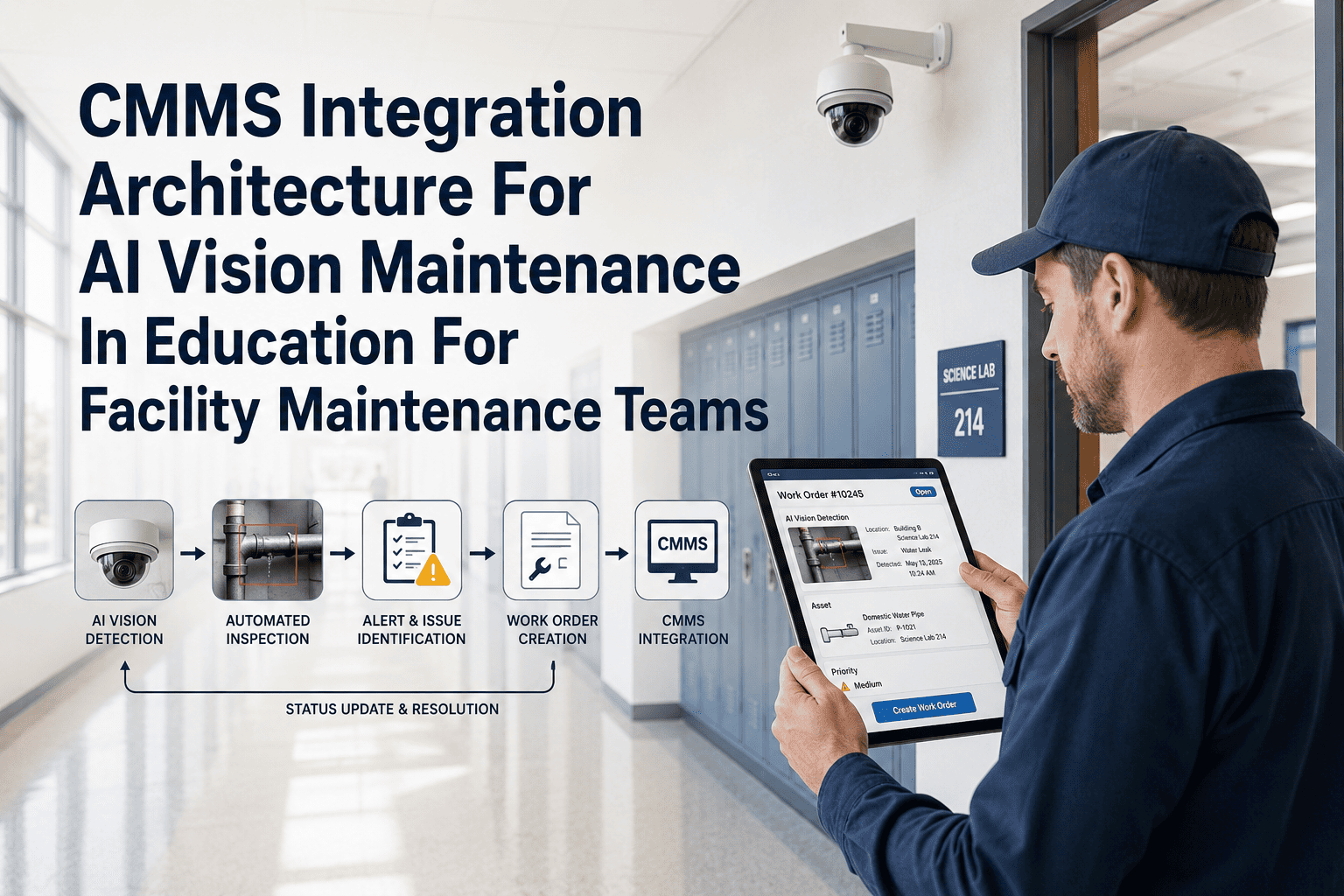
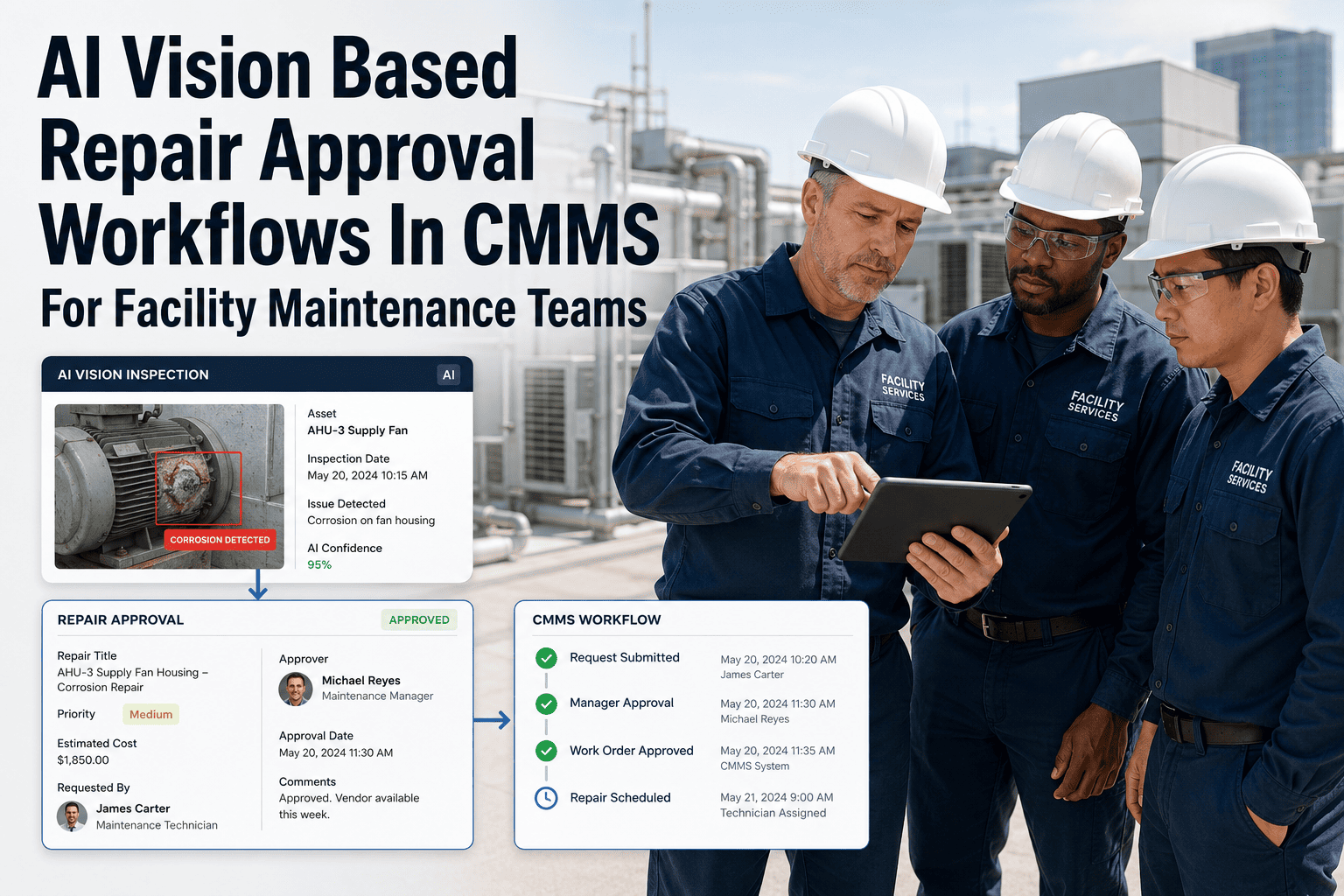
Inspection photos have long been the most underutilized asset in facility maintenance — taken by the hundreds each week, stored in shared drives or phone cameras, and rarely converted into the structured repair actions they document. Computer vision changes this by reading every photo the way a trained eye would: identifying what is wrong, on which asset, at what severity, and what should happen next. OxMaint's computer vision engine processes inspection images — from mobile uploads, walkaround scans, or fixed cameras — and converts each finding into a prioritized maintenance action routed to the right team through the CMMS. The result is a facility where every photo taken during an inspection becomes a timestamped, evidence-backed work order, and nothing observed gets quietly lost between a photo app and a planner's inbox. See how OxMaint converts inspection photos into maintenance actions in a live demo.
Computer Vision · Inspection to Action · Facility CMMS
Your Inspection Photos Are Already Evidence. Computer Vision Makes Them Actions.
OxMaint reads every inspection photo, identifies the defect, classifies the severity, and converts the finding into a routed maintenance action — automatically, before the inspector reaches the next asset.
The Problem
Why Most Inspection Photos Never Become Maintenance Actions
67%
of inspection photos taken in the field are never linked to a work order
3–5
manual steps required to convert a photo finding into a CMMS work order
48 hrs
average lag between defect photo and repair dispatch in manual workflows
22%
of maintenance backlog attributed to defects found but never formally raised
The OxMaint Approach
How Computer Vision Reads an Inspection Photo and Creates a Maintenance Action
Input
Photo Received
Inspector uploads photo from mobile app, or camera feed captures image automatically at the inspection zone. Photo is time-stamped, geo-tagged, and associated with the asset ID in the OxMaint asset register.
Supported sources: mobile upload, IP camera, tablet scan, wearable camera
Analyze
Vision Model Reads the Image
OxMaint's computer vision model scans the image for defect signatures — surface conditions, fluid presence, component positioning, PPE status, and structural indicators — matched against the asset class profile.
Defect signals detected:
Corrosion
Fluid pooling
Crack width
Component misalignment
PPE absence
Classify
Severity and Action Type Assigned
AI assigns a severity tier (monitor / schedule / urgent) and determines the appropriate maintenance action type — corrective WO, safety alert, inspection follow-up, or shutdown request — based on defect type and asset criticality rules.
| Severity | Action Triggered |
|---|
| Monitor | Logged, flagged for next inspection round |
| Schedule | Work order created for next maintenance window |
| Urgent | Immediate WO + supervisor notification + optional shutdown alert |
Output
Maintenance Action Created and Routed
CMMS work order is created with the photo attached, defect description pre-filled, asset history linked, technician assigned, and planner notified — all without the inspector touching the CMMS manually.
WO contains: defect photo · asset ID · defect type · severity · assigned tech · asset repair history
OxMaint Computer Vision · Inspection to Action
Every Photo Your Team Takes Should Trigger a Maintenance Action. Now It Does.
OxMaint converts inspection images into structured CMMS work orders automatically — with photo evidence, correct severity, and repair team routing in place before the inspector moves to the next asset.
Use Cases
Where Facilities Use Computer Vision to Convert Photos into Actions
| Inspection Type |
Photo Input |
AI Output |
Maintenance Action |
| Roof Walkaround |
Mobile photo of membrane crack |
Structural defect — schedule |
Roof Repair Work Order |
| Mechanical Room Audit |
Camera feed of pipe joint staining |
Fluid leak — urgent |
Leak Investigation WO + supervisor alert |
| Electrical Inspection |
Fixed camera — panel door left open |
Safety hazard — urgent |
Electrical Safety WO + shutdown flag |
| Equipment Walkaround |
Mobile photo of belt wear |
Mechanical wear — schedule |
Conveyor Maintenance WO |
| PPE Compliance Zone |
Camera feed of worker without helmet |
Safety non-compliance — urgent |
Safety Alert + incident log |
Expert Perspective
"
Inspection photos have always been a trust problem — the inspector trusts the photo will become a work order, and the planner trusts it was raised properly, but nothing enforces the handoff. Computer vision makes the conversion automatic and traceable. The photo itself becomes the trigger, and the chain from image to work order to closure is documented end-to-end. That is a different category of reliability than any manual process can deliver.
Dr. Amara Singh
Physical Asset Management Consultant · 17 years in FM technology and CMMS implementation · CAMA, ISO 55001 Practitioner
FAQs
Computer Vision for Inspection Photo Conversion — Common Questions
Can OxMaint process photos taken by different inspectors on different devices consistently?
Yes. OxMaint's vision model is device-agnostic and normalizes images from different cameras, lighting conditions, and angles before processing. Inspectors using iPhone, Android, tablets, or fixed cameras all feed into the same detection pipeline.
Start a free trial to connect your existing mobile devices to the OxMaint computer vision workflow and confirm compatibility before rollout.
What happens to photos where no defect is detected — are they still stored in OxMaint?
Photos where no defect is detected are logged as clean inspection records linked to the asset and inspection round — they serve as documentation that the asset was inspected and was in acceptable condition at that time. This creates a complete inspection history per asset, which is valuable for compliance audits and warranty claims.
See how OxMaint structures inspection records in a live demo.
How does OxMaint handle photos where the defect is ambiguous or the AI confidence is low?
When AI confidence falls below the configured threshold for a defect detection, OxMaint flags the image for manual planner review rather than auto-creating a work order. The planner sees the image in a review queue, confirms or dismisses the finding, and the outcome is recorded. This ensures no false-negative work orders are created while maintaining coverage on genuinely ambiguous findings — a critical safeguard for facilities with zero-tolerance defect policies.
Can inspection photo findings from OxMaint be exported for regulatory audits?
OxMaint exports full inspection records — including original photo, AI detection output, work order created, technician assigned, and closure date — in structured formats suitable for regulatory submission. For healthcare, pharma, and government facilities with formal inspection audit requirements, OxMaint generates inspection summary reports with image chains per asset per audit period.
Book a demo to review the audit export format for your industry.
OxMaint · Computer Vision · Free to Start
Inspection Photos That Don't Become Work Orders Are Inspections That Didn't Happen.
OxMaint converts every inspection photo into a structured, routed maintenance action — so nothing your team observes is ever lost between the camera and the CMMS.