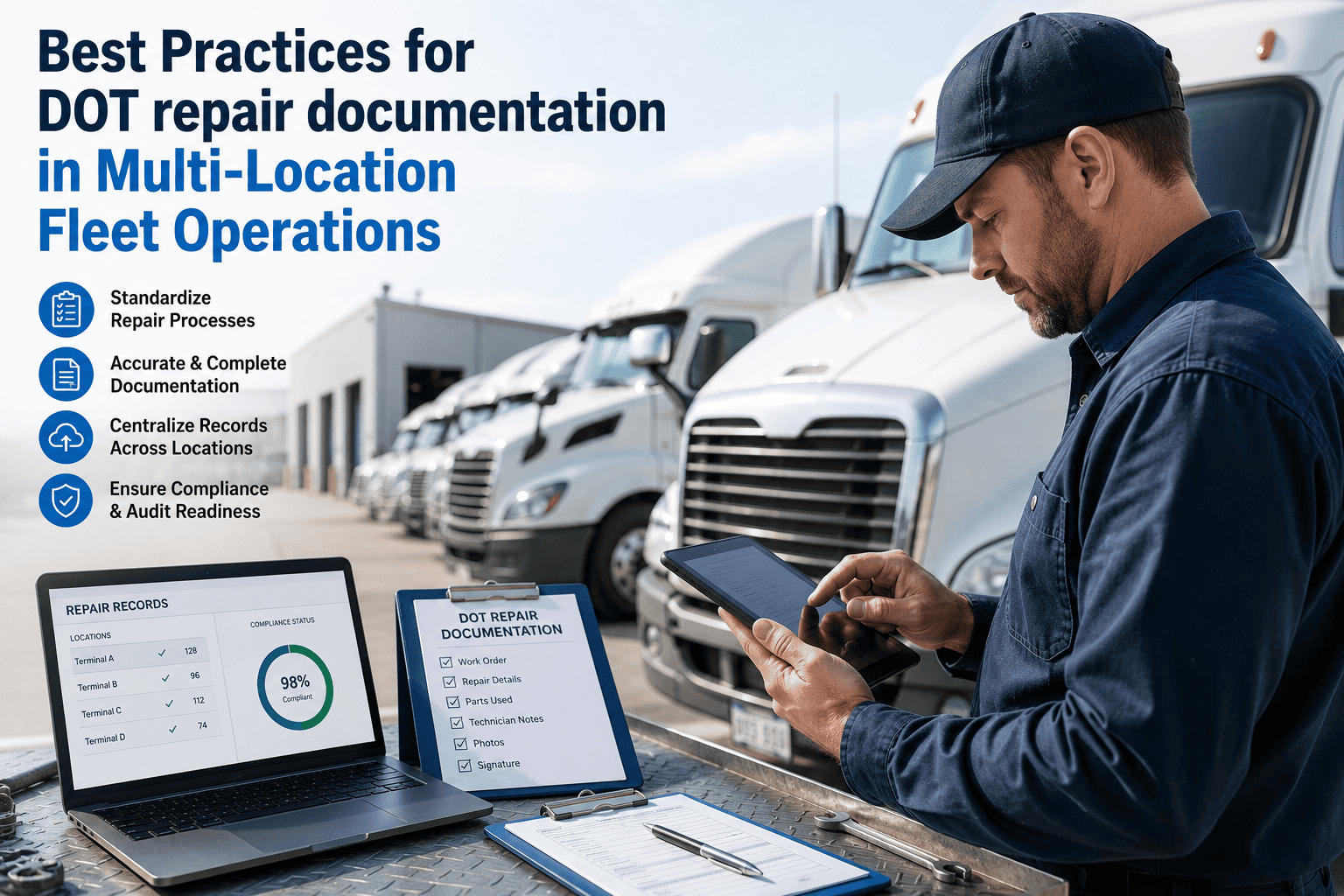
Fleet maintenance leaders running operations across two, ten, or fifty depots all face the same hidden problem — every site quietly develops its own workarounds, its own spreadsheets, its own pile of paper inspections, until the fleet office is making decisions from data that is days old at best and fictional at worst. Industry research shows decentralized fleets run 15 to 25 percent lower utilization than centralized ones, lose physical track of assets across sites, and pay three to five times more per repair when issues escalate before the right team sees them. A mobile fleet maintenance app, properly deployed, closes that gap by putting inspections, work orders, parts checks, and PM schedules in the pocket of every driver and technician across every location. The best practices below separate fleets that adopt mobile and see results in 30 days from those that abandon the app in 60 — get started with Oxmaint's mobile-first multi-location fleet CMMS to see how unified field operations actually run in 2026.
Multi-Location Fleet · Mobile-First · Best Practices Playbook
It Is 4:47 AM and Four Depots Need Four Different Decisions — Made From One App
The real test of a multi-location mobile fleet maintenance app is whether the fleet manager can run all four scenarios below from one screen, while still on the first cup of coffee, before the first vehicle leaves any yard.
04:47 · Depot A · Rural Route
Driver finds brake squeal in a dead zone
App must log the defect offline with photo and GPS. Sync the second signal returns. Auto-generate a work order routed to the home depot technician with severity already set.
04:51 · Depot B · Main Yard
Technician needs an alternator stock check
App must show real-time parts inventory across every depot. Trigger an inter-depot transfer from Depot C automatically if Depot B is out — no phone calls between yards, no wasted truck-to-yard trips.
05:02 · Depot C · Cross-Country
Engine hour threshold crossed overnight
Telematics feeds engine hours into the app continuously. The PM work order auto-generates by 5 AM. The assigned technician sees it on shift open. No manual schedule lookup, no missed PM.
05:14 · HQ · Fleet Manager
Dashboard check before the day starts
App must show green-amber-red status per depot, PM compliance per yard, and any P1 defects routed overnight — all from a phone, before the first driver picks up keys at any location.
67%
Fewer missed maintenance appointments in mobile-first multi-depot operations
15–25%
Lower utilization in decentralized fleets vs centralized operations
3–5×
Cost multiplier of reactive repair vs scheduled maintenance from same alert
91%
Technician adoption rate when the mobile app is offline-first by design
The Silent Sprawl: Why Multi-Location Fleets Bleed Money Even When Nothing Is "Wrong"
A 2026 multi-depot fleet running on fragmented tools rarely looks broken from the outside — vehicles are dispatched, drivers report in, repairs happen. But under the surface five quiet patterns are draining 12 to 25 percent of fleet capacity. Each pattern is invisible at a single site and obvious only when every depot is viewed in the same mobile app.
P1
Inspection records that exist on paper at one depot, in a separate app at another
Drivers in Houston use a clipboard. Drivers in Chicago use a legacy app the contractor still pays $11/month for. The fleet office has neither a single inspection completion KPI nor an audit-ready record for vehicles that move between yards. DOT inspectors smell this within 90 seconds.
P2
Defect-to-work-order chains that break at depot boundaries
A defect flagged in Dallas does not become a work order assigned to the Atlanta night shift when the truck moves regions. The new team sees a clean vehicle on arrival. Two weeks later the same problem becomes a roadside breakdown — at 4.8× the planned-repair cost.
P3
Parts inventory siloed per yard, with critical components sitting idle 200 miles away
One contractor recently discovered $214,000 in unnecessary equipment rental in a single year because available owned assets at one site were invisible to managers at another. Multiply that pattern across alternators, filters, and tyres.
P4
PM compliance ranging from 88% at the best yard to 23% at the worst
Fleet-wide averages hide catastrophic depot-level variance. The same fleet that reports 54% PM compliance fleet-wide has one yard burning down on reactive repairs while another runs world-class. Without a per-depot mobile dashboard, nobody at HQ sees which is which.
P5
Assets that physically disappear between locations
In one 100-asset audit, 11 pieces of equipment could not be physically located — eventually found sitting idle at completed or inactive job sites, generating insurance cost and zero revenue. The fleet did not lack assets. It lacked a mobile-accessible truth about where they were.
Six Best Practices That Make a Mobile Fleet Maintenance App Work Across Every Depot
These are not feature requirements. They are operational disciplines. The mobile app is only the surface. The practices below are what determine whether the app gets used in week eight, week eighteen, and the audit that comes a year from now.
01
Make the mobile app the primary interface, not a companion
Why it matters: Apps that require desktop for core workflows see 30 to 50 percent lower adoption. If a technician has to walk back to a workstation to close anything, they will batch the closures, the data goes stale, and the dashboard at HQ goes back to lying.
How to do it: Insist that work order creation, defect logging, parts consumption, photo capture, and digital sign-off all complete on the phone in under three minutes. Use desktop as the management overlay only.
KPI · Technician mobile-app session frequency > 8 per shift
02
Demand offline-first architecture for every rural or remote depot
Why it matters: Long-haul, construction, agricultural, and mining fleets routinely operate outside cellular coverage. An app that pauses without signal forces drivers to defer documentation — and FMCSA does not accept "I'll log it later" as a DVIR record.
How to do it: Verify in a live demo that inspections, work orders, and parts logs complete with airplane mode on. Reconnect and confirm clean store-and-forward sync with no data loss.
KPI · Offline-to-sync data loss rate < 0.5%
03
Auto-generate work orders from inspection defects across every yard
Why it matters: Manual defect-to-WO handoff was the differentiator in 2024. In 2026 it is a minimum expectation. Manual handoffs lose 40 to 60 percent of defects between the inspection form and the maintenance queue, and the lost ones become roadside failures.
How to do it: Configure defect severity tiers per asset class. Severity 1 and 2 defects fire an immediate work order with photo evidence attached. Severity 3 batches into the weekly PM digest.
KPI · Defect-to-WO conversion > 92%
04
Unify parts inventory visibility across every depot in the mobile view
Why it matters: Critical parts wait time is the second-largest downtime category after mechanical failure — and it is almost 100 percent preventable when technicians can see all-depot stock from the phone before they leave the bay.
How to do it: Single parts catalog. Per-depot stock counts visible to every technician. Reservation against open work orders before dispatch. Inter-depot transfer requests one tap away.
KPI · Parts-wait downtime hours per vehicle per month < 4
05
Trigger PM schedules from telematics, not calendars
Why it matters: Calendar-based PM is guesswork. A truck on a 1,200-mile-per-week route needs a different cadence than the same truck reassigned to a 400-mile-per-week regional run. Mileage and engine-hour triggers fed from telematics into the mobile app remove that guesswork.
How to do it: Connect Geotab, Samsara, Verizon Connect, or your telematics provider via API. Configure PM-A through PM-D tiers with mileage and hour thresholds per asset class. Whichever-comes-first logic.
KPI · PM compliance fleet-wide > 90%
06
Roll out by depot, not by feature — and prove ROI at one yard first
Why it matters: Trying to deploy all features at all depots simultaneously is the single most common reason multi-location mobile rollouts stall. The receptive yard becomes the proof-of-concept. The skeptical yards get a working case study before being asked to change.
How to do it: Pick the highest-receptivity site. Run the full mobile workflow for 30 to 45 days. Capture before-and-after PM compliance, defect-to-WO time, and parts-wait hours. Use that data to onboard the next two yards.
KPI · Time-to-first-measurable-result < 45 days
Stop running depots as five different fleets
Unify Multi-Location Maintenance in the Pocket of Every Driver and Technician
Oxmaint's mobile-first fleet CMMS is built for multi-depot operations from the ground up — offline-first inspections, cross-depot parts visibility, telematics-fed PM, and a single audit-ready record for every vehicle across every site. The app a fleet manager runs at 4:47 AM, before the first driver picks up keys.
Anatomy of a Multi-Location Mobile Fleet Maintenance App
Eight capabilities separate apps that survive in multi-depot operations from apps that get uninstalled by week six. Each capability below is the operational test, not the marketing description — what it must do in the field for a real driver and a real technician at a real second depot.
F1
Offline DVIR with photo capture
Driver completes pre-trip inspection at a rural depot with no cellular signal. Photos of defects captured in-app. Records queue locally. Sync happens automatically the instant signal returns, with no driver action required.
F2
Cross-depot work order assignment
When a vehicle transfers from Yard A to Yard B, every open and historical work order moves with the vehicle in the mobile view. The receiving technician sees the same defect history the previous technician was working on.
F3
All-depot parts inventory search
Technician at Depot B searches for an alternator part number. App shows live stock counts across all six depots and the main parts warehouse. Inter-depot transfer request submits in one tap, ETA shown immediately.
F4
Telematics-fed PM triggers
App reads odometer and engine hours from Geotab, Samsara, or Verizon Connect every 30 minutes. PM work orders auto-generate when thresholds cross. Assigned technician sees them at shift open without a manual queue check.
F5
Per-depot dashboard filtering
Fleet manager toggles between depot-specific and fleet-wide views with one switch. KPIs comparable across yards: PM compliance, defect-to-WO time, parts-wait hours, planned-vs-reactive ratio.
F6
AI predictive maintenance alerts
Component-level wear patterns analyzed across the full fleet. App pushes predictive work orders when a component approaches its failure curve — before the fault code, before the driver complaint, before the roadside event.
F7
Digital sign-off and audit chain
Driver, technician, and supervisor sign-offs captured digitally in the app. Every action timestamped. FMCSA-compliant DVIR record retrievable by VIN and date in under 60 seconds — at any depot, on any device.
F8
Push routing by role and location
Defects route by depot proximity, technician skill class, and current workload. Mobile push notification arrives within seconds of submission. Acknowledgment captured in-app to close the assignment loop.
Fragmented vs Mobile-First Multi-Location Operations
The differences below are not aspirational — they are measured across hundreds of multi-depot deployments. Each row is what a fleet director will see in the first quarter after unifying field operations under a single mobile app.
Phased Rollout Plan: How Multi-Depot Fleets Adopt Mobile Without Stalling
A multi-location deployment fails when it tries to go everywhere at once. The four-phase plan below is what high-receptivity rollouts actually look like — starting with one yard, proving the numbers, and using the data to bring the next sites along.
Phase 1
Pilot depot · Weeks 1 to 4
Pick the highest-receptivity yard with a maintenance manager who wants the win. Load asset hierarchy, configure inspection templates per vehicle class, train drivers and technicians in two short sessions. Run digital DVIR and work orders only — keep telematics and parts inventory for Phase 2.
Output: Baseline data captured. Pre-vs-post PM compliance comparison ready.
Phase 2
Pilot depot full feature set · Weeks 5 to 8
Add telematics-fed PM triggers. Connect Geotab, Samsara, or Verizon Connect. Configure mileage and engine-hour thresholds per asset class. Add parts inventory module. Start tracking parts-wait downtime as a distinct KPI. Run shadow audits weekly.
Output: First measurable ROI numbers. Internal case study assembled.
Phase 3
Next two depots · Weeks 9 to 16
Onboard two more yards using the pilot site's playbook. Use the pilot's pre-vs-post numbers to win technician buy-in at the new sites. Configure inter-depot parts transfer workflow. Standardize inspection templates and PM tiers across all three depots.
Output: First inter-depot parts transfer completes in-app. Cross-yard visibility live.
Phase 4
Fleet-wide rollout · Weeks 17 to 28
Remaining depots onboard at a pace of one site every two to three weeks. Predictive maintenance alerts enabled fleet-wide. Per-depot dashboards live at HQ. Weekly executive KPI review replaces ad-hoc phone calls to depot managers.
Output: Single source of truth fleet-wide. Decentralized utilization gap closed.
The Numbers: What a Multi-Location Fleet Recovers in Year One
Reference fleet · 6 depots · 240 mixed vehicles · 28 technicians · pre-mobile baseline
Pre-mobile fleet utilization
61%
Pre-mobile PM compliance fleet-wide
54%
Pre-mobile planned-to-reactive maintenance ratio
45 : 55
Pre-mobile average defect-to-WO time
38 hours
Pre-mobile parts-wait downtime per vehicle per month
11 hours
12-month fleet utilization with mobile CMMS
84%
12-month PM compliance fleet-wide
91%
12-month planned-to-reactive ratio
82 : 18
12-month average defect-to-WO time
Under 90 seconds (auto)
12-month parts-wait downtime per vehicle per month
3.2 hours
Annual maintenance cost reduction
30 to 35%
Unnecessary rental and transfer cost avoided
$180K to $240K
Typical payback period — mobile CMMS rollout across 6 depots
7 to 11 months
KPIs Every Multi-Location Fleet Director Should Watch Monthly
Target > 90%
PM compliance per depot
Tracked per yard, not fleet-wide. A 91% average hides a 23% outlier. Per-depot view in the mobile app is where the actual problem becomes visible — and fixable.
Target > 92%
Defect-to-WO conversion rate
Percentage of mobile-logged defects that become tracked work orders. Below 75% means the app is collecting noise. Below 50% means drivers have stopped trusting the system.
Target < 4 hrs
Parts-wait downtime per vehicle
Monthly hours a vehicle is out of service waiting on parts. The second-largest downtime category after mechanical failure — and almost entirely fixable with cross-depot inventory visibility.
Target > 85%
Technician mobile adoption rate
Percentage of work orders closed in the app vs the desktop. Below 60% is a sign the field experience is broken — and the dashboard at HQ is being filled in retroactively by office staff.
Target > 80%
Planned-to-reactive ratio
The single most predictive cost-of-ownership KPI. Fleets above 80:20 spend 30 to 35% less on maintenance than fleets at 55:45. The shift only happens with PM triggers fed from telematics into the mobile app.
Target 100%
Audit-trail completeness per VIN
Percentage of vehicles with retrievable DVIR-to-repair chain in under 60 seconds. Every gap is a roadside-inspection citation, a CSA score risk, or a contract performance penalty waiting for the next inspector.
From scattered tools to one mobile field operation
See the Mobile Multi-Depot Dashboard With Your Own Fleet Numbers
A 30-minute demo with the Oxmaint team is enough to map your current depot stack, identify the two or three best-practice gaps draining the most utilization, and walk through what a phased mobile rollout would look like for your specific operation.
Expert Review
"
The mistake almost every multi-location fleet director makes is treating mobile as a feature rather than as a redesign of how the operation runs. They buy the app, deploy it to two depots, and assume the technicians at the other four yards will eventually follow. That is not how field adoption works. The phone in a technician's pocket is not just a tool — it is the daily evidence of whether the maintenance program is real or theoretical. If the app does not handle offline, does not show all-depot parts, does not trigger PM from telematics, does not auto-route defects to a named technician, the field will quietly route around it. And once the field routes around the app, the dashboards at HQ start lying, the audit trail breaks, and the fleet director ends up exactly where they were before the deployment. The six best practices in this guide are the ones I have seen separate the rollouts that hold from the ones that erode in 90 days.
Dr. Lena Park, CMRP, MBA
19 years in commercial fleet operations · former Director of Fleet Maintenance for a 14-depot North American carrier · specialism in mobile CMMS rollouts and multi-site PM standardization
Frequently Asked Questions
Q1
How long does it really take to roll out a mobile fleet maintenance app across multiple depots?
A phased rollout across six depots typically runs 24 to 28 weeks end to end — four weeks for the pilot site, eight more weeks to add full features at the pilot, and the remaining time to onboard the other yards at a pace of one every two to three weeks.
Book a demo to map the timeline against your specific depot count and current toolset.
Q2
What is the single biggest reason multi-depot mobile rollouts fail?
Trying to deploy everywhere at once, with every feature on, without a proof-of-concept at one yard first. Skeptical depot managers need a working internal case study before they change anything. The pilot site's pre-vs-post numbers are the most powerful onboarding tool the program has.
Q3
Does the mobile app really need to work fully offline, or is mobile-friendly enough?
For any fleet operating outside reliable cellular coverage — long-haul, construction, agricultural, mining, remote utility — offline-first is non-negotiable. Apps that require connectivity for every transaction force drivers to defer documentation, which destroys the FMCSA-compliant DVIR record. Mobile-friendly is not the same as offline-capable.
Q4
How does cross-depot parts visibility actually work in the mobile app?
Single parts catalog across all depots. Each yard's stock count visible to every technician in the app. Reservation against open work orders before dispatch. Inter-depot transfers initiated in one tap with an automatic ETA. The pattern eliminates 1.8 wasted parts trips per technician per day in typical deployments.
Start a free trial to configure parts visibility against your current depot stock data.
Q5
What telematics platforms does the mobile app integrate with for PM triggers?
Oxmaint integrates with Geotab, Samsara, Verizon Connect, Webfleet, Motive, and other J1939 and OBD-II providers via API. Engine hours, mileage, and DTC fault codes feed the mobile app every 30 minutes. PM work orders auto-generate when thresholds cross, with the assigned technician notified by push before shift open.
One mobile app · every depot · audit-ready in 60 seconds
Run Every Depot in the Same App Your Drivers and Technicians Already Have in Their Pocket
Multi-location fleet maintenance is not a coordination problem. It is a systems problem. Oxmaint's mobile-first CMMS gives every driver, technician, and fleet manager the same operational truth — across every yard, on every shift, with the audit trail and predictive intelligence that turns scattered depots into one unified fleet.