Fuel is usually a fleet's largest running cost, yet fuel data often lives in a separate system from the shop. Fuel cards, tank logs and economy reports show that something changed, but not why. A rise in fuel use per mile can come from underinflated tires, a clogged air filter, a failing injector or simply a different route. Connecting fuel records to inspections and work orders turns reports into repairs, and a fleet maintenance management platform is the natural place to link them.
Fuel and Cost Control | Maintenance-Connected Workflow
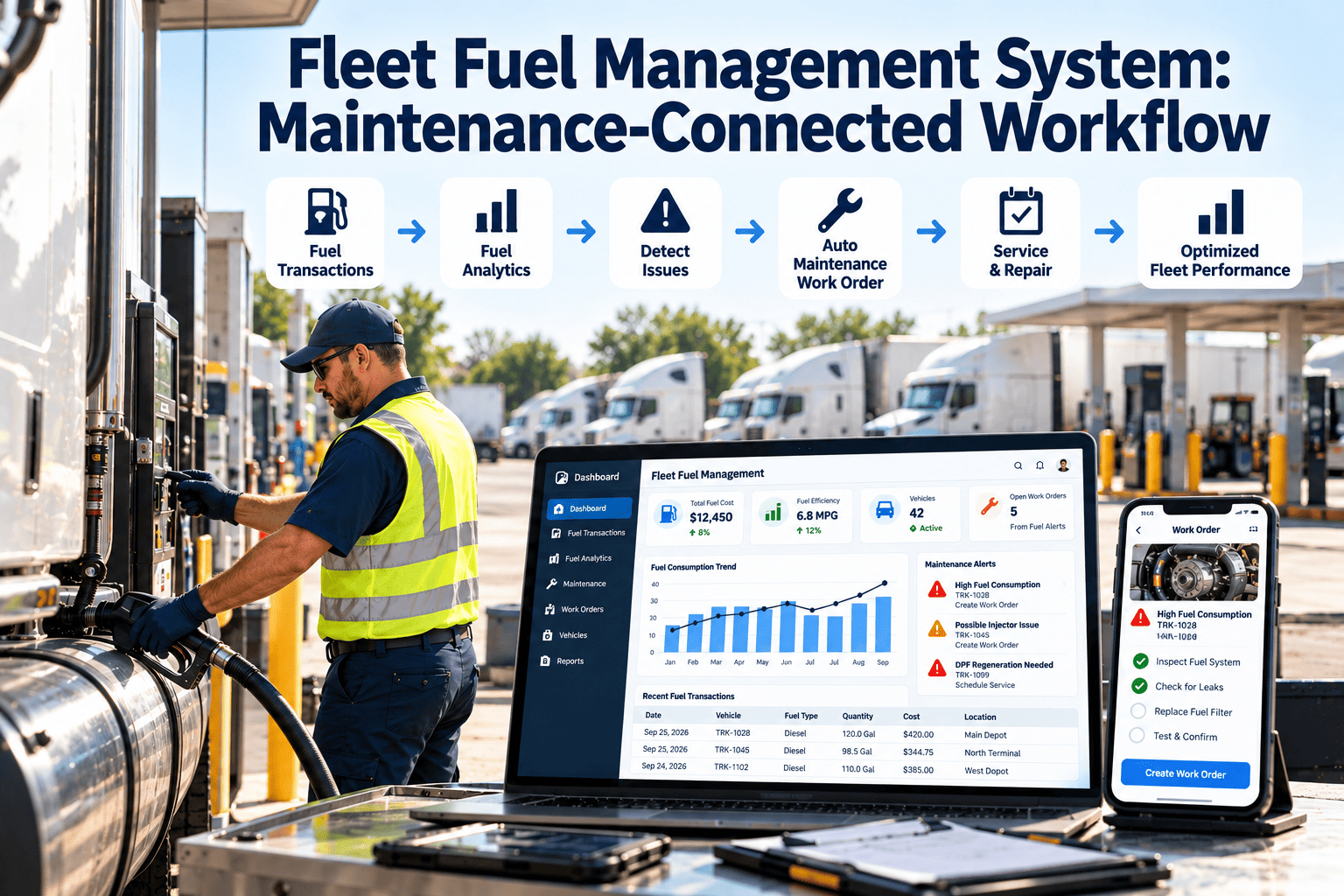
Fleet Fuel Management System: Maintenance-Connected Workflow
Use fuel data as an early warning for vehicle condition, then route every anomaly into inspections, work orders and verified fixes.
Fuel Data
to
Anomaly Flag
to
Inspection
to
Work Order
to
Verified Result
The Gap Between Fuel Reports and the Shop
Siloed Fuel Management
- Fuel analyst sees poor economy
- Report goes to a manager by email
- Shop never hears about it
- Cause stays unknown until a breakdown
Connect
Connected Workflow
- Poor economy creates an inspection task
- Technician checks likely causes
- Repairs recorded on the vehicle
- Next fuel readings confirm improvement
What Fuel Signals Can Point To
| Fuel Signal | Possible Maintenance Cause | First Check |
|---|---|---|
| Gradual drop in distance per fuel unit | Tire underinflation, dirty filters, dragging brakes | Pressure, air filter, brake drag |
| Sudden drop on one vehicle | Sensor fault, injector or fuel system problem | Fault codes, fuel system inspection |
| High idle fuel | Excess idling, battery or climate issues | Idle report, battery and auxiliary systems |
| Fill volume above tank capacity | Card misuse or data entry error | Transaction audit |
| Fuel use differs among identical vehicles | Driver, route, alignment or tuning | Compare against inspection history |
| Fuel in filters or tanks showing water | Contaminated supply or storage | Tank and filter inspection |
Always rule out route, load and weather before blaming the vehicle. Maintenance records help separate those factors.
Designing the Workflow
1
Set a baseline per vehicle class
Compare like with like: same model, duty and route type.
2
Define anomaly rules
Decide what deviation, for how long, creates an inspection task.
3
Inspect with a standard checklist
Tires, filters, fluids, leaks, fault codes and idle settings.
4
Repair through a work order
Parts, labour and cause recorded on the asset history.
5
Verify with fuel data
Confirm the vehicle returns to its baseline before closing the loop.
Turn Fuel Anomalies Into Closed Work Orders
Link inspections, repairs and fuel checks so every anomaly ends with a recorded cause.
Maintenance Tasks That Protect Fuel Economy
Weekly
- Tire pressure checks
- Visual leak and fluid check
- Idle and warm-up review
Per Service
- Air and fuel filter condition
- Alignment and wheel bearing check
- Fault code review
Periodic
- Injector and fuel system inspection
- Aerodynamic parts and body damage
- Fuel tank and storage inspection
Fuel Storage and Compliance
On-site tanksUnderground and aboveground tanks carry regulatory duties for leak detection, inspections and spill prevention. Check the rules that apply to your location.
Dispensing equipmentPumps, meters and nozzles need periodic inspection and calibration records.
Fuel transactionsRetain card and tank records for audits and reconciliation.
Cost Control Beyond the Pump
Fewer Hidden Defects
Fuel anomalies reveal faults before breakdown.
Better Repair Decisions
Repeat fuel loss on one asset supports replacement planning.
Cleaner Audit Trail
Fuel issues, inspections and repairs line up in one history.
How Oxmaint Supports the Connected Workflow
Asset managementVehicle profiles with odometer, class, history and fuel type.
InspectionsChecklists for tires, filters, leaks and idle settings triggered by fuel flags.
Work ordersCorrective jobs recorded with cause, parts and cost.
Preventive maintenanceService schedules that keep fuel-related components in check.
ReportingCompare maintenance cost, downtime and repeat issues by vehicle.
KPIs for a Connected Program
Anomalies Resolved
Flags closed with a cause
Time to Inspect
Flag to inspection
Repeat Flags
Same vehicle, same issue
Economy Recovery
Return to baseline after repair
Frequently Asked Questions
How does fuel data help maintenance?
Unexpected fuel use changes can reveal tire, filter, engine or brake problems earlier than a breakdown would.
Is a fuel system the same as a CMMS?
No. Fuel systems track purchases and use; a maintenance system manages inspections, repairs and history.
What should trigger an inspection?
A sustained deviation from the vehicle class baseline, not a single bad fill.
Can I manage this in Oxmaint?
Yes, Oxmaint handles inspections, work orders and asset history for the maintenance side.
Where can I see an example workflow?
You can schedule a demo to review a fuel-flag inspection template.
Close the Loop Between Fuel and Maintenance
Give your shop the context to fix the cause of high fuel use, not just report it.