Most fleet managers build a telematics dashboard before checking whether the data feeding it can be trusted, and the result is a screen full of numbers nobody believes. Duplicate GPS pings inflate mileage, idle-time sensors misfire in cold weather, and disconnected fuel card exports leave gaps that get filled with guesswork. A 2026 industry review found that fleet managers feel overwhelmed by the sheer volume of raw telematics data hitting their screens, and when every sensor fluctuation triggers a flag, the real mechanical issues get buried under noise. Before a single chart gets built, the underlying data needs a structured cleanup pass — this guide walks through exactly what that involves, in the order it should happen, and how a platform like OxMaint keeps that data clean at the source instead of after the fact.
Clean Your Telematics Data Before You Build a Single Dashboard
Dashboards built on duplicate pings, sensor drift, and unmapped vehicle IDs look precise and lie constantly. Here is the cleanup sequence fleet teams run before trusting a single chart.
Why Dashboards Fail Before They Even Launch
A dashboard is only as honest as the data underneath it. Most fleet teams skip straight from "we have telematics" to "let's build a dashboard," and that jump is where bad numbers get baked in permanently.
Weak signal zones cause devices to resend the same location multiple times, inflating mileage and idle-time totals across every report pulled from that raw feed.
Corroded grounds and miscalibrated OBD ports inject voltage noise into accelerometer and fault-code readings, so harsh-braking and engine-health metrics skew without warning.
A device swapped between vehicles or reassigned after a sale keeps reporting under the old vehicle ID, attributing one truck's fuel burn to another for months.
Fuel cards, ELDs, and maintenance logs exported separately and stitched by hand always have timing gaps that show up as missing or doubled entries downstream.
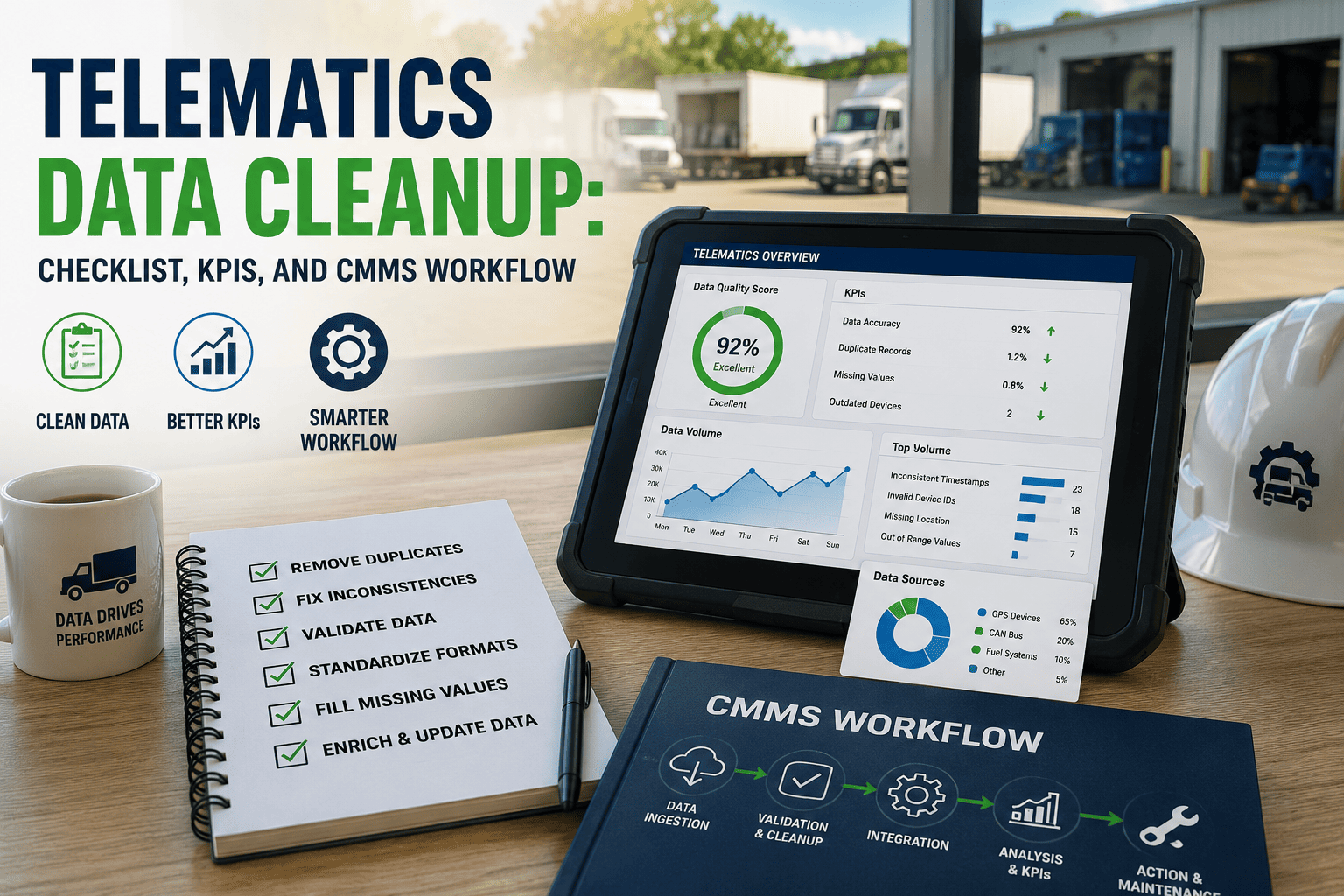
The Six-Step Cleanup Sequence
Run these steps in order, every time you onboard a new data source or notice your dashboard numbers don't match what drivers and technicians report on the ground.
List every feed entering your system — GPS devices, OBD ports, fuel cards, ELDs, manual logs — and note its refresh rate and last calibration date before touching any chart.
Apply a minimum time and distance threshold between consecutive GPS pings so retransmissions in weak-signal zones stop counting as new movement events.
Cross-check every device ID against your current asset register monthly, since reassigned hardware is the single most common cause of misattributed fuel and mileage data.
Set realistic bounds for speed, fuel burn, and engine temperature so physically impossible readings get held for review instead of flowing straight into your averages.
Standardize every feed to one timezone, one fuel unit, and one distance unit before merging — mixed units are invisible in raw tables but break every chart built on top.
Pick ten vehicles, compare cleaned data against manual logs or driver reports for one week, and only build your dashboard once that sample matches within an acceptable margin.
Clean Data In, vs Raw Data In
The same dashboard, built on the same telematics hardware, produces two very different operational pictures depending on whether cleanup happens first.
How OxMaint Keeps Data Clean at the Source
Cleanup is easier when it happens continuously instead of as a one-time fire drill. OxMaint connects directly to telematics, fuel card, and inspection feeds and applies validation rules before data ever reaches a report.
| Cleanup Task | Manual Spreadsheet Approach | OxMaint Approach |
|---|---|---|
| Duplicate ping removal | Manual filtering after weekly export | Automatic threshold filtering on ingest |
| Vehicle ID reconciliation | Quarterly manual cross-check | Continuous sync with live asset register |
| Outlier detection | Caught only when someone notices | Flagged automatically against set bounds |
| Multi-source merge | Hand-stitched in spreadsheets | Unified feed across telematics, fuel, work orders |
Want to see how clean, validated data flows into a maintenance dashboard you can actually trust? Start a free trial or book a demo to walk through your own telematics feed.
Frequently Asked Questions
How often should telematics data be cleaned before it reaches a dashboard?
What is the biggest cause of inaccurate fleet dashboard numbers?
Can sensor drift be fixed without replacing hardware?
Should fuel card and telematics data be merged manually or automatically?
How do I know if my dashboard data is already clean enough to trust?
Build Your Dashboard on Data You Can Actually Trust
OxMaint validates telematics, fuel, and inspection data continuously — so the dashboard your team sees on Monday morning reflects what actually happened on the road, not what a duplicate ping or a swapped device made it look like.