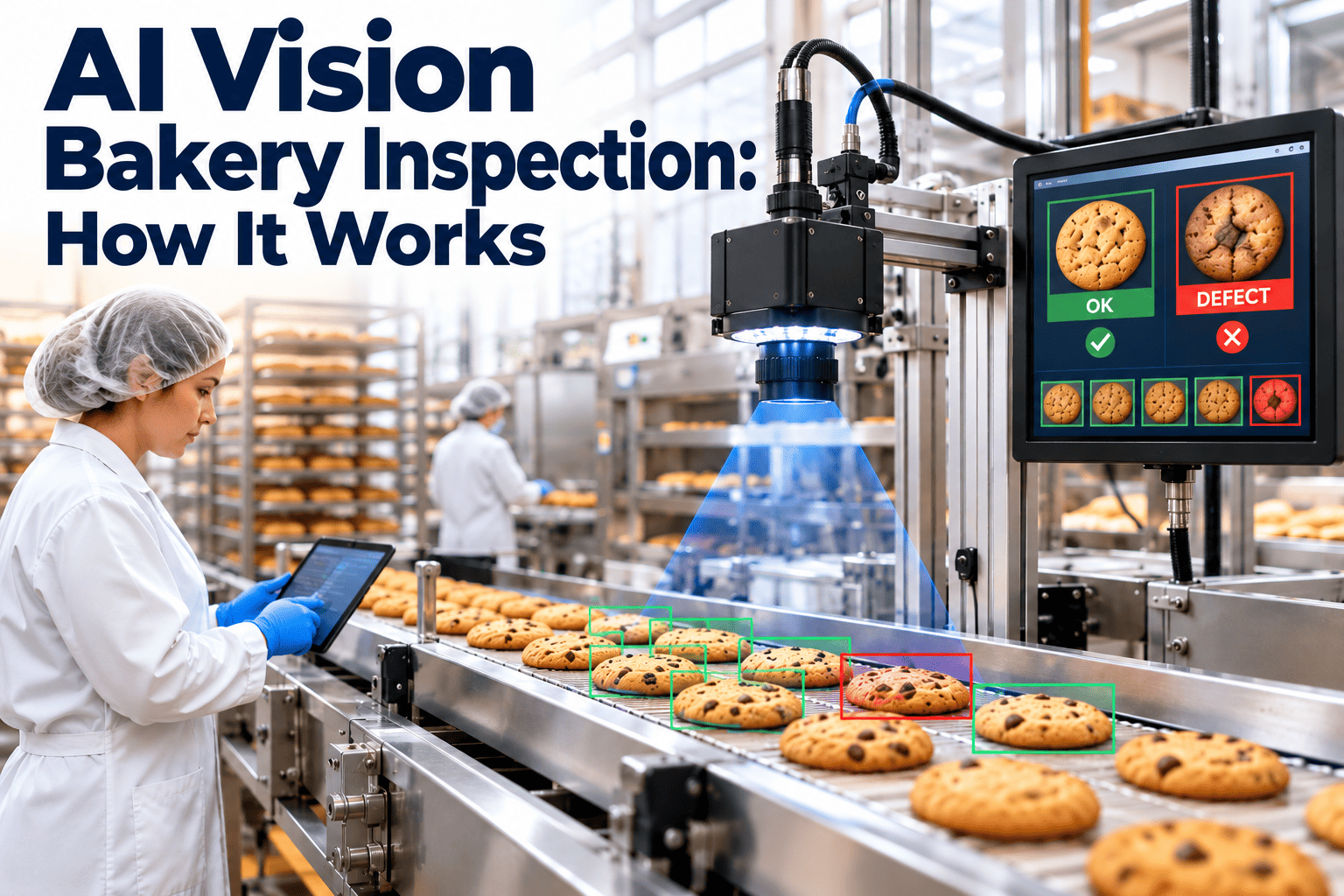
Bakery lines move fast, and every loaf, bun, cookie, or tray bake passes a few human eyes for only a moment. AI vision inspection replaces that glance with cameras, controlled lighting, and trained models that grade each product against your specification in real time. This guide explains how the system works, what data a bakery needs before starting, and why the camera is only as reliable as the maintenance behind it. Teams planning the rollout can set up their inspection equipment records in Oxmaint from day one.
AI Vision Bakery Inspection: How Cameras and Models Grade Product in Real Time
From image capture to reject decision, see each stage of a bakery vision system and the maintenance discipline that keeps its grading trustworthy.
Why Bakery Products Are Hard to Inspect
Bakery products are natural, variable, and baked at speed. No two loaves look identical, so an inspection system must separate acceptable variation from true defects.
Appearance Defects
- Uneven browning, pale spots, or scorched edges
- Misshapen, collapsed, or undersized units
- Split crusts, blisters, and surface cracks
- Missing toppings, seeds, or glaze coverage
Process Defects
- Products stuck together or touching on trays
- Misplaced products or gaps in a pattern
- Incorrect slicing, scoring, or depanning
- Wrong product on the wrong line
Safety-Related Findings
- Visible foreign material on the belt or product
- Burnt fragments carried from earlier batches
- Packaging or label faults at the end of line
- Visible mould on aged or returned product
What Human Inspectors Struggle With
- Attention drops over long shifts, especially on repetitive lines
- Colour judgement shifts with lighting, fatigue, and personal perception
- Different inspectors apply the same standard differently
- Few results are recorded, so trends stay invisible
The Six Stages of an AI Vision Inspection System
Every vision system, whatever the vendor, follows the same chain. A weakness at any stage reduces the accuracy of the final grade.
Presentation
Triggering
Illumination and Capture
Analysis
Decision
Action and Record
Cameras, Lighting, and Optics That Make Grading Possible
The model sees only what the hardware captures. Most failed vision projects trace back to inconsistent images, not weak algorithms.
| Component | Role in Bakery Inspection | Typical Bakery Consideration |
|---|---|---|
| Area scan camera | Captures a full frame of each product | Suited to discrete items such as rolls, buns, and cakes |
| Line scan camera | Builds an image line by line as the belt moves | Suited to continuous belts, sheets, and wide conveyors |
| LED lighting | Provides stable, repeatable illumination | Must be shielded from flour dust and washdown |
| Lens and filters | Controls focus, field of view, and colour response | Needs regular cleaning because flour and oil film build up |
| Enclosure | Protects electronics from heat, dust, and moisture | Ingress rating and cooling matter near ovens and proofers |
| Encoder or photo-eye | Synchronises capture with belt movement | Drift or fouling causes missed or doubled captures |
Rules, Deep Learning, and Anomaly Detection Compared
Three analysis approaches appear in bakery systems, and many installations combine them.
Rule-Based Vision
- Measures diameter, area, and average colour
- Easy to explain and audit
- Struggles with natural variation and complex defects
Supervised Deep Learning
- Learns from labelled examples of good and bad product
- Handles texture, shape, and subtle colour differences
- Needs enough examples of each defect class
Anomaly Detection
- Learns what normal looks like and flags anything different
- Useful when defects are rare or unpredictable
- Flags need review to confirm what was actually found
How Grading Rules Turn Into Decisions
- The model outputs a class and a confidence level for each item
- Quality sets thresholds for each defect type and severity
- Low-confidence items can be routed to a human reviewer
- Thresholds are documented and changed only through controlled approval
What Data a Bakery Needs Before Starting
Data preparation takes more effort than installation. A realistic plan moves through clear phases.
Define the Standard
Collect Images
Label and Review
Validate Offline
Run in Shadow Mode
Pre-Project Data Checklist
- Written product specifications with tolerance ranges
- Reference samples for each grade and defect class
- Historical complaint, waste, and rework records by defect type
- Line speed, product spacing, and changeover frequency
- Equipment records for conveyors, ovens, and sensors that affect product presentation
Give Your Inspection Equipment a Maintenance Record
Track cameras, lights, sensors, and rejectors as assets with scheduled care, so grading stays dependable shift after shift.
Why Maintenance Decides Whether Vision Inspection Stays Accurate
A vision system does not fail loudly. It drifts, and quality can look fine on a dashboard while the camera sees a degraded picture.
Unmanaged Vision Equipment
- Lens cleaned only when someone notices a problem
- Lighting ages unnoticed and shifts colour readings
- Air jets clog, so rejects stay on the belt
- Calibration and settings changes are not recorded
Maintained Vision Equipment
- Lens and light cleaning on a fixed preventive schedule
- Reference tile or sample checks logged each shift
- Rejector function tests recorded with pass or fail
- Every adjustment tied to a work order and approver
Failure Modes Worth Planning For
| Failure Mode | Effect on Grading | Maintenance Response |
|---|---|---|
| Dirty lens or window | Blurred images, false defects | Scheduled cleaning task with sign-off |
| Aging LED lighting | Colour readings drift | Intensity check and planned replacement |
| Loose camera mount | Shifted field of view | Inspection of mounts and re-verification |
| Encoder fault | Mistimed capture or reject | Corrective work order and test run |
| Overheated enclosure | Shutdowns or image noise | Cooling and filter inspection route |
| Worn conveyor belt | Product skews or tracks off | Belt condition inspection and tracking check |
KPIs That Show Whether the System Is Working
Measure the system the way you would measure any critical control, with a few clear numbers reviewed regularly.
Common Mistakes to Avoid
- Training on a single recipe, then adding products without retraining
- Skipping shadow mode and trusting rejection decisions too early
- Ignoring lighting changes caused by moved guards or new overhead fixtures
- Leaving threshold changes undocumented, which weakens audit evidence
- Treating the system as an IT asset with no preventive maintenance owner
Running Vision Inspection Through a CMMS
Oxmaint maintenance management software gives the inspection system the same structure as any critical line asset.
Where Condition-Based Workflows Help
- Trend reference-check results to spot slow lighting or lens degradation
- Link rising false rejects to the latest cleaning or adjustment record
- Watch conveyor and oven faults that change how product reaches the camera
Frequently Asked Questions
Can AI vision replace human inspectors in a bakery?
How many images are needed to train a model?
Does flour dust affect camera accuracy?
What is shadow mode?
Who owns maintenance of the vision system?
Where Cameras Sit Along a Bakery Line
Inspection can happen at several points, and each point catches a different class of problem. Many plants start at one location, usually after the oven, and add more once the first is stable.
| Line Stage | What the Camera Checks | What It Depends On |
|---|---|---|
| Dough forming and depositing | Piece size, shape, count, and placement on trays | Stable depositor settings and clean sensors |
| Proofer exit | Rise, shape collapse, and tray spacing | Consistent proofer temperature and humidity |
| Post-oven | Colour, bake level, splits, blisters, and burnt units | Oven uniformity and fixed lighting |
| Cooling and slicing | Slice thickness, crumb exposure, and broken pieces | Sharp blades and aligned conveyors |
| Topping and glaze | Coverage, missing seeds, and drips | Clean applicators and steady flow |
| Packaging | Seal quality, label position, and date codes | Reliable sealers and printers |
Why Start Post-Oven
- Most visible appearance defects are fully formed by this point
- Colour and shape can be graded against the final specification
- Rejects can be removed before cooling, slicing, and packaging cost is added
- Results give fast feedback to oven operators
Different Bakery Products Need Different Inspection Settings
A system tuned for sandwich loaves will not automatically suit cookies or laminated pastry. Plan separate grade definitions and image sets for each product family.
Bread and Rolls
- Crust colour, scoring quality, and symmetry matter most
- Flour dusting changes surface appearance and must be part of training images
- Height and volume can be estimated from side or top views
Cookies and Biscuits
- Diameter, thickness, edge colour, and inclusion distribution are common checks
- Broken pieces and stuck-together units need clear rejection rules
- Sheet patterns help the model understand where each item should be
Pastry, Cakes, and Laminated Products
- Layer definition, lift, and glaze shine vary naturally and need careful grade bands
- Fillings that leak or are missing may need a different angle or lighting
- Delicate products require gentle rejection methods to avoid damage
Validation and Change Control for Vision Systems
An inspection system that influences what ships is a control that should be validated and managed, not just installed.
Before Go-Live
- Document the intended purpose and the defects it must detect
- Test with known good and known defective samples, including borderline cases
- Confirm that the reject mechanism removes items reliably at full line speed
- Train operators on alarms, restart rules, and what to do when the system is offline
During Production
- Run reference samples at start-up and after cleaning or changeover
- Review rejected product images regularly to confirm decisions are correct
- Track false rejects and escapes as part of quality reporting
- Keep a log of any manual override or bypass
When to Retrain or Revalidate
- A new recipe, ingredient supplier, or packaging format is introduced
- Oven or proofer performance changes after repair
- Camera, lens, or lighting is replaced
- Escape or false reject rates trend upward
Turning Inspection Results Into Process Feedback
The greatest value of vision data is not the rejection itself. It is the early warning it gives about the process upstream.
- Rising pale or dark counts can point to oven zone drift before temperature alarms trigger
- Shape and size variation may indicate depositor wear or dough consistency problems
- Defects clustered on one tray position can reveal a damaged tray or uneven airflow
- Time-stamped results help link quality events to specific shifts, batches, or equipment
Connecting Findings to Maintenance
When inspection trends point to equipment, the finding should become a work order with an owner, not an informal comment.
- Raise corrective work orders from quality findings against the specific oven, depositor, or conveyor
- Add inspection triggers to preventive maintenance plans after repeated defects
- Review reports to confirm the fix reduced the defect
- Keep records that show auditors how findings were investigated and closed
Keep Every Camera Grading Accurately
Bring inspection equipment, preventive tasks, and corrective work into one maintenance system built for food production.