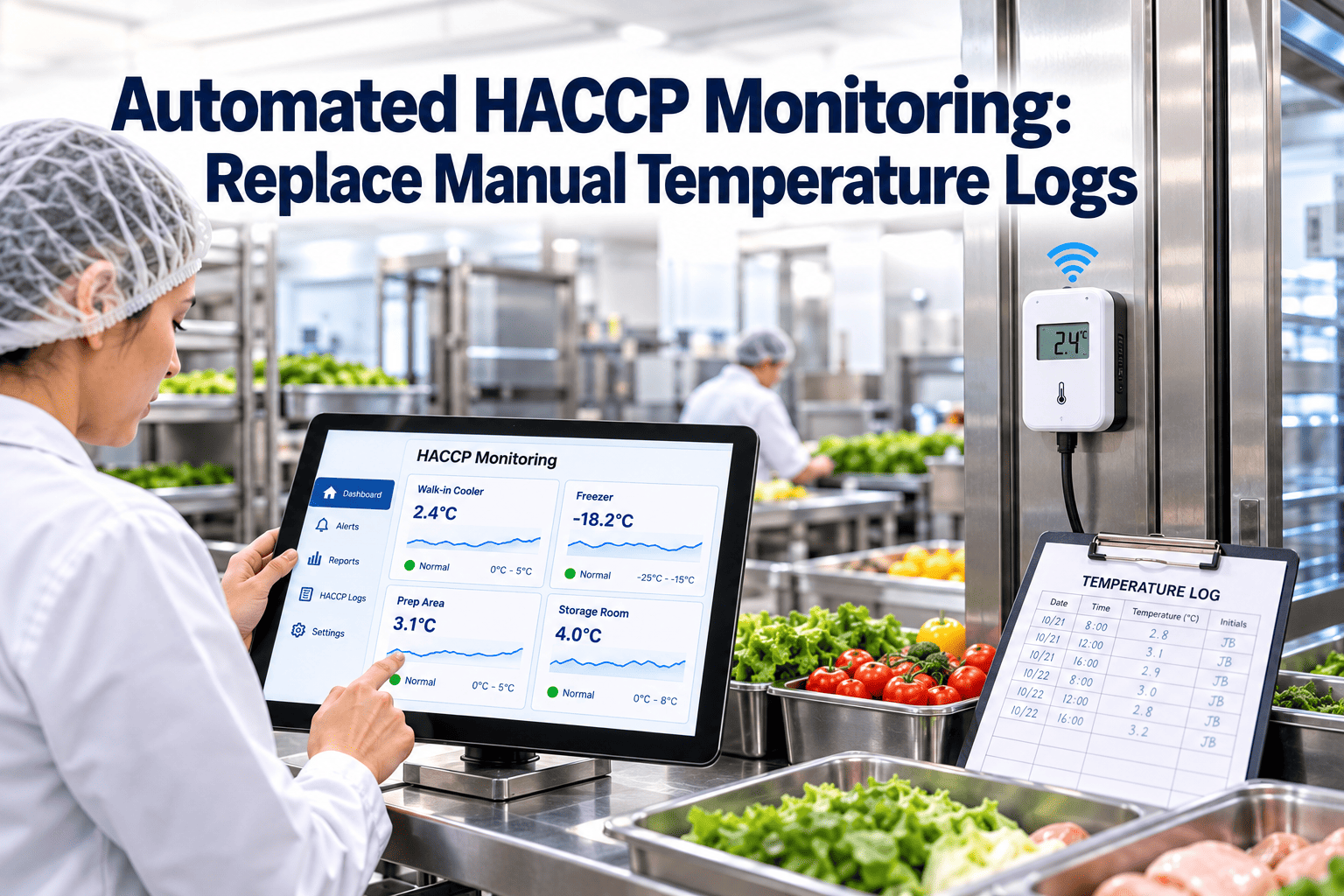
A handwritten temperature log proves that someone wrote a number on a clipboard, not that the product stayed inside its critical limits between readings. In food plants, a cooler can drift for two hours between checks, and the paper will still look perfect. Automated HACCP monitoring closes that gap by measuring continuously, timestamping every reading, and alerting people when a limit is crossed. Plants that pair sensors with a maintenance system such as Oxmaint also keep the equipment behind those readings calibrated and serviced.
HACCP and Food Safety
Automated HACCP Monitoring: Replace Manual Temperature Logs
Sensors, alerts and digital records give food manufacturers continuous proof that every critical control point stayed within its limits, and a clear trail when it did not.
Why handwritten CCP logs fail in practice
The weakness of manual monitoring is rarely carelessness. It is the structure of the task: a person, a clipboard and a schedule that competes with production.
| Factor | Manual temperature log | Automated monitoring |
|---|---|---|
| Coverage | Snapshots at set intervals, such as every two or four hours | Continuous readings, often one per minute or faster |
| Timing of detection | Found at the next scheduled check | Found when the limit is crossed |
| Data integrity | Rounded values, missing initials, back-filled entries | Timestamped, user-attributed, edit history retained |
| Review effort | Paper collected, read and filed by hand | Exception-based review of out-of-range events |
| Audit retrieval | Searching binders by date and line | Filter by CCP, asset, shift or date range |
| Response | Depends on who notices and when | Escalation rules route the alert and open a task |
Six ways a paper log lets a deviation slip through
The gap between readings
A walk-in cooler that fails at 9:10 and is checked at 11:00 leaves nearly two hours of unrecorded exposure.
Pencil-whipping
When a log is filled in at the end of the shift, the numbers reflect expectation, not observation.
Uncalibrated instruments
A probe that reads two degrees off produces a clean record of the wrong temperature.
Illegible or missing entries
Smudged washdown pages, missing signatures and skipped rows weaken the whole record set.
Late supervisor review
Verification arrives days later, when the affected lots may already be shipped.
No link to maintenance
The log shows a high reading, but nothing connects it to the failing compressor or door seal.
Which critical control points suit automation first
Not every CCP needs a sensor on day one. Start where continuous data changes the outcome. The limits below are common reference values; always use the limits in your validated HACCP plan and applicable regulations.
| Control point | Typical critical limit | Automation approach |
|---|---|---|
| Cold storage and cooler holding | At or below 41°F (5°C) for most refrigerated foods | Fixed wireless probes with high-temperature alarms |
| Cooking or thermal process | Product-specific, such as 165°F (74°C) for poultry | Oven or retort data capture with time and temperature |
| Hot holding | At or above 135°F (57°C) | Probes in holding cabinets and steam tables |
| Cooling after cooking | 135°F to 70°F within 2 hours, then to 41°F within 4 more hours | Multi-point probes logging the cooling curve |
| Metal detection and checkweighing | Detector sensitivity and reject verification | Reject counts and test-piece results logged digitally |
| Sanitizer concentration | Chemical-specific ppm range | Inline dosing monitors or scheduled digital checks |
How an automated monitoring loop works
Sense
Wireless or wired probes read temperature, and where relevant humidity, pressure or concentration, at the CCP itself.
Log
A gateway forwards each value to a central system with asset ID, location and timestamp.
Judge
Rules compare readings to critical limits, plus a shorter operating limit that warns before a breach.
Escalate
The alert goes to the line lead first, then to quality and maintenance if it is not acknowledged.
Close
The corrective action, product disposition and verification are attached to the same event.
Alert design: operating limits versus critical limits
A good alert system gives people time to act. Many plants set two thresholds for every CCP.
Operating limit
- Set tighter than the critical limit
- Triggers an early warning to the operator
- Allows adjustment before product is affected
- Reduces nuisance holds and rework
Critical limit
- Defined in the validated HACCP plan
- Triggers formal deviation handling
- Requires product evaluation and a corrective action
- Must be recorded and verified
Reducing alarm fatigue
- Add a short delay for door-open events so routine loading does not page anyone.
- Escalate by time unacknowledged, not by volume of messages.
- Review the most frequent alarms monthly and fix the root cause, whether a door seal, a defrost cycle or a poorly placed probe.
Sensors only help if the equipment and instruments are maintained
Automated data is only as trustworthy as the sensor producing it. HACCP verification expects calibrated, working monitoring equipment, and that is a maintenance responsibility as much as a quality one.
- Calibration dates tracked on a separate sheet
- Probe drift discovered during an audit
- Repeated alarms on the same cooler with no work order
- Spare probes not stocked, so a failed sensor stays down
- Calibration scheduled as recurring preventive tasks
- Out-of-tolerance results trigger a review of affected records
- Alarm history informs refrigeration and door-seal repairs
- Spare probes and gaskets tracked in inventory
Where Oxmaint fits in an automated HACCP program
Oxmaint is maintenance management software, so its role is the equipment and workflow side of food safety monitoring.
Preventive maintenance
Recurring tasks for probe calibration, door gasket checks, evaporator cleaning and sensor battery replacement.
Work orders
A breached limit or failing asset becomes a tracked corrective task with an owner and due time.
Asset records
Each cooler, oven and monitoring device carries its own history of repairs and calibrations.
Mobile inspections
Technicians complete checklists on a phone, with photos and sign-off captured at the equipment.
Compliance records
Maintenance and calibration evidence is searchable by asset and date for audits.
Reporting
Dashboards show overdue calibrations, repeat failures and response times.
See your CCP equipment and maintenance in one place
Set up calibration schedules, corrective work orders and equipment histories for your coolers, ovens and monitoring devices.
A practical rollout in four phases
- List every CCP and its critical limit from the HACCP plan
- Identify which are currently logged by hand
- Rank by risk and frequency of past deviations
- Choose one or two high-risk coolers or a cooling step
- Run sensors alongside the paper log for several weeks
- Compare readings and tune alarm thresholds
- Document the monitoring change in the HACCP plan
- Confirm calibration method and frequency
- Train operators on acknowledgment and response steps
- Add remaining CCPs and storage areas
- Link alarms to work orders and corrective records
- Retire paper logs once verification is routine
What to measure after going digital
Common mistakes when replacing manual logs
Automating without redefining response
A faster alert is useless if nobody knows who must act. Write the response steps first.
Poor probe placement
Sensors near doors or evaporator fans misrepresent product temperature. Place them where the risk is.
Skipping the paper backup plan
Define what happens during a network or power outage so monitoring never goes dark unrecorded.
Ignoring data security and access
Limit who can edit settings and keep an audit trail of every change.
Treating sensors as install-and-forget
Batteries, drift and damage from washdown need scheduled maintenance like any other asset.
Regulatory context: what records need to show
Requirements differ by country and product category, so treat this section as orientation, not legal advice. Confirm specifics with your regulator, certification body and food safety team.
Monitoring records
HACCP-based systems and the US preventive controls rules both expect monitoring of critical control points to be documented. The record should show what was measured, when, by whom or by which system, and against which limit.
Verification and review
Records are normally reviewed by a qualified person within a defined period. Under US preventive controls rules, that review is commonly expected within seven working days of record creation. Exception-based dashboards make this review faster because reviewers start with the out-of-range events.
Electronic record expectations
- Records are attributable to a person or device
- Entries cannot be changed without an audit trail
- Access is controlled by role
- Records remain retrievable for the retention period
- A defined backup method exists if the system is unavailable
Third-party schemes
GFSI-benchmarked schemes such as SQF, BRCGS and FSSC 22000 look for validated monitoring, calibrated equipment and effective corrective action. Automated records support all three when the sensors themselves are managed as maintained assets.
Choosing sensors and gateways
Wired or wireless
Wireless sensors are quicker to install in coolers and storage rooms, while wired or PLC-connected measurement suits ovens, retorts and cooling tunnels where the process controller already holds the data. Many plants use both.
Selection criteria
- Measurement range and accuracy that match the critical limit
- Ingress protection suited to washdown and condensation
- Battery life and a low-battery alert
- Local data buffering during a network outage
- Easy calibration or sensor swap with documented traceability
Probe placement
For product temperature, simulate product with a glycol bottle or place the probe in the product itself where practice allows. Air temperature alone can hide a lagging or leading product temperature, and probes near doors or fans can trigger false alarms.
Data path and cybersecurity
Document how a reading travels from sensor to record. Restrict who can change alarm limits, and keep firmware and network settings under change control so the data remains credible during an audit.
Calibration and verification of monitoring devices
A continuous log of a wrong temperature is still wrong. Calibration is what makes automated monitoring defensible.
Typical calibration methods
- Ice-point check at 32°F (0°C) for cold range probes
- Boiling-point or reference-bath comparison for higher ranges
- Comparison against a traceable reference thermometer
- Annual or manufacturer-recommended calibration by an accredited provider
What to do when a probe is out of tolerance
Record the result, remove or recalibrate the device, and review readings since the last good calibration. Your procedure should define how affected product and records are evaluated.
Why maintenance owns part of this
Calibration dates, spare probes, battery changes and replacement history are classic maintenance records. Scheduling them as recurring preventive tasks in Oxmaint reduces the risk of an overdue calibration surfacing during an audit.
Example: automating a blast chiller cooling step
This is an illustrative workflow, not a validated process. Use the limits and monitoring method from your own HACCP plan.
Before automation
An operator probes the product at intervals, writes the time and temperature on a sheet, and compares it to the cooling requirement by memory. Readings are often rounded and missed during busy periods.
With automation
Probes log the cooling curve continuously. The system calculates elapsed time between stages and flags a batch that is falling behind before the cooling window ends, giving the operator time to move product or adjust the chiller.
Maintenance connection
If the same chiller repeatedly falls behind, the alarm history points to an asset problem such as a fouled evaporator or an overloaded load pattern. A work order captures the repair and the asset history keeps the evidence for the next review.
Integrating monitoring with maintenance workflows
Alarm to work order
Not every alarm needs a repair, but repeated ones usually do. Define a rule such as a work order after a repeat alarm on the same asset within a set period.
Condition-based triggers
Run hours, trend drift and repeated warnings can trigger inspection tasks before a breach occurs. This is where monitoring data starts to support condition-based maintenance.
Reports your teams can use
- Alarm counts by asset and shift
- Overdue calibration and sensor battery tasks
- Time from alarm to repair completion
- Assets with repeated temperature excursions
- Spare sensors and gaskets on hand
Automated HACCP monitoring: common questions
Can electronic records replace paper for HACCP?
Generally yes, if records are accurate, attributable and secure. Confirm requirements with your auditor and regulator.
Does automation remove the need for verification?
No. Calibration, record review and periodic validation still apply, and Oxmaint can schedule them.
How often should monitoring probes be calibrated?
Follow your HACCP plan and manufacturer guidance, commonly with an ice-point or comparison check on a fixed schedule.
What happens when a sensor fails?
Your plan should define a backup method, such as a manual check, and the failure should open a repair work order.
Can we start with only a few coolers?
Yes. A small pilot is the safest route, and you can book a demo to plan the maintenance side.
Make every critical limit easy to prove
Connect calibration, corrective work orders and equipment history so your next audit starts with answers, not binders.



.png)
