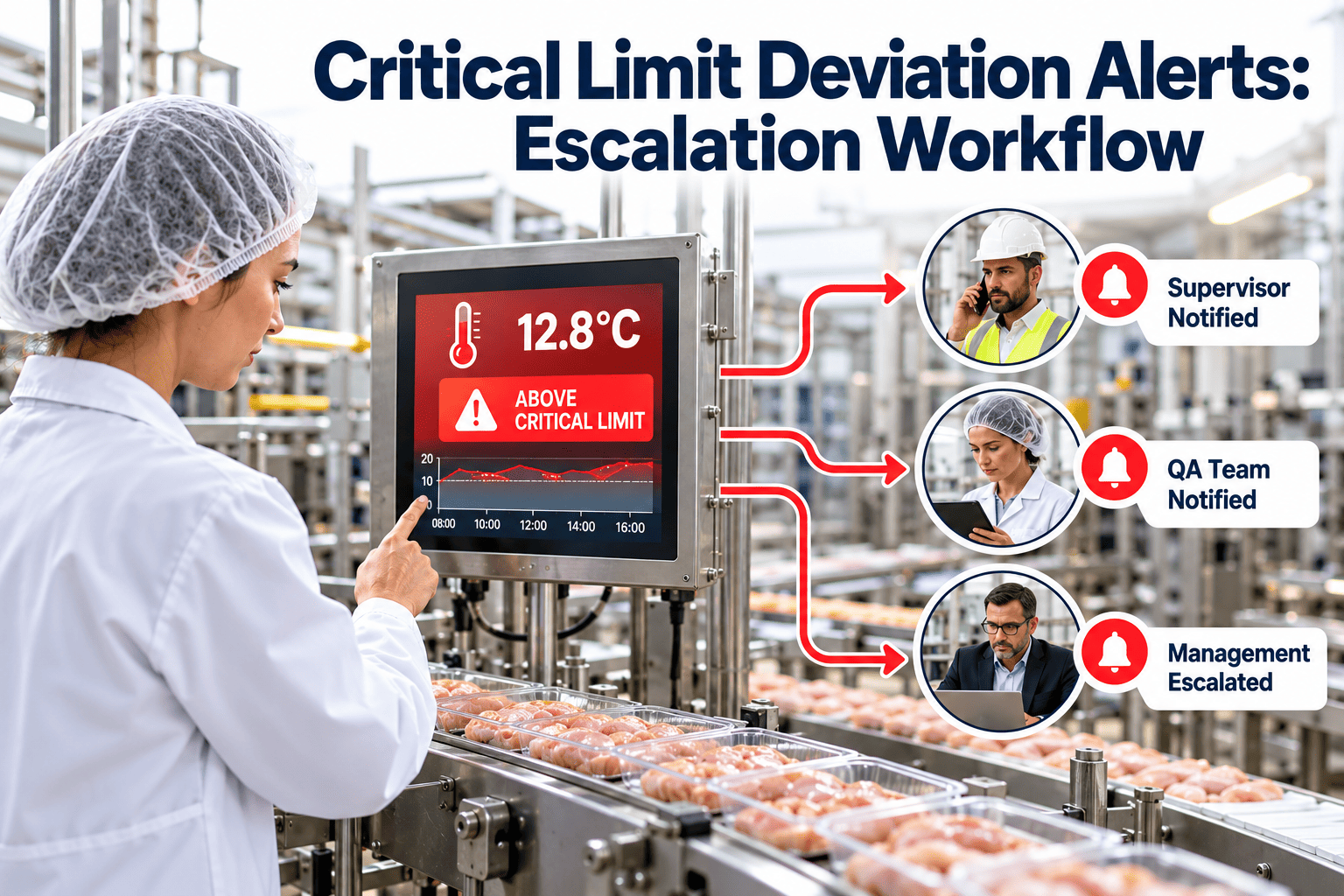
When a cooler climbs above its critical limit, the value of the alert is measured in minutes. A notification that reaches the wrong person, or reaches nobody, turns a correctable drift into a product hold. Food plants that rely on end-of-shift reviews often discover deviations long after the affected lots have moved on. A defined escalation workflow decides who is told, how fast, and what happens if no one responds. Teams that tie those alerts to work orders in Oxmaint keep the response and the repair in one record.
HACCP Deviation Response
Critical Limit Deviation Alerts: Escalation Workflow
Detect a breach, notify the right person, escalate on silence and open a corrective work order, all before the next scheduled check.
Where delayed alerts come from
People
- Alerts go to a single person who is off shift
- Nobody owns acknowledgment
- Phone numbers on the call list are outdated
Process
- No defined time to respond
- Unclear who may place product on hold
- Paper deviation forms started hours later
Equipment
- Alarm thresholds set at the critical limit with no early warning
- Sensors offline without notice
- Local horns nobody hears in a noisy area
Build the escalation matrix before you automate it
Define one row per severity. The times below are examples; set yours from product risk and your HACCP plan.
| Severity | Trigger | First responder | Escalate if unacknowledged | Required output |
|---|---|---|---|---|
| Warning | Operating limit crossed | Line operator | After 15 minutes | Adjustment noted |
| Deviation | Critical limit crossed | Line lead and quality | After 10 minutes | Product evaluation and corrective action |
| Sustained deviation | Limit not restored within set time | Maintenance and supervisor | After 20 minutes | Work order and hold decision |
| Sensor fault | Signal lost or out of range | Maintenance | After 30 minutes | Backup manual check and repair task |
What a useful alert message contains
- 1The CCP name and the asset or room
- 2The current value and the critical limit
- 3How long the reading has been out of range
- 4The first action from the HACCP plan
- 5An acknowledge option that stops escalation
Keep acknowledgment honest
Acknowledging an alert should record who responded and when. It should not close the deviation, which stays open until the corrective action and verification are complete.
From alert to corrective work order
Alert
Breach detected and the first responder notified.
Contain
Product at risk is identified and held per procedure.
Repair
A work order sends maintenance to the failing asset.
Verify
Readings return in range and quality signs off.
Turn every breach into a tracked response
Link equipment, work orders and technician sign-off so a deviation always has an owner.
Practical tips for reducing false and missed alarms
- Add short delays for door-open events and defrost cycles.
- Use an early-warning threshold set inside the critical limit.
- Test the call tree monthly with a harmless test alert.
- Review the top five repeat alarms and repair the underlying cause.
- Keep sensor calibration and battery changes on a preventive schedule.
Measures worth tracking
- Minutes to acknowledge and minutes to restore the limit
- Deviations per asset and per shift
- Share of alerts that produced a work order
- Repeat alarms on the same asset
Alert channels and when to use them
Different channels suit different severities. Mixing them deliberately prevents both missed alerts and alert fatigue.
Local signals
Horns and beacons work in the production area, but they are easy to ignore in a noisy plant and useless for a cold store at night. Use them as a first prompt, not the only one.
Mobile push and text
Mobile alerts reach people away from the line. Use them for warnings and deviations, with an acknowledge action so the system knows a human has seen the message.
Voice call
For sustained deviations and unacknowledged alerts, a call that repeats until answered is harder to miss than a message.
Email and dashboards
Email suits summaries and records, not urgent response. Dashboards help supervisors see open deviations across lines and shifts.
Roles and responsibilities in a deviation
Line operator
- Acknowledges the alert and starts the first action from the HACCP plan
- Isolates the affected product if instructed
- Records what they observed
Line lead or supervisor
- Confirms containment and the time window of affected product
- Calls maintenance when the cause is equipment
- Escalates if control is not restored
Quality and food safety
- Evaluates product safety and decides disposition
- Confirms that corrective action matches the HACCP plan
- Verifies the record before closure
Maintenance
- Diagnoses and repairs the asset
- Documents cause, parts used and test results
- Recommends a preventive task if the failure is likely to recur
Example scenarios
The scenarios below are illustrative. Use the limits and responses defined in your own HACCP plan.
Cooler drifts above limit overnight
The early-warning threshold alerts the night shift lead. When no one acknowledges within the set time, the alert goes to the supervisor and a work order opens for maintenance. Quality is notified so product in the room can be evaluated at the start of the day.
Cooking step falls below target temperature
The operator receives an immediate alert, stops the batch from moving forward and follows the plan for reheating or holding. Quality records the disposition, and maintenance is called only if burner or controller behavior points to an asset fault.
Sensor drops offline
The system flags missing data as its own event. The operator switches to a manual check as defined in the plan, and maintenance replaces or repairs the device. The record shows no silent gap in monitoring.
Testing and improving the workflow
Run drills
Send a test alert during a quiet period and measure acknowledgment time. Check that phone numbers, shift rosters and backup contacts are correct.
Review every deviation
- Was the alert early enough to act on?
- Did it reach the right person?
- Was the response consistent with the plan?
- Was a work order opened and closed?
- Is there a repeat pattern for this asset?
Trend by cause
Group deviations by cause such as door seals, defrost issues, controller faults or human error. Trends show where an engineering fix saves more time than repeating the same response.
Update the plan
When the workflow changes, update the written procedure and retrain the people involved. An alert that is not in the procedure is hard to defend in an audit.
Connecting deviations to maintenance records
One event, one record
A deviation record should reference the asset, the work order, the parts used and the verification. That avoids reconstructing events from three systems during an audit.
Asset history
Repeat alerts on the same asset are a maintenance signal. Reviewing history in Oxmaint helps teams decide between another repair, a component upgrade or replacement.
Preventive follow-up
- Add a recurring inspection for the failing component
- Add a spare part to inventory if delivery lead time was an issue
- Add a calibration or battery task if a sensor was the cause
- Schedule a review after the next sanitation cycle
Defining the limits that trigger each alert
Critical limit
This is the boundary in your validated HACCP plan. Crossing it starts the formal deviation process, with containment, evaluation and a documented corrective action.
Operating limit
A tighter internal boundary gives operators time to correct before the critical limit is reached. Set it from process capability, not guesswork, and review it after each season or equipment change.
Duration rules
Some limits depend on time as well as value, such as hot holding or cooling windows. Alerts should track both the reading and how long it has been outside range, so a brief spike is treated differently from a sustained excursion.
Rate-of-change alerts
A fast rise in cooler temperature often signals a door left open, a failed compressor or a power issue. Rate alerts can warn earlier than a fixed threshold.
Common alarm sources in a food plant
Cold storage and coolers
- High temperature alarms from door seals, defrost faults or compressor trips
- Power loss alarms
- Door-open timers
- Humidity or condensation issues near sensors
Thermal processing
- Cook temperature below target
- Hold time shorter than required
- Cooling curve behind schedule
- Oven zone drift
Detection and inspection equipment
- Metal detector sensitivity failure
- Failed test piece check
- Reject bin full or reject system fault
- X-ray or vision system faults
Sanitation and utilities
- Sanitizer concentration out of range
- Wash water temperature low
- Compressed air pressure drop affecting packaging seals
- Steam pressure faults
Writing the response procedure
Every alert type needs a short, clear first-response card. Operators should not have to search a manual while product is at risk.
Keep it short
Use five or six steps at most. List who to call, what to isolate and what to record.
Make it specific
Name the CCP, the first action and the decision-maker. A procedure that says notify management is less useful than one that names the role and the time limit.
Provide a decision aid
For product disposition, give quality a simple decision flow that lists the questions to answer, such as time out of limit, product type, temperature reached and test results where needed.
Train with real examples
Run walkthroughs using past deviations. Operators learn faster from a real cooler event than from a generic slide.
Case-style walkthrough: a repeat cooler alarm
This walkthrough is a fictional example showing how the workflow handles a pattern, not a single event.
Week one
A cooler triggers a high-temperature warning twice. Each time, the operator closes the door properly and the reading recovers. No product is affected, but the alarm history records both events.
Week two
A third warning triggers the repeat-alarm rule. A work order opens for an inspection of door seals, strip curtains and defrost settings.
The finding
The technician finds a worn gasket on the lower corner and a defrost heater that is not cycling correctly. Both are repaired and recorded against the asset.
The follow-up
The team adds a monthly gasket inspection to the preventive schedule and a spare gasket to inventory. The next quarter shows fewer warnings and shorter recovery time.
Escalation mistakes to avoid
Escalating only by volume
Sending more alerts to the same person does not help. Escalate to a different role when time passes without acknowledgment.
Relying on one person
Vacations, shift changes and sick days leave gaps. Use roles and rosters rather than individual contacts.
Letting acknowledgment close the case
The deviation should stay open until corrective action and verification are complete.
Ignoring sensor faults
Missing data should be treated as a monitoring failure. A silent sensor is not the same as a healthy reading.
Skipping the review
- No monthly review of alarm frequency
- No analysis of response times
- No follow-up on repeat causes
- No update of the call list
Setting up the workflow in Oxmaint
Assets and CCP equipment
List coolers, ovens, chillers and monitoring devices as assets, with their location and responsible team.
Work order templates
Create corrective templates for common events such as high-temperature alarm, sensor fault and door seal repair, with required fields for cause and verification.
Assignment rules
Route work to the right maintenance team by area and shift, and set priority levels for food-safety-related tasks.
Preventive tasks
Schedule the inspections that reduce alerts, including gasket checks, coil cleaning, calibration and battery replacement.
Reporting
Review response time, overdue tasks, repeat failures and parts used. These reports show whether the escalation workflow is working.
Escalation workflow questions
Who should receive the first alert?
The person on shift who can act at the equipment, usually the line lead, with a named backup.
How long should escalation wait?
It depends on product risk and the HACCP plan. Many plants use minutes, not hours.
Does maintenance software send the alerts?
Oxmaint manages the work orders and records; book a demo to see how it fits your alarm source.
What if a sensor itself fails?
Treat it as its own alert, switch to a manual check and open a repair task.
Where is the corrective action recorded?
On the same event, linked to the work order and verification.
Respond faster, document every step
Give your team a workflow that moves from breach to corrective action without gaps.