Thermometers, scales, pH meters, pressure gauges, and data loggers all decide whether food is safe and correctly made. Each one drifts over time, so each needs a calibration date that someone is actually watching. A food plant calibration schedule lists every instrument, its standard, its interval, and its next due date in one place, which is what stops calibration from quietly going overdue. This page gives you an editable schedule layout and shows how to automate reminders using Oxmaint calibration tracking.
Food Plant Calibration Schedule Template for Instruments
List every instrument, standard, interval, and due date so no measuring device slips past its calibration.
Why Calibration Schedules Fail
- Auditors commonly ask for the instrument list, the due dates, and evidence of traceability
- Overdue calibration can put the validity of earlier readings in doubt
- Instruments used for critical control points deserve the closest attention
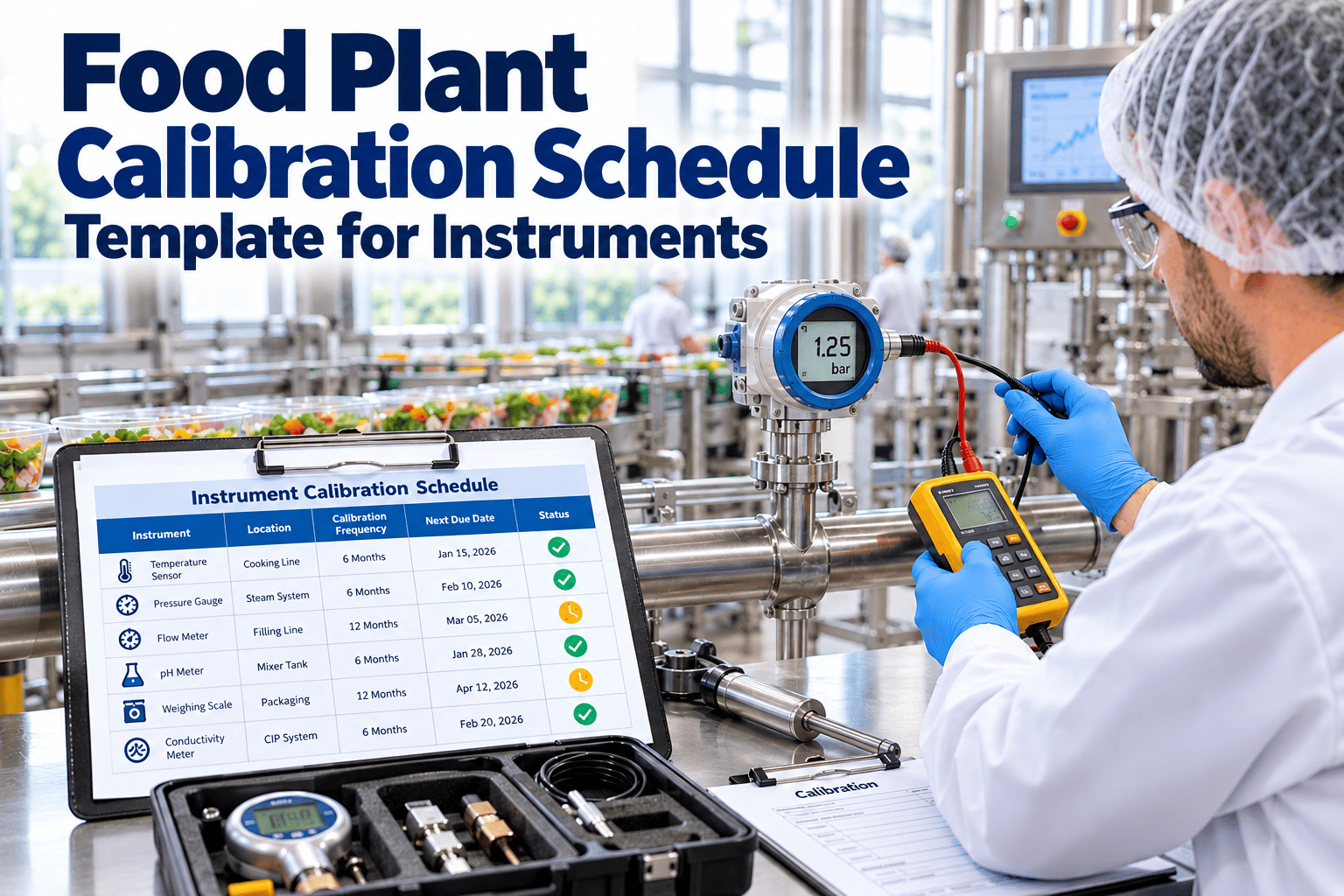
The Calibration Schedule Template
Copy this layout into a spreadsheet or controlled document. Entries below show format only; replace them with your own instruments and intervals.
| Instrument ID | Description | Location or Line | Use or Criticality | Range and Accuracy | Method or Standard | Interval | Last Calibrated | Next Due | Provider | Result | Status |
|---|---|---|---|---|---|---|---|---|---|---|---|
| TH-001 | Probe thermometer | Packing | Critical | Per certificate | Reference standard | Per plan | Date | Date | Internal or external | Pass or fail | Current |
| SC-014 | Checkweigher scale | Line 3 | Quality | Per certificate | Test weights | Per plan | Date | Date | Internal or external | Pass or fail | Due soon |
Understanding Each Column
Typical Food Plant Instruments to Include
| Instrument Group | Examples | What to Confirm |
|---|---|---|
| Temperature | Probe thermometers, oven sensors, chiller probes, data loggers | Accuracy across the working range |
| Weight | Scales, checkweighers, batching hoppers | Test weights and repeatability |
| Chemistry | pH meters, conductivity meters, refractometers | Fresh buffers or standards |
| Pressure and Flow | Gauges, transmitters, flow meters | Comparison against reference device |
| Time and Speed | Timers, conveyor speed sensors | Against defined process limits |
| Detection Equipment | Metal detectors, X-ray systems | Challenge tests and performance verification |
Never Chase a Calibration Due Date Again
Oxmaint can store each instrument, schedule recurring calibration tasks, and alert owners before a due date passes.
How to Set a Calibration Interval
Intervals should follow evidence, not habit. Start with manufacturer guidance and adjust using the instrument's record.
Factors That Justify Shorter Intervals
- Instrument controls a critical limit in the food safety plan
- Hot, wet, dusty, or vibrating environment
- History of drift or out-of-tolerance results
- Frequent handling, drops, or cleaning damage
What Happens When an Instrument Fails Calibration
Keeping Calibration Records Audit Ready
- File every certificate or internal result against the instrument ID
- Show the reference standard and its own calibration status
- Record who performed and who reviewed the calibration
- Keep a retired and replaced instruments list
- Review the schedule on a fixed cycle to catch missing items
How Oxmaint Handles Calibration Workflows
| Capability | Benefit |
|---|---|
| Asset records | Instruments stored with location, range, and history |
| Scheduling | Recurring calibration tasks generated from intervals |
| Work orders | Failures create repair or replacement tasks with owners |
| Records and attachments | Certificates and results stored with each instrument |
| Reports and dashboards | Overdue, due soon, and completed calibrations at a glance |
Spreadsheet vs Calibration Management Software
Spreadsheet
- Dates updated by hand
- No automatic alerts
- Certificates stored elsewhere
- Version confusion across teams
Software Workflow
- Next due date calculated automatically
- Reminders before due dates
- Certificates attached to each record
- One shared, controlled source
Frequently Asked Questions
Which instruments need calibration?
Can I calibrate in-house?
What is a due soon window?
What if an instrument is overdue?
How do I automate the schedule?
Building the Initial Instrument Inventory
The schedule is only as complete as the list behind it. A systematic walk-through prevents missing devices.
Instruments Often Missed
- Handheld thermometers kept by supervisors or in laboratories
- Data loggers used for cold storage and transport
- Pressure gauges on steam, compressed air, and CIP systems
- Test weights, reference thermometers, and buffer solutions
- Detector test pieces and challenge samples
Classifying Instruments by Importance
Classification focuses effort and sets the level of control for each device.
| Class | Description | Control Level |
|---|---|---|
| Critical | Directly monitors a critical control point or legal measurement | Formal calibration with traceable standards, short intervals, and strict out-of-tolerance review |
| Important | Supports quality or process control | Scheduled calibration or verification with documented results |
| Indicator only | Gives a rough indication with no decisions based on it | Label as not for measurement, or remove |
In-House vs External Calibration
In-House Calibration
- Faster turnaround and lower cost per check
- Needs trained staff and written methods
- Requires reference standards that are themselves calibrated
- Best for simple checks such as ice point or test weights
External Provider
- Accredited laboratories provide traceable certificates
- Instruments may be out of service while away
- Best for complex or high-accuracy devices
- Plan spares or loaners for critical items
Choosing a Provider
- Confirm accreditation and the scope that covers your instrument and range
- Ask what uncertainty and standards are reported
- Check turnaround times against your due dates
- Ensure certificates identify the instrument by ID or serial number
Reviewing a Calibration Certificate
Filing a certificate is not enough. Someone should read it and confirm the instrument is fit for use.
Policies Every Calibration Program Should Define
Grace Periods and Extensions
- State whether any grace period exists and who can approve an extension
- Require a documented reason and a risk assessment for any extension
- Never extend critical instruments without quality approval
Labelling and Identification
- Label each instrument with its ID, date calibrated, and next due date
- Mark instruments that are out of service so they cannot be used
- Remove or mark unneeded instruments clearly as not for measurement
Handling and Storage
- Protect instruments from heat, moisture, shock, and chemical exposure
- Keep reference standards separate from daily-use instruments
- Report any dropped or damaged instrument immediately for recheck
Roles and Responsibilities
| Role | Responsibility |
|---|---|
| Quality or food safety lead | Approves instrument list, classes, intervals, and out-of-tolerance decisions |
| Maintenance or calibration technician | Performs or arranges calibration and records results |
| Production supervisor | Ensures instruments are available and removed from use when overdue |
| Operator | Handles instruments correctly and reports damage or doubtful readings |
Metrics to Review Monthly
- Number of instruments overdue and for how long
- Calibrations completed on time against the plan
- Out-of-tolerance findings and the instruments involved
- Instruments not found or not on the schedule during audits
As-Found and As-Left Readings Explained
Recording both readings reveals whether an instrument was trustworthy before it was adjusted.
As-Found
- The reading before any adjustment
- Shows drift since the last calibration
- Decides whether earlier measurements are in doubt
As-Left
- The reading after adjustment or repair
- Confirms the instrument is back within tolerance
- Becomes the baseline for the next interval
Using As-Found Data to Improve Intervals
- If instruments consistently arrive well within tolerance, the interval may be justified or extended with approval
- If instruments often drift close to the limit, shorten the interval or improve handling
- If failures occur, review product measured since the last good calibration
Assessing Product Impact After an Out-of-Tolerance Result
A failed calibration is a finding about every measurement the instrument made since its last good result.
- Direction matters: a thermometer reading high may mean product was under-processed
- Use batch and production records to define the affected period
- Involve quality and, where needed, technical or regulatory experts
Traceability and Reference Standards
Calibration is only meaningful if the reference used is itself reliable and traceable.
- Keep reference thermometers, test weights, and buffer solutions on the same schedule as other instruments
- Use reference standards only for calibration, not for daily production checks
- Check expiry dates on solutions and standards before use
- Store certificates so that the chain back to a recognised standard can be shown
Examples of Simple In-House Checks
- Ice point checks for thermometers using properly prepared ice and water
- Test weight checks for scales across the working range
- Two-point buffer checks for pH meters before use
- Comparison of working probes against a calibrated reference at the same point
Calibration Versus Verification
| Activity | Purpose | Typical Frequency |
|---|---|---|
| Calibration | Compare against a traceable standard and adjust if needed | Set by risk and history, often periodic |
| Verification | Quick check that the instrument still performs within limits | More frequent, often each shift or day |
| Functional test | Confirm a device performs its task, such as a detector finding a test piece | Start-up and set intervals |
Both belong on the schedule, with different frequencies and different responsible people.
Setting Up Automated Reminders
Common Calibration Program Mistakes
- Relying on one person's memory instead of a shared schedule
- Calibrating after the due date and treating that as acceptable
- Leaving out instruments owned by other departments
- Filing certificates without reviewing results
- Using the same interval for every instrument regardless of risk
Preparing for a Calibration Audit
Auditors often start with the instruments on the floor and work back to the records. Prepare for that path.
- Walk the plant before the audit to find unlabelled or overdue instruments
- Remove unused instruments or mark them clearly as not for use
- Confirm that reference standards and test weights are also calibrated
Keep Every Instrument Calibrated and Provable
Move from a static list to a live calibration workflow with due dates, alerts, records, and corrective work in one system.