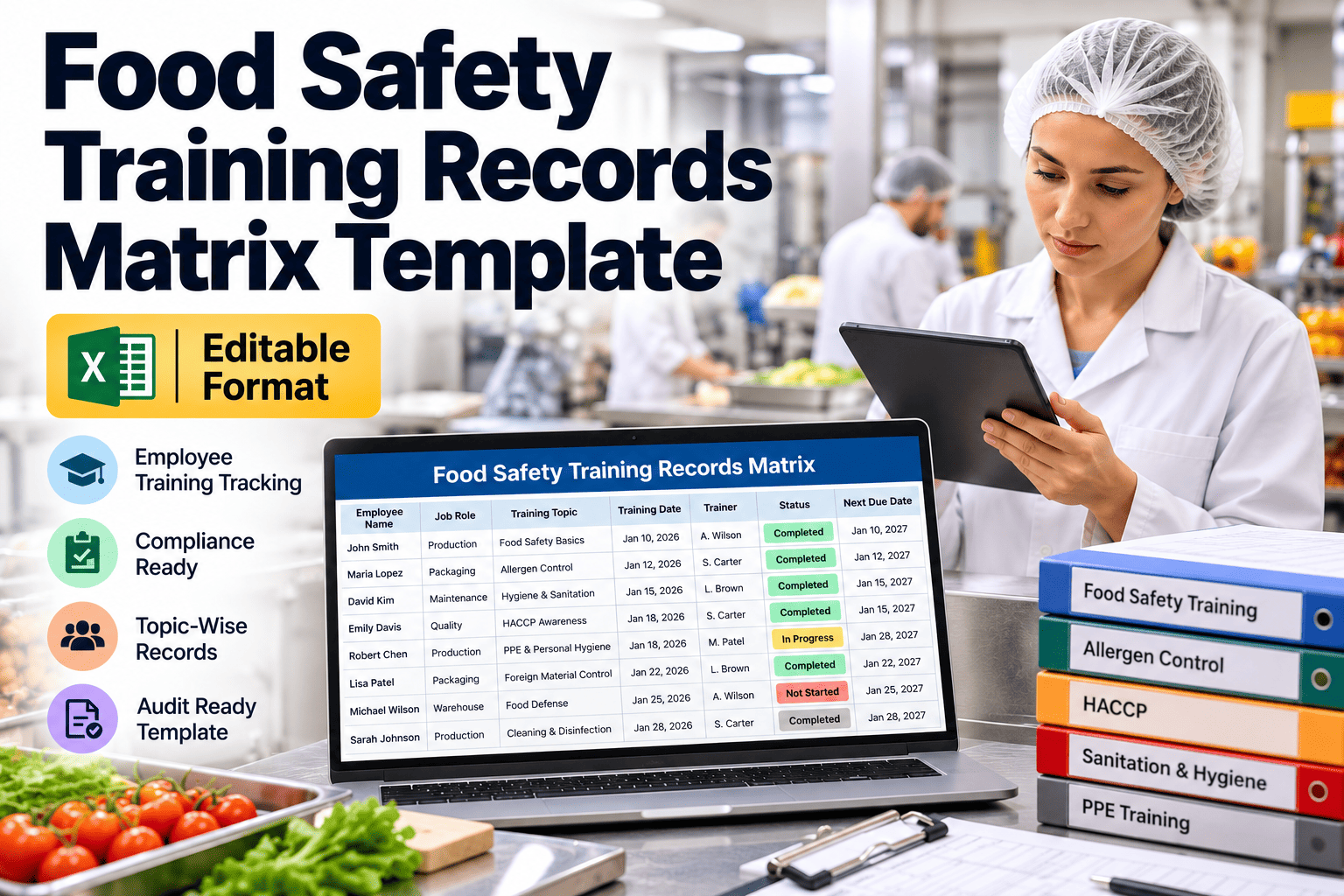
When an auditor asks for proof that a technician was trained on hygiene, allergens or lockout before touching a line, a verbal answer is not enough. Food safety training records show who needed which training, who completed it and when it expires. A training matrix puts that picture on one page by role, so gaps show up weeks before an audit. This guide gives you an editable layout to copy, and explains how a maintenance management platform links technician training to real work.
Food Safety Training Records Matrix Template
Track required training, completion and refresh dates by role, and close training gaps before the next audit.
Training only counts when you can prove it
Food safety rules and certification schemes expect staff to be trained for their tasks and expect that training to be documented. In the United States, the preventive controls rule requires qualified personnel and records of required training.
Evidence on demand
Auditors sample employees and ask for records. A complete matrix answers in minutes.
Competence at the task
Untrained staff are more likely to skip hygiene steps, mishandle allergens or bypass controls.
Fewer last-minute scrambles
Visible due dates let supervisors plan training around production, not around audit week.
Editable training matrix layout
Copy this layout into a spreadsheet. List each employee on a row or, for large sites, list roles first and employees second.
| Employee | Role | Department | GMP basics | Allergen awareness | HACCP or food safety plan | Lockout/tagout | Chemical handling |
|---|---|---|---|---|---|---|---|
| Employee name | Line operator | Packaging | R: Yes / Done: date / Next: date | R: Yes / Done: date / Next: date | R: Awareness / Done: date | R: No | R: Yes / Done: date / Next: date |
| Employee name | Maintenance technician | Engineering | R: Yes / Done: date / Next: date | R: Yes / Done: date / Next: date | R: Awareness / Done: date | R: Yes / Done: date / Next: date | R: Yes / Done: date / Next: date |
| Employee name | Sanitation operator | Sanitation | R: Yes / Done: date / Next: date | R: Yes / Done: date / Next: date | R: Yes / Done: date / Next: date | R: No | R: Yes / Done: date / Next: date |
| Employee name | Quality technician | Quality | R: Yes / Done: date / Next: date | R: Yes / Done: date / Next: date | R: Yes / Done: date / Next: date | R: No | R: Awareness / Done: date |
R means required for the role. Replace the example columns with the topics in your own training plan, and add a column for each site-specific procedure.
What each field in the record should hold
A matrix is a summary. Behind each cell should be a record that proves the training happened.
Training topic
Use a consistent name that matches your procedure, such as GMP basics or allergen awareness.
Required for role
Define requirements by role first, so new hires inherit the right list automatically.
Completion date
The date the employee finished the training, not the date the record was entered.
Next due date
Calculated from the refresh interval. This is the field that drives reminders.
Trainer and method
Name the trainer or provider and note whether it was classroom, on-the-job or online.
Assessment result
Record a pass, a score or a competence sign-off when you tested understanding.
Evidence reference
Point to the signed attendance sheet, certificate or training material version.
Employee signature
A signature or electronic acknowledgement confirms the person attended and understood.
Use four statuses so the matrix reads at a glance
Color helps, but always include the text label too. Printed copies and color-blind readers still need to read the status.
Current
Completed and not yet due for refresh.
Due soon
Refresh date falls within your warning window, for example 30 days.
Overdue or missing
Required but not completed, or past the refresh date.
Not required
The role does not need this training. Mark it so blanks are never ambiguous.
Set refresh intervals by topic and risk
Some training is a one-time induction. Other topics need regular refreshers. Set the interval in your written plan and keep it consistent.
| Topic | Who needs it | Typical timing | Also refresh when |
|---|---|---|---|
| GMP and hygiene | All staff and visitors entering production | At hire, then at least annually | Audit findings or hygiene incidents |
| Allergen awareness | All staff, with deeper training for cleaning and changeover teams | At hire, then at least annually | New allergens, new lines or incidents |
| Food safety plan and CCP monitoring | Monitoring staff and supervisors | Before assignment, then per plan | Plan changes or deviations |
| Lockout/tagout and machine safety | Maintenance and authorised operators | At hire, then per site policy | New equipment or procedure changes |
| Chemical handling and sanitation | Sanitation and maintenance staff | At hire, then annually | New chemicals or concentrations |
| Foreign material and glass control | All staff in affected areas | At hire, then annually | Foreign material events |
The intervals above are common starting points, not legal requirements. Confirm what your regulator, customers and certification scheme actually require.
Link training to the work people actually perform
Use work orders, checklists and sign-offs to show who completed each maintenance task.
How to set up the matrix from scratch
Most sites can have a first working version in a week if they start with roles, not individuals.
List roles and areas
Group staff by role and area, such as line operator, sanitation, maintenance and quality.
List required topics per role
Use your food safety plan, procedures, customer requirements and safety rules.
Collect existing evidence
Gather attendance sheets, certificates and sign-offs, and enter the dates you can prove.
Set intervals and owners
Assign a refresh interval to each topic and a named person who owns each cell.
Review monthly
Filter for overdue and due soon, book sessions and update the record the same day.
Sort every gap into one of three lanes
A simple board turns a long list of gaps into a plan that supervisors can act on.
Overdue now
- Remove from the affected task until trained, where risk requires it
- Book the next available session
- Record the reason for the delay
Due within 30 days
- Group people into one session
- Check shift patterns and cover
- Confirm materials are current
Current
- Keep evidence filed and retrievable
- Watch for role changes
- Add new hires on day one
Why technician training deserves its own rows
Technicians move between lines, open equipment and work around exposed product. Their training needs are different from line operators.
Topics to include for technicians
- GMP and hygiene for repair work in production areas
- Allergen awareness and tool control between zones
- Lockout/tagout and machine guarding
- Foreign material control, including parts, fasteners and temporary repairs
- Chemical handling for lubricants and cleaners, including food-grade requirements
- Equipment-specific skills, such as ovens, mixers or packaging lines
Why it affects productivity
- Trained technicians repair correctly the first time
- Clear skill records show who can take which job
- Fewer safety and hygiene stoppages from avoidable errors
- Faster onboarding when requirements are listed by role
- Better cover planning when the matrix shows who is qualified
A four-week countdown to a clean training audit
If you know an audit is coming, use this sequence to find and close gaps without panic.
Export the matrix and filter for overdue and missing records.
Book catch-up sessions and confirm attendance by role.
Spot-check records against signed sheets for ten random employees.
Finalise the file, brief managers and prepare answers about gaps.
Sequence training so nobody works untrained
The riskiest period is the first few weeks. A fixed sequence makes sure critical topics come before the tasks that need them.
Site induction, personal hygiene rules, GMP basics and emergency procedures before entering production.
Allergen awareness, foreign material control and area-specific rules, with a supervised buddy.
Task-specific training, such as CCP monitoring, sanitation methods or lockout/tagout, with sign-off.
Competence review, gap check against the matrix and plan for the first refresher.
Where training records usually fall apart
Most missing records are process failures, not training failures. People were trained, but nobody filed the proof.
| Gap | Typical cause | Fix |
|---|---|---|
| Attendance sheet never filed | Trainer keeps the paper, no central owner | Name one record owner and set a filing deadline |
| Refresh date unknown | Only the completion date is recorded | Calculate and store a next due date |
| New role, old requirements | Transfers are not reviewed against the matrix | Trigger a matrix review on every role change |
| Contractors missing | Records only cover permanent staff | Include contractors and temps in the same matrix |
| Outdated training content | Procedures change but slides do not | Record the material version and review it yearly |
| Night and weekend shifts missed | Sessions only run on weekdays | Schedule sessions for every shift pattern |
Everyone who enters the production area needs a record
Contract technicians, agency workers and visitors can introduce hazards just as easily as employees.
- Give contractors a short induction covering hygiene, allergens, foreign material and site safety
- Record the induction date, the person who delivered it and the areas they may enter
- Require proof of qualifications for specialist work such as electrical or refrigeration tasks
- Ask the contractor to confirm they have read the site rules before starting
- Supervise visitors who have not been inducted, and keep a visitor log
A record shows attendance, not understanding
Auditors increasingly ask how you know the training worked. Add simple checks that test whether people apply what they learned.
During training
- Short quiz or oral questions
- Practical demonstration, such as hand washing or changeover steps
- Trainer sign-off for competence on key tasks
- Feedback form to improve content
After training
- Supervisor observation on the floor
- Review of inspection and GMP audit findings by area
- Check of repeat errors against the person and topic
- Retrain where the same finding keeps returning
Keep the matrix usable, secure and retrievable
A matrix nobody can find or trust fails the first audit. A few habits keep it reliable.
- Keep one controlled master copy, with a version date and a named owner
- Restrict who can edit completion dates and keep a change history
- Store evidence files by employee and topic so they can be pulled quickly
- Retain records for the period required by your regulator, customers and company policy
- Protect personal data in line with local privacy rules and share only what is needed
- Back up the file and test that you can open it on audit day
Retention periods vary by country, scheme and customer. Confirm the correct period with your quality or legal team before setting a policy.
Four numbers to review every month
You do not need a complex dashboard. These measures show whether training discipline is holding.
Completion rate
Share of required training that is current, by department and role.
Due in 30 days
Number of refreshers to schedule, so sessions are planned early.
Overdue count and age
How many gaps exist and how long each has been open.
New hire lag
Days from start date to completion of required induction topics.
Support training discipline inside maintenance workflows
Oxmaint is a maintenance management system, not a learning platform. It helps by recording who did which work and by scheduling recurring tasks.
Keep the matrix visible to the people who use it
A matrix that lives only in a quality folder rarely stays current. Put it where supervisors make scheduling decisions.
- Share a read-only view with department supervisors so they can see their own gaps
- Review the matrix at the monthly quality or safety meeting, with actions and dates
- Check the matrix before assigning anyone to a new line, task or shift
- Print a current copy for audits, but keep the editable master as the source of truth
- Update it the same day training happens, while the sign-in sheet is still fresh
Training records matrix questions
What should a food safety training record include?
Employee, topic, date, trainer, method, result and evidence. Add a signature or acknowledgement.
How often should food safety training be refreshed?
Many sites refresh GMP and allergen training yearly. Follow your plan, regulator and certification scheme.
Should the matrix be organized by role or by person?
Define requirements by role, then track completion by person. New hires then inherit the right list.
Can I track technician work history in Oxmaint?
Yes, through work orders and checklists. Sign up to try it on your maintenance tasks.
Does Oxmaint replace a training system?
No. It supports the maintenance side. Book a demo to see how teams pair it with their matrix.
Keep trained people and maintenance records in sync
Schedule recurring tasks, capture sign-offs and keep clear evidence of who did what.