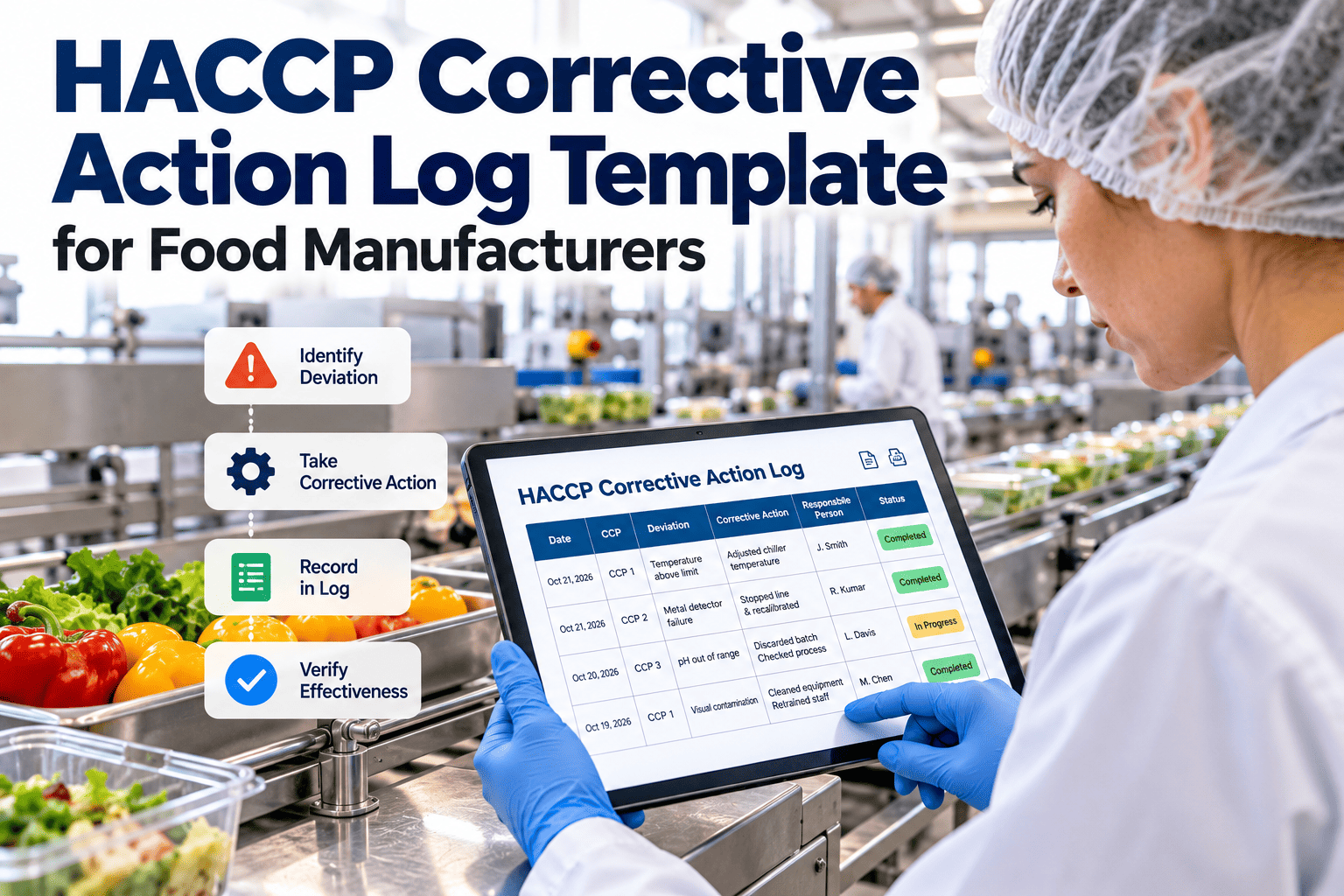
When a critical limit is missed, the corrective action record is the document an auditor reads first. Too often it is a half-filled form that names the deviation but never explains what happened to the product or why it occurred. A consistent HACCP corrective action log captures the deviation, the product hold, the root cause, the action taken and the verification in one place. Use the template fields below as a starting point, and keep them in Oxmaint so every entry links to the work order and the asset.
Record Keeping Template
HACCP Corrective Action Log Template for Food Manufacturers
One structured record from deviation to verification, built to be completed at the moment of the event.
The template fields
| Section | Field | What to enter |
|---|---|---|
| A. Deviation | Date, time and line | When the deviation was detected and where |
| A. Deviation | CCP and critical limit | The control point and the limit from the HACCP plan |
| A. Deviation | Observed value | The actual reading and its duration |
| B. Product | Lots affected | Lot codes, quantities and time window |
| B. Product | Disposition | Hold, rework, reprocess, release after evaluation or destroy |
| C. Cause | Root cause | Equipment, process, material or people cause |
| D. Action | Immediate correction | What restored control of the process |
| D. Action | Preventive action | What stops recurrence, with owner and due date |
| E. Verification | Reviewer and date | Qualified person who confirmed the record is complete |
Weak entry versus useful entry
- Cooler warm, fixed
- Product okay
- Signed with initials only
- No lot numbers
- Cooler 3 exceeded its limit for a stated duration
- Lots listed, held and evaluated by quality
- Cause found as a failed door seal, repaired
- Verified by a named reviewer with date
How to complete the log in five steps
- 1Stop and contain. Isolate product processed since the last in-limit reading.
- 2Record the facts. Capture readings, times and lots while they are fresh.
- 3Decide disposition. A trained person evaluates safety and documents the decision.
- 4Find the cause. Ask why until the answer points to something you can fix.
- 5Verify and close. A reviewer checks the record before it is closed.
Keep corrective actions linked to the equipment
Attach the repair, the asset history and the sign-off to the same record.
Root cause categories to include in the log
Equipment
Failed seal, drifting probe, worn burner, blocked evaporator.
Process
Overloaded chiller, wrong set point, skipped step.
Material
Product arrived warm or outside specification.
People
Training gap or unclear procedure, handled without blame.
Audit-readiness checklist
- Every deviation has a record, even small ones.
- Lot codes and quantities are present.
- Preventive action has an owner and due date.
- Verification is done within the period your program defines.
- Repeat deviations are trended monthly.
Field-by-field guidance
A. Deviation details
Record the CCP name exactly as it appears in the HACCP plan, the critical limit, the observed value and how long it was out of range. Add the line, room or asset so the event can be matched to equipment history.
B. Product disposition
List lot codes, quantities and the time window. Document the decision, whether hold, rework, reprocess, release after evaluation or disposal, and the name of the person who decided it. Keep any test results or evaluation notes with the record.
C. Root cause
Describe the verified cause, not a guess. Avoid entries such as operator error unless you can explain the underlying gap in training, procedure or equipment design.
D. Corrective action
Separate the immediate correction from the preventive action. The first restores control of the process, while the second reduces the chance of repeating the deviation.
E. Verification
A reviewer should confirm that the record is complete, the product decision is justified and the action is effective. Note the date of review and any follow-up check.
Example of a completed entry
This is a fictional example for illustration only.
Deviation
Walk-in cooler 3 exceeded its critical limit during the night shift for a recorded period. The alert was acknowledged by the shift lead.
Product
Three lots stored in the room were placed on hold. Quality reviewed the time and temperature data and documented the disposition for each lot.
Cause and correction
A damaged door gasket was found and replaced under a work order. Cooler temperature returned to range and was monitored for the next cycle.
Preventive action
Add a weekly gasket inspection to the preventive schedule and keep a spare gasket in stock.
Verification
The quality manager reviewed the record, confirmed lot dispositions and signed with date.
Common reasons corrective action logs fail an audit
Deviation without disposition
The record says the cooler was warm but never states what happened to the product. Auditors will treat that as an incomplete corrective action.
No link to cause
Fixing the symptom repeatedly without recording a cause allows the same deviation to recur.
Missing verification
A log completed by the same person who made the entry, with no review, weakens confidence in the whole record.
Poor traceability
- Lot numbers missing or illegible
- No time window for affected product
- No reference to the monitoring record
- No link to the repair work order
Choosing a format: paper, spreadsheet or maintenance system
Paper
Paper is simple and works during outages, but it is easy to misplace, hard to search and slow to trend.
Spreadsheet
A spreadsheet is searchable but often lacks audit trails, access control and links to repairs.
Digital workflow
- Required fields prevent incomplete entries
- Timestamps and users are recorded automatically
- Photos and attachments sit with the event
- The repair work order is linked to the deviation
- Reports show repeat causes by asset and CCP
Trending corrective actions
Monthly review questions
- Which CCPs have the most deviations?
- Which assets appear repeatedly as the cause?
- How long does it take to close a record?
- Which preventive actions are overdue?
- Are the same causes appearing on different shifts?
Turning trends into maintenance work
If door seals repeat as a root cause, add them to a recurring inspection. If a probe drifts, shorten the calibration interval. Linking the corrective action log to asset records in Oxmaint makes these decisions easier to defend.
Reporting to management
Summarize deviations, closure time and repeat causes for the food safety team. A short monthly report is more likely to be read than a full export of every entry.
Implementing the template in your plant
Step 1: Align with the HACCP plan
Check that the template uses the same CCP names, limits and response steps as the written plan.
Step 2: Define roles
Name who can open, review and close a record, and who may decide product disposition.
Step 3: Train the team
Walk operators and supervisors through a real example. Practice records are more useful than a slide deck.
Step 4: Pilot
Use the log on one line for several weeks, collect feedback and simplify fields that are always skipped.
Step 5: Roll out
Expand to all lines and connect corrective actions to maintenance work orders.
A short log for different process types
The core fields stay the same, but each process adds a few details. The examples below show what to add.
Thermal processing
- Target temperature and hold time
- Equipment ID and batch
- Measuring device used
- Rework or reprocess decision
Cold chain
- Storage location and product type
- Time out of range
- Temperature reached
- Product evaluation result
Foreign material control
- Detector or inspection method
- Test piece result
- Rejected product count
- Product held since last good check
Sanitation and chemicals
- Chemical and concentration
- Contact time or temperature
- Surfaces affected
- Re-cleaning and re-verification result
Writing a good root cause statement
Ask why repeatedly
If the cooler temperature rose, ask why until you reach a cause that can be fixed. A failed seal is better than the cooler was warm.
Separate cause from trigger
A door left open may be the trigger, but a missing closer or poor traffic flow may be the cause. Record both where relevant.
Avoid blame language
Focus on process, equipment or training gaps. Corrective action should improve the system, not only discipline a person.
Check for recurrence
Look through earlier records for the same CCP or asset. A repeated cause needs a stronger preventive action.
Preventive actions that actually reduce repeats
Equipment-based actions
- Add inspection tasks to the preventive schedule
- Replace or upgrade failing components
- Adjust set points or controls
- Increase calibration frequency where drift is found
Process-based actions
- Revise a work instruction
- Change loading or batch size
- Add a check before critical steps
- Adjust cleaning or changeover timing
People-based actions
- Retrain with a practical demonstration
- Clarify who may stop the line
- Update shift handover notes
- Add a visual aid at the workstation
Track completion
A preventive action without an owner and due date is a wish. Assign it and check it at the next review.
Retention, access and audit tips
Retention
Keep corrective action records for the period required by your regulator, customer and certification scheme. Many programs set a minimum retention period, so confirm yours.
Access control
Limit who can edit closed records. If a correction is needed, add an amendment with date and reason rather than overwriting the original.
Audit preparation
- Pull a sample of deviations by CCP
- Check that each has product disposition and verification
- Match records to monitoring data
- Confirm repairs appear in maintenance history
- Prepare a short summary of trends and closed actions
Linking corrective actions to maintenance records
One reference number
Use the same event ID on the deviation record and the repair work order so the two are easy to match.
Asset history
When repairs, parts and calibrations are linked to the asset, the next deviation is easier to diagnose.
Parts and labor
Record the parts used, the technician and the time spent. This helps judge whether a recurring problem should be fixed permanently.
Using Oxmaint
Oxmaint work orders can carry the cause, action, photos and sign-off. Teams can then reference the work order from the corrective action log.
Customizing the template for your facility
Keep what auditors expect
Do not remove core fields such as deviation, product disposition, cause, action and verification.
Add fields only when they help
Each extra field should answer a real question. Remove fields that are always blank.
Use dropdowns where possible
Standard lists for cause categories, dispositions and CCP names improve reporting and speed up entry.
Version control
Keep a revision history and date for the template, and retire old versions so everyone uses the current one.
Training your team to use the log
Operators
Teach what to record immediately, such as time, value, affected product and first action. Keep the first-response card at the workstation.
Supervisors
Cover containment decisions, escalation rules and who to call for product evaluation.
Quality reviewers
Review expectations for completeness, cause analysis and verification. Agree what counts as an effective preventive action.
Maintenance
Show how repairs, parts used and test results feed into the log so the technical cause is accurate.
Signs your corrective action process is working
Healthy indicators
- Records are closed within a consistent period
- Product disposition is documented every time
- Repeat causes decrease over time
- Preventive actions are completed on time
- Auditors find few gaps in sample records
Warning indicators
- Many records closed with the same generic cause
- Missing lot information
- Long delays between deviation and verification
- Preventive actions overdue for months
Corrective action log questions
Is this template a legal requirement?
No fixed form is mandated, but corrective actions must be documented under HACCP and preventive control rules.
Who verifies the record?
A qualified person defined in your food safety plan, separate from the person who made the entry where possible.
Can we use it for non-CCP issues?
Yes, but keep CCP deviations clearly separate for audit review.
How does maintenance fit in?
The repair belongs in a work order linked to the log entry.
Can we see it in a live system?
Yes, book a demo to review a corrective workflow.
Close every deviation with a complete record
Use one consistent log from detection to verification across all your lines.