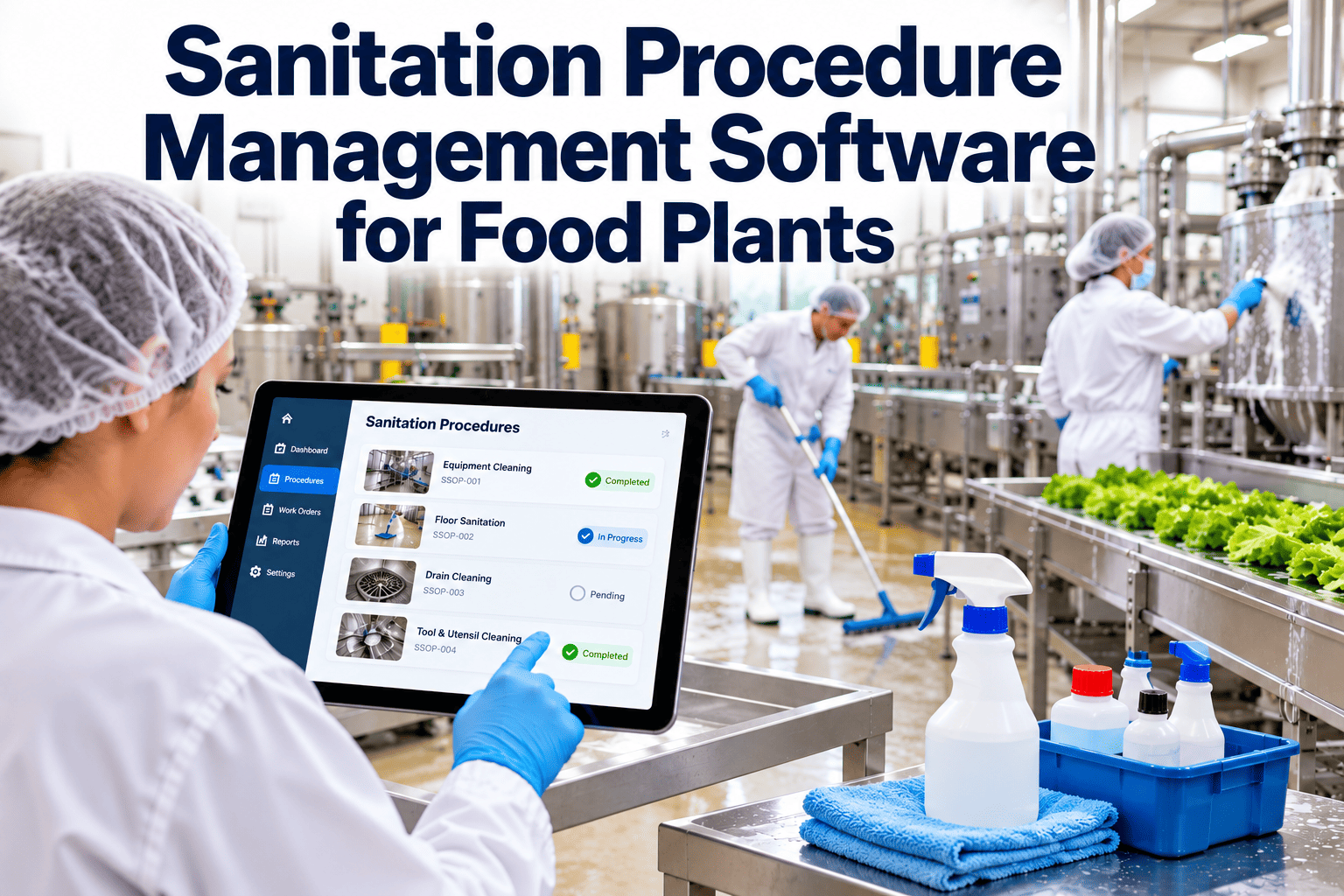
In many food plants the sanitation program lives in several places at once: SSOPs in a binder, schedules on a whiteboard, task sheets in a clipboard, test results in a lab file and corrective actions in an email thread. When procedures change, the floor keeps using the old copy for weeks, and nobody can show which version was in force on a given day. Sanitation management software brings procedures, scheduled tasks, verification and records into one controlled system for every line. This guide covers what to centralize, how to structure it and where a maintenance and work order platform can help.
Sanitation Procedure Management Software for Food Plants
One controlled home for SSOPs, schedules, verification and records across every line, instead of a binder, a whiteboard and a shared drive.
Procedures and SSOPs
Master schedule
Chemical and tool lists
Central sanitation systemOne version, one schedule, one record
Tasks on mobile devices
Verification and results
Corrective actions
The cost of scattered sanitation information
Version drift
A revised cleaning method is approved in the office but the laminated copy on the line still shows the old chemical and contact time. Auditors compare practice with the written procedure, and a mismatch is a finding even when the new method is better.
Schedule confusion
Different shifts keep their own task lists. Lines get added, equipment is replaced and the lists fall behind, so tasks are skipped or duplicated without anyone noticing.
Disconnected results
A failed swab sits in a lab report while the line already ran. Without a link between the result and the task that preceded it, nobody sees the pattern across days or shifts.
Training gaps
New starters are shown a task once and then left to follow it. Procedures change, training does not follow, and the record of who was trained on which version is hard to produce.
What centralized sanitation management means in practice
Layer 1
Controlled proceduresSSOPs, work instructions and chemical details with version numbers, approval dates and an owner.
Layer 2
Master scheduleArea and equipment by frequency, linked to the current procedure, so a change to one updates the other.
Layer 3
Task executionWork orders issued to named roles, completed on mobile devices with required fields.
Layer 4
VerificationPre-operational inspections, ATP and swab results tied to the same task and location.
Layer 5
Records and reviewSearchable history, dashboards and corrective action tracking for audits and management review.
Procedure lifecycle: from draft to retired
DraftAuthor writes steps, chemicals, tools and contact times.
ReviewQuality, sanitation and maintenance check feasibility.
ApproveNamed approver signs and the revision is dated.
TrainAffected staff trained and sign-off recorded.
ReleaseNew version replaces the old across all tasks.
RetireOld version archived and still retrievable by date.
Review dates matter as much as the first approval. Set each procedure to come up for review on a defined cycle, and also after any trigger event such as an equipment change, a failed verification or a customer complaint, so the written method keeps pace with what the plant actually does. The key requirement is that release and training happen together. A procedure that is published but not trained is as risky as one that is trained but not published, and the software should show both states at a glance.
Bring your procedures and schedules into one view
See how a sanitation task links to its procedure, its verification and its corrective action.
What a good SSOP record covers
1Scope: the area, line or equipment the procedure applies to.
2Responsible role for performing and for verifying.
3Frequency and trigger, such as end of shift or product changeover.
4Step-by-step method including disassembly and rinse steps.
5Chemicals, concentrations, contact times and temperatures.
6Tools and colour-coded equipment that may be used.
7Verification method and acceptance criteria.
8Corrective action steps and record requirements.
Scheduling sanitation across zones and frequencies
| Zone | Typical tasks | Trigger | Verification |
|---|---|---|---|
| Food-contact surfaces | Clean, rinse, sanitize conveyors, tables, tanks and fillers | End of production or changeover | Visual inspection plus ATP or swab as defined |
| Near-product areas | Frames, guards, control panels, adjacent floors | Daily or per shift | Pre-operational inspection |
| Floors and drains | Scrub, rinse, disinfect drains, check traps | Daily, with deeper cleans scheduled | Inspection and environmental monitoring as applicable |
| Overheads and utilities | Pipes, lights, ventilation grilles, ceiling surfaces | Weekly or monthly | Supervisor inspection |
| Waste and chemical areas | Bins, wash stations, storage and tools | Daily and weekly | Checklist with sign-off |
| Deep cleaning | Teardown of complex equipment, wall and ceiling cleaning | Planned downtime | Detailed inspection and test results |
Buying criteria for sanitation management software
Document control
- Version history with approver and date
- Attachment of procedures to tasks
- Ability to retrieve the version in force on any past date
Scheduling
- Recurring tasks by time, shift or product changeover
- Copy and adjust templates by line
- Visibility of overdue tasks by area
Execution
- Mobile completion in wet and cold areas
- Required fields and photo evidence
- Offline behaviour when connectivity drops
Verification and action
- Inspection checklists with pass or fail
- Corrective action raised from a failed check
- Closure with owner, date and evidence
Reporting
- Completion by shift, line and area
- Repeat failures by location
- Audit-ready exports filtered by date and equipment
Integration with maintenance
- Shared asset records for equipment
- Repairs that trigger a cleaning step
- Return-to-service checks before production
Why sanitation and maintenance should share a system
Sanitation affects equipment
Frequent washdowns, chemical exposure and temperature changes wear seals, bearings, motors and electrical enclosures. A shared record shows which equipment fails most often after intense cleaning and which cleaning methods are harsh on it.
Maintenance affects sanitation
Repairs introduce tools, lubricants and open equipment into hygienic zones. When a repair closes, the system can require a cleaning and inspection task before the line is released, so nothing depends on a verbal handover.
Oxmaint supports scheduled work orders, asset records, inspections, mobile workflows, corrective maintenance and reporting. Quality teams should decide which controlled documents stay in a dedicated document system and which are linked to tasks, but the task and verification trail benefits from living beside maintenance history.
Roles and permissions in a sanitation system
Sanitation operators
- See only the tasks assigned to their shift and area
- Open the current procedure from the task itself
- Record chemicals, strengths and time at the point of work
- Flag problems such as damaged tools or missing chemicals
Supervisors and verifiers
- Review completed tasks before release for production
- Record inspection results with comments on failures
- Raise corrective actions and assign owners
- See overdue tasks across every line they manage
Quality and food safety
- Approve procedure revisions and set review dates
- Review trends in failures and repeat findings
- Prepare records for customer and third-party audits
- Confirm that training matches current versions
Handling changeovers, allergens and special cleans
Event-based tasks
Not every sanitation task follows a calendar. Product changeovers, allergen switches, line restarts after a long shutdown and post-repair cleans are triggered by events. The system should let a supervisor start the correct procedure on demand, assign it to the right crew and keep the resulting record linked to the product run and the equipment.
Release decisions
For higher-risk changeovers, the record should show who released the line and on what evidence, such as a passed inspection or an allergen test result. A visible hold state, which prevents production from starting until the verifier signs, removes the argument about whether the line was ready at start-up.
Controlling chemical and tool changes
Step 1Propose the changeA new chemical, concentration or tool is raised with a reason, such as a supplier change or a failing result, and linked to the affected procedures.
Step 2Assess and approveQuality checks safety data, compatibility with equipment materials and any effect on the validated method before approving the trial.
Step 3Update and trainProcedures are revised, tasks pick up the new details and staff training is recorded before the change goes live.
Step 4Verify resultsEarly inspection and test results are reviewed to confirm that the new method performs as expected, then the change is closed.
What audit day looks like with centralized records
Before
The auditor asks for last Tuesday's cleaning on line three. Someone searches binders, a second person looks for the swab results and a third looks for the procedure that applied at the time. The team assembles the answer in pieces and hopes nothing is missing.
After
The same request opens the completed tasks for that line and date. The procedure revision, the signed inspection, the result and any corrective action appear together, and the quality manager walks the auditor through a single trail.
Management review also gets easier, because trend data on completion, first-pass inspection rates and corrective action age comes from the same source as the daily records. The benefit is not only speed. A connected record makes gaps visible during the month, which gives the team time to fix them. It also reduces the temptation to explain missing evidence after the fact, because the system shows what was done, by whom and when.
Training and competence tied to procedures
1Each procedure lists the competence needed to perform and to verify it.
2New or revised procedures create a training task for affected roles.
3Supervisors see who is not yet trained before assigning the task.
4Practical assessments, not just reading sign-offs, are recorded for critical tasks.
5Contractor and temporary staff follow the same training and access rules.
6Refresher dates generate reminders rather than depending on memory.
7Repeat failures in one area prompt a review of training before blame.
8Training records are searchable by person, procedure and date.
Questions to put to a software vendor
Procedure linkageWhen we revise a procedure, how do open and recurring tasks pick up the new version, and how is the old version preserved?
Data entry in harsh areasHow does the mobile experience work with gloves, wet hands, low light and patchy connectivity?
Corrective actionsCan a failed inspection create a corrective action automatically, and can we see all open actions by owner and area?
Records and exportsCan we filter by line, date, asset and person, and export a complete trail for an auditor without manual assembly?
ImplementationWhat does a pilot on one line involve, and who on our side needs to be involved?
Data ownershipHow can we retrieve our records if we change systems, and how long are they retained?
A phased approach to moving from paper
OneMap what existsList every procedure, schedule, form and record location. Note duplicates and conflicts between versions.
TwoStart with one lineLoad the assets, procedures and schedule for a single line and run it in parallel with paper for a short period.
ThreeRetire paper formsReplace each form once the digital version captures every field the auditor expects.
FourExtend and standardizeCopy templates to other lines, adjust for differences and agree a common naming convention for assets and areas.
Mistakes to avoid
Digitizing a bad processA confusing paper form becomes a confusing screen. Simplify the task before you load it.
Leaving procedures outside the systemIf tasks do not link to the current procedure, version drift remains.
Making every field optionalRequired fields are what make records reliable and audits shorter.
Ignoring night and weekend crewsSanitation often runs on the shifts that receive the least training. Design for them first.
Keeping the system useful after go-live
A sanitation system loses value quickly if nobody owns it. Name one person per site who reviews incomplete tasks every week, checks that new equipment has been added with a procedure and schedule, and confirms that retired lines have been removed so they stop generating tasks. Hold a short monthly review with quality, production and maintenance to look at repeat failures, overdue corrective actions and suggestions from operators, and feed the outcome back into procedures and templates.
Measures that show the program is improving
On-time task completionScheduled tasks closed within the shift window.
Pre-op first-pass rateInspections passed without re-cleaning.
Corrective action ageHow long failures remain open.
Procedure currencyDocuments reviewed within their review date.
Training coverageStaff trained on the current version of their tasks.
Sanitation management software FAQs
What is the difference between an SSOP and a work instruction?
An SSOP describes the sanitation program for an area or function, while a work instruction gives step-by-step detail for a specific task. Many plants link both to the same scheduled task.
Can one system manage different cleaning methods by line?
Yes, tasks and templates can be set by line or equipment with their own chemicals, frequencies and checks. You can book a demo to see how that is structured.
How do we prove which procedure version was used?
Link each completed task to the procedure revision in force, and keep retired versions retrievable by date. That gives a direct answer to the auditor's question.
Will operators accept mobile devices on the floor?
Adoption improves when screens are simple, tasks are short and devices suit wet, cold or gloved work. Pilot on one line and adjust before wider rollout.
Can sanitation tasks live in a CMMS?
Recurring cleaning and inspection tasks suit work order scheduling well. You can get started with a single line to test the fit.
Manage every sanitation procedure, task and record in one system
Give each line the current procedure, a clear schedule and a verified record.