Municipal Materials Management: SAP Integration Guide
By Taylor on February 12, 2026
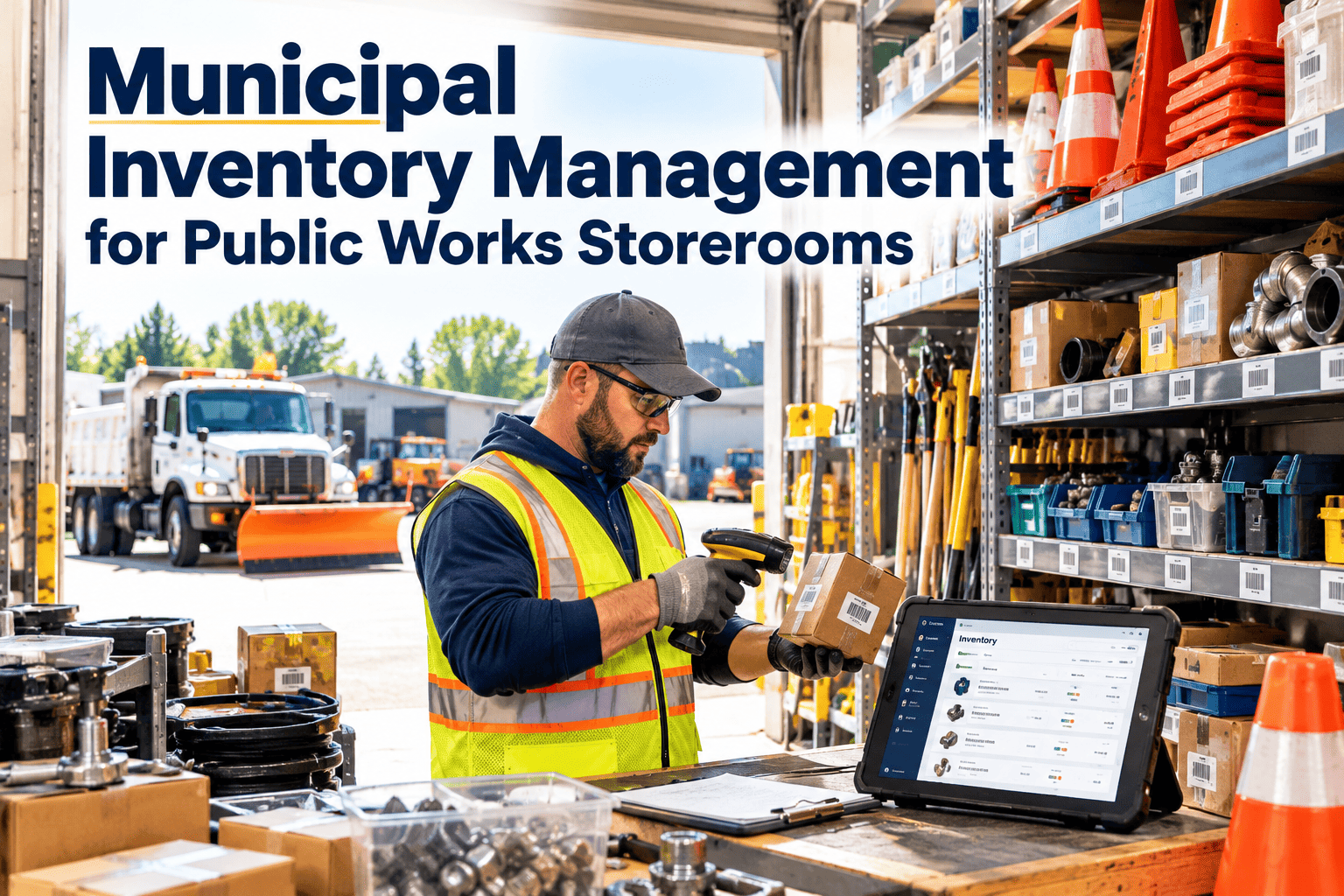
When a city manager asks "Do we have the piping required for the emergency water main repair?" and the warehouse manager responds with " The system says yes, but the shelf is empty," the integrationgap is critical. Having SAP is not enough; having an SAP environment that mirrors physical reality in real-time is the standard. If your materials management relies on batch updates, manual reconciliations, and paper pick-lists, tax dollars are bleeding through invisible cracks in the supply chain. The difference between reactive municipalities and those with optimized operations is the depth of their Unified Materials Management Strategy—a seamless integration of Inventory, Procurement, and Warehouse modules. Talk to our team about closing the gap between your ERP and your actual inventory.
Integration Guide — 2026 Edition
Municipal Materials Management: SAP Integration Guide
Mastering inventory accuracy, automated procurement, warehouse tracking, and materials unified management for government operations.
Every municipal operation—from fleet maintenance to road repair—relies on the right materials being available at the right time. Without deep SAP integration, departments hoard "shadow inventory," procurement duplicates orders, and warehouses become black holes of data. Unified materials management transforms the supply chain from a cost center into a strategic asset, ensuring that physical movements trigger immediate financial and operational updates in SAP.
What SAP Integration Enables
Inventory Accuracy
Eliminating the variance between SAP records and bin levels. Ensuring physical stock matches digital truth.
Procurement Speed
Automating purchase requisitions based on reorder points. Reducing cycle time from request to receipt.
Loss Prevention
Digital chain of custody for high-value assets. Detecting shrinkage and unauthorized consumption instantly.
Project Uptime
Ensuring crews never wait for parts. Linking material availability directly to Work Order scheduling.
Complete transactional history for every bolt and valve. Passing external audits with zero findings.
Core SAP Modules: The Integration Stack
No single module handles the complexity of municipal supply chains. Materials Management (MM) defines the data, Warehouse Management (WM) controls the physical movement, and Plant Maintenance (PM) drives the demand. A comprehensive integration strategy unifies these distinct SAP functions into a cohesive workflow. By synchronizing these modules, municipalities eliminate data silos and create a single source of truth.
Key Integration Points
Materials Mgmt (MM)
Master Data GovernanceCritical
MRP & ForecastingHigh
Purchasing/ContractsHigh
Usage: Procurement, Inventory Levels
Value: Cost Control
Plant Maint. (PM)
BOM to Work Order SyncHigh
Reservations LogicHigh
Refurbishment ProcessMedium
Usage: Maintenance Operations
Value: Uptime
Warehouse (WM/EWM)
Bin-Level TrackingHigh
RF/Mobile ScanningHigh
FIFO/LIFO StrategiesMedium
Usage: Physical Logistics
Value: Efficiency
Finance (FI/CO)
Auto-GR/IR ClearingHigh
Cost Center AllocationHigh
Budget ChecksHigh
Usage: Valuation, Budgeting
Value: Compliance
Mobility & IoT
Handheld BarcodingHigh
RFID GatewaysHigh
GPS Asset TrackingHigh
Usage: Real-time Data Entry
Value: Speed
Mobilize Your SAP Warehouse
Oxmaint's integration layer connects your floor operations directly to SAP—allowing staff to issue, receive, and count inventory via mobile devices without complex middleware or delayed batch processing.
The 1-5 Integration Maturity: Standardizing Operations
To prioritize digital transformation, municipal supply chains must be assessed by their integration maturity. A standardized 1-5 scale translates complex technical architecture into a roadmap for city leadership. This allows directors to move from "Reactive Firefighting" (Level 1) to "Predictive Supply Chain" (Level 5) systematically.
Materials Integration Maturity Scale
5
Optimized — AI & IoT Driven
Sensors trigger replenishment. Predictive analytics adjust safety stock based on weather/season. Vendor VMI is fully automated.
Action: Continuous innovation & machine learning
Goal State
4
Managed — Real-Time Integrated
Mobile devices update SAP instantly. 99%+ inventory accuracy. Automated 3-way matching in Finance. Zero paper processes.
Action: Focus on exception handling
High Efficiency
3
Defined — Hybrid/Batch
Processes documented but systems lag. Barcoding exists but syncs overnight. Discrepancies require weekly manual reconciliation.
Action: Move to real-time APIs
Standard
2
Repeatable — Siloed Digital
Warehouse uses Excel/Access; Purchasing uses SAP. Data re-entry causes errors. Shadow inventory is common in maintenance trucks.
Action: Centralize master data
Inefficient
1
Ad-hoc — Manual/Paper
Reliance on tribal knowledge. Paper pick-tickets. High rates of stockouts and obsolete inventory. No audit trail.
Action: Immediate digitization required
High Risk
The Cost of Disconnection: Compounding Waste
Poor integration is not just an IT annoyance; it is a financial drain. A simple data entry error at the receiving dock compounds into invoice blocks, project delays, and eventual expensive rush-orders. The cost of addressing a data error at the source is minimal compared to the cost of project stoppage due to missing materials. The "Cost of Disconnection" model illustrates why real-time SAP integration is a fiduciary imperative.
Cost of Supply Chain Errors over Time
Cost multiplier relative to real-time correction
5 Digital Entry
$10 (Correct at Source)
1x
4 Admin Review
$50 (Back Office Fix)
5x
3 Expediting
$250 (Rush Shipping)
25x
2 Project Delay
$2,500 (Crew Idle Time)
250x
1 Asset Failure
$50k+ (System Outage)
5000x
Investing in real-time integration (Level 4-5) prevents the exponential costs of operational failure (Level 1).
Turn Inventory into Actionable Intelligence
Oxmaint helps municipal teams track material usage, automate reordering, and visualize consumption trends—ensuring that your SAP data leads to real-world efficiency, not just another report on the shelf.
A robust SAP materials management integration follows a disciplined lifecycle—from data harmonization to mobility deployment. This cycle ensures that digital records match physical reality and that workflows are streamlined for the end-user. Systematic execution of these phases builds user adoption and ensures long-term data integrity.
Integration Lifecycle
1
Data Cleansing & Harmonization
Standardize naming conventions, remove duplicate material masters, and verify units of measure (UOM). Garbage in equals garbage out—clean data is the foundation of SAP integration.
Preparation Phase
2
Process Blueprinting
Map physical workflows (Receiving, Put-away, Picking, Issuing) to SAP transaction codes. Identify gaps where mobile technology can replace desktop data entry.
Design Phase
3
Interface Configuration
Configure barcode scanners, printers, and mobile apps. Set up middleware (if needed) or direct APIs to communicate with SAP MM/WM modules. Establish user roles.
Build Phase
4
UAT & Physical Count
User Acceptance Testing with field staff. Conduct a full wall-to-wall physical inventory count to establish a 100% accurate baseline before go-live.
Validation Phase
5
Go-Live & Optimization
Deploy solution. Monitor transaction success rates. Refine Min/Max levels based on new consumption data. Move toward predictive procurement.
Continuous
Expert Perspective: The "Right Part" Philosophy
"
We used to treat the warehouse as a separate entity from our maintenance operations. The result was $2 million in 'dead stock'—parts for vehicles we didn't even own anymore—while crews waited weeks for critical filters. Integrating SAP MM with our mobile work order system changed everything. Now, when a mechanic is assigned a job, the part is automatically reserved. If we're low, SAP triggers a purchase order before the shelf is empty. We shifted from 'hoarding' to 'flow,' and our fleet uptime increased by 20% in the first year.
— Director of Public Works, Large Metropolitan City
$2.0M
Reduction in obsolete inventory in year one
20%
Increase in fleet uptime due to part availability
Zero
Paper requisitions processed after go-live
The municipalities achieving true operational excellence share a common trait: they view materials management not as a back-office function, but as the heartbeat of operations. By leveraging SAP integration, standardized naming conventions, and mobile tracking, these organizations turn logistics into logic. When the system reflects reality, public services run uninterrupted. Start building your unified materials framework with the tools that drive visibility and results.
Empower Your Supply Chain Team
Oxmaint provides the digital interface for modern municipal inventory—syncing seamlessly with SAP to centralize data, automate procurement workflows, and track the lifecycle of every asset to ensure accountability and drive measurable improvement.
SAP MM (Materials Management) focuses on procurement and inventory management at a high level (quantity and value). It answers "How many do we have and what is it worth?" SAP WM (Warehouse Management) or EWM (Extended Warehouse Management) focuses on the physical logistics. It answers "Exactly which bin is it in and how do we move it?" For a municipality, MM handles the buying and accounting, while WM handles the storage and retrieval.
Why is mobile integration critical for government warehouses?
Government warehouses often rely on paper pick-tickets, leading to a "data lag" where SAP is updated hours or days after a physical movement. Mobile integration enables "point-of-execution" data entry. When a worker scans a barcode to issue a part, SAP is updated instantly. This eliminates data entry errors, provides real-time visibility for management, and prevents the "system says we have it, but we don't" scenario.
How does unified materials management improve audit results?
Auditors look for traceability and control. Unified systems create an unbreakable digital chain of custody. Every transaction—from purchase requisition to goods receipt to final issuance—is logged with user IDs and timestamps. This transparency minimizes the risk of shrinkage or theft and allows municipalities to easily demonstrate compliance with procurement regulations and grant requirements.
Can we integrate legacy barcodes with modern SAP systems?
Yes. Modern mobile solutions can read almost any barcode format (UPC, QR, Code 39) and translate it into SAP material numbers. During the "Data Cleansing" phase, legacy part numbers are mapped to SAP Material Masters. This allows warehouse staff to scan manufacturer barcodes on boxes, and the system automatically recognizes the corresponding SAP record, removing the need to re-label every single item in the warehouse.
What is the ROI of SAP materials integration?
The ROI typically comes from three areas: 1) Reduced inventory carrying costs (by eliminating safety stock bloat), 2) Increased labor productivity (eliminating manual data entry and searching for lost parts), and 3) Reduced off-contract spending (enforcing usage of negotiated vendor contracts). Most municipalities see a break-even on integration costs within 12-18 months.