A linen cart parked "just for a minute" outside a stairwell door. A wheelchair rolled in front of an exit after a patient transfer. A fire door propped open with a box because the latch is stiff. None of these is dramatic, and none lasts long, but a hospital's exits only matter in the minutes when everything else is going wrong. Manual rounds catch some of these, on a schedule, and the cart can appear the minute after the walk-through ends. AI vision monitoring closes that gap by watching continuously and flagging a blocked exit when it happens. The harder part is what comes after the alert, which is where OxMaint AI maintenance management software turns a detection into an assigned work order with a record.
Healthcare · Life Safety · AI Vision · Egress Monitoring · 2026
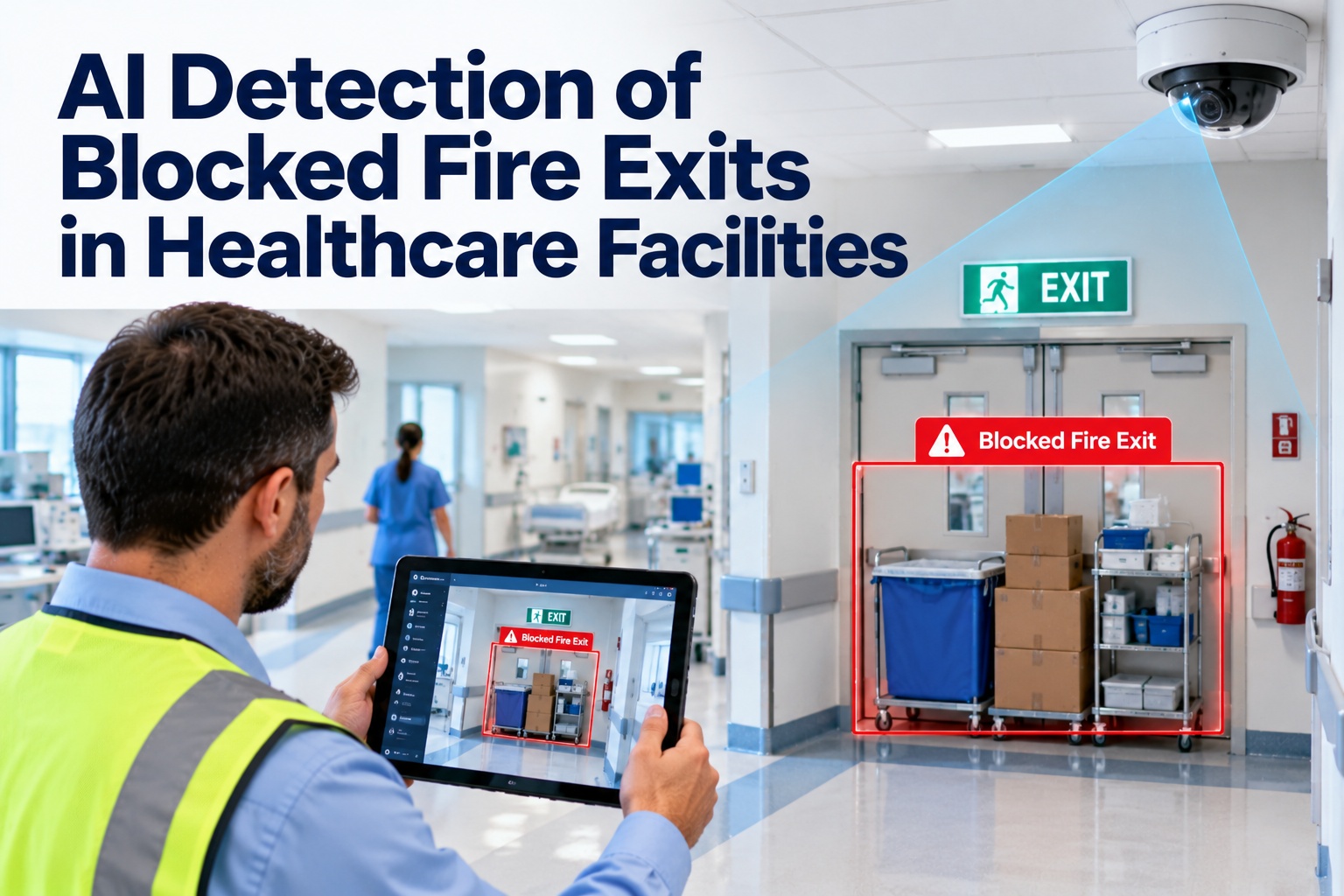
AI Detection of Blocked Fire Exits in Healthcare Facilities
See how camera-based AI spots obstructed exits and propped fire doors, why the alert is only the first step, and how OxMaint AI connects detection to a work order, an owner, and a closed-out record.
A Night in the Life of One Exit
Here's how a single obstruction can play out with continuous monitoring and a connected work order system. The timestamps below are an illustrative example, not a measured result. Start free and build this workflow in OxMaint AI.
23:40
Routine round completeAll exits clear on the Level 2 east corridor.
00:12
AI detects obstructionEquipment cart in front of stairwell door, past the dwell-time threshold.
00:12
Alert and work order createdAnnotated image attached, assigned to the on-call owner with priority and location.
00:19
Cart moved, status updatedStaff clear the path and close out the task with notes.
00:20
Clear condition verifiedFollow-up image confirms the exit is free, and the record is stored against the location.
The Gap Between Rounds
Scheduled inspections are essential, but they sample the building at set moments. Between rounds, nobody is watching. Book a demo to see how continuous monitoring fills the gap.
Manual rounds
- Checked at set intervals
- Findings written on paper or entered later
- Pattern across shifts is hard to see
- Depends on who is walking and how busy they are
AI-assisted monitoring + rounds
- Watches defined exits continuously
- Alert with image and location when a condition persists
- Repeat events at the same door are flagged
- Rounds continue, with more time for judgment calls
What Counts as a Blocked Exit?
Define it before you configure it. Codes and your authority having jurisdiction set the rules, including what may sit in corridors, so confirm with your life safety team. Start free and record each exit as an asset.
Carts & equipmentLinen, supply, and medical equipment parked at exits
Wheelchairs & stretchersLeft in egress paths after transfers
Boxes & deliveriesPallets and packages staged near doors
Propped fire doorsDoors held open by wedges, boxes, or equipment
Clutter in stair landingsStorage creeping into exit stairs and corridors
An Alert Nobody Owns Is Just Another Notification.
Detection tells you something is wrong. OxMaint AI makes sure someone is assigned, the clock is tracked, and the fix is recorded with an image. That's the difference between seeing a hazard and closing it.
From Camera Frame to Closed Work Order
The workflow has six steps, and the value comes from connecting them. Book a demo to walk through each one.
1
WatchCameras cover defined exits and egress corridors
2
DetectAI flags an obstruction or open fire door past a set time
3
AlertThe right person is notified with location and image
4
AssignA corrective work order is created with priority and owner
5
EscalateUnacknowledged items move up the chain
6
Verify & recordClear condition confirmed and stored with the event
The Evidence Record for Every Event
A complete record answers the questions a safety committee or surveyor may ask: what, where, when, who fixed it, and how long it took. Start free and keep every event on file.
Illustrative event record
LocationLevel 2 east · Stair B door
ConditionObstruction detected
EvidenceTimestamped, annotated image
OwnerOn-call facilities technician
StatusClosed, clear condition verified
Pattern flagThird event at this door this month
Use It Well: Practical Guardrails
Protect patient privacyPoint cameras at doors and corridors, not patient rooms, and agree placement with privacy, security, and legal teams.
Tune thresholdsSet dwell times so a brief pass-through doesn't trigger an alert, and review false positives early.
Keep the basicsAI supports, and doesn't replace, fire alarms, staff rounds, and your life safety program.
Start smallBegin with a few high-risk exits, learn what works, then expand.
What OxMaint AI Brings to Exit Monitoring
OxMaint AI connects camera detections to the rest of your maintenance operation. Start free and connect your first exit.
AI Vision Detection
Monitors fire doors and egress corridors for obstructions and propped doors.
Automatic Work Orders
Detections create corrective tasks with location, priority, and owner.
Image Evidence
Annotated images and timestamps stored with each event.
Escalation
Unacknowledged high-priority events escalate to the next level.
Repeat-Event Patterns
See which doors keep getting blocked and fix the root cause.
Inspections & Records
Link detections to rounds, corrective actions, and completion history.
Frequently Asked Questions
How does AI detect a blocked fire exit?
Cameras watch a defined exit area, and computer vision flags an object or propped door that stays in place longer than a set time.
Start free and see the workflow.
Does AI replace fire alarms or manual inspections?
What happens after an exit is flagged?
How do we handle patient privacy with cameras?
Place cameras to cover doors and corridors rather than patient rooms, and agree placement and retention with your privacy and legal teams.
Book a demo to discuss your setup.
How do records help during safety reviews?
Keep Exits Clear Between the Rounds.
Connect AI detection to assigned work orders and a clear record, so every blocked exit is found, fixed, and verified.