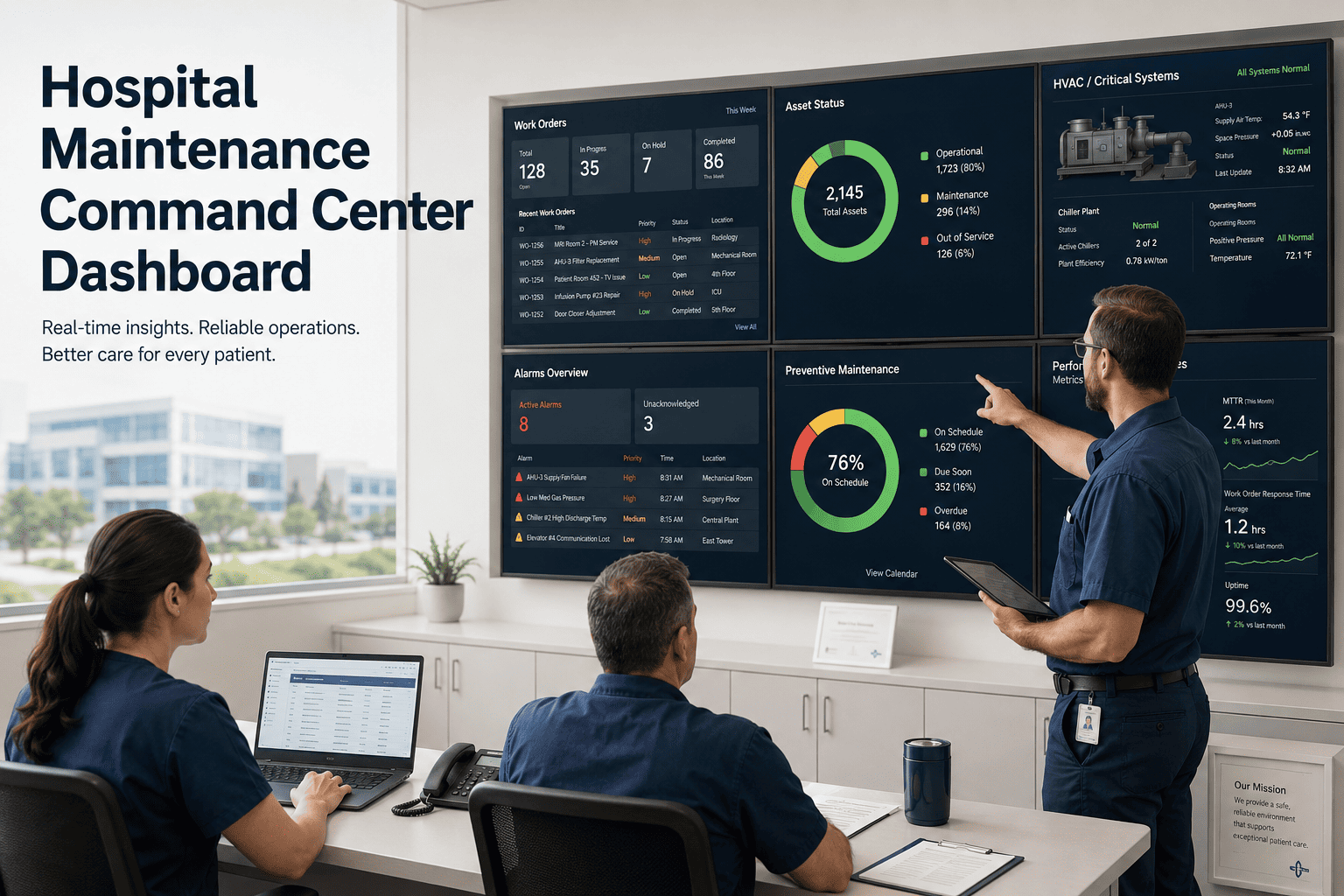
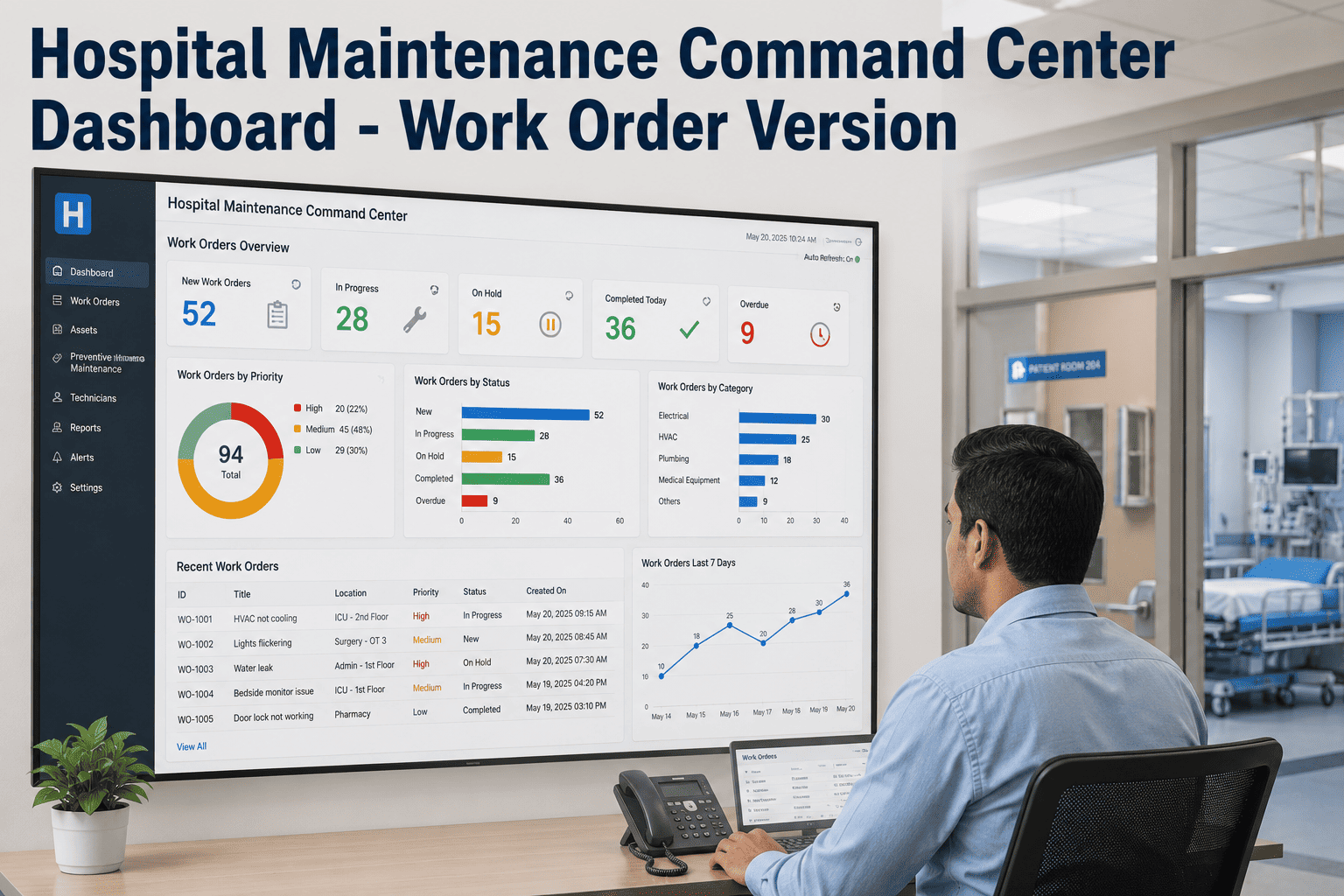
A VP of Facilities at a 450-bed acute care hospital is responsible for every infrastructure event in the building — simultaneously. A surgical suite HVAC alarm. An elevator entrapment on Tower B. A medical gas pressure drop in the ICU. A fire door held open on Level 3. At 2 AM with a skeleton crew on-site, those four events are either routed to the right person within minutes, or they queue in an unmonitored inbox until morning while their consequences compound. Unresolved facility events cited in CMS surveys account for 28% of all condition-level deficiencies at acute care hospitals — not because hospitals ignore maintenance, but because the routing layer between a BMS alarm and the right technician's mobile device is missing or broken. OxMaint's Hospital Maintenance Command Center Dashboard consolidates BMS alerts, CMMS work orders, AI vision camera events, and evidence logs into a single real-time operations environment — with escalation logic that reaches the right team at the right level within minutes, not hours. Book a demo to see the OxMaint command center for your hospital — or start free today.
Article · Hospital Command Center · Healthcare CMMS · AI Vision Camera
Hospital Maintenance Command Center Dashboard
How OxMaint integrates BMS alerts, CMMS work orders, AI camera events, and compliance evidence logs into a single command center view — with automated routing, escalation, and documentation that reaches the right team before the event reaches the patient.
OxMaint Command Center — Live
02:14:38
HVAC Alarm — Surgical Suite 4 · Tower A · L3
BMS Source · Detected 02:09 · WO-8812 Auto-Created · P1 · Eng On-Call Notified
P1
Elevator Entrapment — Tower B, Car #3
Alarm Panel · Detected 01:58 · WO-8811 · P1 · Elevator Tech + Security Dispatched
P1
Medical Gas Pressure Deviation — ICU Zone B
NFPA 99 Monitor · Detected 02:11 · WO-8813 · P2 · Med Gas Tech Alerted
P2
Fire Door Open >3 min — Level 3 Corridor C
AI Camera · Detected 02:06 · WO-8810 · P2 · EVS + Security Notified
Cam
What a Hospital Maintenance Command Center Actually Does
A command center is not a dashboard you look at. It is a routing and escalation engine that acts on events without human intervention — routing the right alert to the right person at the right level within a defined response window. OxMaint's command center performs five functions simultaneously.
01
Ingests events from all sources
BMS alarms (HVAC, medical gas, electrical, fire suppression), CMMS-generated PM events, AI vision camera detections, manually submitted work orders, and IoT sensor threshold breaches — all feed into a single event stream, regardless of source system.
02
Classifies and prioritises automatically
Each incoming event is classified by asset type, location (clinical vs non-clinical), regulatory implication, and severity — and assigned a priority level from P1 (patient safety critical) to P4 (routine). Classification rules are configured per event type and can be overridden by the on-duty supervisor.
03
Routes to the right team instantly
P1 events trigger simultaneous notification to the on-call technician, the department supervisor, and the VP of Facilities — within 90 seconds of detection. P2 events route to the on-call technician with supervisor visibility. P3/P4 events queue in the shift work order list without paging. No event waits in an unmonitored inbox.
04
Generates work orders and evidence automatically
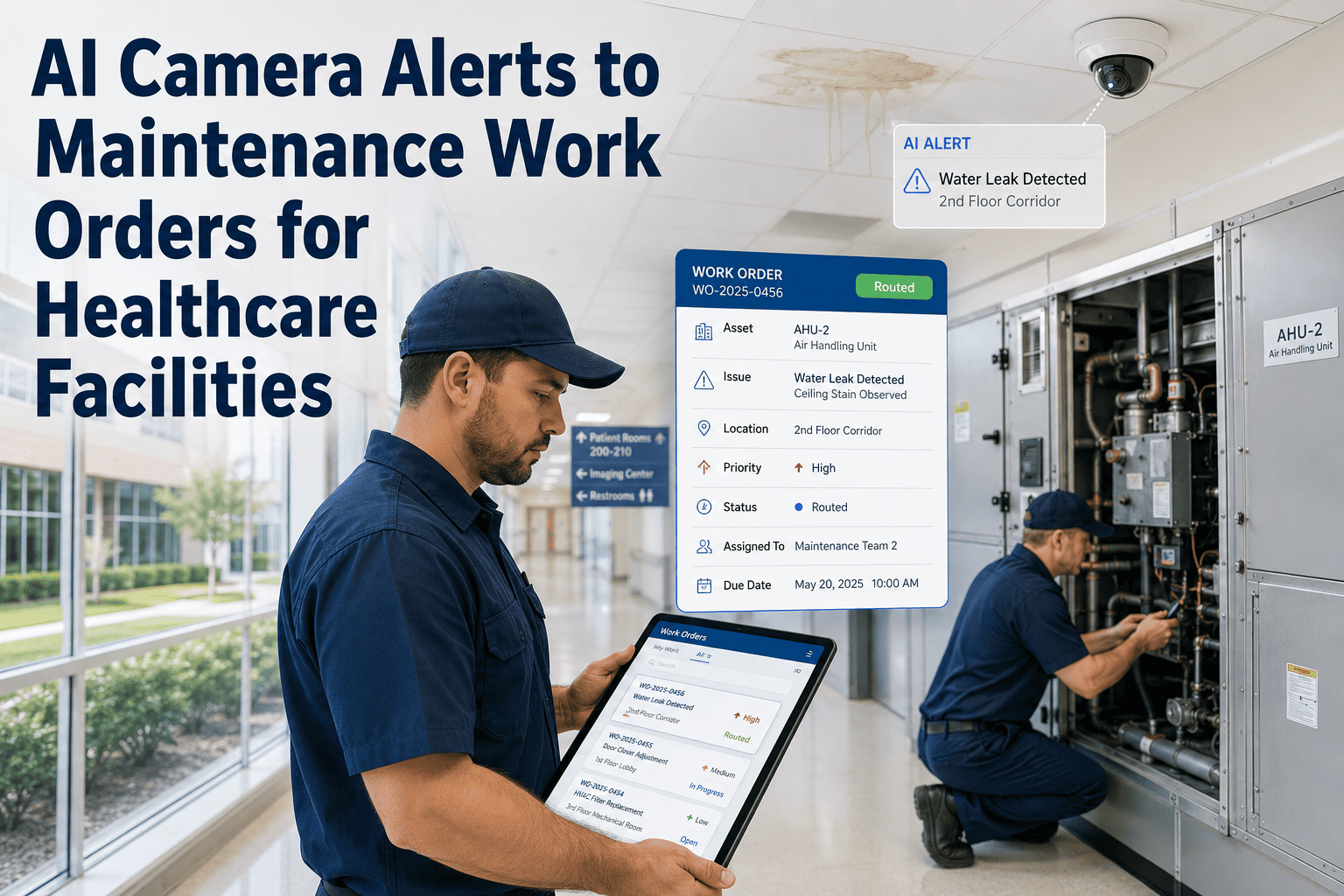
Every command center event becomes a timestamped work order within OxMaint — pre-populated with the event source, asset ID, location, detected condition, and priority. AI camera events attach the annotated image. BMS events attach the alarm log. Manual submissions attach the technician's description and photo. Every piece of evidence is captured at the moment of detection, not assembled after the fact.
05
Escalates when response time is missed
If a P1 work order has not been acknowledged within the configured response window (default: 15 minutes), OxMaint automatically escalates to the next level — VP of Facilities, then the on-call administrator. This escalation chain runs without manual intervention until the work order is acknowledged. CMS and Joint Commission surveys can request evidence of escalation compliance; OxMaint logs every escalation event with timestamps.
The Alert-to-Work-Order Routing Architecture
Event Sources
BMS / SCADA Alarm
AI Camera Detection
IoT Sensor Threshold
Manual Staff Request
CMMS PM Due Date
1
Classify
Asset type · Location · Regulatory implication · Severity 1–5
2
Create WO
Pre-populated · Evidence attached · Priority set · Asset linked
3
Route
P1 → On-call + Supervisor + VP (simultaneous) · P2 → On-call · P3/P4 → Queue
4
Escalate
No ack in 15 min → escalate to VP · 30 min → Administrator on-call
5
Document
Full event log timestamped · Evidence stored · Compliance record generated
28% of CMS Condition-Level Deficiencies Come from Unresolved Facility Events. OxMaint Routes Every Event Before It Reaches a Surveyor.
OxMaint Command Center integrates your BMS alarms, AI camera detections, and CMMS work orders into one routing layer — with automated escalation, timestamped evidence capture, and survey-ready documentation from the moment an event opens.
Evidence Logs — What the Command Center Captures for Joint Commission and CMS
BMS Event Log
Alarm type, source BAS point, and trigger value (e.g., "Supply air temp 68°F — setpoint 62°F — deviation +6°F")
Timestamp of alarm activation and resolution
Work order created from alarm — linked and retrievable
Technician response time from alarm to acknowledgement
Used for: EC.02.05 utility systems documentation · HVAC environment compliance record
AI Camera Evidence
Timestamped annotated image showing detected condition (fire door open, blocked egress, PPE gap)
Detection confidence score and defect classification
Resolution confirmation image — AI re-verifies condition cleared
Total time from detection to verified resolution
Used for: Life safety EC.02.06 compliance · Fire door inspection evidence · OSHA egress documentation
Work Order Audit Trail
Creation timestamp and source (BMS / Camera / Manual / PM)
Every status change with user and timestamp (Created → Assigned → In Progress → Completed)
Technician digital signature at completion
Parts used, labour hours, and corrective action documented
Used for: EC.02.06 corrective maintenance record · HTLC compliance · Joint Commission survey evidence package
Escalation Log
Escalation chain triggered — which roles notified, at what timestamp
Acknowledgement record — who responded and when
Every manual escalation by supervisor with reason noted
Final resolution time from initial detection to work order closure
Used for: CMS Conditions of Participation — response time documentation · Incident review and RCA support
Expert Review
"The phrase 'command center' in healthcare has historically referred to patient flow — bed management, OR throughput, discharge coordination. Facility maintenance has operated on a completely separate track, with its own ticketing systems, its own escalation procedures, and its own documentation environment that is invisible to the clinical command center. The problem is that facility events and clinical events are not separable. A surgical suite HVAC failure is a clinical event. An elevator entrapment is a clinical event — it affects patient transport and potentially discharge. A medical gas pressure deviation in the ICU is an immediate patient safety event. When these facility events are routed through a separate maintenance system that does not connect to the clinical command center, the time from event to response is determined by whether the right maintenance person happens to check their inbox — not by an automated escalation logic. What OxMaint's command center integration changes is the routing layer: facility events that cross the patient safety threshold are surfaced to the clinical operations team simultaneously with the maintenance team, so both are aware and can coordinate response. That integration — connecting facility CMMS data to clinical operations visibility — is the piece that most hospital maintenance systems still lack."
Dr. Maria Santos, PE, CEM, LEED AP
Licensed Professional Engineer · Certified Energy Manager · LEED Accredited Professional · 21 years healthcare facility and public sector infrastructure management · Specialist in hospital operations integration, command center architecture, and CMS/Joint Commission facility compliance documentation
Frequently Asked Questions
How does OxMaint integrate with a hospital's existing BMS and building management systems?
OxMaint connects to hospital building management systems via standard API integrations and BACnet/IP, Modbus, and HL7 FHIR protocols — depending on the BMS manufacturer and vintage. The integration is configured to map specific BAS alarm points to OxMaint event types, so a "Supply air temperature high — Surgical Suite 4" alarm in the BMS becomes a P1 work order in OxMaint within 60–90 seconds of the alarm activating, without any manual entry. For hospitals with legacy BMS systems that do not support modern API connectivity, OxMaint provides an alarm listener integration that monitors the BMS alarm output stream and translates events into OxMaint format. The BMS integration does not require replacement of the existing BMS — OxMaint connects alongside the existing system, adding the routing and documentation layer the BMS does not provide.
Book a demo to discuss your specific BMS integration requirements.
What Joint Commission documentation does the OxMaint command center produce automatically?
OxMaint's command center automatically generates documentation that satisfies Joint Commission Environment of Care and Life Safety chapter requirements: EC.02.05.01–09 — utility systems event logs with response times; EC.02.06.01 — maintenance and inspection documentation with technician attribution and timestamped completion; LS.02.01.20 — fire door inspection records with camera evidence for held-open events; and EC.04.01.01 — safety evaluation evidence including inspection findings, work orders raised, and closure timelines. All documentation is assembled from the work order data that teams generate during normal operations — no separate documentation effort is required. The Joint Commission compliance report exports the relevant records for any survey period in under 15 minutes.
How does the AI camera workflow integrate with the maintenance command center?
OxMaint AI Vision Camera detections feed directly into the command center event stream alongside BMS alarms and manual work orders. When an AI camera detects a fire door held open beyond the configured threshold, a blocked egress path, or a PPE violation in a restricted clinical area, the detection generates a command center event with the same routing logic as a BMS alarm: the event is classified by type and location, a work order is created with the annotated camera image as evidence, and the notification is sent to the appropriate team based on the event type. The command center displays all active AI camera events alongside BMS and CMMS events in a unified feed — so the on-duty supervisor has a single view of all active facility events regardless of source, without toggling between systems.
Start free to configure OxMaint's AI camera integration for your hospital.
What happens when a P1 facility event is not acknowledged within the response window?
OxMaint's escalation engine manages non-acknowledgement automatically: if a P1 work order is not acknowledged within the configured response window (default 15 minutes, configurable per event type), the system simultaneously sends an escalation notification to the next level in the chain — typically the Facilities VP or Director. If acknowledgement is still not received within 30 minutes, the escalation reaches the Administrator on Call. Every escalation event is timestamped and logged against the work order — creating the evidence chain that demonstrates the hospital's response management process for CMS and Joint Commission reviewers. The escalation chain cannot be bypassed: a P1 work order that is ultimately resolved by the first responder still has a complete escalation log showing all notifications were sent, even if all levels responded immediately. This documentation protects the hospital in post-event reviews by demonstrating that the response management system was functioning correctly.
HOSPITAL COMMAND CENTER · OXMAINT · CMMS + BMS + AI CAMERA
Every Facility Event Routed. Every Alert Documented. Every Survey Answered.
OxMaint Hospital Maintenance Command Center integrates BMS alarms, CMMS work orders, AI camera detections, and IoT sensor events into a single routing and documentation layer — with automated escalation, timestamped evidence logs, and Joint Commission and CMS-ready compliance reports that are generated from the work your team is already doing.