In most hospitals, a maintenance request can arrive five different ways — an email to the facilities inbox, a call to the desk, a paper form on a clipboard, a message in a chat app, or a quick word to a technician in the hallway. And that's exactly the problem: when intake is scattered across channels, requests get lost, duplicated, or never logged at all, and in a clinical setting a dropped request can become a patient-safety and survey risk. Nearly a quarter of verbal maintenance requests in healthcare are never actioned. A single staff request portal closes that gap, giving every department one place to report an issue and follow its status — turning each request into a tracked work order automatically. This page shows how to set that up with OxMaint's work order management, or book a demo to see the portal live.
Hospital Operations / Work Order Management
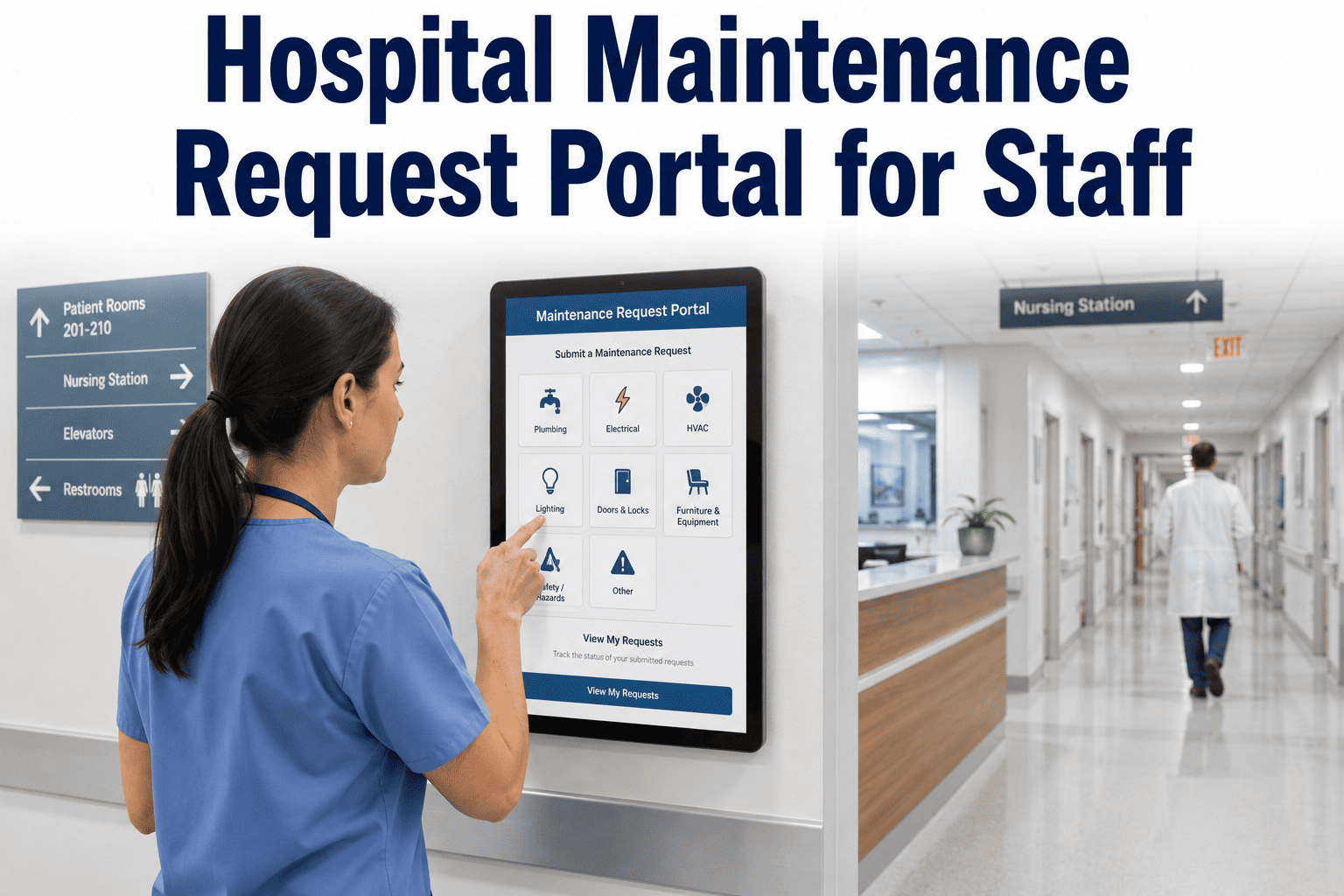
Hospital Maintenance Request Portal for Staff
Give every department a single portal to submit maintenance requests and track status — so nothing gets lost across email, calls, paper, and chat apps.
80%
Fewer phone calls to the facilities desk with self-service intake
60%
Faster first-response times on portal-submitted requests
23%
Of verbal maintenance requests are never actioned
40%
More faults reported in the first 90 days once intake is easy
Where requests go to die
Scattered intake isn't just untidy — each channel leaks requests in its own way. One portal replaces all of them with a single front door that captures every detail the same way, every time.
Today: scattered
EmailSits unread in a shared inbox until someone sorts it
Phone callsNo timestamp, no record — just a note that may get lost
Paper formsStuck on a clipboard or a desk, never keyed in
Messaging appsBuried in a thread and forgotten by morning
With a portal
One front door
Every request — from any department, on any phone — lands in a single tracked queue, timestamped the second it's sent and prioritized automatically.
How the staff portal works
For the person reporting the issue, it's four quick steps and no training required. The structure happens behind the scenes.
1
Scan or tapA QR code on the wall or a saved link opens the form — no login, no account.
→
2
Describe in 60 secondsLocation and asset are pre-filled; add urgency, a note, and a photo.
→
3
It becomes a work orderAuto-prioritized and routed to the right team instantly.
→
4
Track the statusA reference number and updates land on the requester's phone.
Give every department one front door
OxMaint turns every staff request into a tracked, prioritized work order — no calls, no paper, no lost tickets.
What every request captures
A good intake form collects only what a requester can reliably provide — enough structure to route and act on the issue without slowing them down.
Location — building / floor / room
Asset or equipment
Urgency level
Issue description
Photo (optional)
Auto reference number
Scanning an asset QR code pre-populates the location and equipment fields automatically, so the requester only has to describe what's wrong — and the work order arrives with full context attached.
Close the loop without the phone call
The biggest source of "where's my request?" calls is silence after submission. The portal keeps the requester informed at every stage, so the team never has to field a status check.
Submitted
Instant confirmation with a reference number.
In progress
Notified the moment a technician picks it up.
Resolved
Closed-loop update — no follow-up call needed.
Requesters tolerate a wait far better when they get a confirmation in the first minute and an update when work starts — the system communicates on the team's behalf.
Why one portal changes everything
Consolidating intake does more than tidy the inbox — it removes the four failure modes that scattered channels create daily.
Nothing gets lost
Every request is captured and timestamped the instant it's sent — the record is the request, not someone's memory.
No duplicates
A matching request links to the open job instead of spawning a second one and sending two techs to the same spot.
No login friction
Staff submit from any phone with no account, so adoption is high and unreported issues drop.
One queue for the team
Portal, PM, and system requests all flow into a single prioritized view — no separate inbox to watch.
Expert Review
"The thing facility managers underestimate is how much work never even reaches them. Every request that comes in as a hallway comment or a buried chat message is a coin flip on whether it gets fixed — and in a hospital, the one that gets dropped is the one a surveyor asks about. A single portal does two quiet things that matter enormously: it makes reporting so easy that people actually do it, which surfaces problems you didn't know you had, and it makes every request a timestamped record from second one. When staff can see their request move from submitted to resolved without calling, the desk phone stops ringing and the team finally works from one list instead of five."
Reviewed by a Certified Healthcare Facility Manager, 16+ years running multi-department hospital maintenance operations.
See the request portal in action
Walk through a live staff portal on your own facility — QR intake, auto-routing, and requester status tracking across every department.
Frequently asked questions
What is a hospital maintenance request portal?
It's a single digital front door where any staff member — a nurse, a porter, a department lead — reports a maintenance issue, and the request becomes a tracked, prioritized work order automatically. It replaces the scatter of email, calls, paper, and chat with one structured channel that captures the same details every time, so nothing depends on someone remembering to log it. See it in
OxMaint.
Do staff need an account or login to submit a request?
No. The portal is built for frictionless submission — staff open it from a QR code or a shared link and submit in under a minute, with no account or password required. Only the maintenance team needs logins to process and assign work. Removing that barrier is what drives adoption, because every extra step means more unreported issues.
Book a demo to see the intake flow.
How does QR-code submission work?
Each QR code is tied to a specific asset or location. A staff member scans it with a phone camera, and a mobile form opens with the location and equipment already filled in — they just add the issue, urgency, and an optional photo. On submit, a work order is created with all that context attached, ready to route. Print codes for any room or asset in
OxMaint.
How does the portal stop requests from getting lost?
Every submission is captured and timestamped the instant it's sent, landing in one managed queue instead of an inbox, a notepad, or a hallway conversation. Research shows nearly a quarter of verbal maintenance requests are never actioned — a portal closes that gap by making the request a record, not a memory. In a hospital, that gap can be a patient-safety and survey risk. Try it free in
OxMaint.
Can requesters see the status of their request?
Yes. The submitter gets an instant confirmation with a reference number, then automatic updates when work begins and when it closes — no need to phone the desk to ask. That closed loop is what cuts the "where's my request?" call volume, because the system communicates on the team's behalf rather than leaving people guessing. See requester status tracking in
a demo.
How does it prevent duplicate requests?
When a second request matches an open work order for the same asset and location, the portal flags it as a likely duplicate and links it to the existing job rather than spawning a parallel one. That stops the classic problem of one fault reported by three people sending two technicians to the same spot. The result is cleaner data and less wasted dispatch.
Book a demo to see duplicate handling.
Does the portal handle emergency requests?
Yes. A request marked as an emergency bypasses the normal queue and triggers an immediate push notification to the assigned technician and supervisor, so a critical fault doesn't wait behind routine tickets. Priority is set at submission, not hours later by whoever happens to review the queue. Configure emergency rules to your facility in
OxMaint.
How quickly can we launch a request portal?
Most facilities are live within a few weeks, not months — there's no heavy IT project. You set up the intake form, print QR codes for your highest-traffic areas like nurse stations and entrances, and point staff to them. Adoption climbs fastest when the portal is easy to reach and reinforced with a little training. Start with a
free trial.
Launch one portal for every request
Stop chasing requests across five channels. Give every department a single place to report and track maintenance — and turn every issue into a work order you can see, route, and prove.

.png)
.jpg)
.jpg)