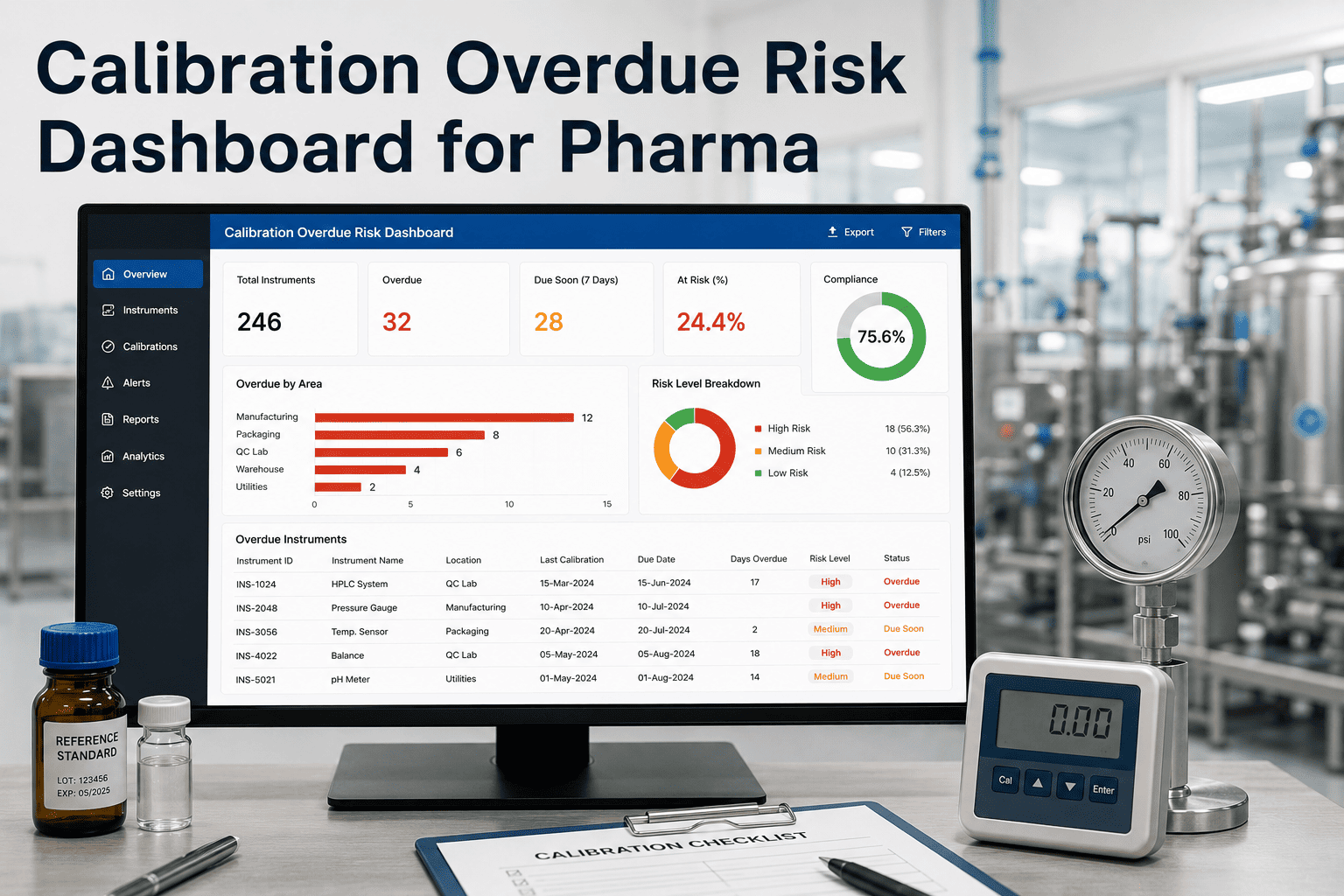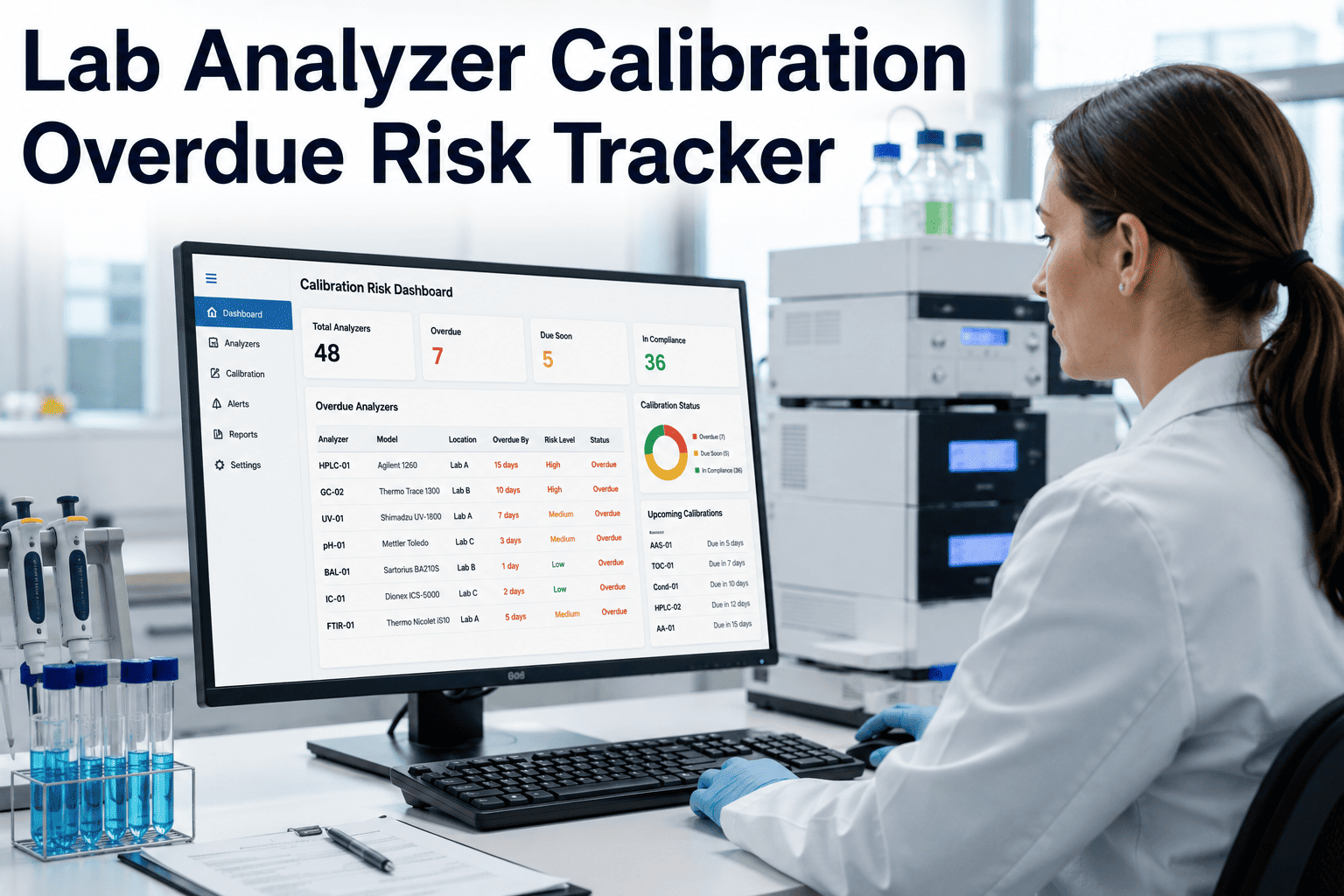
Overdue analyzer calibration in a hospital laboratory is not a maintenance issue — it is a patient safety and regulatory exposure issue. When a chemistry, hematology, or immunoassay analyzer operates past its calibration due date, every result it produces becomes questionably valid, potentially delaying critical diagnoses and creating documentation gaps that CLIA inspectors and CAP assessors will flag immediately. Most labs track calibration status in spreadsheets or LIMS modules that show due dates but lack proactive escalation, certificate linkage, and supervisor visibility into what is approaching overdue. OxMaint provides a calibration overdue risk tracker built for hospital laboratories — scheduling calibrations by analyzer and channel, attaching certificates directly to asset records, and alerting lab supervisors and bench staff before an instrument enters an overdue state. Book a demo to see the lab calibration tracker in action.
Lab Analyzer Calibration Overdue Risk Tracker
See every analyzer, every channel, every certificate — and know which ones are approaching risk before your next inspection does.
How the Tracker Classifies Calibration Risk
| Risk Zone | Time to Due Date | Who Is Alerted | Analyzer Status | Required Action |
|---|---|---|---|---|
| Compliant | 30+ days | None required | Full operational | Calibration scheduled per PM cycle |
| Watch | 14–30 days | Bench tech lead | Operational — schedule confirmed | Verify calibration appointment and standard availability |
| Warning | 7–14 days | Lab supervisor + quality | Operational — priority escalated | Calibration must be completed within window or risk assessment initiated |
| Critical | 0–7 days | Lab director + quality + maintenance | Operational under contingency | Calibration cannot be deferred. Interim result verification SOP activated. |
| Overdue | Past due date | Full escalation chain | Restricted — results require quality review | Immediate calibration required. All results since due date flagged for assessment. |
Data Points Per Analyzer
Alert Routing Before Overdue
Lab Calibration Compliance Before and After OxMaint
| Calibration KPI | Before OxMaint | After OxMaint (6 Months) | Change |
|---|---|---|---|
| Analyzers with current calibration | 81% | 99.2% | +18.2 points |
| Certificates attached to asset record | 54% | 100% | +46 points |
| Calibration completed before due date | 67% | 96% | +29 points |
| Overdue events per quarter | 14 | 1 | 93% reduction |
| Time to compile calibration report for inspection | 4–6 hours | Under 2 minutes | 99% faster |
| CLIA/CAP findings related to calibration | 3 per survey | 0 | Eliminated |
What Lab Directors and Quality Managers Report
We had a CAP surveyor pull the calibration record for our Beckman Coulter AU5800 and find that the certificate was three weeks overdue. We knew it was due — it was on a spreadsheet nobody checked. That finding triggered a focused inspection that cost us six additional hours and a voluntary correction plan. We deployed OxMaint specifically to make that impossible. Now every analyzer's calibration status is visible on a screen our supervisors check daily, and the escalation means nobody can say they didn't know.
Across 11 labs and 340 analyzers, spreadsheet tracking was a fantasy. We had three overdue calibrations at any given time and no reliable way to know which ones they were until something went wrong. OxMaint gave us a single dashboard where I can see every analyzer's calibration status across the entire system. When we had our last CLIA inspection, the surveyor asked for calibration records for six specific analyzers. I pulled the report in under a minute. She looked at it, nodded, and moved on. That had never happened before.
Frequently Asked Questions
Can OxMaint track calibration at the individual channel level, not just the analyzer level?
Yes — OxMaint supports multi-channel calibration tracking where each calibration point on an analyzer has its own interval, last calibration date, and certificate. This is critical for analyzers with independent photometric or electrode channels. Book a demo to see channel-level tracking configured.
How does OxMaint integrate with our LIMS for calibration status visibility?
OxMaint can share calibration status data with your LIMS via API so that bench staff see current calibration status without leaving their workflow. The LIMS can also trigger calibration-related holds when an analyzer enters an overdue state. Start free to explore LIMS integration options.
Does the tracker support different calibration intervals for different analyzer types?
Calibration intervals are fully configurable per analyzer type, per channel, and per lab location. Daily calibration checks for blood gas analyzers and quarterly full calibrations for chemistry analyzers coexist in the same tracker with independent scheduling. Book a demo to configure your interval matrix.
Can calibration records be exported for CLIA inspection or CAP accreditation review?
OxMaint generates calibration status reports formatted for regulatory review — including analyzer ID, calibration date, certificate linkage, as-found/as-left data, and technician sign-off. Reports export in structured formats suitable for inspection submissions. Start free to generate a sample export.
Your Analyzers Produce Thousands of Results Daily. Do You Know Which Ones Are Backed by Current Calibration?
OxMaint gives lab leadership a live calibration risk tracker — so the answer is always yes, and the proof is always one click away.