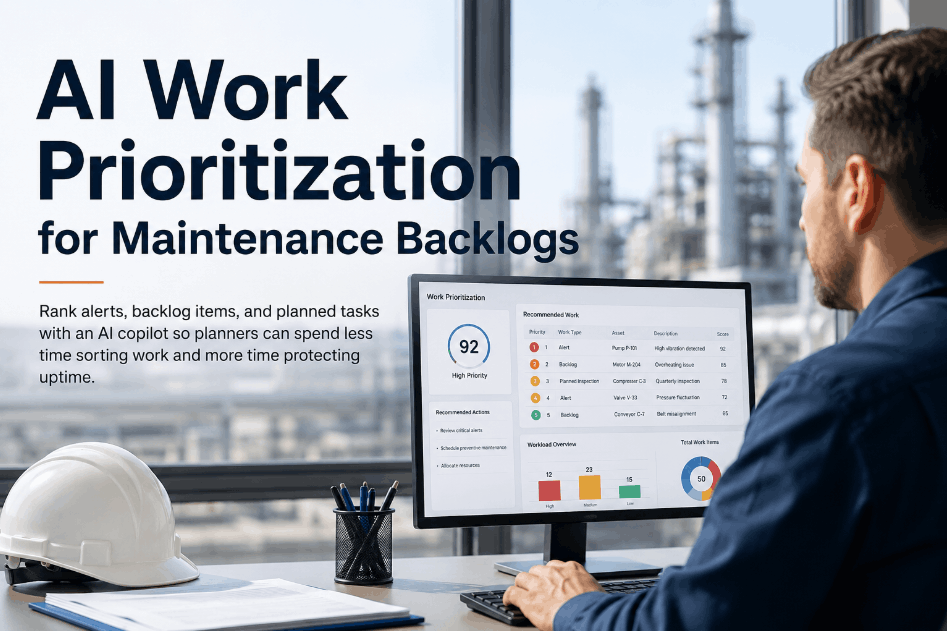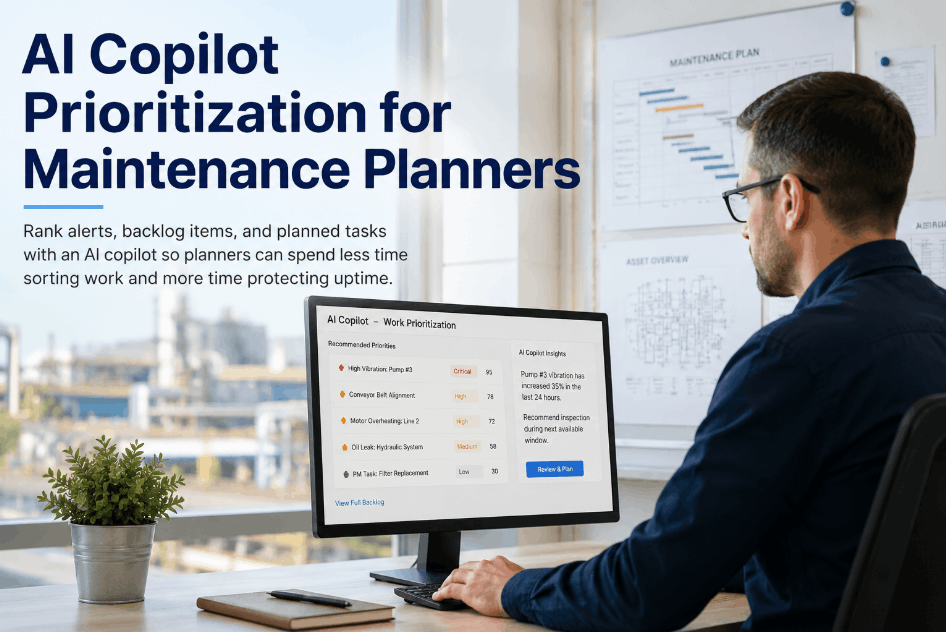
Maintenance planners spend a surprising share of their day just deciding what to work on next — sorting open alerts, backlog items, and planned tasks by gut feel instead of a consistent ranking. An AI copilot built into the CMMS removes that manual sorting step by ranking alerts, backlog items, and planned tasks against asset health, urgency, and resource availability, then answering in plain language instead of a raw dashboard. Planners using Sign Up Free on OxMaint can ask the built-in AI assistant which assets need attention this week or which parts are running low, and get a ranked, ready-to-act answer back instantly.
Why Maintenance Planners Still Spend Hours Sorting Work Manually
Most planners juggle several systems — a CMMS dashboard, spreadsheets, inventory screens, and inboxes — just to figure out which job deserves attention first. Without a single ranked view that combines asset health, urgency, and resource availability, prioritization defaults to whoever shouts loudest or whatever was filed most recently. Book a Demo to see how OxMaint's AI assistant answers planning questions directly instead of requiring a manual review across screens.
Core Capabilities of an AI Copilot for Maintenance Planning
An effective AI copilot does more than answer questions — it acts on planning data the same way a planner would, just faster. Sign Up Free to try these copilot capabilities directly against your own asset and work order data in OxMaint.
Natural Language Work Status Queries
Ask in plain English about a work order or asset status instead of building filters or searching across tables.
Instant Asset Health Ranking
Get assets flagged by health score, prediction confidence, and estimated time-to-failure, ranked automatically by the assistant.
One-Message Work Order Creation
Create and assign a work order directly from a chat message, with parts reservation linked automatically in the background.
Backlog and Overdue PM Surfacing
Ask for overdue PMs or aging backlog items across every plant and get a ranked list back without pulling separate reports.
Low-Stock and Reorder Alerts on Demand
Query parts inventory in plain language and get reorder flags back without opening a separate inventory module.
AI-Enriched Responses With Linked Records
Every answer comes with health scores, prediction confidence, and linked photos or records, not just a raw number on a screen.
AI Copilot Use Case Reference for Maintenance Planning Teams
The value of an AI copilot is clearest when compared task by task against the manual process it replaces. Book a Demo or Sign Up Free to see these comparisons run live against your own planning data in OxMaint.
| Planner Task | Manual Approach Today | AI Copilot Approach | Time Impact | OxMaint Lever |
|---|---|---|---|---|
| Checking Work Order Status | Search work order number across dashboard | Ask the copilot in plain language | Seconds vs. minutes | Natural language work order query |
| Identifying Assets Needing Attention | Manually review multiple reports | Ask which assets need attention this week | Minutes vs. an hour or more | AI health ranking and prediction scoring |
| Creating a Work Order | Multi-step form across screens | One chat message with auto parts reservation | Seconds vs. minutes | Instant work order creation via AI assistant |
| Reviewing Overdue PMs Across Plants | Pull and cross-reference plant reports | Single query across every connected plant | Minutes vs. an hour | Cross-plant backlog query |
| Checking Low-Stock Parts | Open inventory module, filter manually | Ask the copilot for parts below reorder point | Seconds vs. minutes | Inventory query integration |
How Manual Backlog Sorting Slows Down Maintenance Planning
Without a ranked view of work, planners default to whatever is loudest or most recent, not what carries the most operational risk. Book a Demo to see how an AI copilot removes that guesswork from daily planning decisions.
Rolling Out an AI Copilot Workflow for Maintenance Planning
Introducing an AI copilot works best as a gradual shift in how planners ask for information, not a one-time switch. Book a Demo to walk through how this rollout fits your planning team's current workflow.
Connect Asset, Work Order, and Inventory Data to OxMaint
Bring your assets, open work orders, and parts inventory into OxMaint so the AI assistant has a complete picture to query against.
Enable the AI Assistant for Your Planning Team
Turn on the AI assistant for planners so they can begin asking status and backlog questions directly inside OxMaint.
Start With Status and Backlog Queries Before Automation
Build trust in the copilot's answers with read-only queries before relying on it for work order creation or escalation.
Move to One-Message Work Order Creation
Once query answers are trusted, let planners create and assign work orders directly from a chat message with linked parts reservation.
Review AI-Suggested Priorities Against Planner Judgment Weekly
Compare AI-ranked priorities against planner decisions on a regular cadence to refine ranking weights and build team confidence.
Frequently Asked Questions: AI Copilot for Maintenance Planners
What is an AI copilot for maintenance planning?
It is an AI assistant built into a CMMS that ranks alerts, backlog items, and planned tasks by urgency and asset health, answering planner questions in plain language instead of raw dashboards.
Can an AI copilot create work orders directly?
Yes. With OxMaint's AI assistant, planners can request a work order in a chat message and have it created, assigned, and linked to reserved parts automatically.
Does an AI copilot replace a maintenance planner's judgment?
No. The copilot ranks and surfaces information faster, but planners still make the final call on scheduling, resourcing, and exceptions based on context the AI doesn't have.
How does OxMaint's AI assistant rank what needs attention?
It combines asset health scores, predictive failure confidence, and work order urgency to rank assets and backlog items, then returns the answer in a conversational format.
Is an AI copilot only useful for large maintenance teams?
Smaller teams benefit too, since a single planner often covers status checks, backlog review, and inventory questions alone — tasks an AI copilot can answer in seconds.