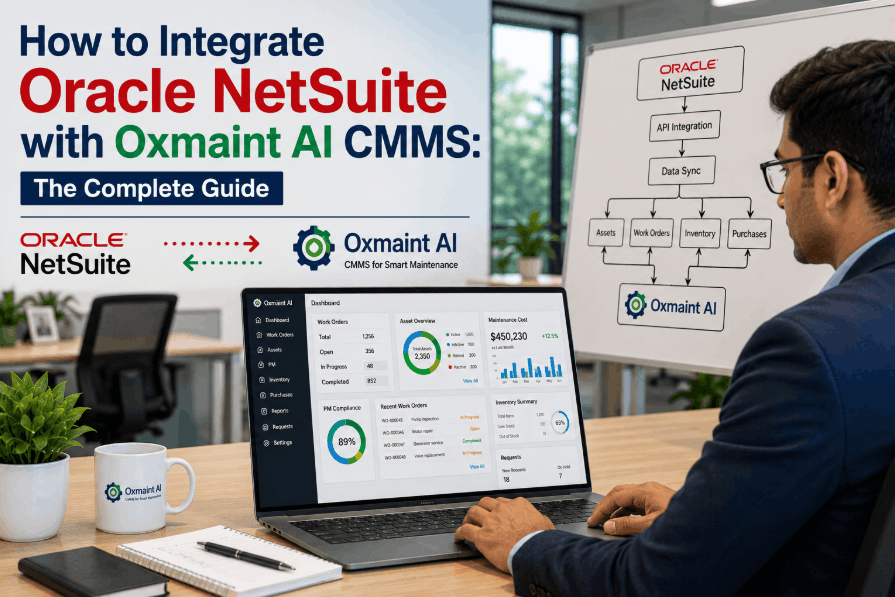
Your finance team logs into SAP. Your maintenance technicians refuse to. Your plant manager wants downtime reports. Your CFO wants procurement spend visibility. Both are right — and that is exactly why ERP and CMMS are not competing systems. ERP runs the business; CMMS runs the equipment that lets the business actually produce anything. Confusing the two is how plants end up paying for million-dollar ERP maintenance modules that technicians ignore, while reliability quietly degrades on the shop floor. The decision is not ERP versus CMMS — it is understanding what each one was architecturally built to solve, and how they connect. Start free with OxMaint to see how a dedicated CMMS plugs alongside your existing ERP.
70%
Run Both Systems
Of asset-intensive organizations use a hybrid ERP + CMMS approach
40-60%
Better ROI
Maintenance ROI gain from a purpose-built CMMS over an ERP module
2-4
Weeks to Deploy
Typical CMMS rollout vs 6-18 months for ERP maintenance configuration
10x
More Maintenance Depth
Specialized features in a CMMS vs a typical ERP maintenance module
Two Systems, Two Universes
ERP and CMMS share words like "work order" and "asset" — and that surface overlap is exactly what causes most procurement mistakes. The two systems were designed by different people, for different users, to answer different questions. Until you see them as separate disciplines, every comparison turns into apples versus oranges.
CMMS
Computerized Maintenance Management System
Answers: "Is our equipment reliable, and how do we keep it running?"
Work order execution and mobile dispatch
Preventive and condition-based PM scheduling
Asset history, MTBF, MTTR, failure codes
MRO spare parts and store-room inventory
Technician productivity and labor utilization
IoT sensor and SCADA condition triggers
Built for: technicians, supervisors, reliability engineers, maintenance managers
ERP
Enterprise Resource Planning
Answers: "How is the business performing, and where are we spending?"
Finance, general ledger, cost centers
Procurement, vendors, purchase orders
HR, payroll, workforce planning
Supply chain and warehouse management
Production planning and demand forecasting
Sales, CRM, order-to-cash workflows
Built for: CFOs, controllers, planners, procurement leads, executives
Where the Lines Cross — and Where They Don't
Most ERP suites ship a maintenance module. Most modern CMMS platforms send cost data back to ERP. So the boundary feels blurry — until you map which workflows each system was actually engineered for. Here is the honest split.
The Functional Map — What Lives Where
CMMS Territory
Operational depth
Mobile work order execution offline
Failure analysis and root cause
Condition-based PM triggers
Reliability KPIs (MTBF, MTTR, OEE)
Technician scheduling and dispatch
SOP attachments and photo logs
Shared Zone
Where they integrate
Spare parts inventory
Work order cost capture
Vendor and contractor data
Asset master records
Purchase requisitions
Labor hour reporting
ERP Territory
Business breadth
General ledger and financial reporting
Asset depreciation and accounting
Procurement approvals and 3-way match
Production planning and MRP
HR, payroll, and benefits
Sales orders and customer billing
The middle zone is where integration happens. The CMMS owns execution; the ERP owns finance; the API in between keeps both sides current without double-entry or reconciliation cycles.
Stop Forcing Maintenance Into a Finance System.
OxMaint gives technicians a mobile-first CMMS designed for the floor — and connects cleanly to whatever ERP your finance team already runs.
Built for Different People — and It Shows
Software adoption is not a feature debate; it is a user-experience reality. ERP maintenance modules were designed for a planner sitting at a desktop, not a millwright crouched under a conveyor at 2am. That single design choice explains why so many ERP-only maintenance programs end up running on WhatsApp and paper anyway.
The Technician
Needs: open a work order on a phone, scan an asset QR code, attach a photo, log the parts used, close the job — in under two minutes, often offline.
CMMS fit: native. ERP fit: typically low — too many fields, desktop-first interface, no offline mode.
The Maintenance Planner
Needs: build a 4-week PM schedule, balance labor across crews, see overdue work orders, project parts demand, and trigger condition-based jobs from sensor data.
CMMS fit: native. ERP fit: partial — calendar-based PMs only, weak on condition triggers.
The Reliability Engineer
Needs: failure code analysis, MTBF and MTTR trending by asset class, RCM strategy reviews, and the ability to re-engineer PM frequency based on actual failure data.
CMMS fit: native. ERP fit: limited — failure data is shallow and not built for analytical depth.
The CFO & Controller
Needs: depreciation schedules, capex vs opex visibility, cost-center allocation, audit-ready financial reporting, and consolidated procurement spend.
ERP fit: native. CMMS fit: feeds the ERP via API — does not replace it.
The Procurement Lead
Needs: vendor master, RFQ workflows, purchase order approvals, three-way match, and spend analytics across categories and suppliers.
ERP fit: native. CMMS fit: triggers requisitions; ERP completes the buy.
The Plant Manager
Needs: a single dashboard showing equipment uptime, OEE, work order backlog, maintenance cost vs budget, and parts availability — without flipping between systems.
Hybrid fit: CMMS feeds reliability KPIs; ERP feeds financials; integrated dashboards merge both.
Six Signs Your ERP Maintenance Module Is Holding You Back
If your plant runs maintenance inside an ERP module and operations leaders keep asking why downtime numbers are not improving, the answer is usually visible in the daily behavior of the maintenance team. These six signals show up well before reliability metrics start to slip.
01
Technicians Use WhatsApp Instead
Daily work coordination happens in chat groups, paper, or spreadsheets — not in the ERP. The interface is the problem; adoption is the symptom.
02
PMs Are Calendar-Only
No way to trigger work from a vibration spike, a runtime hours threshold, or a temperature alarm. Every PM is time-based, even when the asset deserves better.
03
Work Order Backlog Is Invisible
Asking "how many open work orders do we have right now?" requires a custom report and a 24-hour wait. Real-time floor visibility does not exist.
04
No Failure Data Worth Trending
Failure codes are unused or inconsistent. MTBF and MTTR are rough estimates. Reliability engineering is running blind because the data layer was never built for it.
05
Mobile Means a Tiny Desktop UI
The mobile experience is a shrunken version of the desktop screen. No offline mode, no QR scanning, no photo capture — exactly the tools floor work depends on.
06
Every Change Needs IT
Adding a new PM template, adjusting a workflow, or creating a custom field requires a help-desk ticket and a release cycle. Maintenance teams cannot iterate.
Cost & Implementation Reality
Sticker price is rarely the real story. Implementation length, IT load, and time-to-value separate a CMMS rollout from an ERP project by an order of magnitude. This is the comparison your CFO and your maintenance director should be looking at side-by-side.
Dimension
Dedicated CMMS
ERP Maintenance Module
Deployment timeline
2 to 6 weeks, value from day one
6 to 18 months, often last priority in rollout
Implementation cost
Low — configurable by maintenance team
High — requires consultants and IT involvement
Mobile experience
Mobile-first, offline-capable, QR ready
Desktop-first, browser-based, online-only
Technician adoption
Typically high — designed for floor use
Often low — designed for planners and analysts
PM trigger types
Time, runtime, condition, sensor, meter
Primarily calendar-based
Failure analysis depth
MTBF, MTTR, failure codes, RCA workflows
Basic recordkeeping, shallow analytics
IoT and sensor integration
Native APIs and connectors
Custom development, additional cost
Configuration ownership
Maintenance team, self-service
IT department, change-managed
How CMMS and ERP Actually Connect
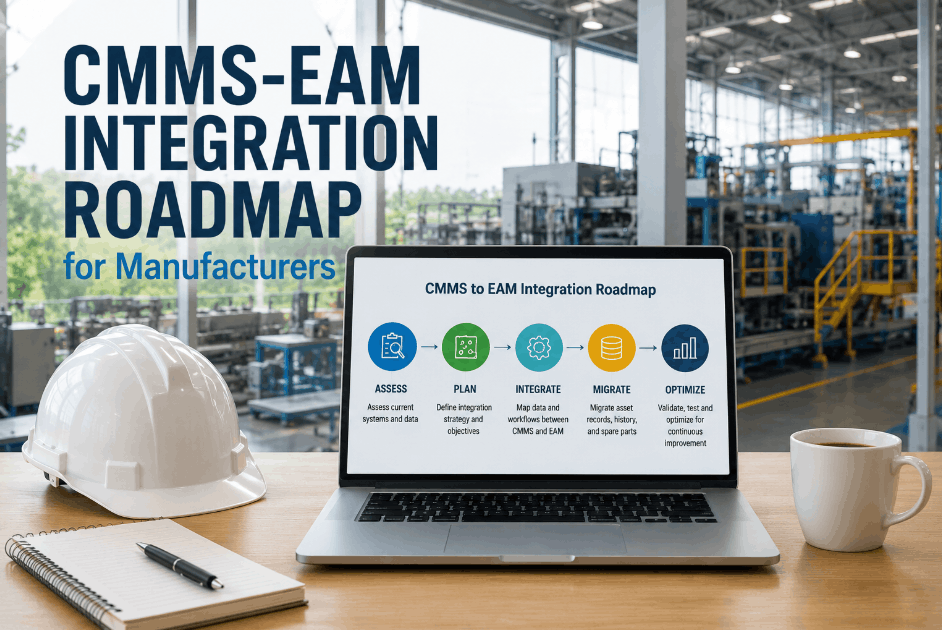
The integration is not theoretical — it is a defined data exchange that runs daily between two systems doing different jobs. When done right, neither team has to log into the other's platform. Each side stays current automatically through API calls that move work order costs, parts consumption, and procurement events between systems.
The Hybrid Architecture — One Source of Truth Per Domain
CMMS Side
Maintenance Operations
Work orders created and executed
PM schedules triggered
Parts consumed and logged
Labor hours captured
Asset history maintained
API Bridge
CMMS to ERP
Cost postings, parts usage, labor entries, requisitions
ERP to CMMS
Vendor master, asset numbers, GL codes, PO status
ERP Side
Finance and Procurement
Cost center accounting
Purchase orders issued
Vendor invoices matched
Asset depreciation posted
Financial reports generated
No double entry. No reconciliation cycles. No spreadsheet bridge. The maintenance team works in the CMMS, the finance team works in the ERP, and the API keeps both sides synchronized.
The Decision Matrix — Which Setup Fits You
The right answer depends less on company size and more on what you are trying to fix. Use this matrix to find your row, then read across to the recommended setup. The wrong choice rarely shows up in a demo — it shows up six months later when adoption stalls.
Your Situation
Recommended Setup
Why
Maintenance is production-critical, downtime costs more than $10k/hour
CMMS + ERP integrated
Reliability tools must be specialized; ERP module cannot match the depth
Field technicians need offline mobile access
Dedicated CMMS
ERP modules are desktop-first; mobile work breaks down without a CMMS
You need IoT or condition-based PM triggers
Dedicated CMMS
ERP not built for streaming sensor data; custom builds get expensive fast
Light maintenance load, fewer than 100 assets, low downtime cost
ERP module may be enough
If maintenance is mostly recordkeeping, the module covers the basics
Multi-site plant, 500+ assets, 10+ technicians
CMMS + ERP integrated
Scale demands purpose-built tools and enterprise financial visibility
ERP rollout is 12+ months away or stalled
Deploy CMMS now
Don't make maintenance wait for an enterprise transformation timeline
Regulatory asset accounting required (utilities, oil & gas)
CMMS + ERP, possibly EAM
Compliance demands financial integration; CMMS handles execution
Frequently Asked Questions
Can a CMMS replace our ERP system?
No, and it should not. A CMMS replaces the maintenance module inside an ERP — not the ERP itself. Finance, procurement, HR, and supply chain stay in the ERP; maintenance execution moves to the CMMS, with the two integrated via API.
Sign up free to see the integration model.
Is OxMaint compatible with SAP, Oracle, and Microsoft Dynamics?
Yes. OxMaint integrates with SAP, Oracle, NetSuite, Microsoft Dynamics, and most modern ERP platforms via standard REST APIs — moving cost data, parts usage, and requisitions cleanly between systems without double entry.
How long does CMMS-ERP integration take in practice?
Why do technicians refuse to use ERP maintenance modules?
Because ERP modules are designed for planners at desktops, not technicians on the floor. Too many fields, no offline mode, no QR scan, no photo capture. A CMMS is built mobile-first for the way maintenance actually runs.
What does the typical ROI look like with a CMMS plus ERP setup?
Stop Choosing Between Maintenance Depth and Business Visibility.
OxMaint is the dedicated CMMS that gives technicians a mobile-first floor experience and your finance team a clean ERP integration — so reliability, costs, and compliance live on the same data spine.