CMMS vs ERP for Manufacturing Plants: Complete Comparison 2026
By oxmaint on February 20, 2026
Manufacturing plants spend thousands on software, yet many still struggle with the same question: should maintenance live inside the ERP, in a dedicated CMMS, or somewhere in between? The answer depends on your plant's size, maintenance maturity, and what you are actually trying to fix. This guide breaks down how CMMS and ERP systems differ in practice, what each one costs, and how to decide which setup drives the most value for your operation. Schedule a free consultation to discuss which system configuration matches your plant's needs.
Do Manufacturing Plants Need CMMS, ERP, or Both?
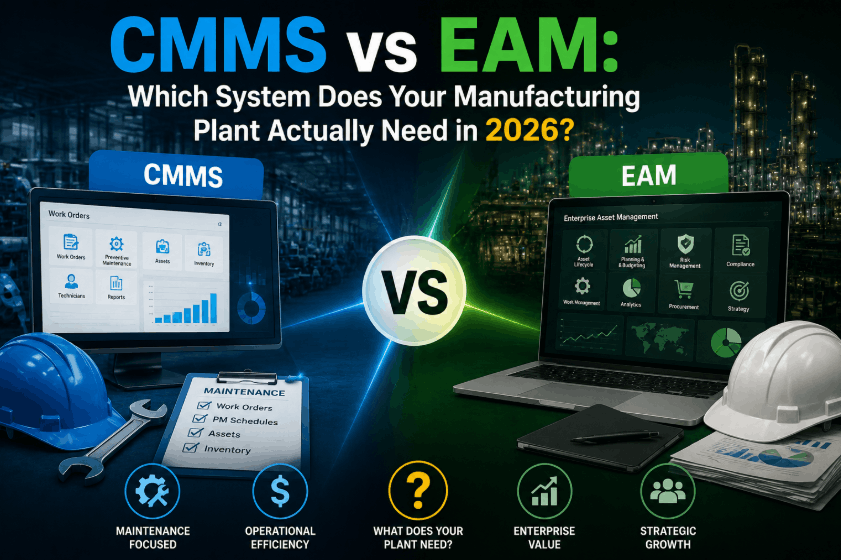
This is the question plant managers, maintenance directors, and operations teams search for most often, and the honest answer is that it depends on what problem you are solving. A CMMS and an ERP are not competing systems. They serve different audiences, solve different problems, and deliver value in different parts of your operation. The confusion arises because both systems touch maintenance in some way, but the depth and purpose of that coverage are fundamentally different.
CMMS
Computerized Maintenance Management System
Built specifically for the people who fix, inspect, and maintain equipment. A CMMS handles work orders, preventive maintenance scheduling, spare parts tracking, asset histories, failure analysis, and mobile workflows for technicians on the plant floor. It answers the question: "Is our equipment reliable, and how do we keep it running?"
Work OrdersPreventive MaintenanceAsset TrackingMRO InventoryMobile Execution
ERP
Enterprise Resource Planning
Built for the people who manage money, materials, and business processes across the entire organization. An ERP integrates finance, procurement, HR, supply chain, production planning, and sales into one platform. It answers the question: "How is the business performing, and where are we spending?"
Most manufacturing plants benefit from both systems working together. The ERP manages the business. The CMMS manages the equipment. When integrated, maintenance data flows into financial and procurement systems automatically, giving leadership a complete operational picture without forcing technicians into a tool that was not designed for them.
Skip the ERP complexity — get maintenance right from day one. Create your free Oxmaint account to start managing work orders, scheduling preventive maintenance, and tracking assets in under 30 minutes.
How CMMS and ERP Work Differently on the Plant Floor
On paper, both systems manage data. In practice, they operate in completely different worlds. Understanding these operational differences is critical for selecting the right manufacturing CMMS or determining whether your ERP maintenance module is truly enough.
Operational Comparison: Day-to-Day Reality
Who Uses It Daily
CMMS
Maintenance technicians, reliability engineers, maintenance planners, and facility managers. The interface is built for people wearing hard hats, not sitting at desks.
ERP
Finance teams, purchasing agents, HR administrators, supply chain managers, and executive leadership. The interface is built for transactional workflows and reporting.
How Work Gets Done
CMMS
A technician scans a QR code on a pump, opens the work order on their phone, follows the attached SOP checklist, logs the repair with photos, and closes the task in under 3 minutes. Parts are automatically deducted from MRO inventory.
ERP
A maintenance planner opens the ERP module on a desktop, creates a notification, converts it to an order, assigns it manually, and waits for the technician to find a terminal to update the status. Parts are tracked at the warehouse level, not the work order level.
Data Depth for Maintenance
CMMS
Failure codes, root cause categories, MTBF and MTTR calculations, PM compliance rates, asset condition scores, technician wrench time, and maintenance cost per asset over its full lifecycle.
ERP
Work order counts, total maintenance spend by cost center, purchase order history, and basic equipment records. Detailed failure analysis and reliability metrics are typically unavailable or require expensive custom development.
Implementation Speed
CMMS
Cloud-based CMMS platforms deploy in 2 to 6 weeks. Teams see value from day one with digital work orders and PM scheduling.
ERP
Full ERP implementations take 6 to 18 months. The maintenance module is often the last to be configured and tested because it has lower priority than finance and procurement.
5 Signs Your ERP Maintenance Module Is Not Enough
Many manufacturing plants start with their ERP's built-in maintenance features assuming it will be sufficient. Over time, specific problems surface that signal the need for a dedicated CMMS. If any of these situations sound familiar, your ERP may be holding your maintenance program back.
01
Technicians Avoid the System
If your maintenance team uses paper, spreadsheets, or WhatsApp groups instead of the ERP to manage daily work, the interface is the problem. ERP maintenance modules are designed for planners at desktops, not technicians on the floor. Low adoption means unreliable data, which means poor decisions.
02
You Cannot Track Why Equipment Fails
Your ERP tells you a repair happened and what it cost. But it cannot tell you why the same bearing fails every 90 days or which production line generates the most unplanned downtime. Without failure codes, MTBF tracking, and root cause analysis, you are stuck in reactive maintenance.
03
PM Compliance Keeps Dropping
Preventive maintenance tasks get missed because the ERP scheduling is rigid and does not adapt to meter readings, runtime hours, or condition changes. A CMMS automates PM triggers based on actual equipment usage, not just calendar dates.
04
Spare Parts Are Always Wrong
The ERP tracks inventory at the warehouse level, but it does not link specific parts to specific assets and work orders. Technicians cannot see what parts are available for a particular machine, leading to emergency orders, repair delays, and hidden overstocking.
05
You Have No Reliability Metrics
If you cannot answer "What is our average downtime per machine?" or "What percentage of work is planned vs. reactive?" without pulling data from three different sources, your ERP is not giving your maintenance team what they need to improve.
If your ERP is holding maintenance back, see what a dedicated CMMS can do. Schedule a personalized demo where we walk through how Oxmaint solves technician adoption, failure tracking, and PM compliance for plants like yours.
Real Costs: What Manufacturing Plants Pay for CMMS vs ERP
Cost is often the deciding factor, and the difference between these two systems is significant. Beyond the sticker price, total cost of ownership includes implementation, training, customization, and ongoing IT support.
Total Cost of Ownership Comparison
CMMS (Cloud)
Per User Monthly$28 - $85
Setup Time2 - 6 Weeks
Training1 - 3 Days
IT Staff NeededNone to Minimal
Customization CostLow
Estimated Annual (25 users)$8,400 - $25,500
VS
ERP System
Per User Monthly$150 - $750+
Setup Time6 - 18 Months
TrainingWeeks to Months
IT Staff NeededDedicated Team
Customization CostHigh (often $4K+/week)
Estimated Annual (25 users)$45,000 - $225,000+
40-60%
Manufacturing plants using a purpose-built CMMS report 40-60% better maintenance ROI compared to those relying on generic ERP maintenance modules.
What Each System Does Best: Feature Breakdown
Rather than a simple checklist, this breakdown shows where each system genuinely excels and where it falls short for manufacturing maintenance operations.
Work Order Management
CMMS Wins
Mobile creation, SOP attachments, photo logging, priority queuing, technician assignment, and real-time status updates built for floor-level execution.
Preventive Maintenance
CMMS Wins
Condition-based, meter-based, and calendar-based triggers with automated scheduling, compliance tracking, and missed-PM alerts.
Financial Management
ERP Wins
Full general ledger, accounts payable/receivable, budgeting, cost center allocation, and enterprise financial reporting across all departments.
Supply Chain & Procurement
ERP Wins
End-to-end procurement, vendor management, RFQs, purchase orders, warehouse logistics, and raw material planning across the entire supply chain.
Asset Reliability Analytics
CMMS Wins
MTBF, MTTR, failure trending, downtime categorization, PM compliance rates, backlog analysis, and cost-per-asset reporting built into every asset record.
Mobile & Offline Access
CMMS Wins
Native mobile apps with offline work order execution, barcode/QR scanning, photo attachments, and real-time sync built for plant floor environments.
Your maintenance team deserves tools built for the plant floor, not the back office. Create a free Oxmaint account and experience mobile work orders, automated PM scheduling, and real-time asset dashboards that ERP modules simply cannot match.
Choosing the Right System for Your Plant Size and Goals
There is no universal answer. The best system depends on what your plant looks like today, what problems are most urgent, and where you want to be in 12 months. Here is a practical decision framework.
Start with CMMS
When this fits your plant:
Your maintenance team uses paper, spreadsheets, or email to manage work. You need to reduce unplanned downtime and get a preventive maintenance program running. You want fast deployment with minimal IT involvement.
Typical fit: Single-site plants, 10-200 employees, small to mid-size manufacturing operations that need immediate maintenance improvement.
Start with ERP
When this fits your plant:
Your primary challenge is financial consolidation, production planning, or supply chain management across multiple departments. Maintenance is a secondary concern and basic work order tracking is sufficient for now.
Typical fit: Multi-department organizations focused on enterprise-level finance, procurement, and production planning before optimizing maintenance.
Use CMMS + ERP Together
When this fits your plant:
You already have an ERP for finance and procurement, but your maintenance team is underserved by its basic maintenance module. You want deep reliability data flowing into your ERP's cost centers automatically.
Typical fit: Large manufacturing plants, multi-site operations, and asset-intensive industries that need specialized maintenance tools connected to their business system. See how Oxmaint integrates with ERP systems for seamless data flow.
How CMMS-ERP Integration Connects the Shop Floor to the Boardroom
When a CMMS and ERP share data, maintenance stops being an isolated cost center and becomes a visible, measurable contributor to plant performance. Here is what that integration looks like in practice.
Key Data Flows Between CMMS and ERP
CMMSERP
Work Order Costs
Labor hours, parts consumed, and contractor expenses flow from completed work orders into ERP cost centers and financial reports automatically.
ERPCMMS
Purchase Order Updates
When the CMMS triggers a spare part reorder, the ERP processes the PO and sends delivery status and receipt confirmations back to update CMMS inventory.
CMMSERP
Asset Health Data
Maintenance history, condition scores, and failure trends enrich ERP asset records to support capital planning and repair-vs-replace decisions.
BothSync
Compliance Records
Inspection logs, safety checklists, and audit trails from the CMMS combine with procurement and financial records in the ERP for complete regulatory documentation.
Make the Right Software Decision for Your Plant
Whether you need a standalone CMMS to replace spreadsheets and paper work orders, or a connected maintenance platform that feeds data into your existing ERP, Oxmaint gives manufacturing plants the tools to reduce downtime, track assets, and build a maintenance program that scales.
Can a CMMS fully replace an ERP for manufacturing plants?
No. These systems serve different purposes. A CMMS manages maintenance operations including work orders, preventive maintenance, and asset tracking. An ERP handles finance, procurement, HR, and production planning. For most manufacturing plants, the strongest approach is using both together, with the CMMS providing maintenance depth and the ERP providing business breadth. Sign up for Oxmaint to see how a dedicated CMMS strengthens your maintenance operations alongside an existing ERP.
Is the ERP maintenance module enough for our plant?
For basic work order logging, possibly. But if your plant needs mobile technician workflows, condition-based PM triggers, failure analysis with MTBF and MTTR tracking, MRO-specific inventory management, or real-time reliability dashboards, a dedicated CMMS will significantly outperform an ERP maintenance module. Plants using purpose-built CMMS solutions consistently report better ROI than those relying on generic ERP maintenance features.
How quickly can we implement a CMMS compared to an ERP?
Cloud-based CMMS platforms like Oxmaint can be fully operational in 2 to 6 weeks, with maintenance teams seeing value from day one. ERP projects typically require 6 to 18 months and involve extensive configuration across multiple departments. This makes a CMMS the practical first step for plants that need immediate improvements. Book a demo to see how fast Oxmaint deploys at your facility.
Does Oxmaint CMMS integrate with SAP, Oracle, or Microsoft Dynamics?
Yes. Oxmaint provides open API architecture that supports integration with major ERP platforms. Work orders, spare parts data, maintenance costs, and asset records sync automatically between systems, so both your maintenance team and finance department always have accurate, up-to-date information without manual data entry.
What does a CMMS cost compared to an ERP?
Cloud-based CMMS platforms typically range from $28 to $85 per user per month with minimal implementation costs. ERP systems range from $150 to $750+ per user per month, plus significant implementation, customization, and ongoing IT expenses. For a 25-user team, annual CMMS costs run $8,400-$25,500 versus $45,000-$225,000+ for ERP. Create your free Oxmaint account to see the value before you commit.

.png)

.png)