A 14-day CMMS free trial is the single most underused lever in manufacturing software procurement — most plant teams spend 90 minutes in a vendor demo and sign a three-year contract without ever running a single preventive maintenance work order against a real asset. That is how plants end up with shelfware. This guide gives you a structured, repeatable way to evaluate manufacturing maintenance software on a free trial: pilot asset selection, data migration checks, mobile UX tests, PM builder trials, integration tests, and a 15-question scorecard that separates demo dazzle from production readiness. If you want to follow along inside a live environment, you can Start Free Trial and load your own asset list while you read.
Will this CMMS survive a real shutdown week — or just look good in a demo?
A structured free trial lets you test PM builders, mobile work orders, and integration handshakes against your own asset data before a multi-year contract locks in. Run it like a pilot, not a tour.
Define a 14-day trial scope before you log in
Plants that define scope before the trial begins are 3.2× more likely to reach a confident yes/no decision by day 14. Write down the assets, workflows, users, and integrations you will test — then freeze the list.
Stand up the tenant & import 25 pilot assets
Pick a representative cross-section: 2 rotating critical assets, 3 utility assets, 5 spare parts, 1 multi-step PM, and the rest a mix of categories. Import via CSV and time how long realignment takes. Benchmark: under 45 minutes for a clean CSV.
Build 3 PMs & trigger the first 5 work orders
Build one calendar-based PM (30-day oil change), one meter-based PM (every 500 cycles), and one inspection checklist PM. Generate work orders and assign them to a real technician account. Track whether the PM builder supports conditional logic and parts reservation.
Mobile UX test on the floor
Have two technicians complete a work order on a phone or tablet while wearing gloves. Measure: can they photograph a fault, attach it to a WO, and close the WO without returning to a desktop? Gloved usability is where most CMMS mobile apps collapse.
Integration & data handshake test
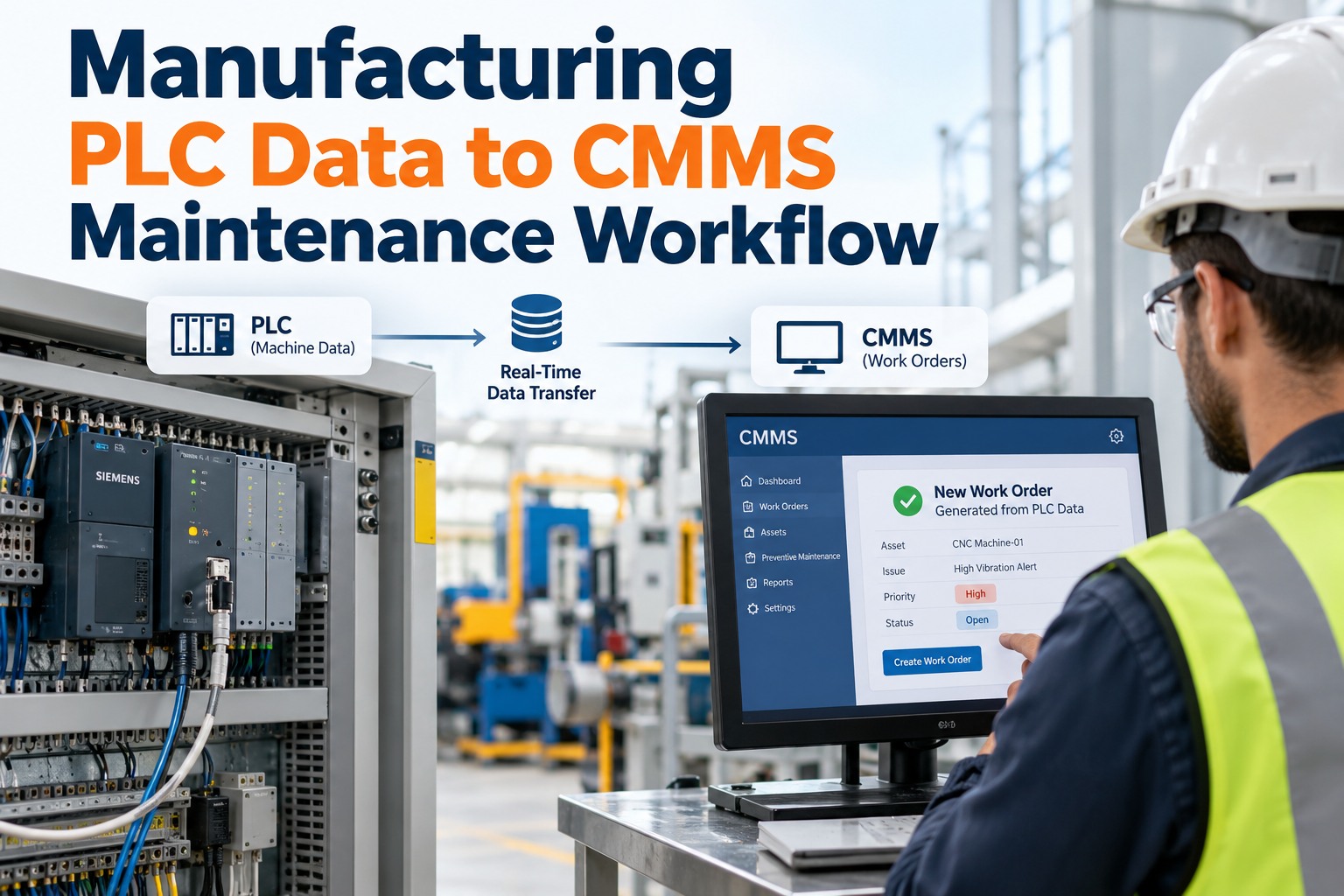
Test at minimum one integration: ERP parts lookup, SCADA meter feed, or SSO via Azure AD. Pull a meter reading into the CMMS and confirm a PM triggers automatically. If the vendor cannot demonstrate one live integration during your trial, that is a red flag for production rollout.
Score against the 15-question rubric
Run the 15-question scorecard below with all trial stakeholders present: maintenance lead, planner, reliability engineer, IT. Any item scoring below 3 out of 5 becomes a negotiation point or a deal-breaker. Decide on day 14, not week 6.
Pick 25 assets that mirror your real plant
A pilot asset list of 25 is large enough to expose data migration pain and small enough to configure in an afternoon. Include at least one asset from every criticality tier so reporting tests reflect real distribution.
5 rotating critical assets
Main production compressors, HVAC chillers, primary hydraulic power units. These stress the CMMS on meter-based PMs, downtime tracking, and spare-parts reservation. If the system cannot handle these cleanly, walk away.
8 utility & support assets
Boilers, cooling towers, dust collectors, air compressors, AGV chargers. Test calendar-based PMs, safety checklists, and lockout-tagout attachment. These assets reveal whether the CMMS handles long-form inspection procedures well.
7 RTF & consumable items
Pumps, fans, lighting circuits, motors under 5 HP. Tests reactive work order flow, downtime logging speed, and whether the system makes it easy to flag an RTF asset for upgrade to a PM regime based on failure frequency.
5 spare parts & 1 BOM
Bearings, belts, filters, seals, lubricants. Build one full bill of materials against a critical asset. Test parts reservation against an active work order and confirm the CMMS decrements inventory or flags a reorder point.
The 10-point data migration checklist
A clean CSV import is the single biggest predictor of on-time go-live. Plants that skip this checklist spend a median of 14 extra weeks scrubbing data after contract signing. Run every row below during the trial.
Mobile floor test: where most CMMS trials break
In a 2024 survey of 412 plant maintenance leads, 64% reported that their CMMS mobile app was "rarely used" on the floor — almost always because the trial never tested gloved, one-handed, low-signal conditions. Run these five checks during your trial.
| Mobile UX check | Pass criterion | Why it matters | Time to test |
|---|---|---|---|
| Gloved work order completion | Technician closes a WO wearing standard work gloves, no pinch-zoom needed | 72% of WO closures happen on the floor, not at a desk | 4 min |
| Photo capture & attach | Photo taken in-app, tagged to fault code, attached to WO in under 30 seconds | Photos are the #1 evidence layer for warranty claims | 2 min |
| Offline mode | WOs created, edited, and closed with no signal; sync on reconnect loses zero data | Many plant basements and remote yards have dead zones | 8 min |
| QR / barcode scan to asset | Scan a QR label, land on the asset record, see open WOs in 3 taps or fewer | Cuts asset lookup from 90 seconds to under 10 | 3 min |
| PM builder conditional logic | If "Bearing temp > 80°C" then "Create corrective WO" triggers automatically | Conditional PMs reduce unnecessary work by 22% on average | 6 min |
Prove one live integration before you sign
A CMMS that cannot pull a meter reading or push a parts request to your ERP is an island. During your trial, force at least one of these integrations to run live — not in a slide deck.
ERP parts lookup
Push a work order parts request to your ERP (SAP, Oracle, Epicor, Dynamics) and confirm stock availability returns to the CMMS in real time. Benchmark: round-trip under 4 seconds.
SCADA / IoT meter feed
Pull a vibration, temperature, or cycle count reading into the CMMS via OPC-UA or MQTT. Confirm a meter-based PM triggers automatically when the threshold is crossed.
SSO via Azure AD / Okta
Log in with your corporate SSO. Confirm role-based access control maps to AD groups so a technician cannot see financial reports and a planner cannot edit asset hierarchies.
Purchasing & PO sync
Generate a purchase request from a low-stock spare part and confirm it appears in your purchasing system with correct GL coding, vendor, and approved-by routing.
Score each answer 1–5. Anything under 3 is a red flag.
Print this rubric. Have your maintenance lead, planner, reliability engineer, and IT lead score independently, then compare. A median score below 3.5 across all 15 questions means the CMMS is not production-ready for your plant.
Setup & Data
PM & Work Orders
Mobile & Floor
Integration & Reporting
Vendor & Viability
Ready to run the scorecard against your own assets?
Stand up a tenant, import 25 pilot assets, and run all 15 checks in 14 days. No credit card, full mobile app, live integration sandbox.
A 180-asset plant, $42K annual maintenance spend
A mid-sized food packaging plant ran this exact trial framework against three CMMS vendors. Here is what the numbers looked like before and after the structured trial.
- 3 vendor demos watched, 0 assets imported
- Decision based on slide decks and reference calls
- $42K annual maintenance spend, 28% reactive
- Mean time to repair: 6.4 hours
- PM compliance: 61% (industry benchmark: 90%+)
- 25 pilot assets imported, 3 PMs built, 1 SCADA integration live
- Decision backed by 15-question scorecard, median 4.1/5
- Projected 22% maintenance spend reduction in year one
- MTTR target: 4.2 hours via mobile WO closure
- PM compliance target: 92% within 90 days of go-live
Free trial questions, answered
How long should a manufacturing CMMS free trial last?
A meaningful trial needs 14 days minimum — long enough to import data (day 1), build PMs (day 3), test mobile on the floor (day 6), run an integration (day 10), and score with stakeholders (day 13). Anything shorter than 14 days forces you to skip the mobile and integration tests, which is where most CMMS deployments fail. You can Start Free Trial with a full 14-day window and no credit card on file.
Should I import real plant data or use sample data?
Always import real data — at least 25 pilot assets covering every criticality tier. Sample data hides the data-migration pain that will dominate your go-live timeline. If the vendor only offers sample data, that itself is a red flag: it means they are not confident their import pipeline handles messy real-world CSVs with inconsistent naming, missing fields, and duplicate records.
Who should be involved in the trial evaluation?
At minimum four roles: the maintenance lead (tests PM builder and WO flow), a planner (tests scheduling and parts reservation), a reliability engineer (tests reporting and failure-code hierarchy), and an IT lead (tests SSO, integration, and data export). Each scores the 15-question rubric independently. If only the maintenance lead evaluates, you will miss integration gaps that surface in month three of production.
What is the most common mistake plants make during a CMMS trial?
Treating the trial like a guided tour instead of a pilot. Plants log in once, click around for 30 minutes, and sign. The trial should mirror a real production week: build PMs, generate work orders, test mobile on the floor with gloves, and force one integration to run live. If your trial does not feel like work, you are not testing the right things. To see the difference, Book a Demo and we will walk you through the pilot framework.
Can I negotiate contract terms based on trial scorecard results?
Yes — and you should. Any scorecard item that scored below 3 out of 5 becomes a contract negotiation point: either a discount, a committed roadmap item with a date, or a service-level credit. Vendors who refuse to tie pricing or commitments to trial outcomes are signaling that their product cannot meet the bar. The scorecard is your leverage; use it before you sign, not after.
Stop demoing. Start piloting.
Import 25 real assets, build 3 PMs, test mobile on the floor, and run the 15-question scorecard — all in 14 days, no credit card.
Free 14-day trial · No credit card