Manufacturers lose an estimated $50 billion a year in the United States to unplanned downtime — and most of that damage is preventable with data the plant is already generating. A PLC registers a torque overload fault, a temperature tag crosses threshold, a fault code flashes on the SCADA screen for a few seconds — an operator acknowledges it, production resumes, and nothing else happens. The signal existed. It just never reached anyone who could act on it. 70% of industrial facilities still manually transfer data between control systems and their CMMS, which means the gap between "the machine knew" and "maintenance found out" is measured in shifts, not seconds. This guide breaks down how PLC and SCADA data actually reaches a CMMS, the protocols involved, and how OXMAINT AI turns a threshold breach into a routed work order automatically.
Manufacturing · PLC / SCADA Integration · CMMS Workflow · 2026
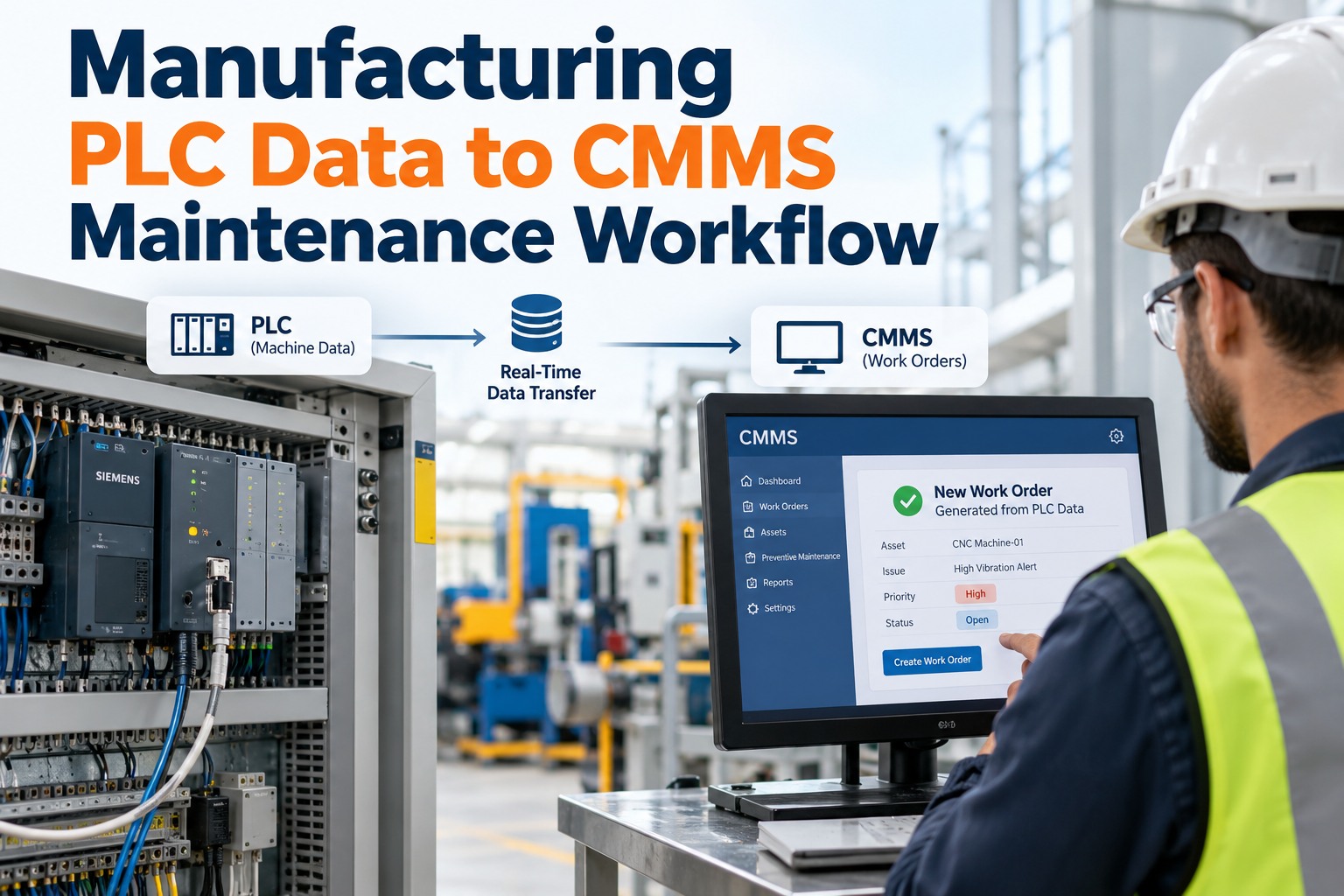
Manufacturing PLC Data to CMMS Maintenance Workflow
Your PLCs already know a drive is running hot or a motor's drawing too much current — the data just dies on the HMI screen. OXMAINT AI connects that signal to the maintenance workflow: PLC and SCADA tags stream in, a threshold breach or fault code becomes a scoped work order automatically, and the asset's PM schedule updates from what actually happened on the floor, not a fixed calendar date.
PLC / SCADA Tag Streamed
→
Threshold or Fault Detected
→
Work Order Auto-Created
→
Asset History Updated
$50B / year
estimated U.S. manufacturing losses to unplanned downtime, much of it preventable with existing sensor data
70%
of industrial facilities still manually transfer data between control systems and their CMMS
42%
of manufacturing downtime traces back to equipment failure — exactly what PLC data flags in advance
<90 sec
typical time from an OPC UA alarm to an auto-generated work order in an integrated plant
The IT/OT Gap: Where the Signal Actually Dies
The data isn't missing. It's generated, displayed on an HMI screen, and dismissed — because nothing on the other end is listening for it. Sign up free and see your first PLC tags flowing into work orders today.
🖥
Alarms Acknowledged, Not Acted On
An operator clears the alarm on the SCADA screen and production resumes. No work order, no technician paged — the fault code just disappears.
🔗
No Tag-to-Asset Mapping
SCADA tags exist at the controller level. CMMS assets exist at the equipment level. Without a mapping, nobody knows which of 47 tags actually belongs to which compressor.
🌊
Alarm Floods, Not Signals
A mid-size plant can log thousands of alarm events a day. Without filtering, every minor deviation looks the same as a genuine failure warning.
📞
The Human Relay Step
Operator radios a supervisor, supervisor opens a spreadsheet, technician gets paged — the manual handoff chain is where most of the delay lives.
The Four-Layer Integration Architecture
PLC-to-CMMS integration isn't one wire from the controller to a dashboard — it's a stack, and OXMAINT AI sits at the top listening, not reaching down into your control network. Book a demo to see this architecture mapped to your actual plant floor.
L4
CMMS — OxMaint
Receives mapped, filtered signals and auto-generates, classifies and routes work orders. Never writes back to the PLC layer.
↑
L3
MES / ERP
Production context — order counts, run schedules, downtime codes — that enriches a fault with what was actually happening when it fired.
↑
L2
SCADA / Historian
Aggregates tags across the floor, stores trend history, and exposes an OPC UA server or MQTT broker for downstream systems to subscribe to.
↑
L1
PLC / Sensors
Live tags streaming from motor drives, temperature probes, pressure transducers and fault registers on the actual machines.
Integration Protocol Comparison
From PLC Alarm to Closed Work Order
1
Tag Crosses Threshold
A PLC-monitored value — temperature, vibration, current draw — exceeds its configured limit.
→
2
Signal Filtered
Contextual logic screens out chatter and transient noise, passing through only actionable deviations.
→
3
Asset Matched
The tag maps to its specific equipment record via the tag-to-asset hierarchy, not just a controller ID.
→
4
Work Order Auto-Created
A scoped work order generates with the fault code, asset history and severity attached, routed to a technician.
→
5
Resolution Logged
Repair details feed back into the asset record, refining future threshold accuracy and PM scheduling.
An Alarm Acknowledged on an HMI Screen Isn't a Fixed Problem. It's a Postponed One.
OXMAINT AI listens to the data your PLCs already generate and turns a threshold breach into a routed work order — no controls engineering project required.
Manual Alarm Relay vs. Automated PLC-to-CMMS Workflow
Manual Alarm Relay
Operator acknowledges the alarm, production resumes
Supervisor notified by radio or phone, if at all
Work order entered by hand, often hours later
Fault context lost between the HMI screen and the work order
Automated PLC-to-CMMS Workflow
Threshold breach detected and filtered automatically
Work order created and routed within seconds
Full fault code and asset history attached automatically
Resolution data feeds back into future threshold tuning
What OXMAINT AI Gives Manufacturing & IT/OT Teams
Non-Invasive Connectivity
Subscribes to your existing OPC UA server, MQTT broker or historian — no PLC firmware changes, no control network access required.
Tag-to-Asset Hierarchy Mapping
Maps raw controller tags to specific equipment records, so a fault on a drive links to the actual asset, not just a tag ID.
Alarm Filtering & Deduplication
Screens out chattering sensors and transient noise, so maintenance sees actionable deviations, not thousands of raw events.
Automatic Work Order Generation
A filtered fault or threshold breach becomes a scoped work order automatically, with severity and context pre-filled.
Production-Context Enrichment
Pulls MES and ERP data alongside the fault, so a technician knows what the line was running when the fault fired.
Condition-Based PM Scheduling
PM intervals adjust from real tag trends and repair history, not a static calendar date disconnected from actual equipment condition.
"
We had SCADA screens covered in alarms and a maintenance team that only found out about a real failure when the line actually stopped. Once we mapped our tags into OXMAINT AI, a threshold breach on a drive motor generates a work order in under a minute, with the fault code and asset history already attached — the technician isn't starting from zero when they get to the machine. It took about a week to get our first alarms flowing through, and we didn't touch a single line of PLC code to do it.
Plant Reliability Manager · Discrete Manufacturing Facility
Frequently Asked Questions
Does connecting our PLCs to OXMAINT AI require changes to our control network?
No. OXMAINT AI subscribes to data already exposed by your OPC UA server, MQTT broker or historian — it doesn't write to PLCs, require firmware changes, or need direct access to the control network itself.
What's the difference between OPC UA, MQTT and Modbus for this kind of integration?
OPC UA carries the richest context — value plus meaning — and is the dominant standard for modern SCADA-to-CMMS connectivity. MQTT is lightweight and well suited to distributed IoT sensors. Modbus TCP is common on older PLCs that don't natively support OPC UA and carries raw register values with less built-in context.
How does OXMAINT AI avoid flooding maintenance with every minor alarm?
Incoming signals pass through filtering logic that screens out chattering sensors and transient noise, so only deviations that meet a configured actionability threshold generate a work order — instead of every one of the thousands of raw alarm events a plant can log in a day.
How long does it typically take to get PLC data flowing into work orders?
Since the connection is a configuration exercise rather than a controls engineering project, teams commonly see their first auto-generated work order from a real PLC alarm within about a week of starting the integration.
Your PLCs Are Already Talking. Give Your CMMS Something to Listen With.
The fault codes, thresholds and tag data are already there on your floor. OXMAINT AI turns them into routed, scoped work orders — automatically.