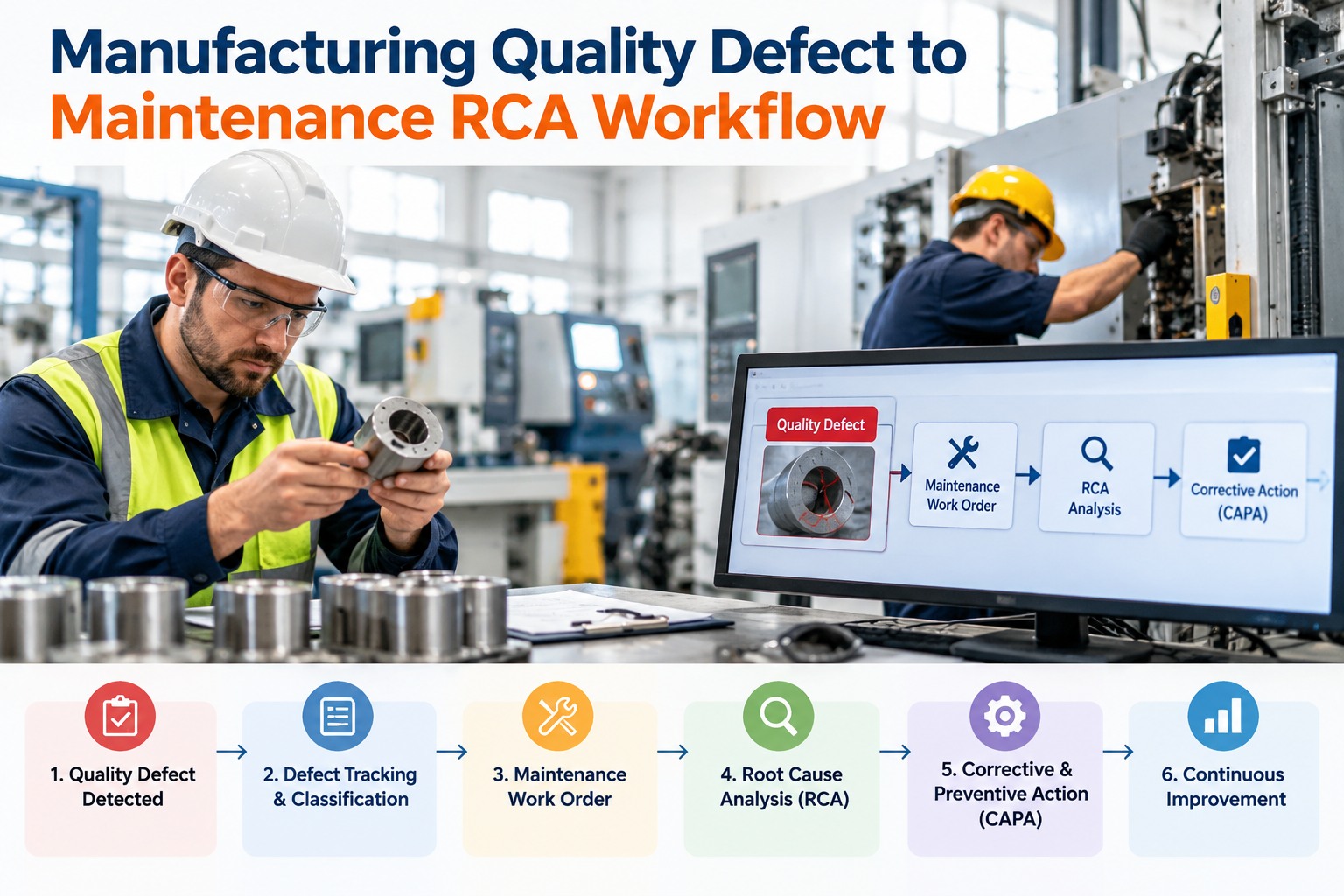
Quality finds a defect and scraps the batch. Maintenance resets the machine and restarts the line. Two weeks later, the same defect is back, because nobody connected the scrap to the worn component that caused it. In most plants, quality and maintenance work in separate systems, and the handoff between them is a conversation in a hallway. A defect-to-maintenance workflow closes that gap: every quality problem is traced to the equipment behind it, investigated properly, fixed at the root, and recorded so it does not return. OxMaint AI maintenance management software links defects to assets, runs the investigation as a tracked work order, and updates your preventive maintenance with what you learn.
Manufacturing Quality Defect to Maintenance RCA Workflow
One shared path from the first scrapped part to a permanent fix, with a record at every step.
The Gap Between Quality and Maintenance
Both teams want the same outcome, but they see different halves of the problem. Quality sees the symptom. Maintenance sees the machine. Without a shared record, neither sees the cause. Start free and connect the two views.
- Which parts failed inspection
- When and on which shift
- The size of the scrap or rework
- Customer complaints
often missing
- Which machine was running
- Its wear and repair history
- Recent breakdowns and fixes
- Calibration and PM status
The 6-Step Defect-to-RCA Workflow
Use the same six steps for every significant defect. Book a demo to see each step in OxMaint AI.
Defect Symptoms and the Equipment Behind Them
Many defects point to specific equipment conditions. Use this as a starting guide, not a final answer. Start free and log defects against each asset.
| Defect seen | Equipment suspects | Check first |
|---|---|---|
| Dimensions drifting out of tolerance | Tool or die wear, spindle or guide wear, loose fixtures | Tool life, calibration, fixture condition |
| Burrs, rough or scratched surfaces | Worn or dull tooling, damaged guides | Tool condition, guide surfaces |
| Leaks or poor seals | Worn seals, wrong pressure or temperature | Seal wear, sensor accuracy |
| Inconsistent fill or weight | Worn nozzle, feeder or load cell drift | Calibration, nozzle and feeder wear |
| Misalignment or poor assembly | Worn locating parts, loose guides, conveyor issues | Alignment, fastener and guide condition |
| Random, repeating defects | Intermittent sensor, control or vibration problem | Alarm logs, sensors, mechanical looseness |
Choose the Right RCA Method
Keep asking "why" until you reach a cause you can fix.
Sort causes into machine, method, material, people, measurement and environment.
Rank defect types or machines to find the few causing most losses.
Rate failure modes by risk and put controls on the worst ones.
Worked Example: Oversized Parts on a CNC Line
An illustration of the 5 Whys, showing how a quality complaint becomes a maintenance fix. Book a demo to build your own.
If the Fix Never Reaches the PM Plan, the Defect Will Come Back.
A real RCA ends by changing something permanent: a task, a setting, a checklist. OxMaint AI lets you turn each finding into a preventive task, so one investigation protects every shift that follows.
What to Record on Every Defect Investigation
Measure Whether It's Working
How OxMaint AI Connects Quality and Maintenance
Frequently Asked Questions
Fix the Cause, Not Just the Defect.
Give quality and maintenance one shared workflow, so every defect leads to a permanent fix and a record that proves it.