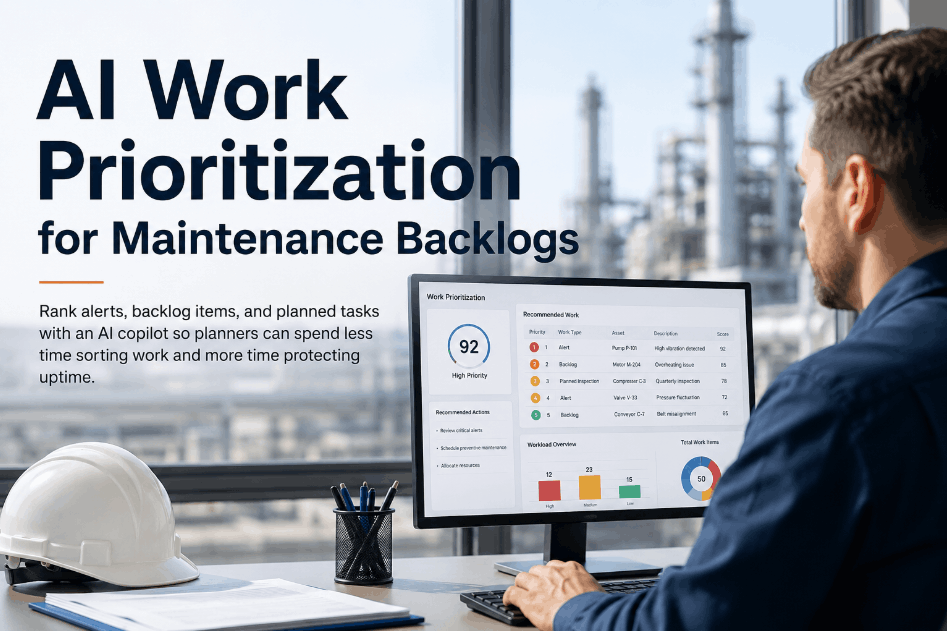
Maintenance teams at busy plants and facilities face a constant tension between what needs to happen now and what the queue says should happen next. When every open ticket looks urgent and technicians are stretched across assets, shifts, and sites, the absence of clear work order prioritization rules doesn't just slow throughput — it creates safety exposure, missed PMs, and runaway repair backlogs. Facilities that Sign Up Free on Oxmaint can build priority tiers, automate assignment logic, and reduce the dispatch lag that quietly erodes team performance every shift. For operations teams ready to move from ad-hoc queue management to structured priority rules, Book a Demo and see how Oxmaint handles work order prioritization across multi-site maintenance programs.
Oxmaint gives busy maintenance teams structured priority rules, automated work order assignment, and live queue visibility — so the right job reaches the right technician every time.
Why Work Order Prioritization Rules Break Down Under Queue Pressure
Most reactive maintenance queues are prioritized informally — by whoever shouted loudest, which supervisor is on shift, or which asset is physically closest to a technician. This creates assignment lag, task aging, and deferred PMs that compound silently until output drops or a critical asset fails. Facilities that Sign Up Free on Oxmaint can replace informal triage with structured rules that score, rank, and assign work orders automatically — before queue pressure forces the wrong call.
Any work order touching lockout/tagout, pressure relief, electrical hazards, or compliance obligations must bypass the standard queue and trigger immediate assignment — no manual override required.
Assets on the critical path of production get priority scoring that reflects downtime cost per hour. Oxmaint's asset criticality tiers route these work orders to available senior technicians automatically.
PMs that age past their scheduled window don't just represent compliance risk — they become operational liability. Oxmaint flags overdue PMs and elevates their priority before missed intervals accumulate.
Failures that degrade output quality, slow throughput, or create downstream rework get priority tier 2 routing — above routine PMs but below safety and production-critical emergency work.
Scheduled inspections, condition monitoring rounds, and calendar-based PMs hold the middle of the queue — visible, trackable, and escalated automatically when they approach their due window.
Non-urgent improvements, cosmetic repairs, and low-criticality corrective work sit at the base tier — completed when capacity allows without displacing higher-priority queue items.
Work Order Priority Tiers: Rules, Triggers, and Response Time Targets
Clear priority tiers only work when technicians and supervisors share the same definitions. Use this framework to audit your current work order scoring logic and identify where assignment lag and backlog burn-down failures are hiding. Facilities managing open work queues across multiple assets and shifts can Book a Demo to see how Oxmaint enforces priority rules in live operational environments.
| Priority Tier | Trigger Condition | Asset Context | Target Response | Auto-Assign | Classification |
|---|---|---|---|---|---|
| P1 — Emergency | Safety breach, immediate failure, compliance violation | Any asset, any shift | Immediate | Yes | Critical |
| P2 — Urgent | Production-critical asset degraded or at risk | Tier 1 criticality assets | Within 2 hours | Yes | Critical |
| P3 — High | Service-affecting failure, output degradation | Tier 1–2 assets | Within 8 hours | Yes | Important |
| P4 — Scheduled | PM due, inspection window, condition trigger | All asset tiers | Within planned window | Yes | Important |
| P5 — Overdue PM | PM past due date by defined threshold | All asset tiers | Escalate to P3 | Yes — escalated | Important |
| P6 — Routine | Low-impact corrective, non-urgent improvement | Tier 3 assets | Next available slot | No | Routine |
Building Priority Rules That Technicians Actually Follow
Priority frameworks fail when they exist only in documentation. Oxmaint embeds priority rules directly into the work order workflow — visible on the technician's mobile task list, enforced at assignment, and tracked through to closure. Facilities ready to move from manual queue sorting to automated priority enforcement can Sign Up Free and configure asset criticality tiers and assignment rules in their first session.
- Asset criticality tier drives automatic priority scoring at work order creation
- Safety and compliance triggers bypass queue and force immediate dispatch
- Overdue PM escalation rules promote aging tasks before they become liability
- Technician skill matching combined with priority routing reduces reassignment waste
- Mobile task list sorts by priority tier — highest first, always visible
- Supervisors see real-time queue pressure across all open work orders and shifts
- No asset criticality tiers? Oxmaint's no-code setup assigns tiers in minutes
- PMs aging unnoticed? Automatic escalation rules surface overdue tasks before they compound
- Informal dispatch decisions? Priority rules replace supervisor judgment calls at assignment
- Technicians working lowest-effort jobs? Mobile queue forces priority-first task visibility
- No backlog visibility? Live dashboards show open work by priority tier and age
- Multi-shift handover confusion? Oxmaint's shift log carries priority context across teams
KPIs That Reveal Whether Your Priority Rules Are Working
Priority rules without measurement create false confidence. Oxmaint's live KPI dashboards surface the metrics that show whether work order prioritization is reducing dispatch delay, improving throughput, and protecting asset reliability — or just adding administrative overhead. Facilities can Book a Demo to see how these KPIs appear in Oxmaint's out-of-the-box reporting for manufacturing and multi-site operations.
Measures what percentage of completed work orders were planned versus reactive. Facilities with strong priority rules typically shift this ratio toward 70%+ planned within the first year.
Time from work order creation to technician assignment, broken down by priority tier. P1 and P2 lag above target is the first signal that priority enforcement is breaking down under pressure.
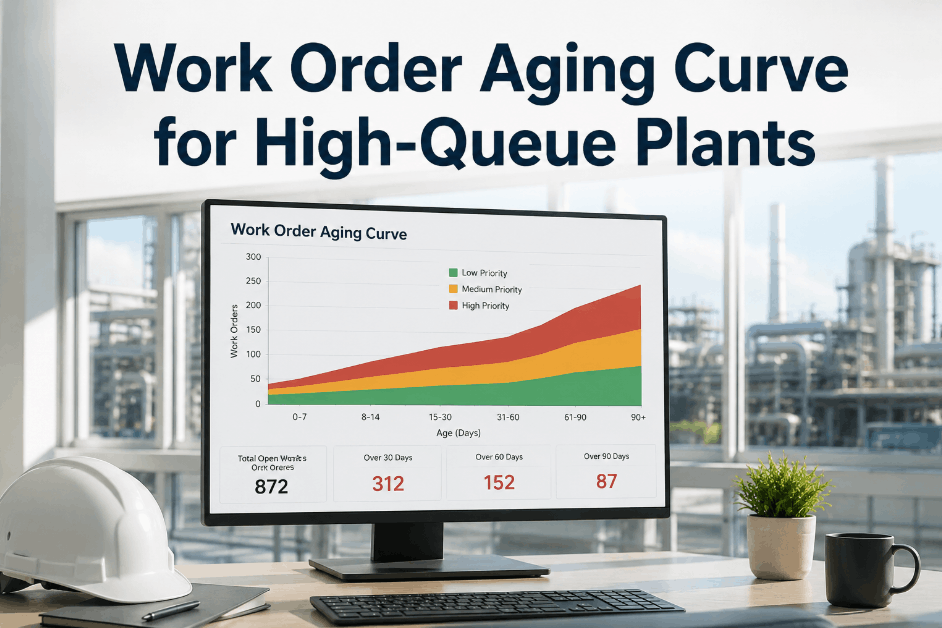
Shows how many open work orders are aging past their target response time, segmented by tier. Chronic aging in P3–P4 signals capacity gaps or priority rule failures at the team level.
Percentage of PMs completed within their scheduled window. Overdue PM accumulation is one of the clearest early indicators that reactive work is consuming planned maintenance capacity.
MTTR by asset and priority tier reveals where repair bottlenecks form. High MTTR on critical assets often traces back to parts availability gaps or technician skill mismatches, not just queue volume.
Uneven workload distribution is a leading cause of priority rule failure. Oxmaint's team dashboard surfaces per-technician open work so supervisors can rebalance before throughput drops.
Why Maintenance Teams Choose Oxmaint to Enforce Priority Rules at Scale
Oxmaint is not a static ticketing system — it is a complete maintenance execution platform with priority logic, asset criticality scoring, and automated assignment built in. When a work order is created, Oxmaint scores it against asset tier, failure type, and compliance rules, then routes it to the right technician with the right priority visible on mobile. Facilities can Sign Up Free and configure their full work order priority structure without writing code or involving IT. For multi-site operations managing complex queue pressure, Book a Demo to see consolidated priority dashboards across all plants in one view.
Assign criticality tiers to every asset — line-critical, facility-critical, or routine — and let Oxmaint use those tiers to score and route every new work order automatically.
Priority rules drive automatic technician assignment based on skill, shift, and availability — removing manual dispatch decisions and the bias that comes with informal queue management.
Aging PMs auto-escalate in priority before they become overdue compliance items. Oxmaint notifies supervisors and elevates affected work orders in the technician task queue.
Field technicians see their task list sorted by priority tier on mobile — highest urgency first, with asset context, instructions, and photo capture built into each work order.
Supervisors see open work orders by priority, age, and technician load in real time — with alerts when P1/P2 response targets are at risk of being missed.
Every priority change, assignment decision, and closure action is timestamped and attributed — providing the documentation needed for compliance, reliability reviews, and continuous improvement.
Oxmaint gives maintenance teams automated work order priority scoring, mobile-first task queues, and live backlog dashboards — go live in under 45 days without an IT project.
Work Order Prioritization — Questions Maintenance and Operations Leaders Ask
Most facilities operate effectively with four to six tiers — from immediate safety emergencies through routine low-impact work. Fewer tiers create bottlenecks at the top; too many tiers create classification confusion at the team level.
Oxmaint uses the asset's criticality tier — configured by the facility team — to automatically score new work orders at creation. A failure on a Tier 1 critical asset generates a higher priority than the same failure type on a Tier 3 support asset.
In Oxmaint, overdue PMs auto-escalate based on configurable aging rules — elevating their priority tier and triggering supervisor alerts before missed intervals compound into asset reliability risk.
Yes. Oxmaint's assignment engine matches work order requirements against technician skill profiles, current shift, and open task load — reducing manual dispatch decisions and the reassignment waste that comes with informal queue management.
The most reliable indicators are planned-vs-reactive ratio, assignment lag by priority tier, PM schedule compliance rate, and task aging distribution. Oxmaint surfaces all of these in out-of-the-box dashboards without custom report configuration.
Most facilities configure their asset criticality tiers, priority scoring rules, and automated assignment logic within the first session. No IT involvement or coding is required — the facilities team owns the setup end-to-end.
Oxmaint gives maintenance teams asset criticality scoring, automated work order routing, overdue PM escalation, and live queue dashboards — without an IT project or custom development.