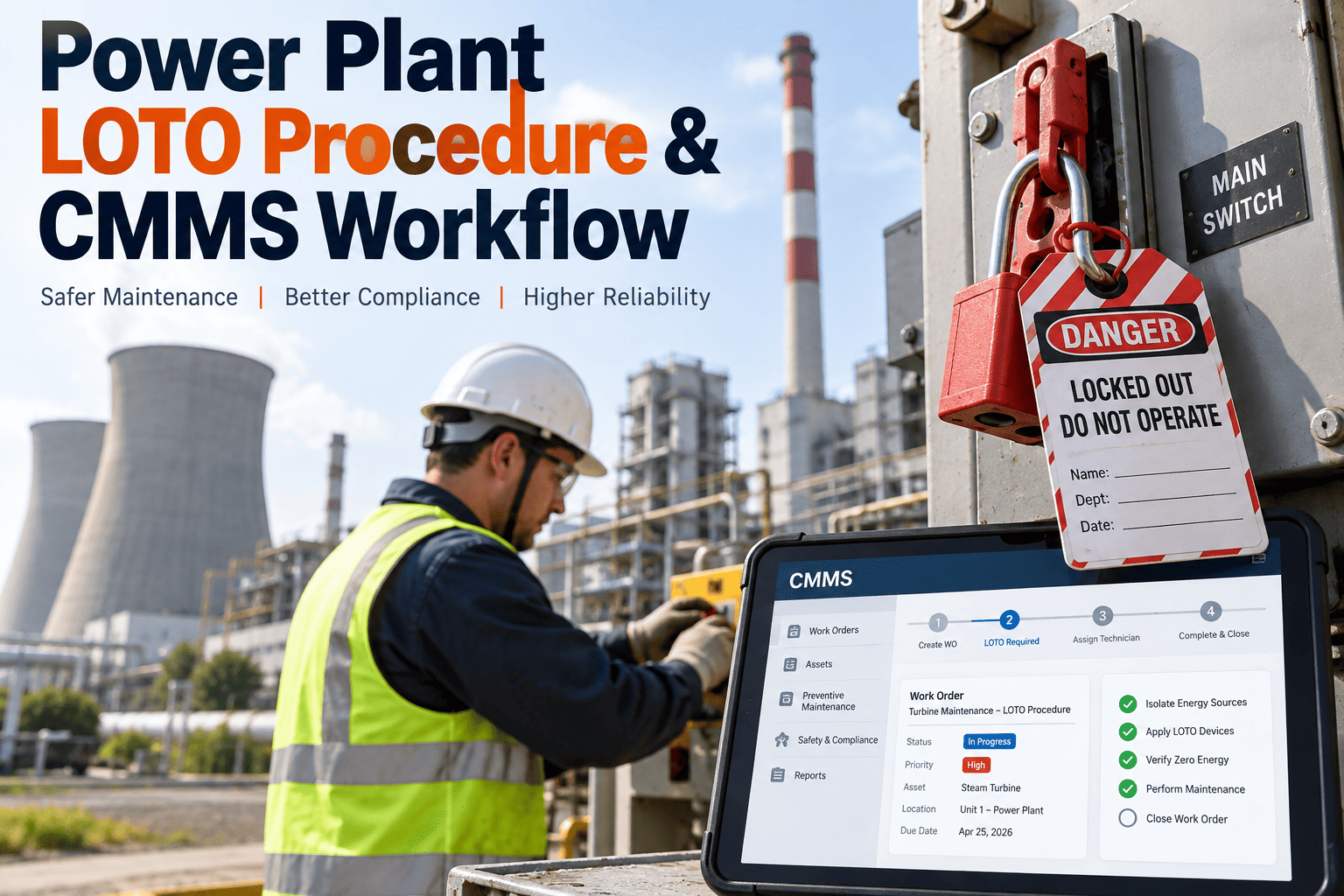
A power plant runs on authority as much as it runs on fuel. When a control-room operator submits a fault report, a planner converts it into a work order, a supervisor approves, a technician executes, and a compliance officer closes the loop — every action needs to happen in sequence, by the right person, with a permanent record. Yet most CMMS platforms still treat user access as a binary switch: full access or none. In a NERC-regulated power plant, that's not just inefficient — it's an audit finding waiting to be written. Role-based access control is how modern plants enforce authorization hierarchies without slowing down the work, and Oxmaint is built around it. Book a demo to see role-based permissions configured for a power plant workflow.
7
Distinct Role Tiers in a Typical Power Plant Workflow
$1.29M
Max NERC CIP Penalty Per Violation, Per Day
12
Months of Auditable User Activity Records NERC Requires
100%
Work Order Actions Captured with Timestamp + User ID
Why Generic User Accounts Fail in a Power Plant Environment
A small facility with three maintenance staff can get by sharing one login. A 300 MW plant with rotating shifts, contractor crews, engineering planners, operations supervisors, and a compliance officer cannot. When accounts are shared or over-permissioned, four specific things break: evidence chains dissolve during audits, unauthorized changes go undetected, separation of duties becomes impossible to enforce, and ghost accounts from departed staff pile up as silent security liabilities. The failure modes below are the real-world reason RBAC is not optional in power generation.
Shared Logins
When three technicians share one account, you lose the ability to know who closed a critical boiler inspection. Every NERC CIP audit starts with "show me the user record" — a shared account is already a finding.
Audit exposure: high
Over-Permissioned Roles
A contractor with admin access can inadvertently delete asset history, overwrite PM schedules, or modify permission templates. The same permission that lets someone "get the job done" lets them undo years of documentation.
Data loss risk: high
No Separation of Duties
If the same user can create a work order and approve it, there is no control on spurious or self-authorized work. In a regulated plant, this is both a compliance issue and an internal fraud risk.
Governance gap: critical
Ghost Accounts
Departed employees, transferred contractors, completed vendor engagements — accounts never get deactivated. Each one is an active credential that should no longer exist. Auditors find these in the first hour.
Security risk: severe
The Seven-Tier Power Plant Role Hierarchy in Oxmaint
A correctly configured CMMS mirrors the plant's real organizational hierarchy — not a generic three-role template. Oxmaint ships with a seven-tier structure tuned for power generation, where each role inherits the permissions of the tier below it and adds specific authorities on top. The pyramid below shows the progression from view-only access at the base to full system governance at the apex.
System Administrator
Full system configuration, role definition, integration management, audit log access
Plant Manager
Cross-department visibility, budget approvals, compliance report exports, policy overrides
Maintenance Manager
PM schedule authority, work order approval above threshold, asset lifecycle decisions
Supervisor / Planner
Work order creation, technician assignment, priority setting, parts reservation
Maintenance Technician
Assigned work order execution, time and parts logging, photo evidence, e-signature close-out
Contractor / Vendor
Limited-scope work order access with auto-expiry, restricted asset visibility, no deletion rights
Requester / Operator
Fault reporting, service request submission, read-only asset status for assigned equipment
The Permissions Matrix: Who Can Do What Inside Oxmaint
Every action in a CMMS maps to a permission — and every permission maps to one or more roles. The matrix below shows the granular split across six of the most audit-sensitive actions in power plant maintenance. This is the actual default structure Oxmaint ships with, and every cell is configurable at deployment to match your plant's chain of authority.
| Action |
Requester |
Technician |
Supervisor |
Manager |
Admin |
| Submit service request |
Yes |
Yes |
Yes |
Yes |
Yes |
| Create authorized work order |
No |
No |
Yes |
Yes |
Yes |
| Approve work order over $10K |
No |
No |
No |
Yes |
Yes |
| Close work order with e-signature |
No |
Yes |
Yes |
Yes |
Yes |
| Edit asset hierarchy |
No |
No |
No |
Yes |
Yes |
| Export NERC audit records |
No |
No |
No |
Yes |
Yes |
| Modify user roles & permissions |
No |
No |
No |
No |
Yes |
Stop Managing Access on Spreadsheets
Build Your Plant's Authorization Hierarchy in One Afternoon
Oxmaint ships with pre-built power plant role templates and a point-and-click permission editor. No IT tickets, no developer work, no permissions drift — just the right people with the right access from day one.
Separation of Duties: The Work Order Approval Chain
Separation of duties is the single most important RBAC principle in a regulated plant — the rule that no one person can complete a critical transaction alone. For work orders, this means the person who requests the work cannot approve it, and the person who approves it cannot close it without verification. Oxmaint enforces this as a workflow constraint, not a policy document, so the separation happens automatically on every work order without relying on staff memory.
Stage 01
Operator / Requester
Submits service request with fault description, asset ID, priority hint, photo evidence
Stage 02
Planner / Supervisor
Reviews request, converts to work order, assigns technician, sets priority and parts
Stage 03
Maintenance Manager
Approves work orders above threshold value or critical-asset tag; denies or reroutes if scope-inappropriate
Stage 04
Technician
Executes work, logs time and parts consumed, attaches completion photos, signs off with authenticated e-signature
Stage 05
Supervisor (Countersign)
Verifies completion, approves close-out; work order locks and enters immutable audit archive
The Audit Trail: What Oxmaint Captures on Every Action
Role-based access only matters if you can prove it worked. Every permission grant, work order state change, login event, and data export in Oxmaint writes an immutable audit log entry with the seven fields NERC CIP, ISO 27001, and internal audit teams expect to see. The timeline below is what a single work order's audit record looks like — the backbone of a clean compliance review.
08:14:22 UTC
Service Request Created
User: operator_j.mensahAsset: BFP-02Session: SSO-verified
08:47:01 UTC
Converted to Work Order WO-48293
User: planner_s.patelPriority: HighIP: logged
09:12:58 UTC
Manager Approval Granted
User: mgr_d.okonkwoValue: $14,200Method: MFA
14:33:44 UTC
Technician E-Signature Close-Out
User: tech_l.nagelParts: 3 loggedPhotos: 4 attached
15:02:19 UTC
Supervisor Countersign & Archive Lock
User: sup_m.chenRecord: immutableRetention: 7 years
Manual Access Control vs Oxmaint RBAC: The Real Difference
Most plants still run access control through a combination of spreadsheet permission lists, shared passwords on sticky notes, and "ask IT" tickets when a technician needs something changed. The gap between that model and a purpose-built RBAC system is not just a feature difference — it's the difference between an audit finding and a clean review.
Manual / Generic CMMS
NoShared logins or spreadsheet-maintained permission lists
NoAccess changes require IT ticket, often taking days
NoSeparation of duties enforced by policy, not the system
NoAudit trail assembled manually from email chains and logs
NoGhost accounts remain active long after staff departure
NoContractor access lingers past project completion
Oxmaint RBAC
YesUnique authenticated user per login — SSO and MFA supported
YesRole changes applied instantly by admin, no developer needed
YesWorkflow constraints enforce separation automatically on every transaction
YesEvery action logged with user, timestamp, IP, and session — exportable on demand
YesAutomated deactivation workflow on role-exit trigger or HR sync
YesContractor accounts auto-expire at project end-date or work order closure
Compliance Frameworks Supported by Oxmaint RBAC
Power plant auditors don't just ask whether access control exists — they ask which framework it maps to. Oxmaint's RBAC architecture produces the evidence artifacts required by the four most common compliance regimes affecting North American and international power generation.
NERC CIP-004
Personnel & Training
Controls authorized electronic and unescorted physical access. Oxmaint logs every user's role, training record, access grant date, and revocation event — the exact evidence set requested during Regional Entity audits.
NERC CIP-007
System Security Management
Requires account management, shared account justification, and periodic access review. Oxmaint enforces quarterly access review workflows and flags shared-account patterns automatically.
ISO 27001
Information Security Controls
Access control is central to A.9 of the ISO 27001 Annex. Oxmaint's role-based structure, MFA support, and immutable audit logs align directly to A.9.2 and A.9.4 control requirements.
SOX / J-SOX
Internal Financial Controls
For publicly listed utility operators, Oxmaint's separation-of-duties enforcement on work order approval above monetary thresholds maps to SOX internal control requirements for operational expenditure.
Frequently Asked Questions
QHow many roles can Oxmaint support, and are they fully customizable?
Oxmaint supports unlimited custom roles with granular permission control at the field and action level. Every role can inherit from another, and permissions are editable by any user with admin rights — no code or developer involvement needed.
QCan Oxmaint integrate with our existing Active Directory or SSO provider?
Yes. Oxmaint supports SAML 2.0 SSO, Active Directory sync, and Okta / Azure AD integrations — so user provisioning and deprovisioning tie directly into your existing identity management system.
QHow does Oxmaint handle contractor and temporary vendor access?
Contractor accounts can be issued with auto-expiry dates tied to work order closure or project end. Permissions are restricted to assigned asset scope, with no ability to modify hierarchies or delete records.
QDoes the audit log cover user activity outside work orders — like login attempts and data exports?
Yes. Every authentication event, permission change, data export, report generation, and admin configuration action is written to the immutable audit log with user, timestamp, IP, and session identifiers.
QHow quickly can we roll out RBAC across our existing plant team?
Most plants complete role template configuration and user provisioning in 5–7 days using Oxmaint's pre-built power plant hierarchy. Access reviews and custom workflow rules typically add another 3–5 days depending on plant size.
Authorization Without the Audit Risk
Every Work Order Signed By the Right Person. Every Action Recorded.
Oxmaint gives your plant the role hierarchy, permission matrix, and immutable audit trail needed to pass NERC CIP, ISO 27001, and internal audits — without the spreadsheets and without the IT tickets.