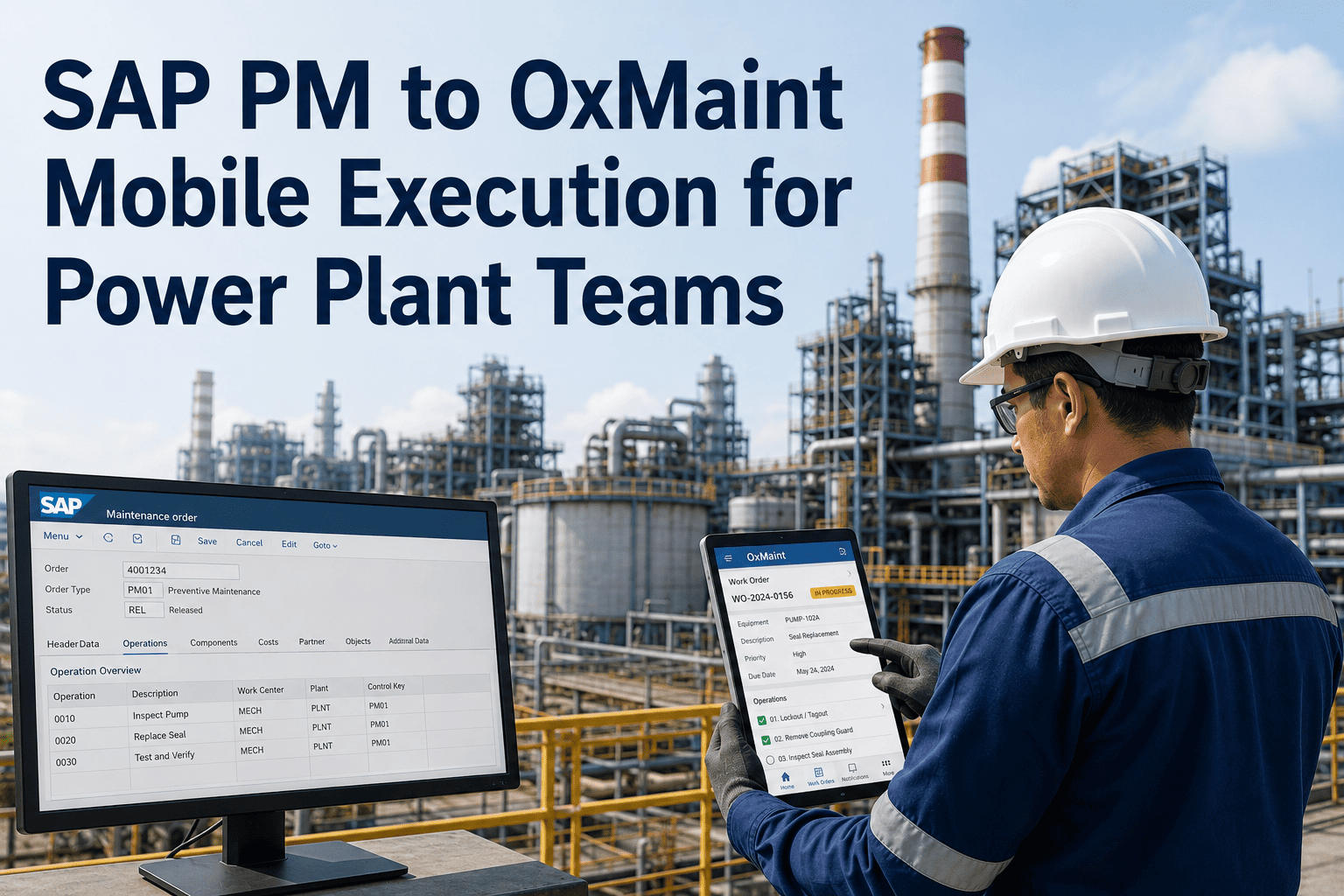
A technician finishes a critical turbine repair, then faces the part everyone dreads — logging into SAP, hunting through transaction codes, manually keying in work order details, and hoping it syncs correctly with finance and inventory. SAP PM's transaction-code interface creates enough friction in the field that an estimated 40% of maintenance data goes unrecorded or entered incorrectly, and technicians lose 30 to 60 minutes per shift just handling the paperwork SAP demands. The fix isn't replacing SAP — it's giving field technicians a mobile execution layer that syncs back automatically. OxMaint connects to SAP PM through standard OData, BAPI, and IDoc interfaces, keeping SAP as your system of record while mobile work orders happen where the work actually is. Book a demo to see the integration mapped to your SAP environment.
Two Systems, Each Doing What It Does Best
The two-tier model power plants are standardizing on for SAP-connected maintenance
System of Record
SAP PM
Financial accuracy and master data integrity
Cost allocation, procurement, audit trails
Enterprise reporting across multi-site operations
System of Action
OxMaint Mobile
Mobile work orders technicians actually use
Offline capability in connectivity dead zones
Photo documentation and condition data capture
Master data flows down from SAP. Completed work, parts used, and labor hours flow back up automatically — no re-keying, no end-of-day batch upload.
Where SAP PM Alone Breaks Down in the Field
Friction
Transaction-code navigation slows data entry so much that technicians often avoid using the system entirely.
Mobility
Technicians in remote plant areas must return to a desktop terminal to view or update a work order.
Connectivity
Dead zones inside the plant mean work stops, or gets documented on paper and entered later — if at all.
Timing
Manual entry happens hours or days after work is completed, creating inventory and cost-tracking discrepancies.
What Integration Actually Delivers
| Outcome |
Reported Impact |
| Reduction in unplanned downtime (first year) |
20% |
| Productivity increase (first year) |
15% |
| Time saved per technician per shift |
30 – 60 minutes |
| Improved operational efficiency (IDC, connected to S/4HANA) |
Up to 53% |
Expert Review
Felix Brennan — SAP PM Integration Consultant, 13 years connecting ERP systems to plant-floor execution
The mistake I see plants make over and over is treating the choice as SAP versus a CMMS, when the actual decision is which layer each system should own. SAP is genuinely excellent at financial accuracy and audit trails — ripping it out is never the answer. The technicians just shouldn't be the ones forced to navigate it from a turbine deck in work gloves. Once a plant accepts that SAP owns the back office and a mobile layer owns the field, the integration conversation gets a lot simpler, and the data quality problem that was costing them millions in re-entry errors mostly disappears.
Frequently Asked Questions
Does integrating OxMaint with SAP PM require replacing our existing SAP configuration?
No — the integration layers on top of your existing SAP setup through standard interfaces and doesn't require touching your current PM configuration, so nothing you've already built gets ripped out.
Book a demo to see the connector mapped against your specific SAP environment, ECC or S/4HANA.
How long does a typical SAP-CMMS integration take to deploy?
Pre-built connectors and guided setup typically deploy in a matter of weeks rather than the six to twelve months a full SAP rollout requires, since most plants pilot on one critical asset group before expanding.
Start a free trial to pilot the integration on a single asset group first.
What data actually syncs between OxMaint and SAP, and can we control it?
The integration is fully configurable — some plants sync only work orders and costs to SAP while keeping detailed inspection photos in OxMaint, others synchronize everything including inventory movements.
Book a demo to define exactly which data objects sync and in which direction for your operation.
Will technicians need SAP training to use the mobile system?
No — the mobile interface is designed so technicians complete work orders without ever seeing SAP's transaction codes or navigation, while the completed data syncs back to SAP automatically behind the scenes.
Sign in to OxMaint to see the technician-facing mobile workflow firsthand.
OxMaint · Integrations · ERP & SAP PM
Keep SAP as your financial backbone. Give technicians a mobile layer they'll actually use.