Successful CMMS implementation is the difference between a maintenance platform that transforms your reliability program and expensive shelfware that technicians abandon after go-live. A structured CMMS implementation guide — covering data migration, asset hierarchy design, preventive maintenance scheduling, user training, and a disciplined go-live checklist — typically takes 8 to 16 weeks for mid-sized operations and determines whether your organization captures the full ROI of its software investment. OxMaint's AI-powered CMMS and EAM platform is engineered to make deployment faster, cleaner and more adoption-friendly, so your team can start cutting unplanned downtime within the first quarter. Ready to see it on your assets — Start Free Trial or book a personalized walkthrough today.
CMMS Implementation Guide
Will your CMMS rollout deliver measurable value — or become shelfware?
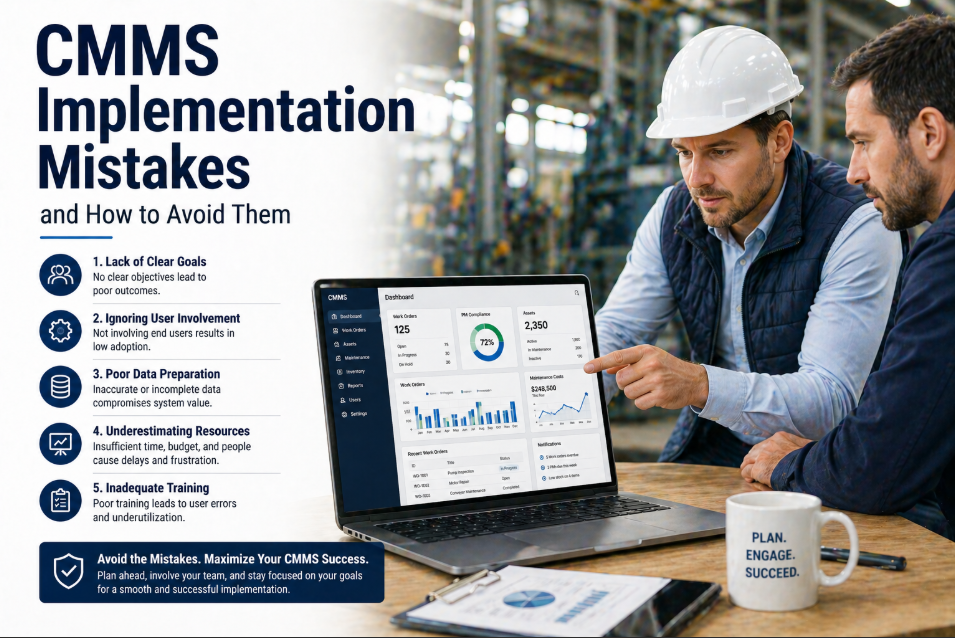
Nearly 40% of CMMS deployments fail to achieve sustained user adoption because teams skip the fundamentals: clean asset data, a phased rollout plan and structured change management. OxMaint changes that math with a guided implementation methodology proven across manufacturing, facilities, healthcare and fleet operations.
CMMS Implementation Steps
How to implement CMMS in 6 proven phases
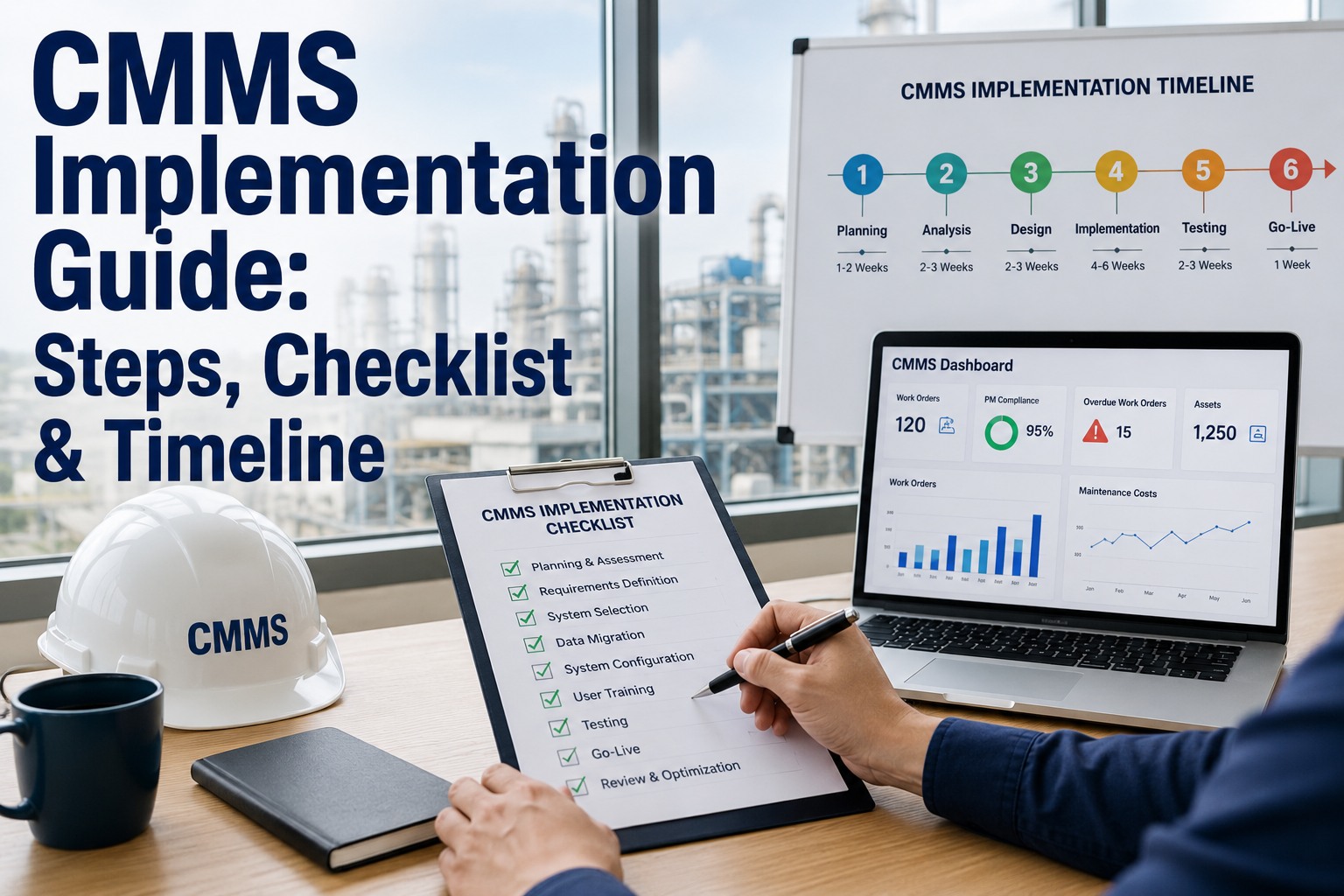
A disciplined CMMS project plan moves through six sequential phases. Each one builds on the last — skipping any phase is the single most common reason rollouts stall or fail. Here is the phased timeline reliability leaders follow to reach go-live in 8 to 16 weeks.
Discovery & Goal Setting
Weeks 1–2Define the business case: target downtime reduction, MTTR improvement, PM compliance percentage and audit readiness. A 180-asset plant spending $42K/yr on reactive repairs should set a measurable goal — e.g., cut unplanned downtime 25% within six months of go-live.
Data Migration & Cleansing
Weeks 2–4Extract asset registers from spreadsheets, ERPs or legacy systems. Standardize naming conventions, deduplicate records and validate criticality ratings. Dirty data is the number-one cause of failed CMMS deployments — 60% of implementation delays trace back to incomplete asset master files.
Asset Hierarchy & CMMS Setup
Weeks 4–6Build the parent-child asset hierarchy (Plant → Line → System → Asset → Component). Configure locations, cost centers, failure codes, safety procedures and spare-parts associations. A well-structured hierarchy is what makes predictive analytics and OEE reporting possible downstream.
PM Scheduling & Work Order Configuration
Weeks 6–9Convert OEM manuals and regulatory requirements into preventive maintenance triggers (time-based, meter-based, condition-based). Define work-order templates, priority codes, labor assignments and approval workflows so that every job follows a consistent execution standard.
User Training & Change Management
Weeks 9–12Role-based training for technicians, supervisors and reliability engineers — mobile work-order entry, PM completion, parts checkout and dashboard reading. Without structured CMMS training, adoption rates drop below 50% within 90 days of go-live.
Go-Live, Stabilization & KPI Tuning
Weeks 12–16Cut over from legacy processes to the new CMMS. Monitor PM compliance, wrench-time metrics, first-time-fix rate and work-order backlog daily for the first 30 days. Adjust failure codes, PM frequencies and mobile workflows based on real technician feedback.
CMMS Setup Checklist
CMMS implementation checklist: what must be ready before go-live
Use this CMMS setup checklist as your gate review before launch. Every item should be signed off by the project sponsor and the maintenance manager — incomplete items are the most common reason go-live dates slip.
- Complete asset register with unique IDs and criticality ratings
- Parent-child asset hierarchy validated against physical layout
- Spare-parts inventory linked to assets with min/max levels
- Standardized failure codes and cause/remedy taxonomies
- PM schedules created for all critical assets (ISO 55000 aligned)
- Work-order priority codes and SLA escalation rules defined
- Safety procedures and lockout-tagout steps attached to jobs
- Approval workflows for parts purchasing and overtime configured
- Role-based training completed for 100% of system users
- Mobile app tested on technician devices in the field
- Super-users identified per shift to support peers post go-live
- KPI dashboard configured for daily maintenance review meetings
| Go-Live Gate Item | Target | Owner | Sign-Off |
|---|---|---|---|
| Asset records complete & validated | 100% of critical assets | Reliability Engineer | Required |
| PM schedules loaded & triggered | 90%+ of critical assets | Maintenance Manager | Required |
| Spare-parts min/max configured | Top 20% critical spares | Inventory Lead | Required |
| Users trained on mobile work orders | 100% of technicians | Project Sponsor | Required |
| KPI dashboard live (MTTR, PM compliance, backlog) | Daily refresh | IT / Admin | Required |
How OxMaint Helps
How OxMaint de-risks your CMMS deployment
OxMaint is built so that the hardest parts of CMMS implementation — data migration, asset hierarchy design, PM scheduling and user adoption — are faster, guided and less error-prone. Here is how our AI-powered platform maps to each implementation challenge.
AI-Assisted Data Migration
OxMaint ingests your existing spreadsheets, CSV exports and legacy CMMS data, then auto-detects duplicates, standardizes naming conventions and suggests criticality ratings — cutting data-cleansing effort by up to 70%.
Drag-and-Drop Asset Hierarchy
Visually build and edit multi-level asset trees. Drag nodes to restructure, auto-link spare parts and safety procedures, and validate the hierarchy against your physical plant layout in real time.
Predictive PM Engine
Move beyond time-based PMs. OxMaint's AI analyzes asset history, meter readings and condition data to predict failures before they happen — letting you shift from reactive firefighting to true predictive maintenance.
Mobile-First Work Orders
Technicians receive, complete and close work orders on any device — with photo capture, digital signatures, barcode scanning and offline mode. No more paper work orders or lost job data.
ROI & Metrics
CMMS ROI: what a successful implementation delivers
Industry benchmarks from Aberdeen and Plant Engineering studies show that organizations completing a structured CMMS rollout see measurable financial returns within the first 6 to 12 months. Here is the value model and the KPIs to track.
Example: A 180-asset plant saving $128K/yr on a $36K implementation = 3.4-month payback and $1.28M saved over 5 years.
| KPI | Pre-CMMS Baseline (Typical) | Post-Implementation Target | Measurement Window |
|---|---|---|---|
| Unplanned downtime hours / month | 120 hrs | 75 hrs (–37%) | Months 3–6 |
| PM compliance rate | 55% | 90%+ | Month 2 onward |
| Mean Time to Repair (MTTR) | 4.5 hrs | 2.8 hrs (–38%) | Months 4–6 |
| Work-order backlog | 340 open WOs | <120 open WOs | Month 3 onward |
| Spare-parts stockout events / quarter | 22 events | <6 events | Quarter 2 |
Real-World Scenario
A 180-asset manufacturing plant: from spreadsheet chaos to go-live in 11 weeks
A mid-sized food-processing plant managed 180 critical assets across 3 production lines using shared spreadsheets and paper work orders. PM compliance sat at 52%, unplanned downtime cost $3,800/hour, and the maintenance team spent 15 hours/week searching for parts and manuals.
Using OxMaint's guided implementation methodology, the team migrated all asset data in 9 days, built a 5-level hierarchy, and trained 24 technicians on mobile work orders. By week 11 they were live — PM compliance hit 91%, unplanned downtime dropped 31%, and spare-parts stockouts fell to 3 events per quarter.
See It On Your Assets
Book a 30-minute demo and see your CMMS rollout plan
Walk through OxMaint's implementation methodology, asset hierarchy builder and predictive PM engine with a specialist. We'll map your go-live timeline and show exactly how fast you can reach 90%+ PM compliance.
FAQ
CMMS implementation FAQs
How long does CMMS implementation take?
A typical CMMS rollout for a mid-sized operation (100–500 assets) takes 8 to 16 weeks end-to-end. Smaller fleets can go live in 4 to 6 weeks, while multi-site enterprise deployments may take 4 to 6 months using a phased site-by-site approach. The biggest variable is data readiness — clean, deduplicated asset records can cut weeks off the timeline. You can Start Free Trial and begin importing your asset data today.
What is the biggest reason CMMS implementations fail?
Poor data quality and weak change management are the top two failure causes. If asset records are incomplete, duplicated or poorly structured, technicians lose trust in the system and revert to spreadsheets. Similarly, if leadership skips role-based training and super-user support, adoption rates drop below 50% within 90 days. OxMaint's AI-assisted migration and guided training framework directly address both risks.
How much does CMMS implementation cost?
Implementation costs range from $5K for small teams using self-service onboarding to $50K–$150K for complex multi-site enterprise deployments with custom integrations. The key ROI metric is payback period — most well-executed implementations pay for themselves in 3 to 9 months through downtime reduction, labor efficiency and inventory optimization. Book a demo for a tailored cost-and-savings model.
Can I migrate data from spreadsheets or a legacy CMMS?
Yes. OxMaint supports CSV, Excel and direct API imports from legacy CMMS platforms, ERPs and EAM systems. The AI-assisted migration tool auto-detects duplicates, standardizes naming conventions and suggests criticality ratings, reducing manual data-cleansing effort by up to 70%. Most teams complete a full asset-data migration in under two weeks.
What KPIs should I measure after CMMS go-live?
Track PM compliance rate (target 90%+), unplanned downtime hours (target 25–40% reduction within 6 months), Mean Time to Repair (MTTR), work-order backlog depth, first-time-fix rate, and spare-parts stockout events. These KPIs should be visible on a daily dashboard reviewed in morning maintenance huddles — OxMaint ships with pre-built dashboards for all of them.
Start Your CMMS Journey
Ready to replace reactive maintenance with a system that works?
Join the maintenance and reliability teams using OxMaint to cut downtime, hit 90%+ PM compliance and go fully paperless. Start free or book a personalized demo — we'll map your implementation plan in 30 minutes.
Free 14-day trial · No credit card required