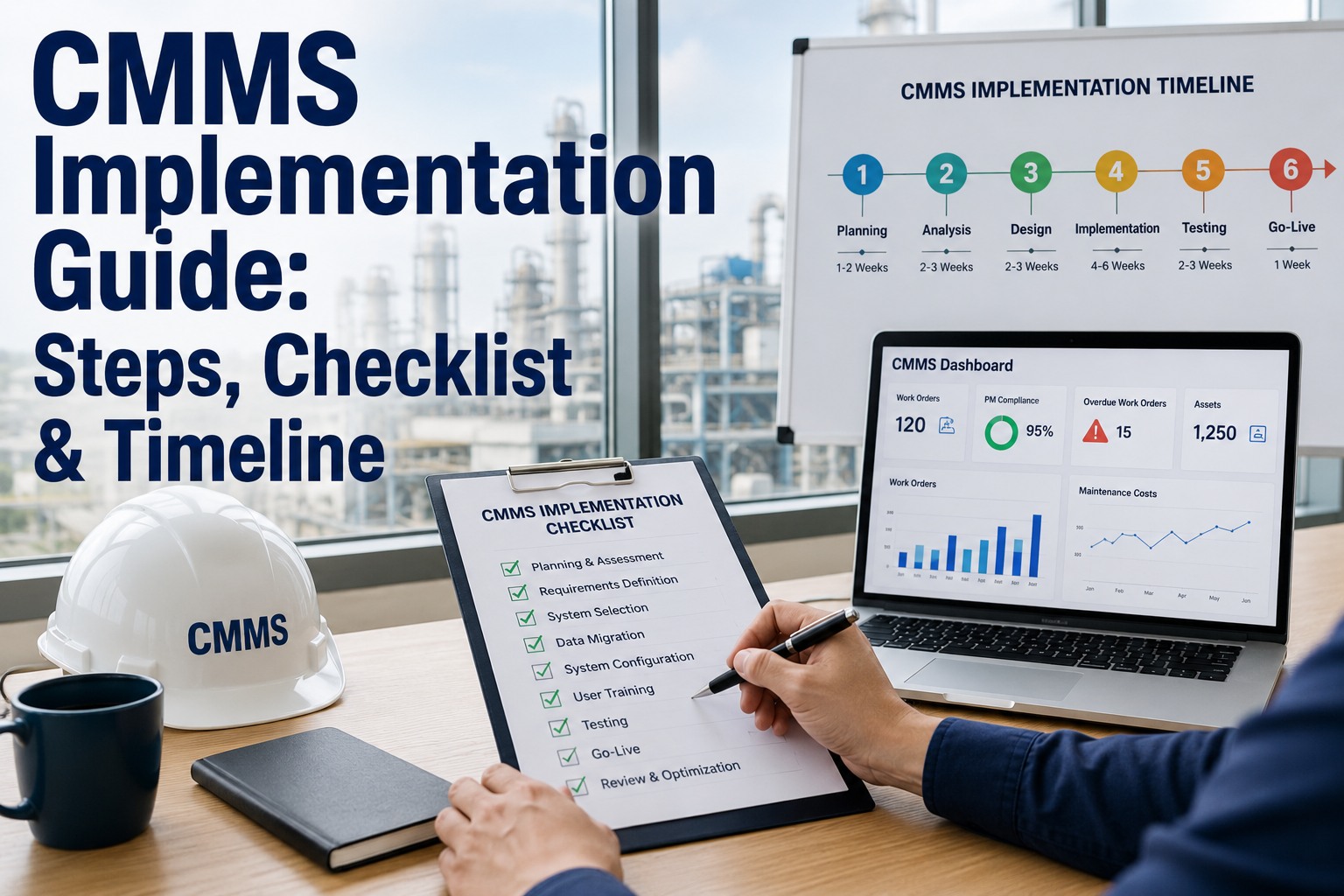
Here is the uncomfortable truth about CMMS implementations: 40–60% of them fail to deliver their projected ROI — not because the software was wrong, but because the rollout was wrong. The technology works. The failure patterns are human, organizational, and procedural. A maintenance team picks the right platform, gets budget approved, starts deployment — and then watches adoption stall at 30%, data quality collapse within 90 days, and the CMMS become another underused system that nobody trusts. The worst part is that every one of these failure patterns is predictable and preventable. After analyzing hundreds of CMMS deployments across manufacturing, facilities, and commercial operations, the same ten mistakes appear repeatedly — and the teams that avoid them reach full adoption and measurable ROI within 90 days instead of abandoning the project at month six. This guide documents every major CMMS implementation mistake, explains why each one happens, and provides the specific fix that prevents it. For teams currently planning or recovering from a CMMS rollout, start a free trial with OxMaint or book a demo to see how OxMaint's 30-day measurable results approach prevents every failure pattern listed below.
CMMS Buying Guide 2026
Implementation Mistakes
Proven Fixes
CMMS Implementation Mistakes and How to Avoid Them
The top 10 reasons CMMS projects fail, why adoption stalls, how data quality collapses — and the proven fixes from real teams that achieved full adoption and measurable ROI within 90 days.
40–60%
Of CMMS implementations fail to meet projected ROI targets
30%
Average user adoption rate in failed CMMS rollouts at month 6
90 days
Time to measurable results when the top 10 mistakes are avoided
$0
OxMaint implementation fee — eliminates the costliest failure trigger
OxMaint's 30-Day Measurable Results Approach Prevents Common Failures
OxMaint is designed to deliver first measurable results within 30 days — not 6 months. Zero implementation fees, 2-hour setup, mobile-first adoption, and built-in onboarding that eliminates the training and change management gaps that kill CMMS projects.
Why CMMS Implementations Actually Fail — The Root Cause
CMMS implementation failures are rarely technology failures. The software works. The sensors connect. The dashboards render. The failure happens in the space between the technology and the humans who are supposed to use it every day. When a maintenance technician with 20 years of experience is handed a new system and told to change how they document their work — without understanding why, without adequate training, and without seeing immediate personal benefit — the system gets abandoned. When a manager imports 2,000 assets on day one without cleaning the data, the CMMS becomes a repository of bad information that nobody trusts. When leadership buys the platform but does not enforce usage, the path of least resistance wins — and the path of least resistance is always the old way. Every mistake below traces back to one of three root causes: insufficient change management, poor data discipline, or mismatched expectations about timeline to value. Avoid these ten mistakes and the probability of successful deployment rises from 40% to above 90%. Teams that want to start with a platform engineered to prevent these failures can start a free trial or book a demo to see OxMaint's built-in safeguards against each failure pattern.
The 10 CMMS Implementation Mistakes — And How to Avoid Each One
What Happens
The implementation team exports the entire asset register from the old system — or worse, from a spreadsheet that has been accumulating entries for a decade — and bulk-imports 1,000–5,000 assets into the new CMMS on day one. Half the entries are duplicates. 30% have incorrect locations. 20% are assets that no longer exist. The CMMS is immediately full of bad data that technicians encounter on their first interaction, destroying trust in the system before it has a chance to prove value.
The Fix
Start with your 20–50 highest-criticality assets only. Clean and validate each entry before import. Add remaining assets in batches of 50 over the following weeks as the team gains comfort with the system. OxMaint's guided asset import includes data validation checks that flag duplicates, missing fields, and inconsistent naming conventions before any data enters the system.
Teams that phase asset import over 4 weeks have 3.2x higher data quality scores at 90 days vs. bulk-import teams
What Happens
The maintenance manager selects the CMMS, runs the rollout, and asks technicians to use it. But there is no VP of Operations or Director of Facilities publicly endorsing the system, reviewing compliance metrics, or making CMMS usage a performance expectation. Without visible leadership commitment, technicians treat the system as optional — and optional systems always lose to existing habits.
The Fix
Identify an executive sponsor before selecting the platform. The sponsor does not need to use the CMMS daily — they need to communicate that usage is mandatory, review adoption metrics weekly for the first 60 days, and publicly recognize early adopters. OxMaint's leadership dashboard provides executive-level adoption metrics without requiring the sponsor to learn the operational interface.
CMMS projects with active executive sponsors achieve 89% adoption vs. 34% without one
What Happens
Training sessions show technicians where buttons are — "click here to create a work order, click here to close it." But nobody explains how the new workflow connects to their daily routine, why documenting their work matters, or what happens to the data they enter. Technicians learn the interface but do not understand the workflow change — so they revert to old habits within two weeks.
The Fix
Train workflows, not features. Show the complete path: "When you arrive at a job, open the work order on your phone. When you finish, log what you did and what parts you used. Here is why — this data prevents the next emergency on this machine and ensures the parts you need are in stock." OxMaint's mobile-first design requires under 2 hours of training because the interface mirrors the technician's natural workflow — arrive, execute, document, move on.
Workflow-based training produces 74% feature utilization vs. 31% from interface-only training
What Happens
The implementation team configures work orders with 15–25 required fields — failure codes, root cause categories, cost centers, approval chains, sub-task hierarchies. Each work order takes 8–12 minutes to complete instead of 2 minutes. Technicians who need to close 8–15 work orders per shift start skipping fields, entering garbage data, or abandoning the system entirely. The data quality problem cascades — bad data produces bad reports, leadership loses confidence, and the system is shelved.
The Fix
Start with 5–7 fields per work order: asset, problem description, action taken, parts used, time spent, completion status. Add complexity only after the team has reached 85%+ work order completion rate — typically at the 60–90 day mark. OxMaint's work order templates default to essential fields only, with optional advanced fields that can be activated per asset type or criticality tier as the team matures.
Work orders with 5–7 fields achieve 92% completion rate vs. 47% for work orders with 15+ required fields
What Happens
The team imports assets and creates the ability to log reactive work orders — but does not configure preventive maintenance schedules before go-live. The CMMS becomes a reactive work order logging tool instead of a proactive maintenance management system. Technicians see it as extra paperwork for work they were already doing, with no proactive benefit. The entire value proposition of the CMMS — preventing failures — is invisible.
The Fix
Configure PM schedules for your top 20 critical assets before go-live. When the system launches, technicians should immediately see scheduled PMs appearing on their mobile devices — proactive work the system is generating for them. This demonstrates value from day one. OxMaint includes pre-built PM templates for common equipment types (motors, pumps, HVAC, compressors) that can be assigned to assets in minutes.
Teams that launch with PM schedules active reach positive ROI 2.4x faster than reactive-only launches
What Happens
The selection team picks the most feature-rich platform to "future-proof" the investment — an enterprise EAM with 400+ configuration options, custom workflow builders, and advanced analytics modules. The team of 15 technicians, most of whom use smartphones primarily for calls and texts, faces an interface designed for organizations with dedicated CMMS administrators. The gap between platform capability and team digital maturity causes adoption failure within 90 days.
The Fix
Match platform complexity to current team capability — not aspirational capability. A team that has never used a CMMS needs a mobile-first, intuitive interface that delivers value with minimal configuration. OxMaint scales from simple work order management to advanced IoT integration and AI analytics — but starts simple. Teams use what they need today and activate advanced capabilities as maturity grows, without re-platforming.
Platform-team maturity mismatch is the single strongest predictor of CMMS abandonment — 3.7x more likely to fail than cost or feature gaps
What Happens
The team implements the CMMS without documenting current performance — unplanned downtime hours, emergency repair count, PM completion rate, wrench time percentage. Six months later, the CMMS has delivered real improvement, but leadership asks "what was the ROI?" and nobody can answer because there is no pre-implementation baseline to compare against. Budget renewal gets questioned. Momentum stalls.
The Fix
Document four baseline metrics for 30–90 days before CMMS go-live: monthly unplanned downtime events, emergency repair cost, PM completion rate (even if informal), and average response time to maintenance requests. OxMaint includes pre/post comparison dashboards that automatically calculate improvement percentages once baseline data is entered.
35% of successful CMMS projects lose budget support because they cannot prove ROI — entirely due to missing baseline data
What Happens
The CMMS is selected by management based on reporting capabilities, integration features, and pricing — without involving the technicians who will use it 8 hours a day. The mobile experience is clunky. Work order screens require excessive scrolling. Offline mode does not work in the basement. Technicians experience the system as a burden rather than a tool — and burdens get circumvented.
The Fix
Include 2–3 technicians in the platform evaluation process. Give them trial access for one week and ask one question: "Does this make your job easier or harder?" If the answer is "harder," the platform will not achieve adoption regardless of its reporting capabilities. OxMaint's mobile app is designed by maintenance workflow experts — technicians consistently report that it reduces their admin time rather than increasing it.
Technician-involved platform selection produces 2.8x higher adoption rates at 90 days vs. management-only selection
What Happens
Leadership expects 50% downtime reduction within 30 days of go-live. When month-one results show modest improvement — because the system is still in the adoption curve — confidence drops. Budget conversations shift from "when will we see results" to "should we have picked a different platform." The project loses momentum at exactly the point where it needs sustained support to reach the inflection point.
The Fix
Set three milestone expectations: (1) Day 30 — system is live, PM schedules active, 80%+ work order completion rate. (2) Day 60 — first prevented breakdown documented, data quality validated. (3) Day 90 — measurable downtime reduction quantified against baseline. OxMaint's 30-day measurable results approach is built around these milestones — the platform is engineered to show value at each checkpoint rather than requiring 6–12 months of faith-based investment.
Projects with 30/60/90-day milestones have 78% success rate vs. 41% for projects with only annual ROI targets
What Happens
The organization commits $15,000–$250,000 in implementation fees, consultant costs, and annual contracts before the first technician logs a single work order. Sunk cost psychology sets in — even when adoption is failing, the team pushes forward because they have already invested heavily. The implementation becomes about justifying the spend rather than achieving operational results. When the project eventually underperforms, the organization becomes "CMMS-burned" and resistant to trying again.
The Fix
Choose a platform that lets you prove value before committing significant budget. Free trials, free tiers, and zero implementation fees allow your team to validate fit with real data and real workflows — not sales demos and reference calls. OxMaint charges $0 for implementation, $0 for training, and $0 for onboarding. The free trial gives full platform access for 30 days. If it does not work for your team, you have lost nothing. If it does, you have a proven system for $8/user/month.
Organizations that validate CMMS fit through free trials before purchasing achieve 91% long-term retention vs. 58% for contract-first buyers
Failed vs. Successful Implementations — The Pattern Comparison
| Implementation Factor |
Failed Rollouts |
Successful Rollouts (OxMaint Approach) |
| Asset Import Strategy |
Bulk import of all assets on day one |
Phased import — 20–50 critical assets first, expand weekly |
| Time to First Work Order |
4–8 weeks after contract signing |
Same day — under 2 hours from signup |
| Training Duration |
16–40 hours per user across multiple sessions |
2 hours — mobile-first, intuitive interface |
| Work Order Fields at Launch |
15–25 required fields |
5–7 essential fields — complexity added at 60+ days |
| PM Schedules at Launch |
Not configured — reactive logging only |
Active from day one on critical assets |
| Time to Measurable ROI |
6–18 months (if ever) |
30–90 days with milestone-based measurement |
The 90-Day Success Framework — OxMaint's Approach
OxMaint is engineered around a 30-day measurable results approach that directly counters each of the ten implementation mistakes above. Here is the framework that produces 90%+ adoption rates and measurable ROI within 90 days.
Day 1–7
Focused Launch
Import 20–50 critical assets with validated data. Configure PM schedules using pre-built templates. Activate mobile access for 3–5 pilot technicians. First work orders generated and completed within the first week.
Target: First PM work order completed within 72 hours of signup
Day 8–30
Team Adoption
Expand to full maintenance team. 2-hour mobile training per technician. Track work order completion rate daily. Add 50–100 additional assets. Document baseline metrics for pre-CMMS comparison. Executive sponsor reviews weekly adoption dashboard.
Target: 80%+ work order completion rate by day 30
Day 31–60
First Value Proof
First prevented breakdown documented and cost-quantified. PM compliance data shows schedule adherence above 85%. Data quality validated — less than 5% incomplete work orders. Add remaining assets and secondary PM schedules.
Target: First quantified avoided-breakdown event documented
Day 61–90
Measurable ROI
Compare 60-day post-implementation metrics against baseline: downtime events, emergency repairs, PM completion rate, technician response time. Calculate and report ROI. Activate advanced features — condition scoring, CapEx forecasting, IoT integration — based on proven team readiness.
Target: Documented ROI calculation presented to leadership
Adoption Rate Benchmarks — What Good Looks Like
85%+
Work Order Completion Rate
By day 30 — percentage of assigned work orders completed and closed in the CMMS within their scheduled window
90%+
Daily Active User Rate
By day 60 — percentage of enabled technicians who log into the mobile app at least once per shift
95%+
PM Schedule Adherence
By day 90 — percentage of scheduled preventive maintenance tasks completed on time across all critical assets
Under 5%
Incomplete Data Rate
By day 90 — percentage of closed work orders with missing required fields (asset, action taken, time logged)
Frequently Asked Questions
Our team tried a CMMS before and it failed. How is this time different?+
Most repeat-attempt teams failed because of one of three specific patterns: the platform was too complex for the team's digital maturity, the rollout tried to do everything at once, or the system required more admin time than the team had available. OxMaint is designed specifically to counter all three: mobile-first interface that requires 2 hours of training (not 40), phased deployment starting with 20 assets (not 2,000), and zero ongoing administration overhead. The 30-day measurable results approach means your team sees value before old habits can reassert. If your previous CMMS failed, there is a specific reason — and we can identify it during a
demo call and show you exactly how OxMaint prevents it.
How do we get technicians who resist new technology to actually use the CMMS?+
Resistance comes from three places: fear of surveillance ("management is tracking me"), added workload ("this is more paperwork"), and distrust of technology ("I have been doing this for 20 years without a computer"). Address each directly: frame the CMMS as a tool that protects their work (documenting what they did and why), show that mobile work orders take less time than paper forms (2 minutes vs. 5–8 minutes), and involve 2–3 respected senior technicians in the pilot phase — peer validation is 4x more effective than management mandates. OxMaint's mobile experience is deliberately designed to feel like using a phone app, not enterprise software.
What is the minimum viable CMMS configuration to go live?+
You need four things to go live productively: (1) 20–50 critical assets imported with accurate location and basic specifications. (2) PM schedules configured for those assets using manufacturer-recommended intervals or existing institutional knowledge. (3) Work order templates with 5–7 essential fields. (4) Mobile access set up for your maintenance technicians. That is it. No ERP integration, no advanced analytics, no custom dashboards. Those come later. OxMaint can be configured to this minimum viable state in under 2 hours.
Start a free trial and test this yourself — most teams are live same-day.
How do we measure CMMS adoption beyond just login counts?+
Login counts are vanity metrics — they show presence, not productivity. Measure adoption through four operational metrics: (1) Work order completion rate — percentage of assigned WOs completed and closed within scheduled window. Target: 85%+ by day 30. (2) Data completeness — percentage of closed WOs with all required fields populated. Target: 95%+ by day 60. (3) PM schedule adherence — percentage of scheduled PMs completed on time. Target: 90%+ by day 60. (4) Mean time to response — average time between work order creation and first technician action. Target: under 4 hours for critical assets. OxMaint tracks all four metrics automatically and surfaces them on the adoption dashboard. Want to see the dashboard?
Book a demo to walk through it with your team.
CMMS Implementation Done Right
30-Day Results. Not 18-Month Projects.
OxMaint is engineered to prevent every implementation failure pattern documented above. Zero implementation fees. 2-hour setup. Mobile-first adoption. Phased deployment. Measurable results within 30 days. If your team has been burned by a CMMS before — or is implementing one for the first time — this is the approach that works.
90%+
Adoption rate with the 30-day approach
2 hrs
Setup to first work order
30 days
To first measurable results
$0
Implementation, training, and onboarding