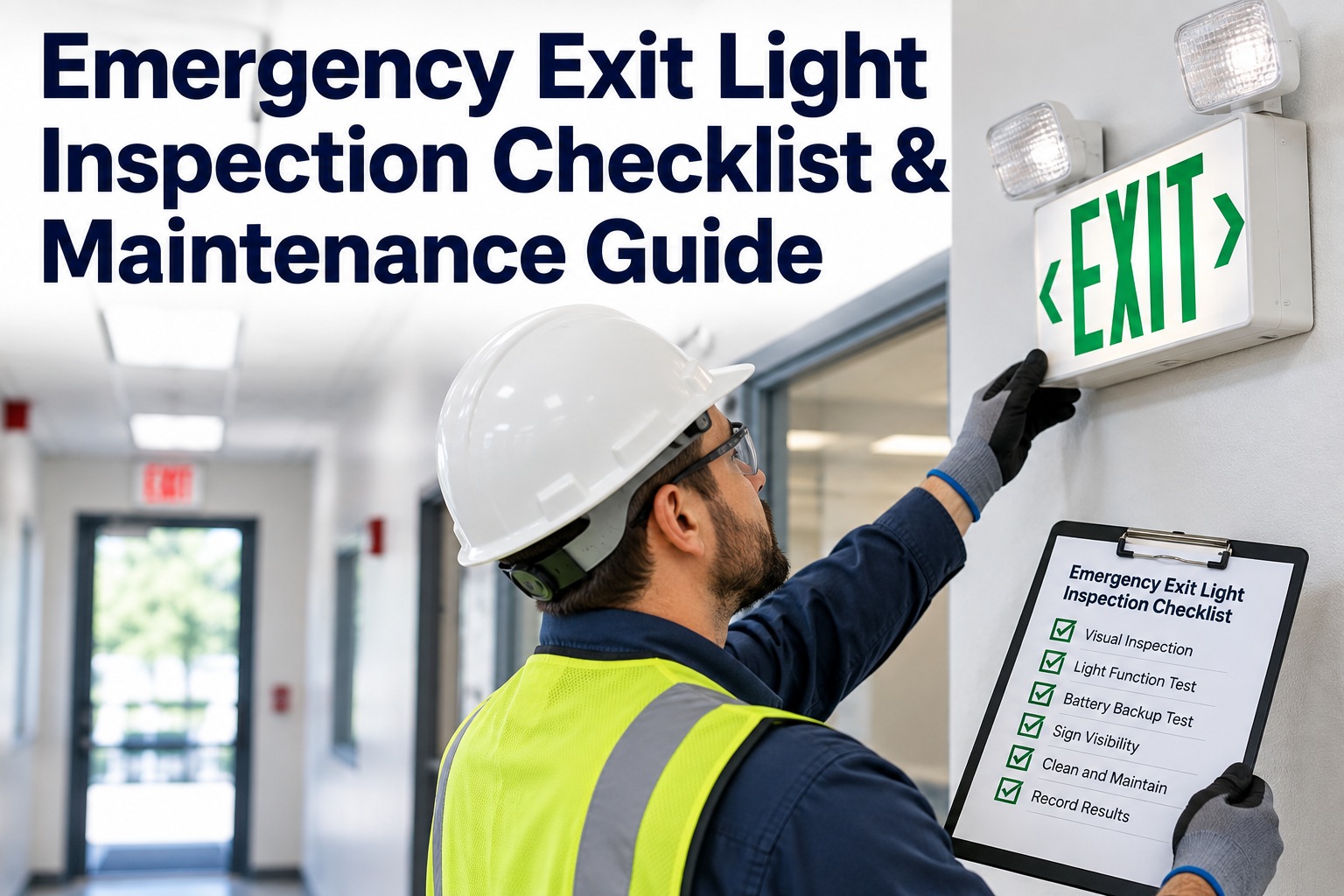
It's 5:17 am the day before an insurance audit and you realize your exit light records live in faded logbooks and three unlabeled spreadsheets — nobody's sure which failed tests ever became work orders. That ops moment is why an emergency exit light inspection checklist work-orders process matters: it closes the loop from inspection to scheduled repair. This guide shows exactly what to capture, how Oxmaint AI reasons through suggestions, and how a 4-week pilot looks in practice. Book a 30-minute walkthrough to see a live checklist → suggested WO flow.
Facility EHS · Emergency Exit Lighting · Inspection → WO · 2026
Emergency Exit Light Inspection Checklist: Compliance Checks That Become Schedulable Work Orders
Faded logbooks. Three unlabeled spreadsheets. Failed tests noted but never scheduled. Oxmaint AI is the AI-powered CMMS overlay that turns each mobile inspection — pass, fail or needs-follow-up — into a planner-ready draft WO inside your existing EAM, with the auditable inspection → WO → close-out chain your insurer and code authority want to see.
10 Fields
minimum capture at point-of-inspection
4-Step
Detect → Diagnose → Prioritize → Dispatch
4-Week
focused pilot proves traceability
Audit Trail
inspection → draft → planner → close-out
Why Paper and Spreadsheets Fail Audits (and People)
Five failure modes that turn inspection records into audit gaps and unscheduled failures. Start a free trial to close every one with a digital checklist.
Why Paper Fails
Where Records Break Down
✕ Fragmented records — paper logbooks and scattered spreadsheets create ambiguous history: who tested what, when, and what the next step was
✕ Lost signals — failed tests often stay noted but never become prioritized tasks
✕ Double-entry delays — inspection notes are re-keyed into EAMs later, creating backlogs and transcription errors
✕ Alert fatigue — sensors or reports generate noise; without context they aren't actionable
✕ Audit gaps — auditors want linked evidence (inspection, photo, WO close-out); paper doesn't provide that trail
At a Glance
What the Overlay Delivers
✓ Primary goal — turn every failed inspection signal into a planner-ready, schedulable work order, no re-keying
✓ Digital capture that ties inspection → work order with an auditable chain
✓ Workflow — Detect → Diagnose → Prioritize → Dispatch, planner-in-the-loop
✓ Overlay, not rip-and-replace — Oxmaint AI layers on top of your EAM to create draft WOs without replacing your system of record
The Emergency Exit Light Inspection Checklist — Ten Fields to Capture at Point-of-Inspection
To convert inspections into schedulable work orders reliably, capture these minimum fields on the mobile checklist. Each field is what Oxmaint AI uses to draft the WO and what an auditor uses to follow the chain. Book a demo to see all ten fields wired into a live inspection.
01
Facility, building, zone and exact fixture location (room / ceiling grid)
02
Fixture unique ID or tag (barcode / QR scan option)
03
Test type — Monthly functional, Annual duration test, Battery discharge duration
04
Timestamp and inspector identity (with device metadata)
05
Result — Pass / Fail / Needs follow-up, brief notes
06
Failure specifics — bulb out, battery not holding, illuminated but dim, wiring suspected, mounting damaged
07
Suggested remediation action — replace bulb, replace battery, test wiring, replace sign
08
Urgency / severity flag — egress-impacting, scheduled repair window
09
Photo / video attachments — optional short video of duration test
10
Link to applicable code or internal SOP reference (for auditor traceability)
Planner-Ready Work Orders: Detect → Diagnose → Prioritize → Dispatch
A reliable WO pipeline needs clear reasoning so planners trust the suggested actions. The same four steps that run behind every draft. Start a free trial to run these on your first building.
Step 1
Detect
Inspector marks a fixture Fail and attaches photo + test metadata at point of inspection. The checklist captures device GPS, timestamp and test log automatically.
Step 2
Diagnose
Oxmaint AI augments the raw signal with context: fixture age (from asset registry), recent related WOs, battery replacement history and electrical circuit notes. Suggested remediation includes parts, skill level and re-test steps — explicit, not opaque.
Step 3
Prioritize
Oxmaint AI scores the event using rule-based logic and historical outcomes. Egress-impacting failures surface as urgent; isolated dim bulbs may be routine. Each draft includes a Signal → Confidence score so planners see how certain the suggestion is.
Step 4
Dispatch
Oxmaint AI creates a planner-ready draft WO populated with the EAM fields your planners expect — location, asset ID, failure code, parts list, labor estimate, attachments, urgency and the inspector's notes. Drafts are flagged for human review; no auto-assignment without approval.
Overlay, Not Rip-and-Replace.
No replacement of your EAM is required. Oxmaint AI pushes suggested WOs as drafts via API or connectors and labels them clearly for planner review. Minimal IT change — field mapping and connector setup are typically small, documented tasks. Traceable chain — inspection → suggested draft → planner decision → WO creation in the EAM gives auditors the linked evidence they need.
Suggested WO Sample — Replace Emergency Exit Battery, Fixture ID 042-A
An honest, actionable sample of the draft WO Oxmaint AI would push into your EAM after a failed 90-minute duration test. Fields are the ones your planners already recognize. Start a free trial to see this shape on your fixtures.
Fixture ID 042-A · Failed 90-min Duration · Draft WO → EAM
Title
Replace emergency exit battery — Fixture ID 042-A
Priority
High — Egress impact · auto-flagged
Tasks
Replace battery · run 90-min discharge · record voltage pre/post · verify charging circuit
Parts
Battery model X (Qty 1) · SKU and preferred vendor link
Labor
Electrician, 1.0 hour (est.) · plus travel time estimate
Safety
Lockout tagout if panel access required · include permit checklist
RATIONALE "Failed 90-minute duration; battery voltage dropped from X to Y; no battery change in last Z months" — click to expand data sources
ATTACHMENTS Duration test log, photo before/after, inspector note
RE-TEST Re-run 90-minute test in 7 days and attach test log
PLANNER ACTIONS Approve and schedule within 24 hours · Edit tasks · Defer and bundle with next PM
In-Product Feel — Timeline, Signal → Confidence, Suggested WO
We keep the planner in control while surfacing clear, auditable reasoning. Three views wired together so every draft carries the evidence a planner needs to approve — and an auditor needs to trace. Book a demo to walk the three views on an asset page.
Timeline View
On an asset page: mobile inspection entry (with test file) → Oxmaint AI diagnosis card (time-stamped) → Suggested WO draft created (includes Signal → Confidence) → Planner reviews and edits → WO scheduled → Technician executes and uploads close-out evidence. Each card links back to photos, clips and SOP citations so auditors can follow the chain.
Signal → Confidence
Every suggested draft includes a numeric confidence (e.g., 0.92) and a short, plain-language rationale: "Failed 90-minute duration; battery voltage dropped from X to Y; no battery change in last Z months." Planners can click the rationale to expand data sources — asset history, last few inspections, nearby fixtures.
Pattern Detection Across Fixtures
Because drafts surface parts and vendor hints, planners can convert to an EAM WO faster and with fewer queries to the field team. Oxmaint AI also shows when recommendations repeat across nearby fixtures, so planners can choose a batch repair instead of multiple one-offs.
How to Pilot in 4 Weeks
A focused pilot reduces risk and proves traceability. One building, one floor, one representative mix of fixture ages and accessibility. Start a free trial to kick off Week 0.
Week 0 — Kickoff and Scoping
Identify one building or floor with a representative mix of fixture ages and accessibility. Map EAM WO fields to checklist fields and enable QR/barcode scanning for fixture IDs.
Week 1 — Configure and Test Capture
Build the inspection checklist in Oxmaint AI, configure pass/fail rules, severity tags and the suggested WO template. Run a few dry inspections to validate field mappings and photo attachments.
Week 2 — Start Inspections + Early Drafts
Inspectors use mobile checklist on actual rounds. Oxmaint AI ingests entries and starts generating draft WOs. Planners receive draft notifications and begin reviewing. Focus: feedback loops — which fields are useful, which rationale needs refining.
Week 3 — Iterate on Priorities
Planners reject/approve drafts and add comments. Oxmaint AI learns from these edits and adjusts confidence weighting. Refine escalation rules (what counts as egress-impacting, SLA windows) and parts lists.
Week 4 — Expand and Validate Audit Trail
Increase inspection coverage across additional zones. Run an audit-style review sample: pick several recent fails and trace each through inspection → draft WO → planner action → close-out. Confirm all evidence links correctly in your EAM.
Pilot Governance
Define who can approve drafts. Keep a short feedback channel between planners and field team for the first 2–3 weeks. Track planner override reasons — this trains Oxmaint AI and reduces false positives.
Security, Auditability and Compliance
Operational compliance support built into the overlay — not legal advice. Always verify final actions with local authorities and fire codes. Book a demo to review the controls with your security team.
Role-Based Access Control
Oxmaint AI supports role-based access control so inspection records, drafts and WO history reach only the right roles. Your security team can audit the controls during onboarding.
Encryption in Transit and at Rest
Inspection records, photos and WO drafts are stored with encryption in transit and at rest — the record survives audit review with its evidence intact.
Audit Trails on Every Action
Audit trails record who viewed and edited drafts, with timestamps and attachments. Operational compliance support — verify final actions with local authorities and fire codes.
"
In the 30-minute demo you'll watch a mobile inspection produce a documented, auditable chain: failed duration test → photo and notes captured → Oxmaint AI diagnosis with Signal → Confidence → suggested WO draft populated with parts, tasks and re-test steps → planner review and simulated WO handoff into your EAM. You'll leave with a clear sense of how an overlay reduces rework, speeds scheduling and creates the audit trail auditors and insurers want.
Oxmaint AI Content Desk
FAQ — Common Objections Answered
How does Oxmaint AI overlay with my existing EAM without disrupting operations?
Oxmaint AI pushes suggested work orders as drafts into your EAM via configurable connectors or APIs. The EAM remains the source-of-truth and planners retain final approval.
Can I customize the checklist or WO fields to match our fire code / local regulations?
Yes. Checklists, severity rules, suggested actions and WO templates are configurable to include local code references and internal SOPs for auditor traceability.
How are inspection and compliance records protected?
Inspection records, photos and WO drafts are stored with role-based access control and encryption in transit and at rest. Your security team can audit controls during onboarding.
Will the AI create too many low-value work orders (false positives)?
Drafts include confidence scores and are held for human review. Planners can reject or consolidate items, and Oxmaint AI learns from that feedback to reduce noise.
What does IT need to do to pilot an overlay? How long to value?
Typical IT tasks: map EAM fields, set API credentials and enable a test environment. Many pilots produce useful draft WO suggestions within 1–3 weeks depending on scale.
Stop Asking "Did We Ever Schedule That?"
Book a focused 30-minute demo this week and see Oxmaint AI turn an emergency exit light failure into a planner-ready work order in real time — or start a free trial. This article is operational guidance from Oxmaint AI, not legal advice. Use Oxmaint AI to standardize inspection capture and create a clear inspection → WO trace, then confirm final actions with your local code authority and organizational compliance policies.