hotel-iot-alert-rules-work-order-template

Hotel IoT Alert Rules Template: Sensor Thresholds & Work Orders


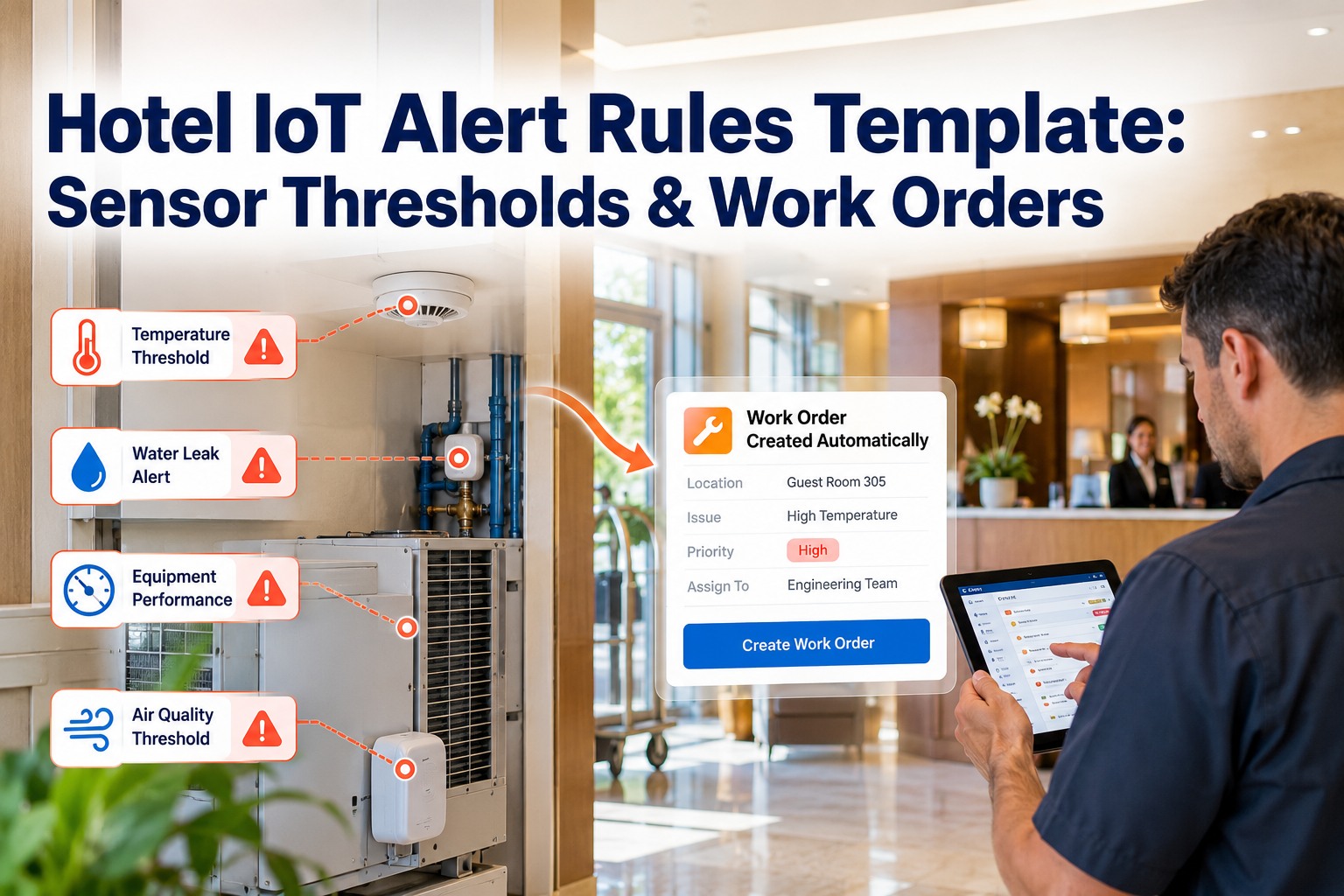
A sensor is only useful if it tells the right person the right thing at the right time. In most hotels the sensors are already installed: walk-in cooler probes, leak detectors, pool controllers, HVAC thermostats. The alerts either fire all night for nothing or stay silent until a guest complains about a warm room or a flooded corridor. The fix is a clear set of alert rules, each with a threshold, a duration and an automatic work order. This template gives you starting values for every key hotel zone, and shows how OXMAINT AI, the AI-powered CMMS, turns each alert into a tracked job.

Hotel Engineering · IoT Alerts → Work Orders → Preventive Maintenance

Hotel IoT Alert Rules Template: Sensor Thresholds & Work Orders

Alerts that fire all night get ignored, and alerts that never reach the right person turn into guest complaints, spoiled stock or water damage. OXMAINT AI, the AI-powered CMMS and maintenance management software, connects the whole workflow in one platform. A sensor breach becomes an issue, the issue becomes a work order with the asset, priority and checklist attached, and repeat alerts feed your preventive and predictive maintenance plan. Use the thresholds below as your starting point.

1Sensor Alert→ 2Issue→ 3Work Order→ 4PM / Predictive
ONE WORKFLOW · ONE PLATFORM
ALERTWalk-in cooler above 41°F (5°C) for 15 minutes
ISSUELogged against the cooler's asset record
WORK ORDERP1 refrigeration check sent to the on-call engineer
PMRepeat breaches inform preventive tasks and predictive alerts
Every alert has an owner and a record.
4-Part
rule structure that works for every sensor type
3 Tiers
info, warning and critical, each with its own response
8 Zones
kitchen, water, pool, HVAC, rooms, plant and more
Auto
work orders created with asset, priority and checklist

The Anatomy of a Rule That Actually Gets Acted On

Most noisy alert systems fail on one point: they alert on a number, not on a situation. A door opened for loading briefly pushes a cooler above its limit, and that is normal. A cooler that stays warm for fifteen minutes is a problem. Every good rule has four parts. Book a demo to see rule building in OXMAINT AI.

1
Metric
What is measured and where: temperature, humidity, moisture, pressure, vibration, chlorine, CO₂. Tie it to a specific asset, not just a room.
2
Threshold
The limit that matters, based on the manufacturer, food-safety guidance and your local codes. Set a warning level and a critical level.
3
Duration
How long the reading must stay out of range before alerting. This is the single biggest cut in false alarms.
4
Action
The work order to create, who gets it, the priority, and when it escalates if nobody picks it up.

The Hotel Alert Rules Template

These are common starting points, not universal limits. Always check them against your equipment manuals, health-code requirements and water-safety plan, then tune them after a few weeks of real data. Start free and load this template into OXMAINT AI.

Zone & SensorWarningCriticalDurationWork Order
Walk-in cooler
Air temperature
> 39°F (4°C) > 41°F (5°C) 20 / 15 min Refrigeration check, P1
Freezer
Air temperature
> 5°F (-15°C) > 10°F (-12°C) 20 / 15 min Refrigeration check, P1
Guest room
Temp vs setpoint
± 4°F ± 8°F 30 / 60 min HVAC inspection, P2
Guest room / corridor
Relative humidity
> 60% > 70% 60 / 30 min Mould-risk inspection, P2
Hot water storage
Temperature
< 140°F (60°C) < 131°F (55°C) 30 / 15 min Boiler and water-safety check, P1
Pool
Free chlorine / pH
Outside 1–3 ppm or pH 7.2–7.8 Chlorine < 0.5 ppm 10 / 5 min Dose and re-test, P1
Plant room, risers, kitchens
Water leak
Moisture detected Detected, still wet 1 / 5 min Leak response, P1
Pumps, motors, chillers
Vibration
Baseline +20% Baseline +40% 10 min Predictive inspection, P2
Ballroom, meeting rooms
CO₂ level
> 1,000 ppm > 1,500 ppm 15 / 10 min Ventilation check, P2

Three Severity Tiers, Three Different Responses

Not every alert deserves a phone call. Matching the response to the risk keeps your engineers focused and your alerts credible. Book a demo to see escalation paths in OXMAINT AI.

INFO
Log and watch
A small drift or a one-off spike. Logged on the asset history, no work order yet. Feeds trend analysis.
Response: review weekly
→
WARNING
Schedule a fix
The reading has stayed out of range. A P2 work order is created for the next available shift.
Response: same day
→
CRITICAL
Act now
Risk to guests, food safety or property. A P1 order is pushed to the on-call technician and escalates if unacknowledged.
Response: within minutes

The Sensor Isn't the Problem. The Handoff Is.

An alert that lands in an inbox, gets forwarded on WhatsApp and is never logged leaves no record and no accountability. When the alert creates the work order itself, nothing depends on someone remembering to act.

Six Ways to Cut False Alarms

Alert fatigue is the quiet reason monitoring projects fail. Once staff stop trusting the alerts, even the real ones get ignored. These six habits keep your signal clean. Start free and apply them in OXMAINT AI.

⏱
Add a duration
Require the reading to persist for minutes, not seconds, so door openings and brief spikes don't trigger anything.
⇅
Use a reset band
Clear an alert only after the reading is comfortably back in range, so a value hovering at the limit doesn't flap on and off.
📈
Watch the trend
A steady climb is a better warning than a single high number. Rate-of-change rules catch failures earlier.
🚫
Mute planned work
Pause alerts for defrost cycles, deep cleans and scheduled maintenance so planned events don't look like faults.
🔗
Merge duplicates
One failing chiller should create one work order, not forty. Group alerts by asset and open job.
▲
Escalate, don't repeat
If nobody acknowledges within a set time, move it up the chain instead of resending the same message.

From Alert to Closed Job, Automatically

Once a rule trips, the work order should arrive complete: the right asset, the right priority, the right checklist and the right technician. Book a demo to watch an alert become a job in OXMAINT AI.

1
Reading breaches
Sensor value crosses the limit and holds for the set duration.
→
2
Rule fires
A work order is created and linked to the asset and its history.
→
3
Tech notified
The on-call engineer gets the job with checklist, location and priority.
→
4
Fix and close
Notes, photos, parts and time are logged, building a record for audits.

Copy-Ready Rule Template

Use this layout for every new sensor. Fill the blanks, review it with your chief engineer, and repeat per asset.

ALERT RULE · COPY & FILL
Rule name Walk-in cooler high temperature
Asset / location Main kitchen — Cooler 1
Metric Air temperature (°F)
Warning > 39°F for 20 min
Critical > 41°F for 15 min
Suppress when Defrost cycle or door open < 5 min
Work order Refrigeration inspection · Priority P1
Assign to On-call engineer · notify F&B manager
Escalate Chief engineer if open after 30 min

Frequently Asked Questions

What are IoT alert rules in a hotel?
They are conditions that tell your monitoring system when a sensor reading needs attention, for example a cooler temperature above its limit for a set time. A good rule also defines the priority, who is notified and which work order is created. Book a demo to see them in OXMAINT AI.
How do I set the right sensor thresholds?
Start from the manufacturer's specification and any health or safety requirements, then use the template values as a baseline. After two to four weeks of live data, tighten or loosen limits to match how each asset really behaves.
Why do I need an alert duration?
Short spikes are normal in a hotel: doors open, defrost cycles run, guests adjust thermostats. A duration makes sure only sustained problems create alerts, which is the most effective way to reduce false alarms.
Can alerts create work orders automatically?
Yes. In OXMAINT AI a triggered rule can open a work order linked to the asset, set the priority, attach a checklist and assign the right technician, so no one has to copy the alert into a ticket by hand.
Do I need new sensors to get started?
Not necessarily. Many hotels already have sensors in refrigeration, BMS, pool and leak-detection systems. The value comes from connecting those readings to clear rules and a maintenance workflow. Start free and map your first rules in OXMAINT AI.

Turn Every Sensor Reading Into a Decision.

Build threshold rules, cut false alarms and send the right work order to the right engineer automatically. Set up your first hotel alert rules in OXMAINT AI today, or book a short demo and we'll walk through your own equipment.

Share This Story, Choose Your Platform!