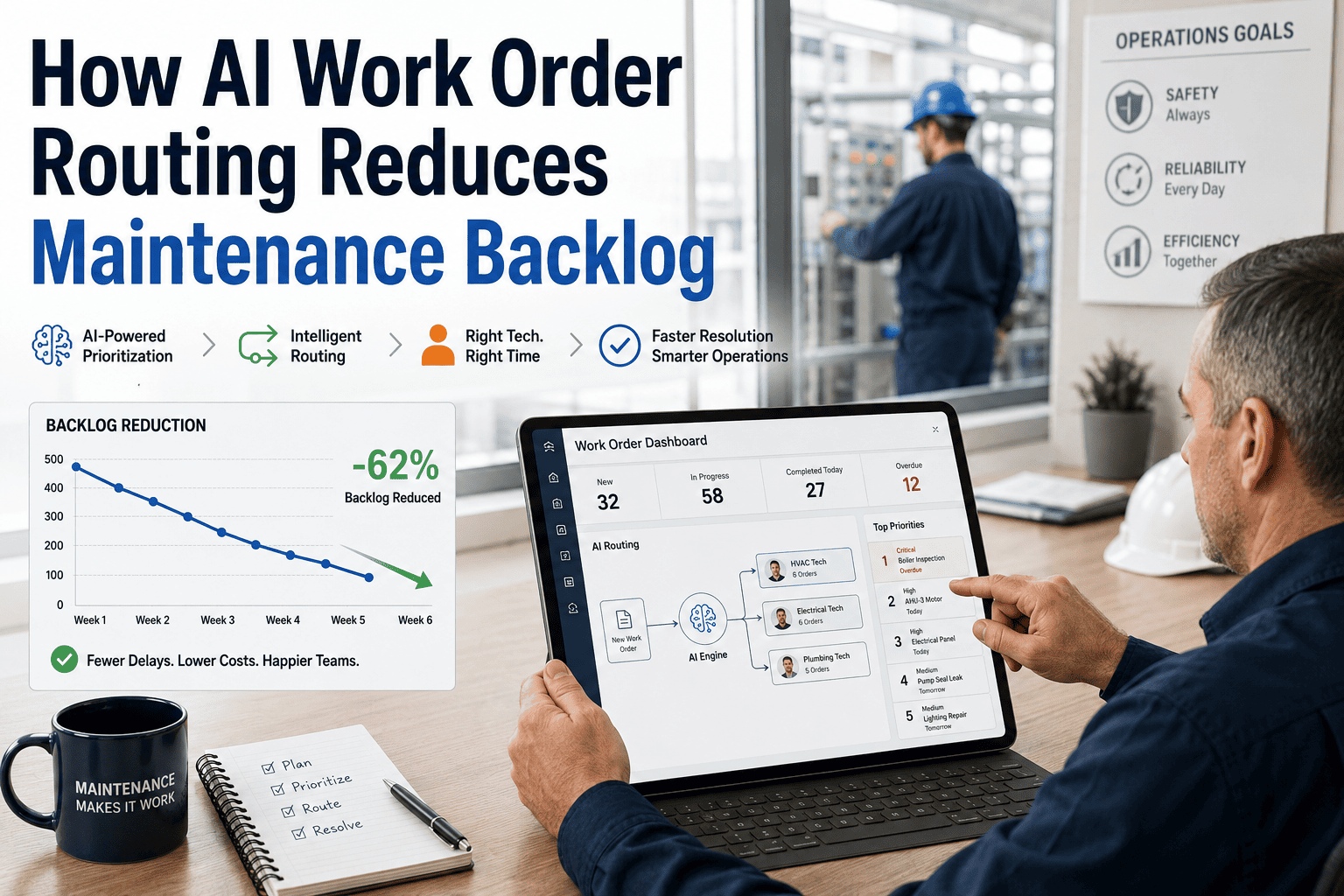
Most maintenance monthly meetings are driven by whoever prepared the slides, not by the data. When the review is built on manually compiled reports, the team spends the first 20 minutes debating whether the numbers are correct — and the last ten minutes rushing through the actual decisions. Preparing from a live CMMS before the meeting changes this completely: overdue tasks, backlog trends, downtime costs, and recurring issues arrive at the meeting already structured and verified. This guide shows what to pull and how to use it, with OxMaint's Analytics and Reporting module as the reference system.
How to Review Maintenance Work Orders Before Monthly Meetings
Better monthly reviews start before the meeting room. Here is the exact data to pull, how to read it, and what decisions it should drive — so your team spends the hour acting, not arguing about spreadsheets.
The Six Reports to Pull Before Every Monthly Maintenance Meeting
Pull all open work orders grouped by how long they have been open: 0–7 days, 8–30 days, 31–60 days, and 60+ days. The 60+ day bucket is the most critical — it represents deferred risk accumulating into future reactive events. Review the top ten oldest work orders and assign a decision: complete by date, escalate, or formally defer with documented rationale.
Preventive maintenance compliance below 85 percent is a leading indicator of reactive work increase in the following 30 to 60 days. Review compliance by site and by asset class — overall compliance rates hide which specific assets or locations are systematically missing their PM schedule and why.
Rank all assets by total downtime hours for the month. The top ten on this list are almost always the same assets month after month until a structural intervention is made. If the same asset appears in the top ten for the third consecutive month, it should trigger a formal reliability review — not another reactive repair.
A reactive ratio above 40 percent signals that the maintenance team is spending more time responding to failures than preventing them. Review the trend month over month — a reactive ratio that is rising is more concerning than one that is stable at 45 percent, because the trend predicts where you will be in 90 days without intervention.
Review total maintenance cost broken down by labor, parts, and contractor spend — compared to monthly budget. Significant variance in parts spend often indicates an emerging reliability problem before it shows up in downtime data. Contractor spend spikes typically indicate internal resource gaps that are being filled expensively.
An asset that has been repaired for the same fault more than twice in a rolling 90-day window is not a maintenance problem — it is an engineering or design problem being managed with repetitive labor. Surfacing these assets explicitly in a monthly review forces the conversation about permanent fixes rather than continued reactive response.
OxMaint Prepares Your Monthly Review Data Automatically — Before You Ask
Schedule reports to arrive in your inbox every first Monday of the month, already formatted for your review meeting. No manual exports, no spreadsheet assembly, no debates about data accuracy.
What Good Looks Like — Monthly KPI Benchmarks by Metric
| KPI | Underperforming | Acceptable | High Performing |
|---|---|---|---|
| PM Compliance Rate | Below 70% | 70% – 85% | Above 85% |
| Reactive Work Ratio | Above 50% | 30% – 50% | Below 30% |
| Work Order Backlog (30–60 day) | Above 25% of total open WOs | 10% – 25% | Below 10% |
| First-Time Fix Rate | Below 70% | 70% – 82% | Above 82% |
| Planned Maintenance Coverage | Below 60% | 60% – 75% | Above 75% |
The quality of a monthly maintenance meeting is determined in the 48 hours before it, not in the room itself. When I moved my team from manual spreadsheet preparation to pulling live CMMS reports the day before the meeting, we went from spending 25 minutes arguing about data to spending 50 minutes making decisions. The data had not changed — the confidence in the data had. Live system reports carry an authority that manually compiled reports never have, because everyone in the room knows they have not been filtered or adjusted by the person who prepared them.
Frequently Asked Questions
How long should a monthly maintenance review meeting take?
A well-prepared monthly maintenance review should take 60 to 90 minutes maximum. If your meeting regularly runs longer than this, it is usually a sign that the data is arriving at the meeting unreviewed — and the team is analyzing rather than deciding. The six reports above should be distributed at least 24 hours before the meeting, reviewed individually by each attendee, and the meeting should focus entirely on the three to five decisions that require group input. Everything that can be decided individually should not take meeting time. OxMaint's scheduled report feature distributes reports automatically before your meeting cadence.
Who should attend the monthly maintenance work order review?
The core group should be the maintenance manager, the senior planner or scheduler, and the reliability engineer if one exists. Production or operations representatives should attend for the section on downtime and reactive work — their input on production impact is critical for prioritization decisions. Finance should be present for the cost vs budget review. Keeping the meeting small enough to make decisions — typically 4 to 8 people — is more important than ensuring every stakeholder is in the room. Stakeholders who need summary information can receive a written summary after the decisions are made.
Should the same report template be used every month?
Yes — consistency is essential for a monthly review to function as a management tool rather than a presentation. When the same metrics appear in the same format every month, trend analysis becomes natural: attendees begin to notice when a number is moving in the wrong direction without needing a chart to illustrate it. Changing the report format disrupts this and restarts the learning curve. Use the same six-report structure every month, and only add new reports when a specific decision need arises that existing reports cannot address. Book a demo to see OxMaint's standardized monthly reporting templates.
Make Every Monthly Review a Decision Meeting — Not a Data Debate
OxMaint delivers your six monthly review reports automatically — overdue backlog, PM compliance, top downtime assets, reactive ratio, cost variance, and repeat failures — formatted and ready the day before your meeting.