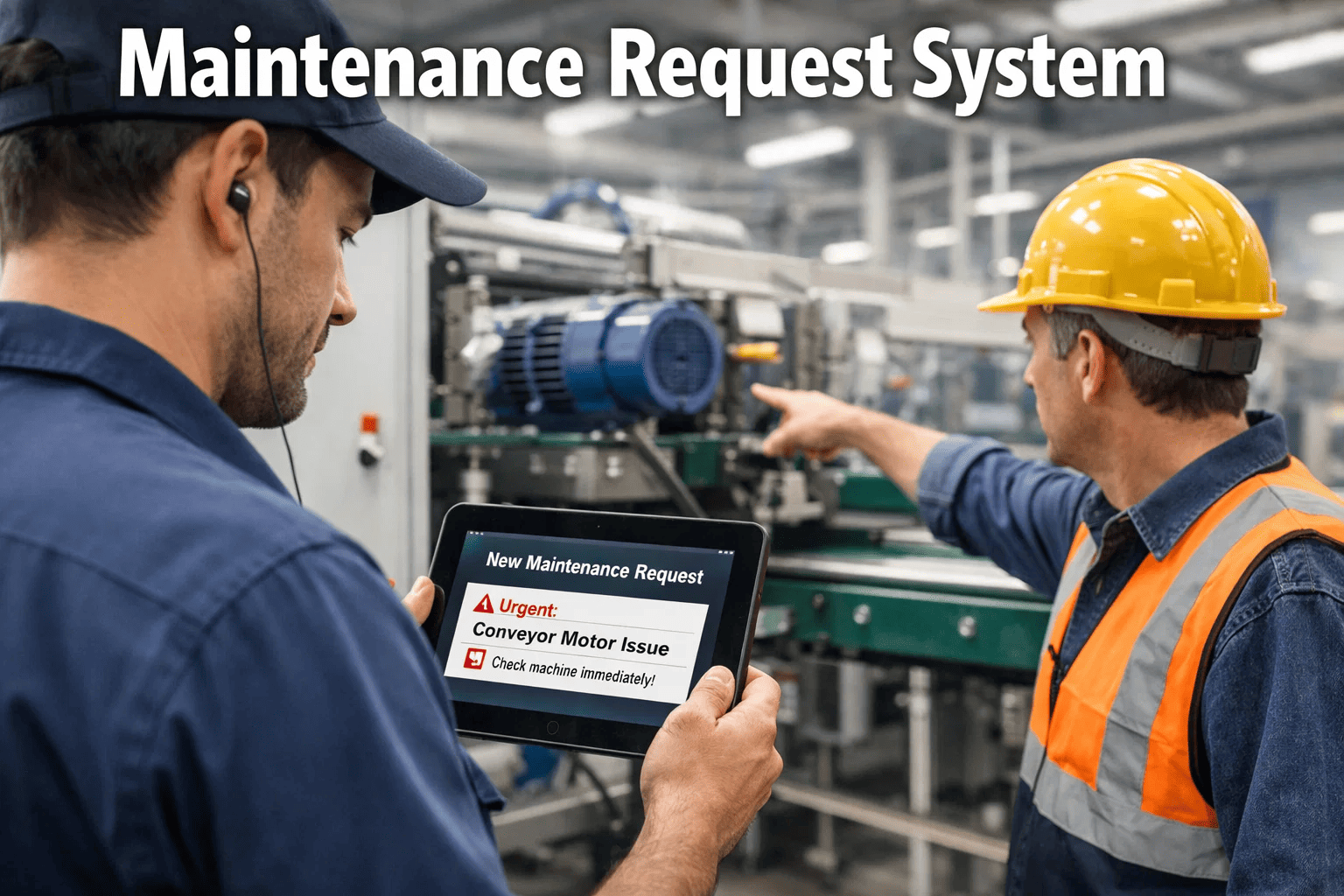
A hotel guest reports a broken air conditioner to the front desk. The desk agent writes the room number on a notepad. At shift change, the note gets buried under check-in paperwork. The next morning, the guest — now furious after a sleepless night — complains to the general manager. The maintenance technician learns about the issue 14 hours after the original report, fixes it in 20 minutes, and the hotel loses a five-star review that would have influenced hundreds of future bookings. In an effective request maintenance system, the guest scans a QR code on the thermostat, taps "AC not cooling," and submits. The system auto-creates a work order, classifies it as HVAC priority based on room occupancy status, assigns it to the on-duty HVAC technician, and dispatches via push notification — all within 90 seconds. The technician receives the request on his phone, walks to the room, and has the AC running in 30 minutes. Same problem. Same hotel. Different system. Different outcome by a factor of 28×. This guide shows you exactly how to build a request maintenance system that actually works — from intake channels and routing logic to escalation rules and performance tracking. Schedule a demo to see OxMaint's request system in action.
Ad-Hoc Request Systems
Phone calls, emails, hallway conversations, sticky notes, and shared spreadsheets. Requests disappear. Priorities are guesswork. Nobody knows the status.
UntrackedLost requestsZero accountability
VS
Structured Request System
QR codes, mobile submissions, web portals, auto-classification, automated routing, real-time tracking, and complete documentation. Zero lost requests.
Multi-channelAuto-routed100% tracked
Side-by-Side: What Changes When You Structure Request Intake
Auto-classified by type, priority, and required trade
Routing
Manual — coordinator dispatches when available
Auto-routed by skill, location, and availability
Requestor feedback
None — they call to ask "is it done yet?"
Real-time status updates and completion notification
Duplicate detection
Same issue reported 5 times by 5 people
AI detects duplicates — merges into single work order
Lost requests
15–25% lost, forgotten, or never logged
0% — every request tracked with audit trail
Response time
Hours to days — depends on who noticed
Over 40% faster with automated routing
Performance data
None — no way to measure what you cannot see
Response time, resolution time, SLA compliance, trends
Where Broken Request Processes Cost You Real Money
15–25%
Requests Lost Before Anyone Acts
Phone calls go unreturned. Emails get buried. Verbal requests are forgotten by the end of the shift. A quarter of maintenance needs are never logged into any system — turning minor issues into major failures that cost 4 to 5 times more to fix reactively.
3–14 Days
Average Response Time Without a System
Without structured routing, every request waits for a human to notice, triage, and manually assign it. The coordinator becomes the bottleneck — and when they are busy, sick, or on vacation, the entire request queue stalls. Structured systems cut this by over 40%.
5× Per Issue
Duplicate Reports Flooding the Queue
When requestors have no visibility into whether their issue was received, they report it again — and again. Five people report the same leaking pipe through five different channels, creating five work orders for one problem. Technician time is wasted investigating duplicates instead of fixing the issue.
Self-Service Maintenance Requests
Scan. Submit. Track. Done. No Phone Calls Required.
OxMaint gives anyone in your organization — staff, tenants, students, guests — a frictionless way to report maintenance issues via QR code, mobile app, or web portal. Every request is classified, routed, tracked, and documented automatically. No lost requests. No status phone calls. No paperwork.
Seven Components of a Request System That Actually Works
An effective maintenance request system is not just a form that creates a ticket. It is seven interconnected components that ensure every request — from submission to resolution — is captured, classified, routed, tracked, and documented without manual intervention at any step.
1. Multi-Channel IntakeFoundation
What to build: Give requestors multiple ways to submit — QR codes on equipment and walls, a mobile app, a web portal accessible without login, and email-to-ticket conversion. Every channel feeds into the same system. The requestor uses whichever method is most convenient in the moment — a custodian scans a QR code on a boiler, a tenant submits through the web portal from their apartment, a teacher taps the mobile app between classes.
Why it matters: Every barrier to submission is a request that never gets logged. If the only option is "call the office during business hours," 30 to 40 percent of issues go unreported — festering until they become emergencies. QR codes eliminate the barrier entirely: scan, describe, submit. No app download. No login. Under 60 seconds.
QR codes on assets and in rooms. Anyone can submit from any device in under 60 seconds.
2. Structured Data CaptureFoundation
What to build: Every request must capture: exact location (building, floor, room — pre-populated from QR code or dropdown), description in plain language, photo attachment, requestor contact information, and timestamp. The form should be simple enough for anyone — no maintenance terminology, no trade selection, no priority classification. Just the problem and the location.
Why it matters: The quality of request data determines everything downstream. "Something's broken in the east wing" requires a coordinator to call back, locate the issue, and manually classify it — adding hours. "Water dripping from ceiling in Building C, Room 204" with a photo gives the system everything it needs to auto-classify and auto-route without human intervention.
Photo + location + description = enough data for automatic classification and routing.
3. Auto-Classification and Priority ScoringIntelligence
What to build: AI analyzes the description and photo to auto-classify the work type (plumbing, HVAC, electrical, structural), assign a priority score based on configurable rules (safety impact, space type, occupancy status, compliance implications), and determine the required trade. Duplicate detection catches the same issue reported multiple times and merges them.
Why it matters: Manual classification is where requests stall. The coordinator becomes the bottleneck — reading every request, deciding the category, assigning the priority, and selecting the technician. Automation does this in 3 seconds, eliminates human error, and ensures consistent prioritization that is not influenced by who knows whom.
Classification in 3 seconds. Zero human triage bottleneck. Duplicates auto-merged.
4. Automated Routing and DispatchAutomation
What to build: Once classified, the system auto-assigns the work order to the optimal technician based on: required trade and certifications, proximity to the building (GPS-based for mobile teams), current availability (not already on a higher-priority task), and historical performance on similar repairs. Push notification dispatches instantly.
Why it matters: Manual dispatch — the morning meeting, the whiteboard, the phone call — adds 30 to 60 minutes to every request cycle. For organizations with distributed buildings, random dispatch wastes hours of travel time daily. Automated routing based on proximity and skill matching delivers over 40% faster response times.
Dispatch in seconds, not hours. Nearest qualified technician. Zero phone calls.
5. Requestor Communication LoopExperience
What to build: The requestor receives automatic updates at every milestone: confirmation of receipt, technician assignment, technician en route, work started, work completed. They never need to call the facilities office to ask "did anyone get my request?" or "when will it be fixed?" Status is visible in the portal or app at all times.
Why it matters: The number one source of dissatisfaction with maintenance is not slow repairs — it is silence. Requestors do not know if their issue was received, if anyone is working on it, or when it will be resolved. This uncertainty generates follow-up calls that consume coordinator time and create the perception that maintenance is unresponsive, even when work is progressing.
Requestor knows status at every step. Zero follow-up phone calls. Zero perception gaps.
6. Escalation RulesCritical
What to build: Configure time-based escalation: if a work order is not acknowledged within 30 minutes, escalate to supervisor. If not started within 4 hours for high priority, escalate to facilities director. If SLA breach is imminent, auto-reassign to next available qualified technician. After-hours emergency routing to on-call schedule.
Why it matters: Without escalation, unacknowledged requests simply wait — indefinitely. The technician is busy, sick, or did not see the notification. Configurable escalation ensures no request sits idle beyond its acceptable response window. The system catches what humans miss.
No request sits idle beyond its SLA window. Auto-escalation catches every gap.
7. Performance AnalyticsIntelligence
What to build: Track and report on: average response time (request to acknowledgment), average resolution time (request to completion), SLA compliance rate, requests by building and type (identifying problem areas), technician performance, requestor satisfaction scores, and recurring issue patterns that indicate systemic problems.
Why it matters: You cannot improve what you cannot measure. Without analytics, the facilities director cannot answer "what is our average response time?" or "which building generates the most requests?" or "are we getting better or worse?" Data transforms maintenance from an anecdotal operation to a managed service with measurable SLAs.
Response time, resolution time, SLA compliance, and trends — all measured, all visible, all improving.
The Request Lifecycle: From Submission to Resolution in 6 Steps
Every maintenance request follows a standardized lifecycle that compresses response time, keeps the requestor informed, and generates the data that drives continuous improvement.
SubmissionUnder 60 sec
Requestor scans a QR code on the asset or in the room, opens the mobile app, or visits the web portal. Selects building and room (pre-filled if using QR). Describes the issue in plain language. Attaches a photo. Taps submit. No login required for QR-based submissions. No maintenance knowledge needed.
Requestor immediately receives a confirmation with a tracking number and estimated response time. They can check status anytime without calling anyone.
Classification and RoutingUnder 10 sec
The system auto-classifies the request: work type, priority, required trade. Duplicate detection checks for existing open work orders on the same asset or location. The classified work order is auto-routed to the optimal technician based on trade, location, and availability.
If manual review is configured for certain request types, the supervisor receives a notification to approve before dispatch — with the AI's recommended classification pre-populated for one-tap confirmation.
Technician AcknowledgmentTarget: 30 min
Assigned technician receives a push notification with: building and room, problem description with photo, asset maintenance history, navigation link, and suggested parts. They acknowledge the assignment — confirming they have seen it and will respond. Requestor is notified that a technician has been assigned.
If the technician does not acknowledge within the configured timeout, the system auto-escalates to the next qualified person or alerts the supervisor. No request falls into a silent void.
On-Site ExecutionMobile-First
Technician checks in on arrival (GPS-verified, timestamp logged). Reviews asset history and prior repairs. Takes a before photo. Performs the repair. Logs parts used via barcode scan. Records labor time. Takes an after photo. Adds voice-to-text repair notes describing what was done and the root cause.
If additional parts are needed, the technician creates a purchase requisition from the work order screen — linked to the request, routed for approval, and tracked to delivery. The request stays open until the part arrives and the repair is completed.
Completion and NotificationAuto
Technician taps "Complete." All mandatory fields are verified: work performed, root cause, parts consumed, after photo, labor time. Work order moves to closed. All costs finalized. Data feeds into asset history, KPI dashboards, and compliance records permanently.
Requestor receives automatic notification: "Your maintenance request has been completed." Optional satisfaction survey captures feedback that feeds technician performance and service quality metrics.
Pattern Analysis and PreventionContinuous
Every closed request feeds data back into the system: Was the classification correct? Was the response within SLA? Is this a recurring issue on this asset? Pattern detection identifies: assets with increasing failure rates, buildings with disproportionate request volumes, and seasonal trends that should trigger preventive work.
The system evolves from managing requests to preventing them: "Room 204 has had 4 water-related requests in 12 months. Recommend comprehensive roof inspection." The best request system reduces the number of requests over time.
QR Code Implementation: The Fastest Path to Frictionless Requests
QR codes are the single highest-impact change you can make to your maintenance request process. They eliminate every barrier to submission and ensure every request captures the exact asset and location information needed for automatic routing.
On EquipmentAsset-Level
Where: Affixed directly to HVAC units, elevators, generators, water heaters, fire panels, and any maintainable equipment. Scanning the code opens a pre-populated request form with the exact asset, model, serial number, and location already filled in. The requestor only needs to describe the symptom and attach a photo.
Bonus: Scanning also shows the asset's maintenance history, upcoming scheduled work, and current status — so the requestor can see that a repair is already scheduled before creating a duplicate. Technicians scanning the same code access the full service record, warranty info, and parts list.
One scan = asset identified, location confirmed, request form pre-filled. Under 30 seconds to submit.
In Rooms and Common AreasLocation-Level
Where: Posted near light switches, in restrooms, at building entrances, in conference rooms, and in any space where occupants might notice issues. The code links to that specific room — so the request auto-populates the building, floor, and room number without the requestor needing to know the facility's naming convention.
Ideal for: Hotels (guest rooms), schools (classrooms), hospitals (patient rooms), apartments (tenant units), offices (conference rooms). Any environment where the people reporting issues are not maintenance professionals and should not need to know asset IDs or building codes.
Location-level QR codes = perfect for non-technical requestors. No training. No app download.
Financial Impact of a Structured Request System
Documented improvements from organizations implementing structured maintenance request systems
40%+
Faster response times through automated routing and dispatch
0%
Lost requests — every submission tracked end-to-end automatically
60–80%
Reduction in follow-up calls from requestors asking for status
4–5×
Cost avoided per issue caught early vs. discovered as emergency
Bottom Line
Every Request Captured. Every Response Measured. Every Dollar Saved.
Platform starts free · QR codes generated in minutes · First request processed on day one
Stop Losing Requests. Start Measuring Response. Build a System That Works.
OxMaint gives you QR code request portals, mobile and web submission, auto-classification, automated routing, requestor status tracking, escalation rules, and performance analytics — all in one platform. Deploy in a day. First request processed within the hour. Measurable improvement from week one.
Do requestors need to download an app or create an account?
No. QR code-based submissions work through the device's native camera and web browser — no app download, no account creation, no login. The requestor scans the QR code, fills in the form that appears (with location pre-populated), attaches a photo, and submits. The entire process takes under 60 seconds and works on any smartphone. For organizations that want additional features like status tracking and history, the mobile app and web portal are available — but they are not required for basic submission. The goal is zero friction: if someone sees a problem, they should be able to report it in the time it takes to check a text message. Sign up free and generate your first QR codes in minutes.
How does the system handle requests submitted after hours?
After-hours requests are captured identically to daytime submissions — the system never stops accepting requests. Routing follows configurable rules: emergency requests (classified by the AI based on description and location) are routed to the on-call technician via push notification and phone call escalation. Non-emergency requests are queued for the next business day and auto-dispatched when the appropriate technician begins their shift. The requestor receives immediate confirmation regardless of time of day, so they know the request was captured even if resolution will occur the following morning.
Can we customize the request form for different types of requestors?
Yes. OxMaint supports multiple request form configurations. A tenant's form might include only location, description, and photo. An internal technician's form might include asset selection, trade classification, and priority recommendation. A student's form might be simplified to building, room, and a dropdown of common issues (lighting, temperature, plumbing, pest, other). Different QR codes or portal URLs can route to different forms — so the experience is appropriate for each requestor type without overwhelming anyone with unnecessary fields.
How does duplicate detection work?
When a new request is submitted, the system checks for existing open work orders matching the same asset, location, or description pattern. If a likely duplicate is detected, the system can either: automatically merge the new request into the existing work order (adding the new requestor to the notification list), or flag it for manual review before merging. This prevents the common scenario where five people report the same broken elevator, creating five separate work orders that consume five separate slots of technician time for investigation. The merged work order shows all requestors, ensuring everyone receives completion notification.
What industries benefit most from QR code-based maintenance requests?
Any industry where the people reporting issues are not maintenance professionals benefits enormously. Hotels (guests reporting room issues), education (teachers reporting classroom problems), healthcare (nursing staff reporting equipment faults), property management (tenants reporting apartment issues), manufacturing (operators reporting machine faults), and retail (store staff reporting facility problems). The common thread: the requestor knows something is wrong but does not know the maintenance terminology, asset ID, or correct department to contact. QR codes bypass all of that — scan, describe, submit. Book a demo to see QR-based request management for your industry.
By Jennie
✨
Experience Oxmaint's Power
Take a personalized tour with our product expert to see how OXmaint can help you streamline your maintenance operations and minimize downtime.




.png)
